


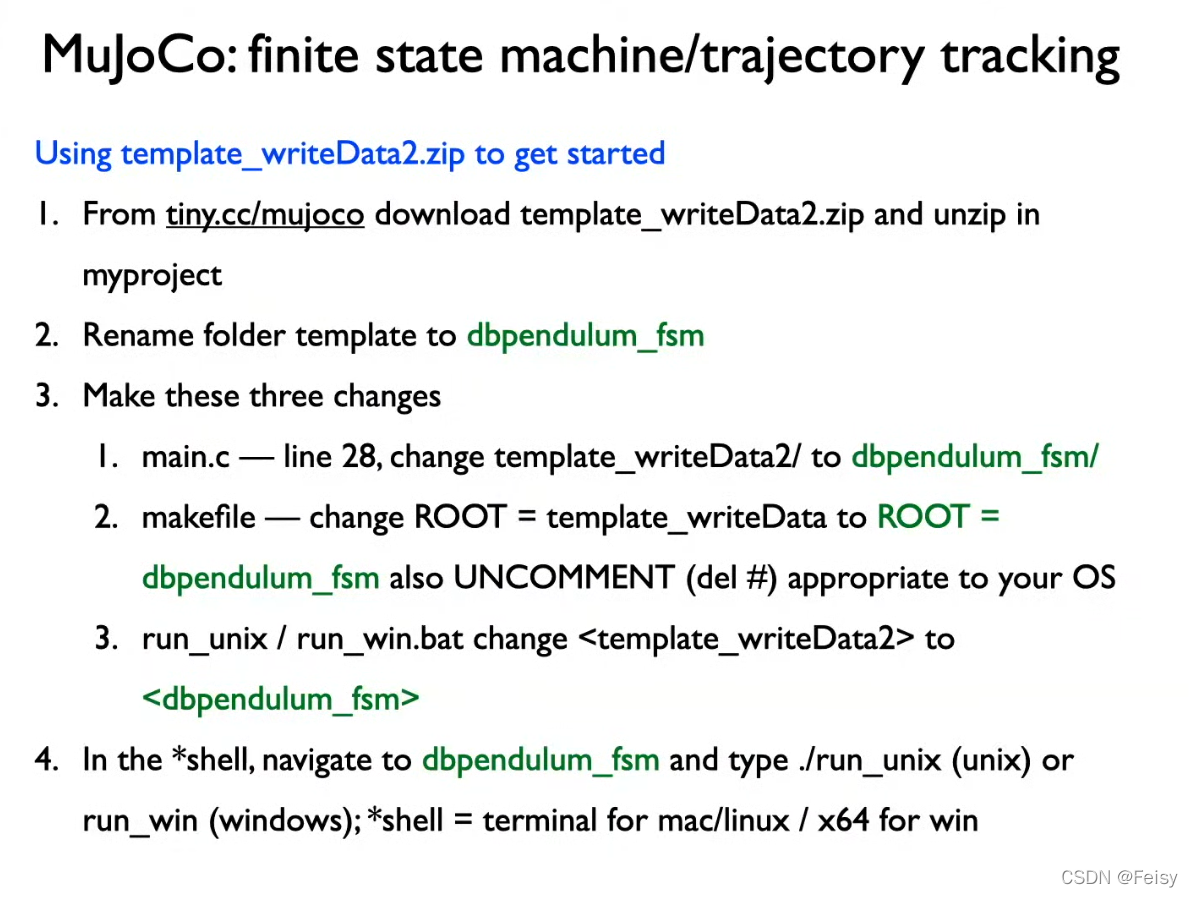
教程内容
- 实现 hold swing1 swing2 stop 四个状态的切换
- 不同状态的轨迹使用不同的方法生成
用电机来实现位置的变化
mujoco 有限状态机的演示
使用外力来实现位置的变化
如果我们取消关节的电机,采用外力来控制,效果如下
Mujoco采用外力来实现状态机
看起来和有电机的一模一样。所以电机的输入和外力的输入的功能是一样的
状态机图示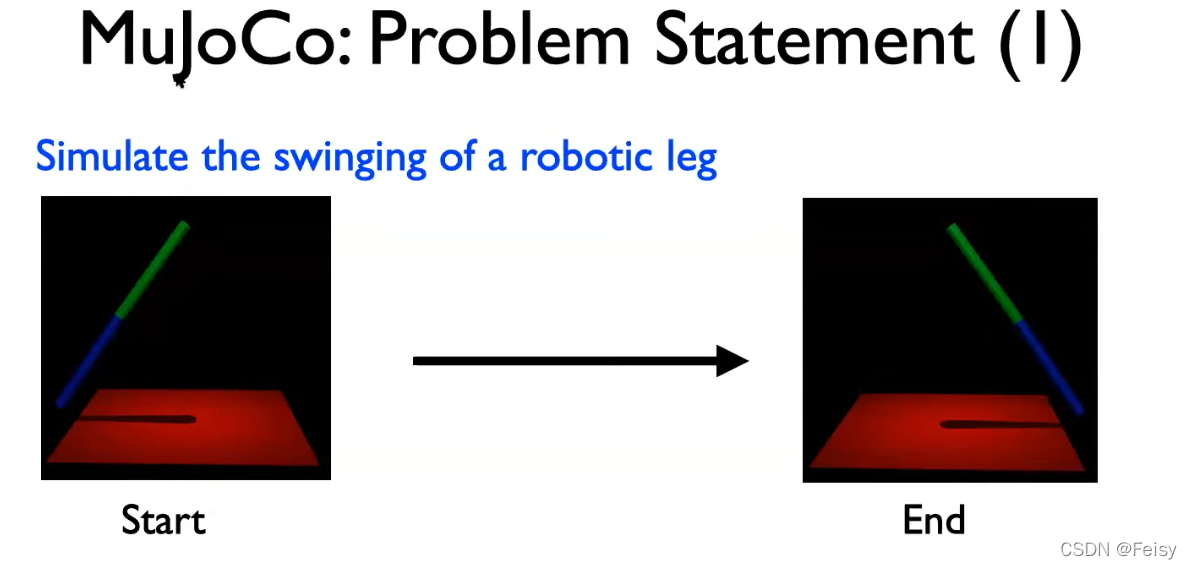
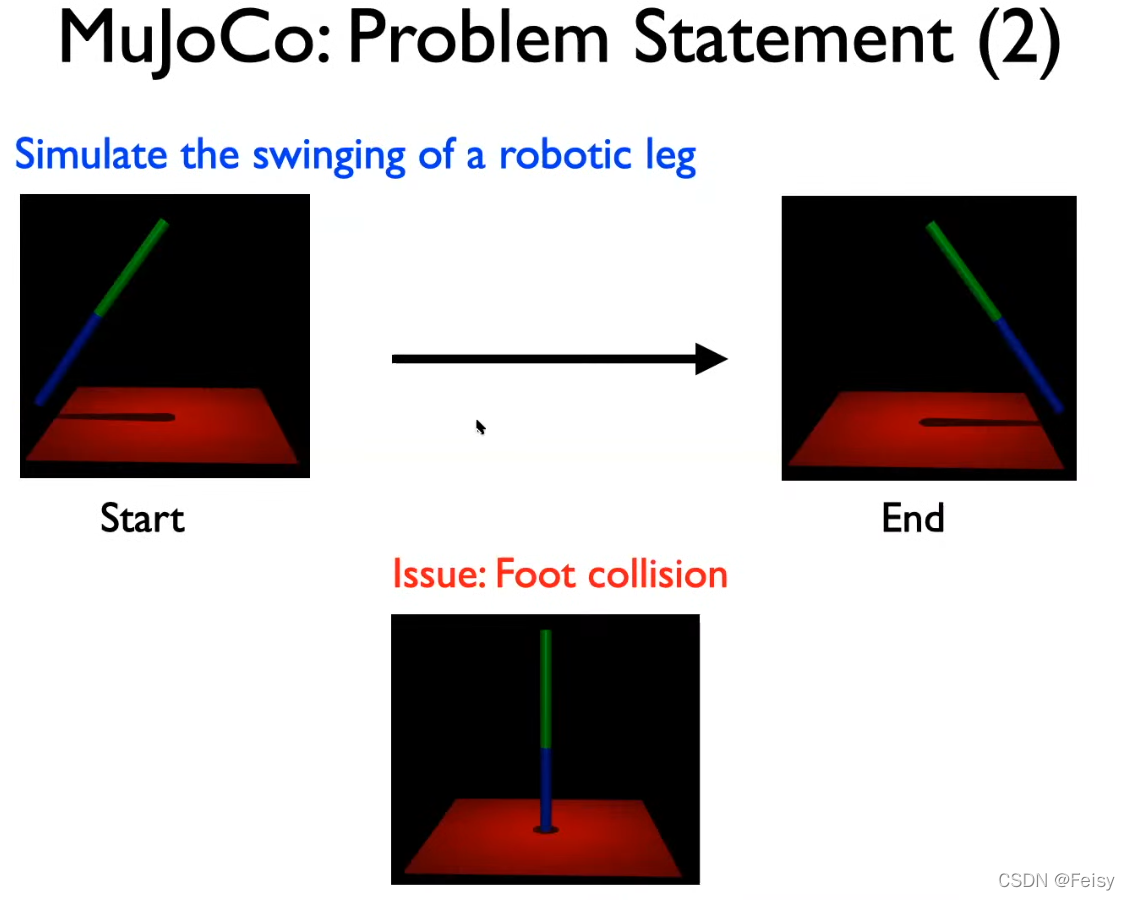
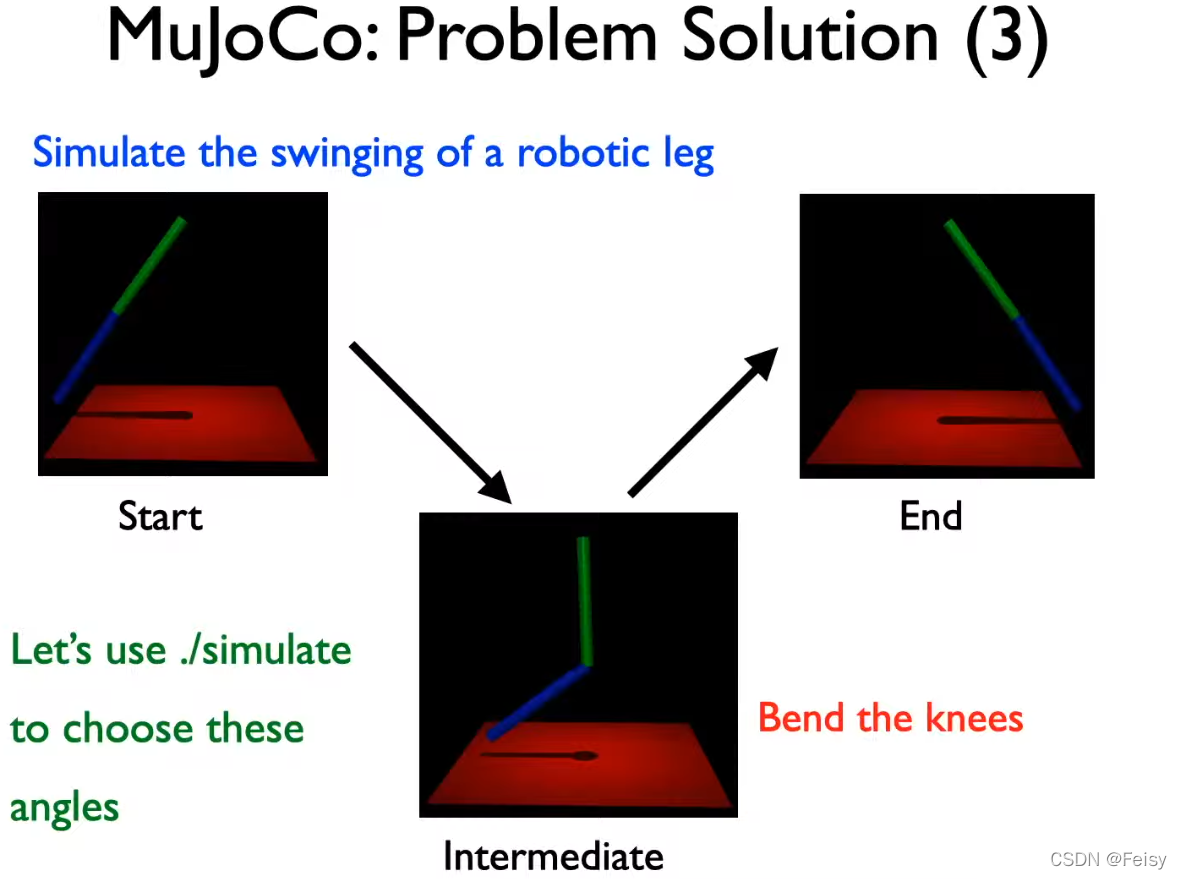
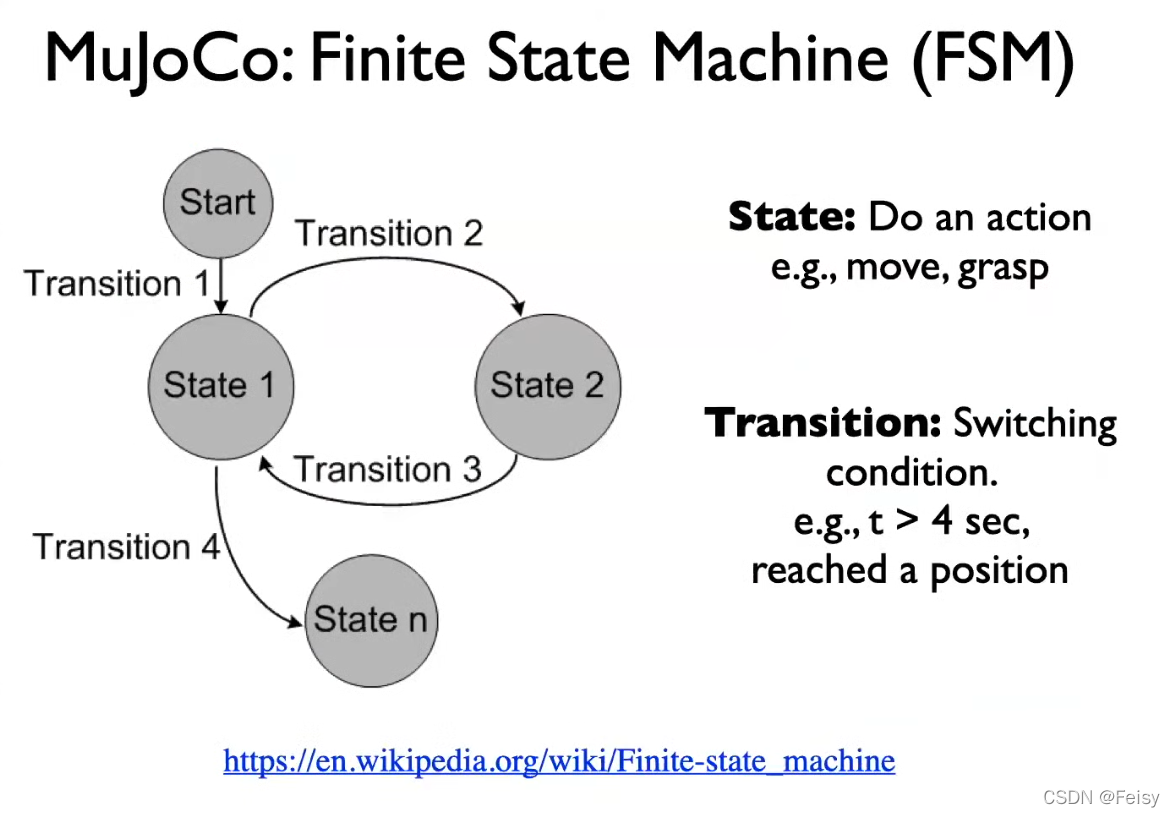
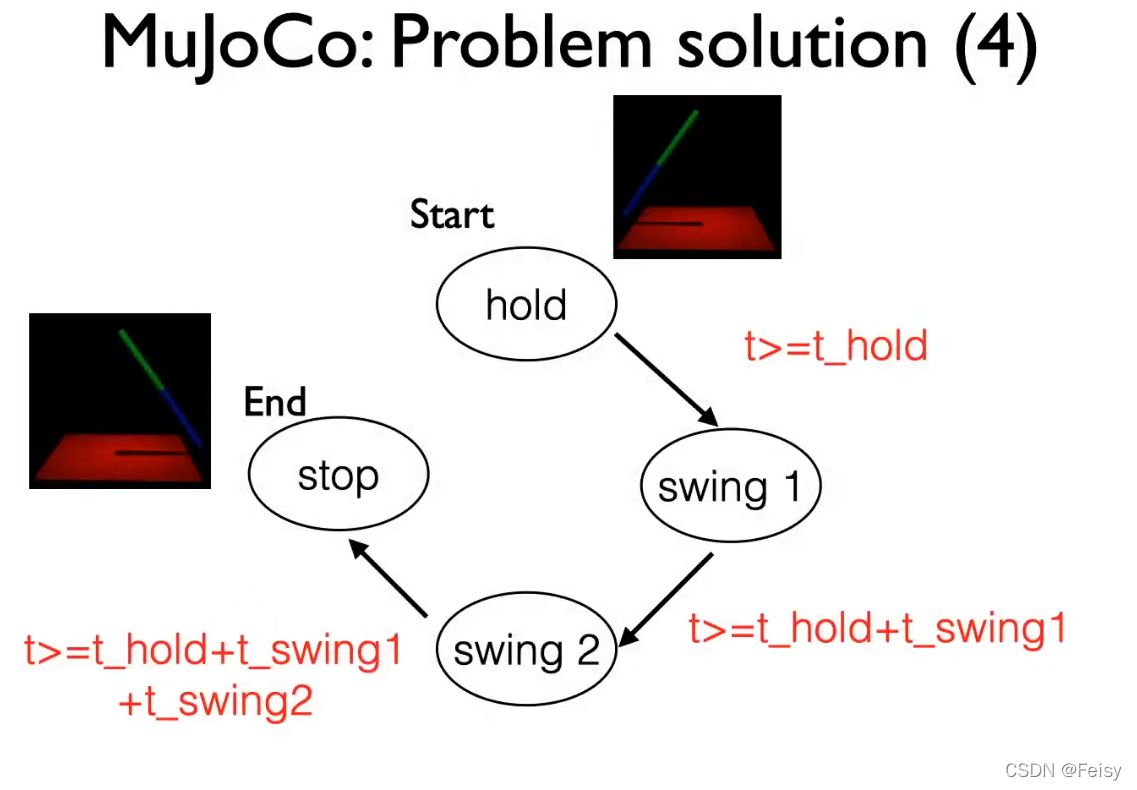
代码
#include<stdbool.h> //for bool
//#include<unistd.h> //for usleep
//#include <math.h>
//start: q0 = -1; q1 = 0
//intermediate: q0 = 0; q1 = -1.57 (pi/2)
//end: q0 = 1; q1 = 0;
double a0[2]={
0},a1[2]={
0},a2[2]={
0},a3[2]={
0};
double qref[2]={
0}, uref[2]={
0};
#include "mujoco.h"
#include "glfw3.h"
#include "stdio.h"
#include "stdlib.h"
#include "string.h"
//simulation end time
double simend = 5;
//state machine
int fsm_state;
#define fsm_hold 0
//const int fsm_hold = 0;
#define fsm_swing1 1
#define fsm_swing2 2
#define fsm_stop 3
const double t_hold = 0.5;
const double t_swing1 = 1;
const double t_swing2 = 1;
//related to writing data to a file
FILE *fid;
int loop_index = 0;
const int data_frequency = 10; //frequency at which data is written to a file
// char xmlpath[] = "../myproject/template_writeData/pendulum.xml";
// char datapath[] = "../myproject/template_writeData/data.csv";
//Change the path <template_writeData>
//Change the xml file
char path[] = "../myproject/dbpendulum_fsm/";
char xmlfile[] = "doublependulum.xml";
char datafile[] = "data.csv";
// MuJoCo data structures
mjModel* m = NULL; // MuJoCo model
mjData* d = NULL; // MuJoCo data
mjvCamera cam; // abstract camera
mjvOption opt; // visualization options
mjvScene scn; // abstract scene
mjrContext con; // custom GPU context
// mouse interaction
bool button_left = false;
bool button_middle = false;
bool button_right = false;
double lastx = 0;
double lasty = 0;
// holders of one step history of time and position to calculate dertivatives
mjtNum position_history = 0;
mjtNum previous_time = 0;
// controller related variables
float_t ctrl_update_freq = 100;
mjtNum last_update = 0.0;
mjtNum ctrl;
// keyboard callback
void keyboard(GLFWwindow* window, int key, int scancode, int act, int mods)
{
// backspace: reset simulation
if( act==GLFW_PRESS && key==GLFW_KEY_BACKSPACE )
{
mj_resetData(m, d);
mj_forward(m, d);
}
}
// mouse button callback
void mouse_button(GLFWwindow* window, int button, int act, int mods)
{
// update button state
button_left = (glfwGetMouseButton(window, GLFW_MOUSE_BUTTON_LEFT)==GLFW_PRESS);
button_middle = (glfwGetMouseButton(window, GLFW_MOUSE_BUTTON_MIDDLE)==GLFW_PRESS);
button_right = (glfwGetMouseButton(window, GLFW_MOUSE_BUTTON_RIGHT)==GLFW_PRESS);
// update mouse position
glfwGetCursorPos(window, &lastx, &lasty);
}
// mouse move callback
void mouse_move(GLFWwindow* window, double xpos, double ypos)
{
// no buttons down: nothing to do
if( !button_left && !button_middle && !button_right )
return;
// compute mouse displacement, save
double dx = 最低0.47元/天 解锁文章






 扫一扫
扫一扫


 167
167

 被折叠的 条评论
为什么被折叠?
被折叠的 条评论
为什么被折叠?
 到【灌水乐园】发言





