





 本文概述了Jetpack Compose 1.2版本的重要更新,包括新的实验性API LookaheadLayout和Modifier.Node,改进的窗口插图支持,LazyLists中的键盘导航支持,以及降低了对话框和弹出窗口的最大高度限制。
从官网上看,与1.2的变化
Important changes since 1.2.0
- New experimental API suite
LookaheadLayout(enabling previously impossible animation behaviors) - New experimental API suite
Modifier.Node(higher-performance alternative toModifier.composed) - Improved window insets support.
- Focus support for D-Pads and hardware keyboard in LazyLists.
- Maximum supported elevation in dialogs and popups has been reduced to 8dp (behavior breaking change for some customized design systems – rationale in beta01 release notes)
- Many minor, nonbreaking API improvements
- Many bugfixes and performance improvements
谷歌翻译:
自 1.2.0 以来的重要变化
- 新的实验性 API 套件 LookaheadLayout(启用以前不可能的动画行为)
- 新的实验性 API 套件 Modifier.Node(Modifier.composed 的更高性能替代品)
- 改进的窗口插图支持。
- 重点支持 LazyLists 中的方向键和硬件键盘。
- 对话框和弹出窗口中支持的最大高度已降低到 8dp(某些定制设计系统的行为破坏性更改 - beta01 发行说明中的基本原理)
- 许多小的、非破坏性的 API 改进
- 许多错误修正和性能改进
文章仅包含大部分更新内容,如果想看完整的更新内容请看Compose UI | Android Developers
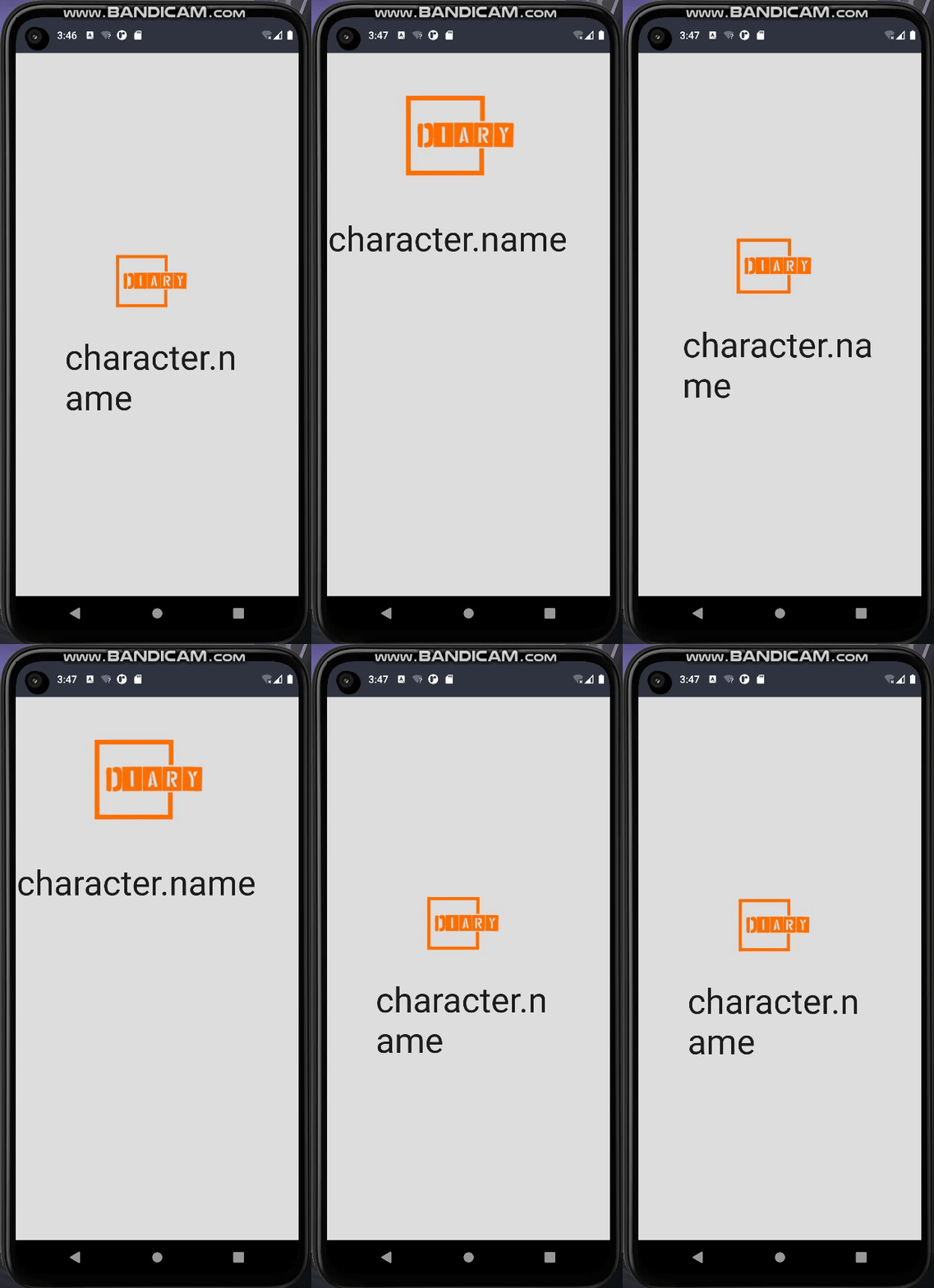
LookaheadLayout
LookaheadLayout是一种新型布局,提供有关其子项的最终测量和放置的信息,因此您可以决定中间布局。
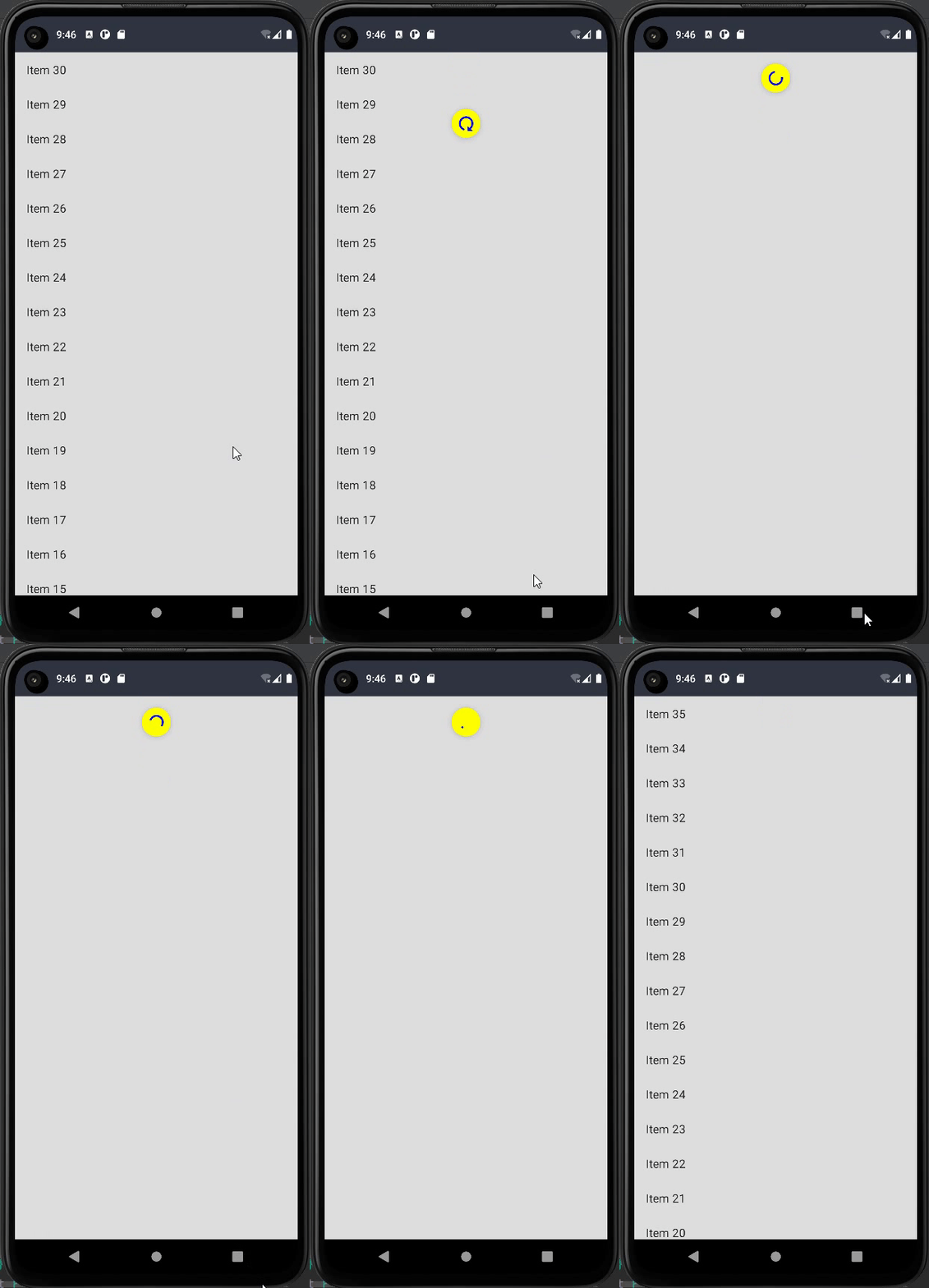
使用新的 pullRefresh 滑动以刷新。
与 PullRefreshState 结合使用的 PullRefresh 修饰符。提供到嵌套滚动系统的连接。基于 Android 的 SwipeRefreshLayout。
androidx.compose.material.pullrefresh | Android Developers
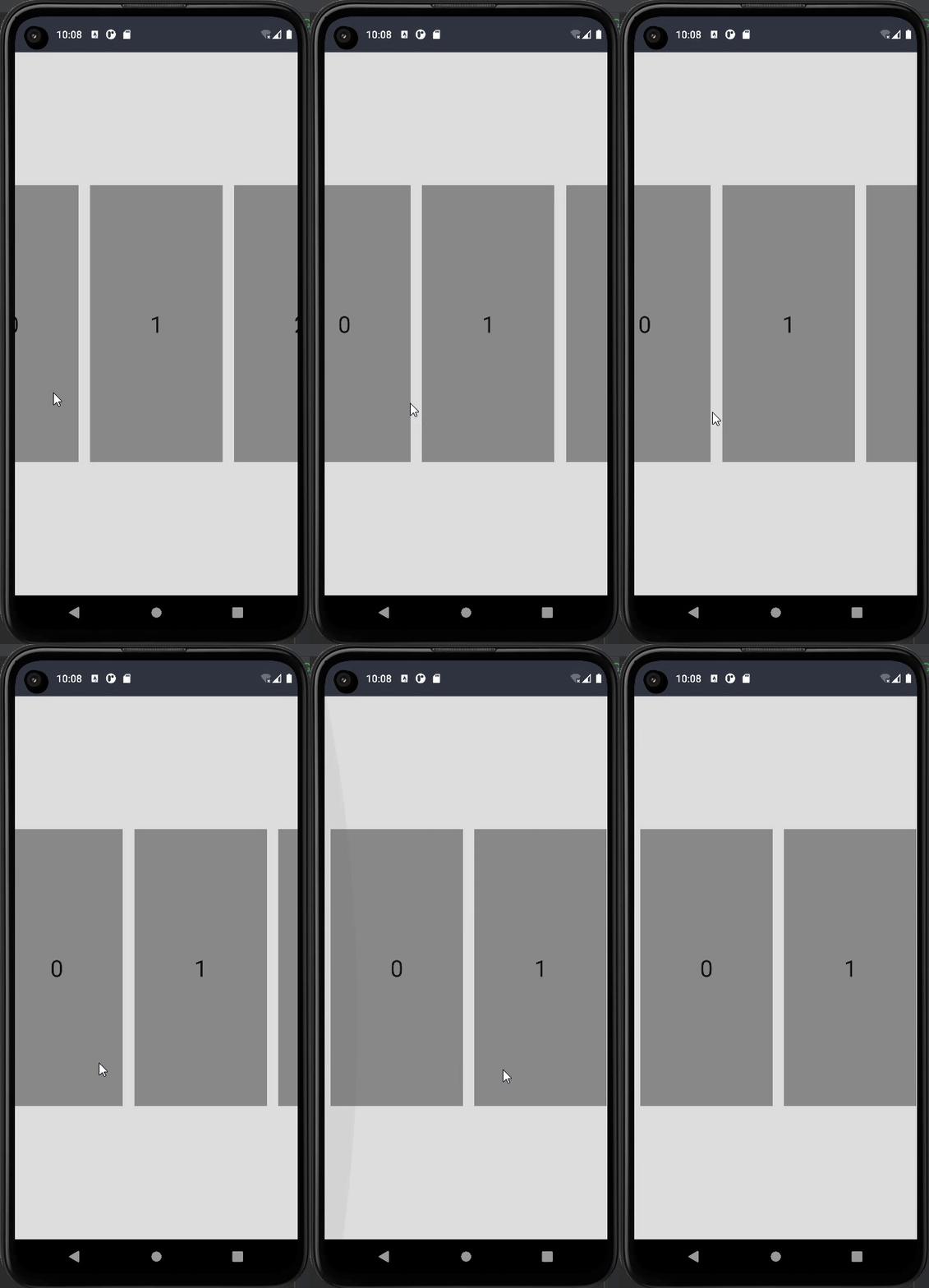
SnapFlingBehavior吸附
使用 SnapFlingBehavior 将吸附行为添加到您的惰性列表中。
SnapFlingBehavior | Android Developers
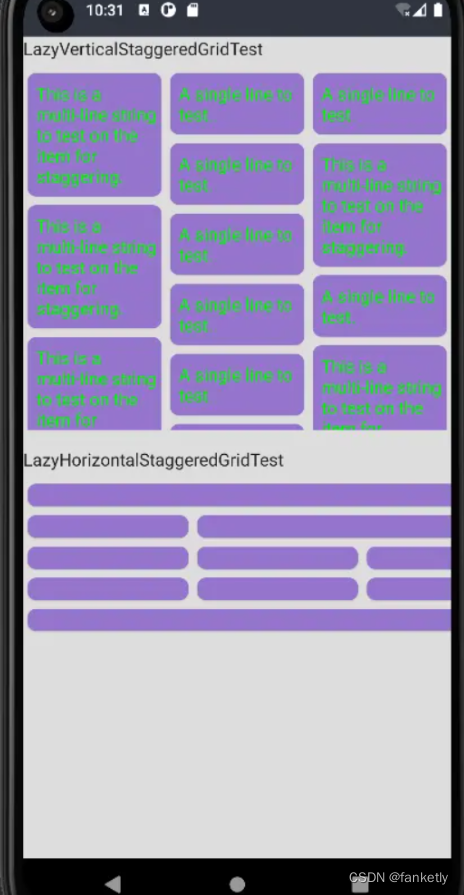
使用新的 LazyHorizontalStaggeredGrid 和 LazyVerticalStaggeredGrid 实现交错网格
androidx.compose.foundation.lazy.staggeredgrid | Android Developers
FontVariation
您可以将可变字体添加到您的应用程序并使用 FontVariation 对象更改其属性
FontVariation的Api
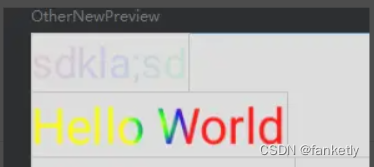
Brush可设置alpha
为 TextStyle 和 SpanStyle 的 Brush 风格添加可选的 alpha 参数以修改整个文本的不透明度
示例:OtherTest.kt的TextBrushAlpha ·码云
UrlAnnotation
示例:OtherTest.kt的TextAccessibilityDemo ·码云
引入了 UrlAnnotation 注释类型和关联方法以支持 AnnotatedStrings 中的 TalkBack 链接支持。
(貌似是用于文字转语音的)
TextMeasurer和drawText
它支持任意文本布局计算,该计算创建与 BasicText 相同的结果,独立于 Compose 运行时。
Rect、RoundRect 和 MutableRect 现在在调用 contains 函数的语法中支持 Kotlin。
private fun rectContains() {

    val rect = Rect(100f, 10f, 200f, 300f)
    val offset = Offset(177f, 288f)
    rect.contains(offset)  //old
    offset in rect//new

}
PointerInputChange#pressure检索压力
@Composable
fun DetectTapPressureGesturesDemo() {

    var pressure by remember { mutableStateOf("Press for value") }

    Column(
        modifier = Modifier.fillMaxSize()
    ) {
        Text("The box displays pressure. Tap or use stylus to see different pressure values.")
        Box(
            Modifier
                .fillMaxSize()
                .padding(20.dp)
                .wrapContentSize(Alignment.Center)
                .pointerInput(Unit) {
                    awaitPointerEventScope {
                        while (true) {
                            val event = awaitPointerEvent()
                            event.changes.forEach {
                                pressure = "${it.pressure}"
                                it.consume()
                            }
                        }
                    }
                }
                .clipToBounds()
                .background(Color.Green)
                .border(BorderStroke(2.dp, Color.Black))
        ) {
            Text(
                modifier = Modifier.fillMaxSize(),
                textAlign = TextAlign.Center,
                text = "Pressure: $pressure"
            )
        }
    }
}
重要更新-Node
因为比较难理解,不建议现在去看源码和示例,可以等有人发讲解文章时再了解也不迟
对话框和弹出窗口中支持的最大高度已降低到 8dp
Compose 对话框和弹出窗口支持的最大高度已从 30dp 降低到 8dp。此更改会影响material和 ui 自定义对话框和弹出窗口。进行此更改是为了缓解低于 S 的 Android 版本的辅助功能错误,并确保这些窗口中的辅助功能服务能够与对话框或弹出窗口中的内容进行交互。
对实验性 Focus API 的更改
FocusDirection.In 和 FocusDirection.Out替换为FocusDirection.Enter和FocusDirection.Exit
添加了两个新的焦点属性进入和退出以指定自定义行为 FocusManager.moveFocus(Enter) 、FocusManager.moveFocus(Exit)
您现在可以使用 FocusRequester.Cancel 取消焦点移动。 FocusRequester.Cancel 可用于以下任何焦点属性:up, down, left, right, next, previous, start, end, enter and exit.
添加选项以自定义文本中的换行符
private val lineBreakOptions = listOf(
    //贪婪、快速的换行算法。非常适合经常更新的文本,例如文本编辑器,因为文本将重新排列最少
    "Simple" to LineBreak.Simple,
    //更慢、更高质量的换行以提高可读性。适用于大量文本。
    "Paragraph" to LineBreak.Paragraph,
    //平衡的行长、连字符和基于短语的中断。适用于短文本,例如标题或狭窄的报纸专栏
    "Heading" to LineBreak.Heading,
    "Custom" to LineBreak(
        strategy = LineBreak.Strategy.Balanced,
        strictness = LineBreak.Strictness.Strict,
        wordBreak = LineBreak.WordBreak.Default
    )
)
添加了新的实验性 API 连字符以支持文本中的自动连字符
不过这个没看见效果,有大神了解的可以解答解答
@Composable
fun TextDemoHyphens() {
    val text = "TextDemoHyphens"
    val textStyleHyphensOn = TextStyle(
        fontSize = 25.sp, color = Color.Red,
        hyphens = Hyphens.Auto
    )
    val textStyleHyphensOff = TextStyle(
        fontSize = 25.sp, color = Color.Blue,
        hyphens = Hyphens.None
    )
    Column() {
        var width by remember { mutableStateOf(30f) }
        Slider(
            value = width,
            onValueChange = { width = it },
            valueRange = 20f..400f
        )
        Column(Modifier.width(width.dp)) {
            Text(text = text, style = textStyleHyphensOn)
            Text(text = text, style = textStyleHyphensOff)
        }
    }
}
##如果觉得写的还行,请给个👍哦





 扫一扫
扫一扫


 789
789

 被折叠的 条评论
为什么被折叠?
被折叠的 条评论
为什么被折叠?
 到【灌水乐园】发言





