





背景
一晃七八年没用cscope了,最近要在不同server端编辑和修改代码。又要拿起来了。翻到了10年前的笔记,发现还能奏效,特此记录
快速回忆
# 安装:
yum install cscope ctags

# 生成ctags和cscope的数据库:
find . -name "*.[ch]"  > cscope.files
cscope -bkqR -i cscope.files
ctags -R -L cscope.files

查看数据库
:cs show

键盘映射
# vim ~/.vimrc
" 映射 Ctrl+/ 到 cscope find 功能
"nnoremap <C-_> :cs find s <C-R><C-W><CR>
"inoremap <C-_> <Esc>:cs find s <C-R><C-W><CR>
nnoremap <C-_> :cs find e <C-R><C-W><CR>
inoremap <C-_> <Esc>:cs find e <C-R><C-W><CR>

" Ctrl+d 映射为cscope查找定义
nnoremap <C-d> :cs find g <C-R><C-W><CR>
添加方法
1
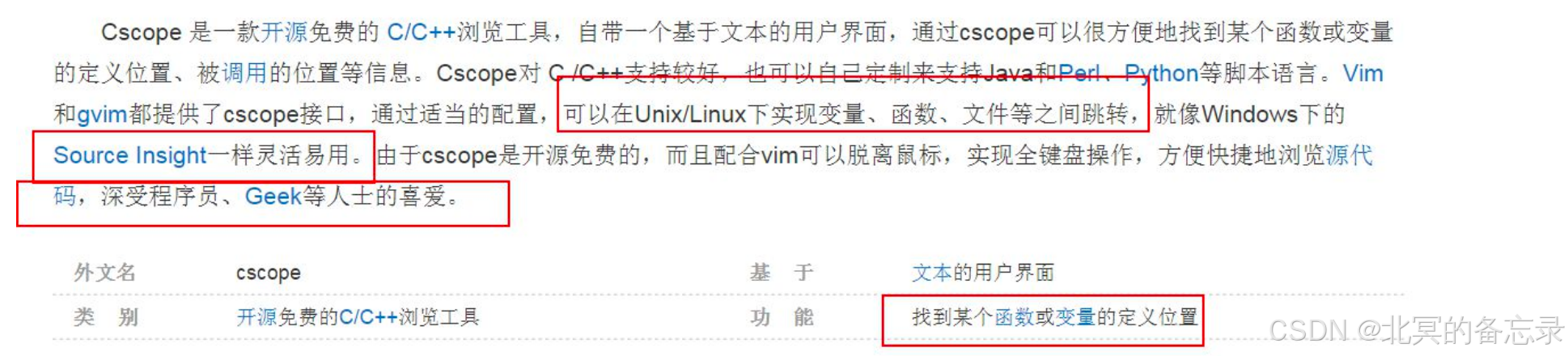
cscope命令:我的理解是: 翱翔于C代码的飞毯,通过特殊的元素。 说白了就是: 看代码的工具
步骤
1、生成一个文件列表
2、执行cscope命令生成库
3、执行ctags生成ctags的库
find的一些高级用法 先不管
export MY_SRC=`pwd`
find $MY_SRC \(-path "$MY_SRC/am/*" -o -path "$MY_SRC/stm/*" \) -a -name "*.[chxsS]" -print > $MY_SRC/cscope.files
其他比较小的地方:
find . -name “.[ch]" > xxx.files
比如上面是:
".[chxsS]”
2
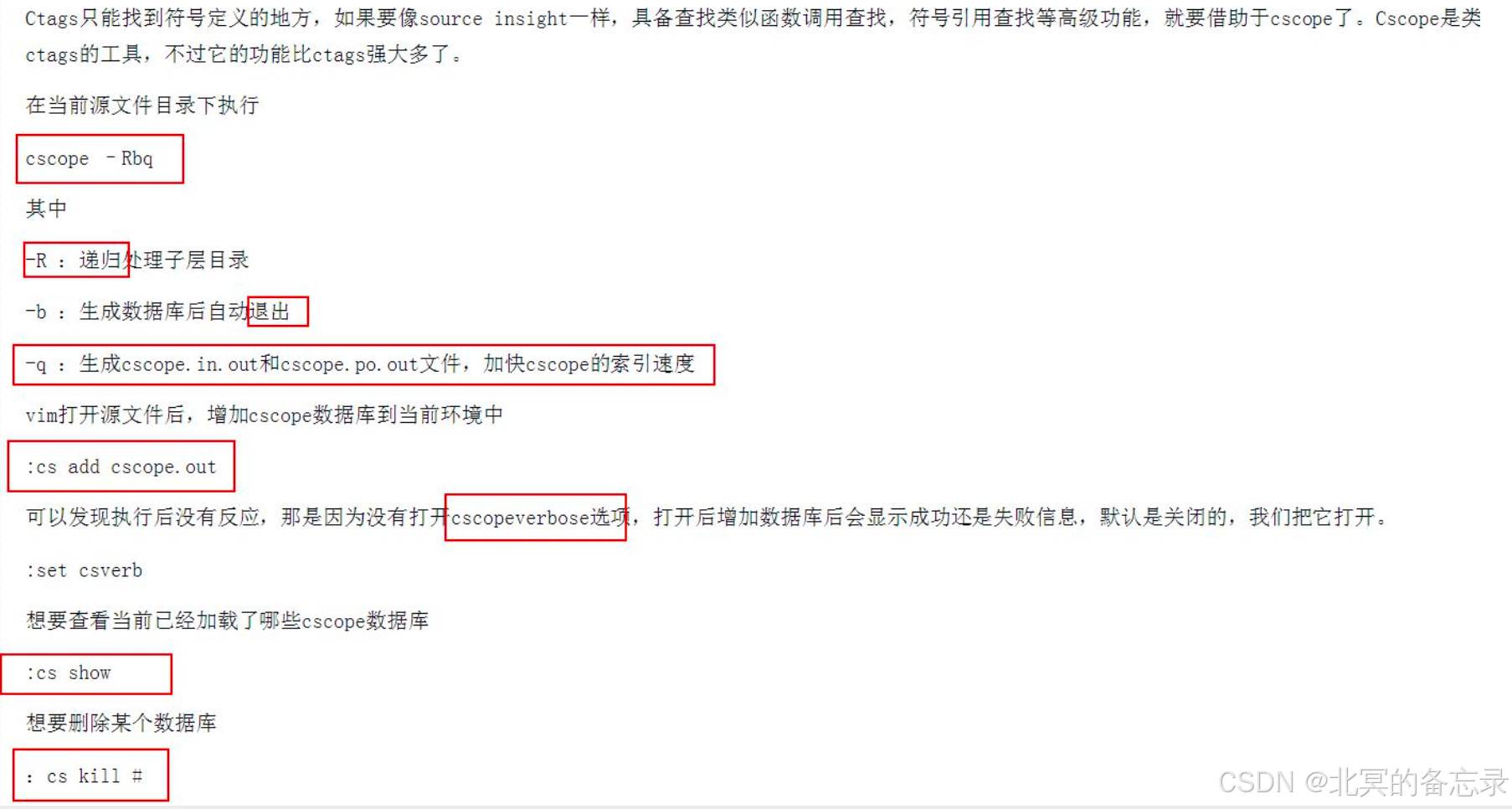
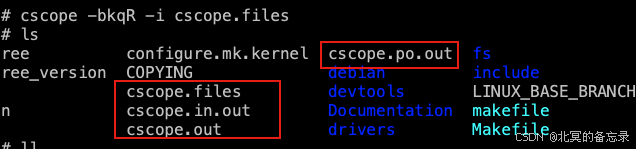
cscope -bkqR -i cscope.files
通俗来说 R就是递归 -i就是指定文件
k就是不去找 /usr/include下面的
q就是快速 但是不清楚具体有啥影响。
记住bkqR
-b Build the cross-reference only.
-k ‘‘Kernel Mode’’, turns off the use of the default include dir (usually /usr/include) when building the database, since kernel
source trees generally do not use it.
-q Enable fast symbol lookup via an inverted index. This option causes cscope to create 2 more files (default names
‘‘cscope.in.out’’ and ‘‘cscope.po.out’’) in addition to the normal database. This allows a faster symbol search algorithm that
provides noticeably faster lookup performance for large projects.
-R Recurse subdirectories during search for source files.
会生成:
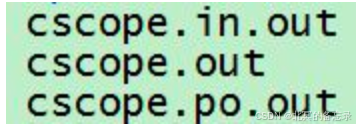
3
ctags -R -L cscope.files

:cs add xxx.out是加载数据库
:cs show 是查看数据库
-R递归
-L list文件吧 我的理解
使用方法
介绍:
vim中如何映射cscope:
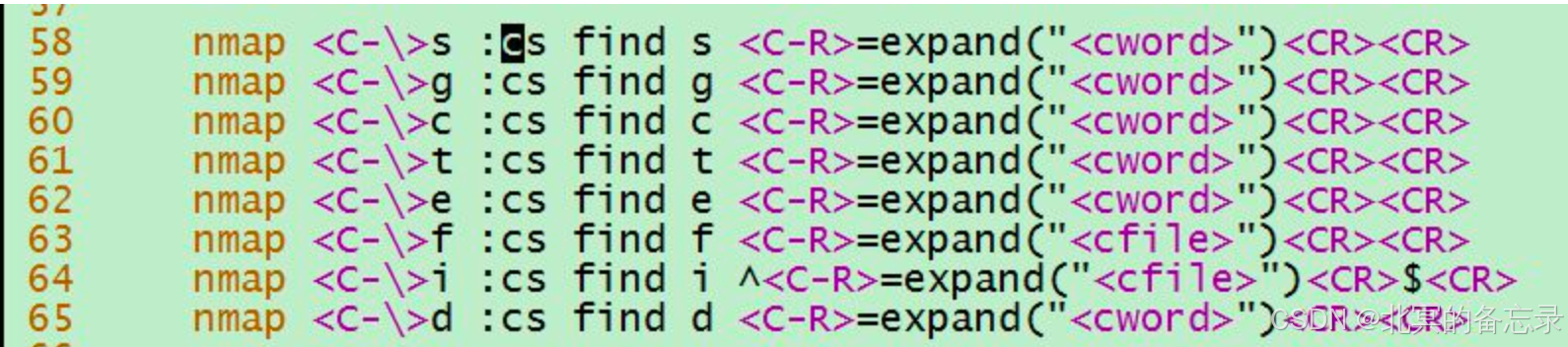
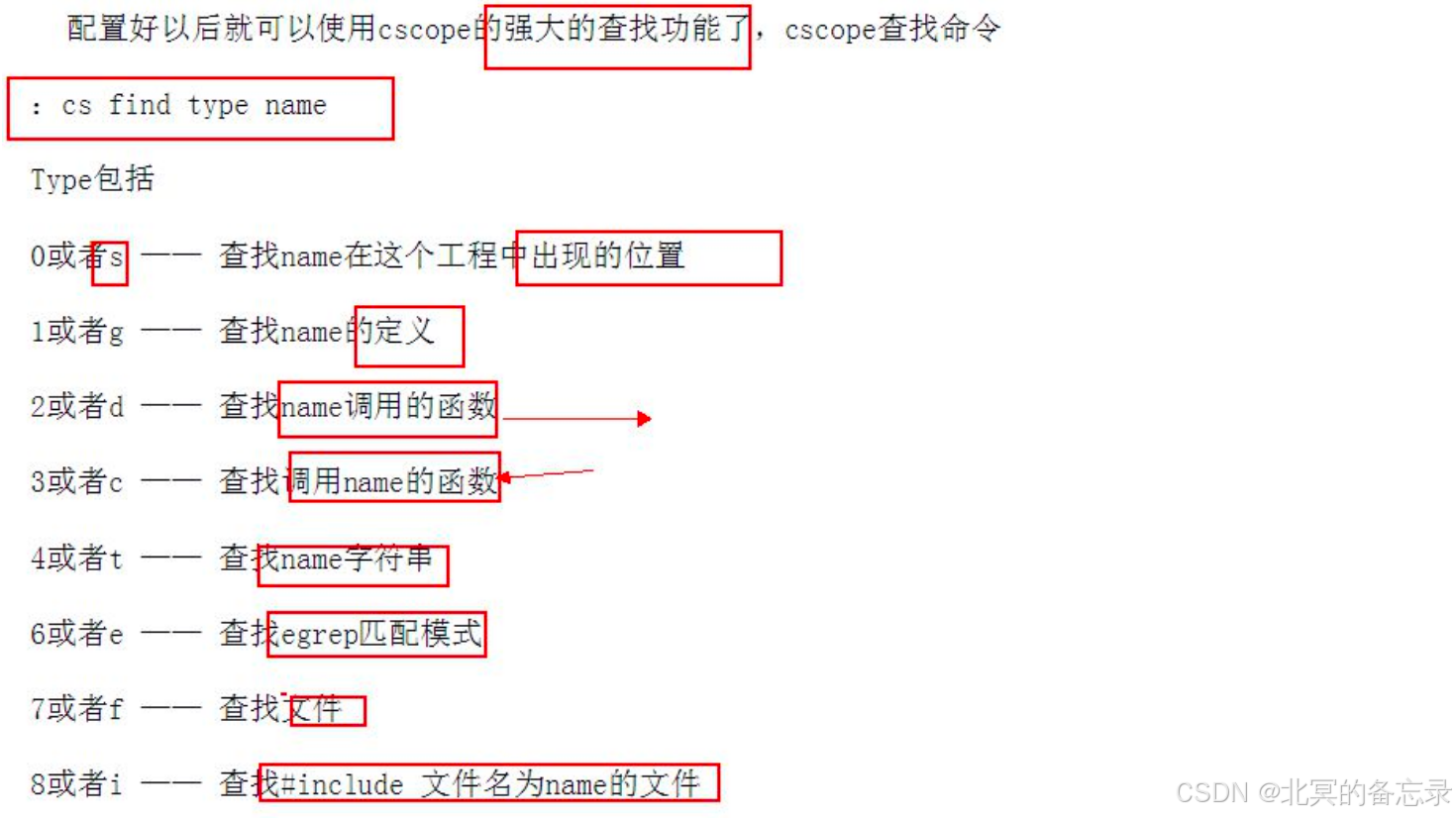
c是caller Ctrl \ c
g是define Ctrl \ g 或者:
Ctrl }
返回 ctrl t
快捷键使用方式:
:cs f g ctrl-r:
:cs show加载了哪些数据库可以查看
注意cs后的可以缩写
cscope -bkqR -f src.out 当前路径 (这种会使用当前目录所有的东西)
cscope -bkqR -i cscope.files -f cs.out (这种是使用自己的方式进行)
cscope -bkqR -i cscope.files 生成默认的名字 vim帮忙处理
用那些文件列表来生成数据库:
默认的cscopu有一个out名字
:cs add ~/cs/src.out ~/codes/65x/ 天假cscope database到vim中
这条命令可以动态的添加 ~/cs/src.out 是生成的数据库 是数据库当时生成的~/codes/65x/
cscode生成的时候是file list和out的组合
其他
还可以添加taglist
:set tags+=
不能查调用 只能查定义和返回
如何将vim的cscope的tags文件设置全局,这样不用再当前目录才能操作?
如果项目有多层文件结构,一般只在根目录生成一个tag文件,那么子目录访问不到tag文件,在子目录中直接打开源文件将找不到函数的tag,一个方便的做法是在.vimrc中将tag加到tags的查找路径中,每个项目一项。
“project1”
set tags+=/project1/tags
如何查看vim中cscope加载了哪些数据库或者说数据库所在的路径?
:cs show
添加cs find键盘映射
# vim ~/.vimrc
" 映射 Ctrl+/ 到 cscope find 功能
"nnoremap <C-_> :cs find s <C-R><C-W><CR>
"inoremap <C-_> <Esc>:cs find s <C-R><C-W><CR>
nnoremap <C-_> :cs find e <C-R><C-W><CR>
inoremap <C-_> <Esc>:cs find e <C-R><C-W><CR>

" Ctrl+d 映射为cscope查找定义
nnoremap <C-d> :cs find g <C-R><C-W><CR>
一些实操











 扫一扫
扫一扫


 1700
1700

 被折叠的 条评论
为什么被折叠?
被折叠的 条评论
为什么被折叠?
 到【灌水乐园】发言





