



在执行pytest -s -q --alluredir report生成xml测试报告时,报如下错误信息,如图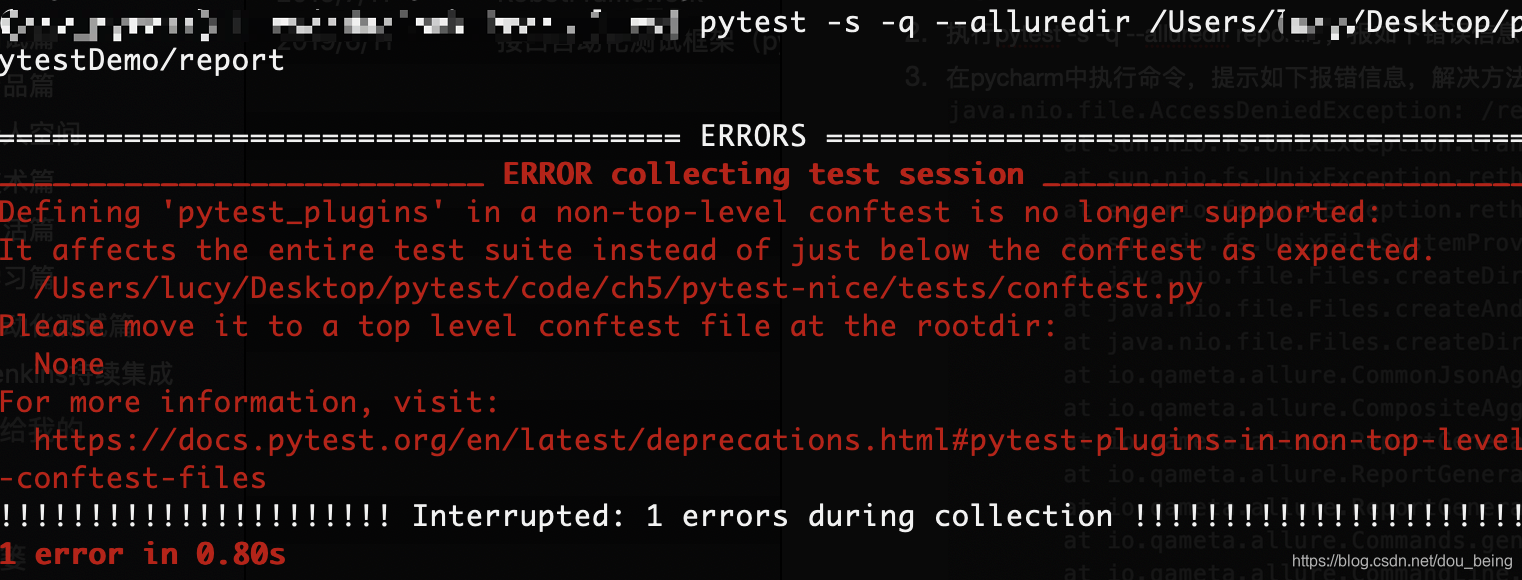
以上错误在于在生成allure测试报告时,没有指定相关的测试用例,所以无法生成相关的xml测试报告,解决方法:在测试报告存放路径后面添加指定的测试用例,比如:pytest -s -q --alluredir report test_xxx.py,加入用例路径后就可以生成allure测试报告啦。
 本文介绍在使用pytest生成Allure测试报告时遇到的常见错误及其解决方案。当未指定测试用例时,将无法生成xml测试报告。解决方法是在测试报告路径后添加具体测试用例,例如pytest-s-q--alluredirreporttest_xxx.py,这样即可成功生成Allure测试报告。
在执行pytest -s -q --alluredir report生成xml测试报告时,报如下错误信息,如图
以上错误在于在生成allure测试报告时,没有指定相关的测试用例,所以无法生成相关的xml测试报告,解决方法:在测试报告存放路径后面添加指定的测试用例,比如:pytest -s -q --alluredir report test_xxx.py,加入用例路径后就可以生成allure测试报告啦。
 1087
1087

 被折叠的 条评论
为什么被折叠?
被折叠的 条评论
为什么被折叠?
 到【灌水乐园】发言








 扫一扫
扫一扫


