


 本文介绍在Ubuntu18.04中安装Mariadb并解决远程连接问题的方法,包括更新源、安装、配置、密码设置及权限调整。通过修改配置文件my.cnf和50-server.cnf中的bind-address参数,实现Mariadb服务器对外网开放,同时提供GRANT命令示例以分配远程访问权限。
在windows10中安装了ubuntu18.04,需要安装mariadb
更新源或者替换源
之后进行安装
apt-get install mariadb-server
启动和停止
sudo /etc/init.d/mysql start
sudo /etc/init.d/mysql stop

设置密码
sudo mysql_secure_installation
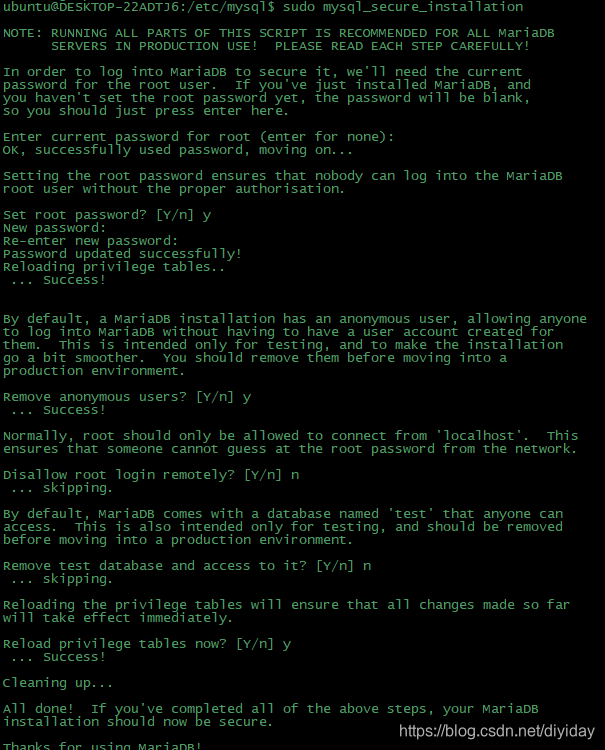
上面可以配置登录密码,是否允许远程访问等。
后续的一些配置
5.使用navicate远程连接时出现"10061error“
解决方法:
(1) 修改/etc/mysql/my.cnf文件。打开文件,找到下面内容:
 # Instead of skip-networking the default is now to listen only on
 # localhost which is more compatible and is not less secure.
 bind-address  = 127.0.0.1
 # 把上面这一行注释掉或者把127.0.0.1换成合适的IP,建议注释掉。
(2)但现在最新版的mariaDB 已将配置文件拆分此时my.cnf文件里面显示如下
!includedir /etc/mysqql/conf.d/
!includedir /e 最低0.47元/天 解锁文章






 扫一扫
扫一扫


 1527
1527

 被折叠的 条评论
为什么被折叠?
被折叠的 条评论
为什么被折叠?
 到【灌水乐园】发言





