


 本文介绍如何使用Requests库和BeautifulSoup库爬取网页图片,以http://www.ivsky.com为例,详细解析了从获取网页源代码到解析图片链接,并下载图片至本地的全过程。
学完Requests库与Beautifulsoup库我们今天来实战一波,爬取网页图片。依照现在所学只能爬取图片在html页面的而不能爬取由JavaScript生成的图。
所以我找了这个网站http://www.ivsky.com
网站里面有很多的图集,我们就找你的名字这个图集来爬取
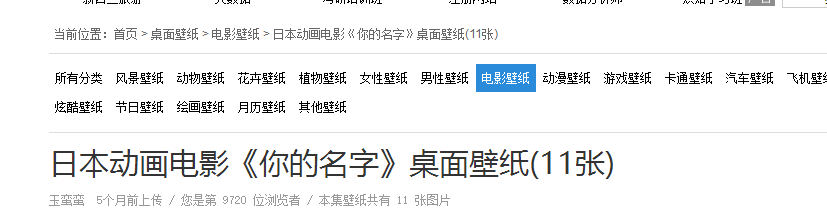
http://www.ivsky.com/bizhi/yourname_v39947/
来看看这个页面的源代码:
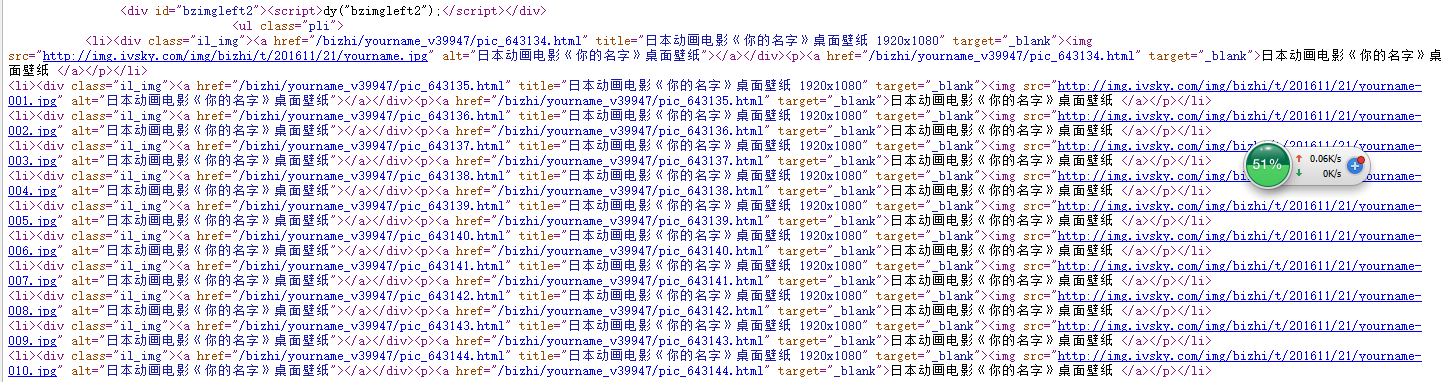
可以看到我们想抓取的图片信息在<ul>中而网页中不止一个ul所以要将后面class一起抓取 里面然后图片地址在img里面那么我们这里可以用BeautifulSoup库方法来解析网页并抓取图片信息。
soup =BeautifulSoup(html,'html.parser')
all_img= (soup.find('ul', class_='pli').find_all('img'))
for img in all_img:
    src=img['src']
url方面我们用requests库去获取:
def getHtmlurl(url):         #获取网址
    try:
       r=requests.get(url)
       r.raise_for_status()
       r.encoding=r.apparent_encoding
       return r.text
    except:
        return ""
我们要将图片下载下来并存在本地:
       try:                              #创建或判断路径图片是否存在并下载
           if not os.path.exists(root):
               os.mkdir(root)
           if not os.path.exists(path):
               r = requests.get(img_url)
               with open(path, 'wb') as f:
                   f.write(r.content)
                   f.close()
                   print("文件保存成功")
           else:
               print("文件已存在")
       except:
           print("爬取失败")
整个爬虫的框架与思路:
import requests
from bs4 import BeautifulSoup
import os

def getHtmlurl(url):  #获取网址
pass

def getpic(html): #获取图片地址并下载
pass

def main(): 主函数
pass
这里给出完整代码
import requests
from bs4 import BeautifulSoup
import os

def getHtmlurl(url):         #获取网址
    try:
       r=requests.get(url)
       r.raise_for_status()
       r.encoding=r.apparent_encoding
       return r.text
    except:
        return ""

def getpic(html): #获取图片地址并下载
    soup =BeautifulSoup(html,'html.parser')
    all_img=soup.find('ul',class_='pli')find_all('img')
    for img in all_img:
       src=img['src']
       img_url=src
       print (img_url)
       root='D:/pic/'
       path = root + img_url.split('/')[-1]
       try:                              #创建或判断路径图片是否存在并下载
           if not os.path.exists(root):
               os.mkdir(root)
           if not os.path.exists(path):
               r = requests.get(img_url)
               with open(path, 'wb') as f:
                   f.write(r.content)
                   f.close()
                   print("文件保存成功")
           else:
               print("文件已存在")
       except:
           print("爬取失败")


def main():
    url='http://www.ivsky.com/bizhi/yourname_v39947/'
    html=(getHtmlurl(url))

    print(getpic(html))
main()
运行代码:
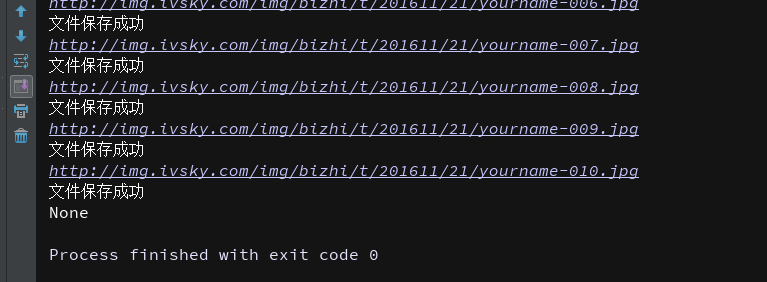
我们可以看到图片都保存在本地了
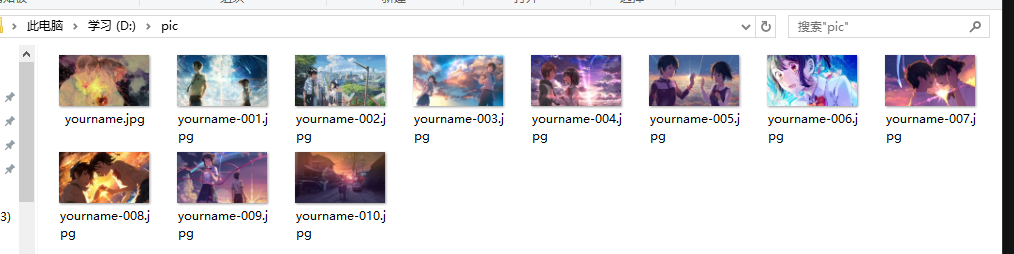
 这就是简单的实战案列,大家可以自己试试。





 扫一扫
扫一扫


 3887
3887

 被折叠的 条评论
为什么被折叠?
被折叠的 条评论
为什么被折叠?
 到【灌水乐园】发言





