


1.创建路由
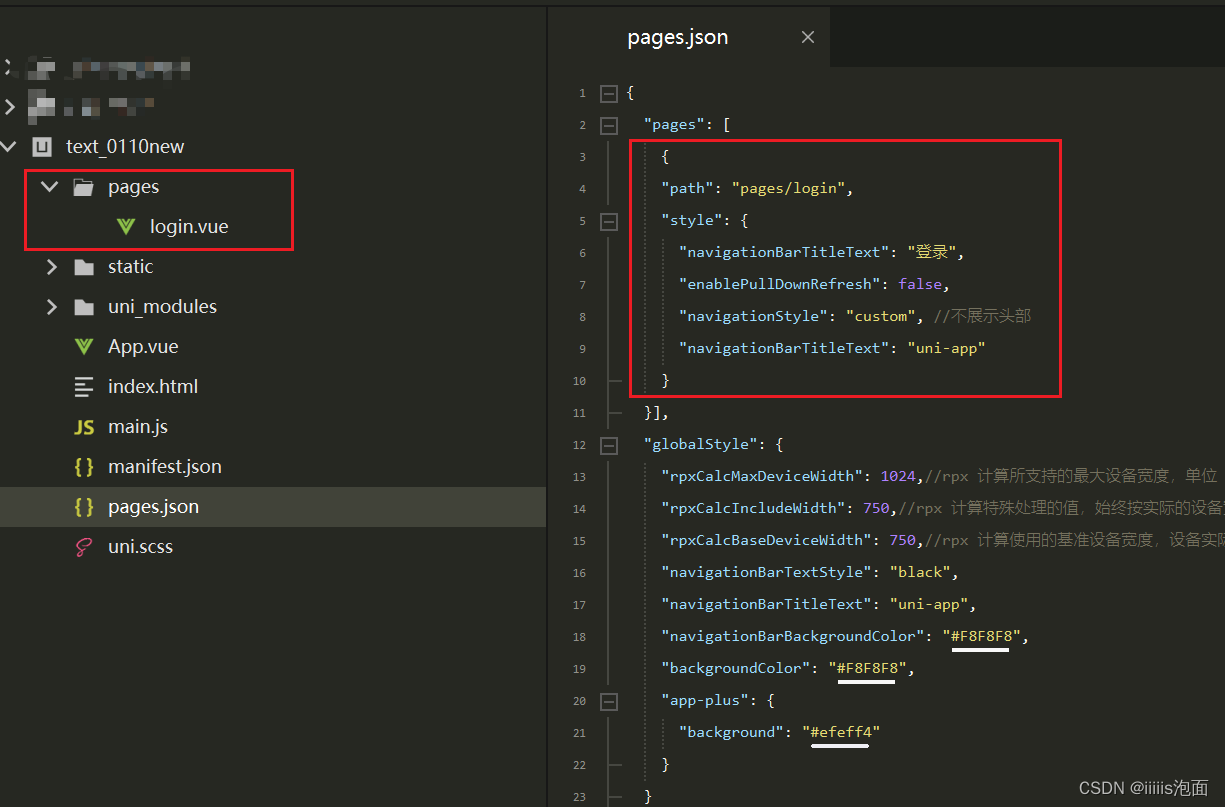
2.页面搭建
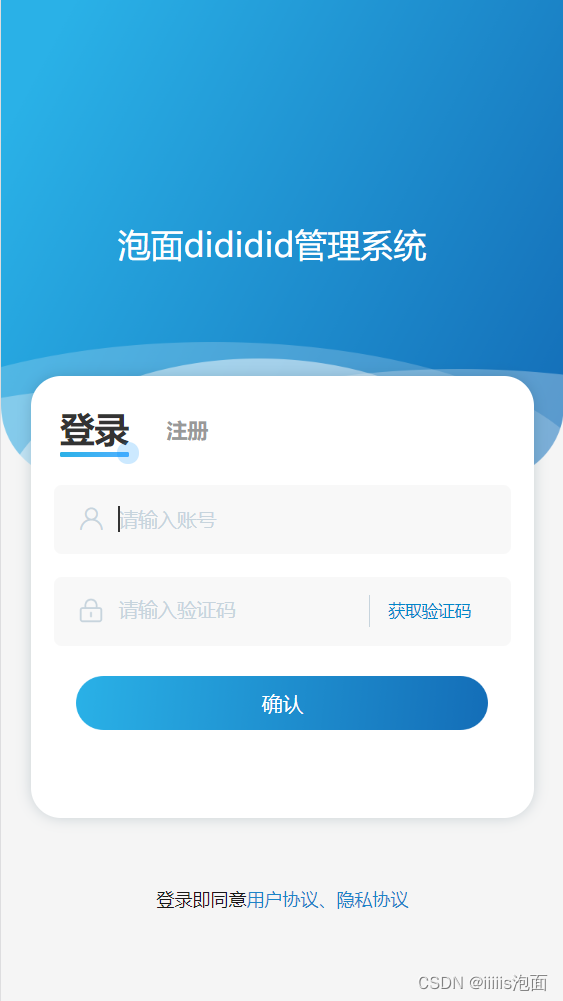
点击登录/注册切换页面
效果:
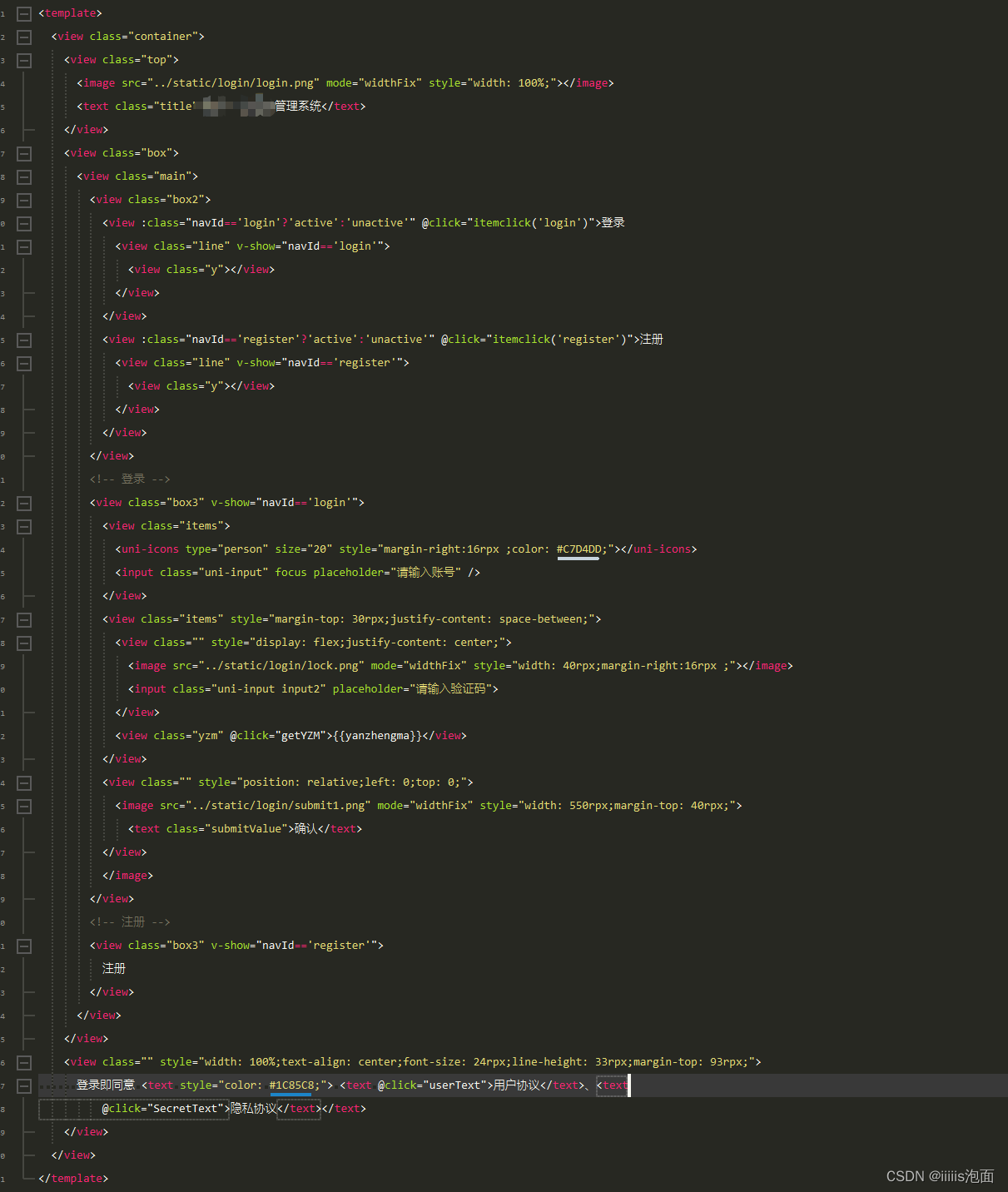
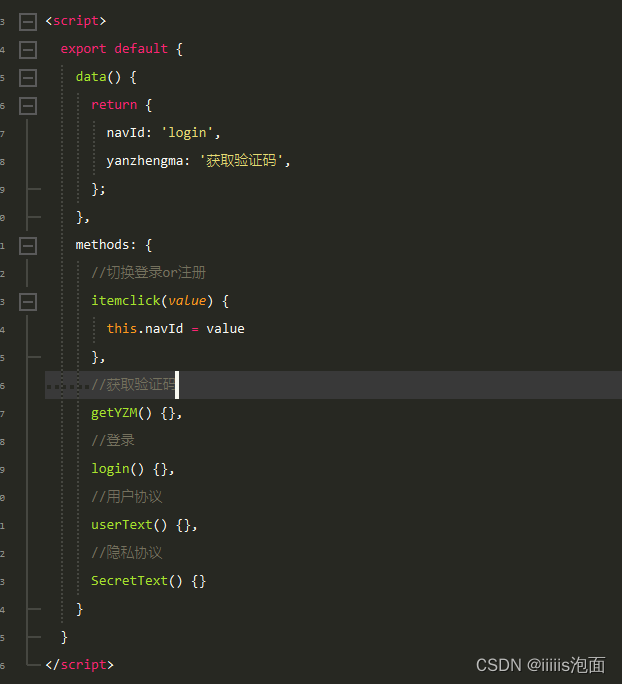
代码:
<style lang="scss">
.container {
font-family: PingFangSC, PingFang SC;
}
.top {
position: relative;
left: 0;
top: 0;
.title {
display: inline-block;
width: 440rpx;
padding: 3rpx;
color: #ffffff;
font-size: 44rpx;
line-height: 62rpx;
position: absolute;
left: 50%;
top: 50%;
transform: translate(-50%, -50%);
}
}
.box {
width: 100%;
display: flex;
justify-content: center;
.main {
position: relative;
width: 670rpx;
height: 590rpx;
background-color: #ffffff;
box-shadow: 0px 0px 9px 0px rgba(10, 53, 74, 0.19);
border-radius: 40rpx;
margin-top: -150rpx;
}
}
.box2 {
width: 100%;
padding: 39rpx;
display: flex;
align-items: center;
view {
margin-right: 50rpx;
font-size: 28rpx;
color: #999999;
line-height: 40rpx;
font-weight: 600;
}
.active {
font-size: 46rpx;
font-weight: 600;
color: #333333;
line-height: 65rpx;
}
.line {
width: 100%;
height: 6rpx;
background: linear-gradient(122deg, #2AB1E7 0%, #51B1FF 100%);
border-radius: 3rpx;
position: relative;
left: 0;
top: 0;
.y {
width: 30rpx;
height: 30rpx;
background: rgba(0, 145, 255, 0.2);
border-radius: 15rpx;
position: absolute;
right: -15rpx;
top: -15rpx;
margin-right: 0;
}
}
}
.box3 {
width: 100%;
display: flex;
flex-direction: column;
align-items: center;
justify-content: center;
.items {
width: 550rpx;
height: 92rpx;
background: #F8F8F8;
border-radius: 10rpx;
display: flex;
align-items: center;
padd 最低0.47元/天 解锁文章






 扫一扫
扫一扫


 2526
2526


 到【灌水乐园】发言



