



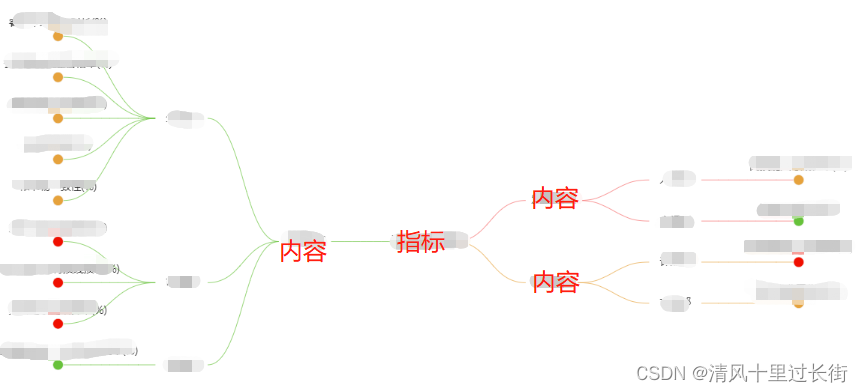
 本文介绍了如何结合Vue.js和G6库来实现一个思维导图的功能。内容涵盖HTML、CSS和JS的实现细节,特别强调treeData应该作为对象而非数组进行处理。并展示了最终的实现效果。
html 部分
<div id="mind"></div>
css 部分
#mind {
      width: 100%;
      height: 100%;
      position: relative;
}
js 部分
initTree(){
    const fontSize = 16;
    let width = window.document.getElementById("mind").clientWidth;
    let height = window.document.getElementById("mind").clientHeight;
    const graph = new G6.TreeGraph({
        container: "mind",
        width: width,
        height: height,
        fitView: true,  // 自适应画布
        fitViewPadding: 10,  // 画布内边距
        modes: {
          default: ["collapse-expand", "drag-canvas", "zoom-canvas"]
        },
        // 节点类型及样式
        defaultNode: {
          type: "rect",
          width: "auto",
          style: {
            fill: "#f2f2f2", //背景色
            stroke: "#f2f2f2" //边框
          },
          labelCfg: {
            position: "center",
            style: {
              fill: "#333333",
              fontSize
            }
          }
        },
        // 连线类型及样式
        defaultEdge: {
          type: "cubic-horizontal",
          style: {
            stroke: "#666666"
          }
        },
        //布局
        layout: {
          type: "mindmap",
          direction: "H",
          // 节点高度
          getHeight: function getHeight() {
            return 20;
          },
          // 节点宽度
          getWidth: function getWidth() {
            return 200;
          },
          // 垂直间隙
          getVGap: function getVGap() {
            return 50;
          },
          // 水平间隙
          getHGap: function getHGap() {
            return 20;
          }
        }
      });
graph.data(this.treeData);
graph.render();
};
treeData: {
    id: '1',
    label: '指标',
    children: [
        {
            id: '1-1',
            label: '内容一',
            children: [
                {
                    id: '1-1-1',
                    label: 'xxx',
                    value: 50
                },
                {
                    id: '1-1-2',
                    label: 'xxx',
                    value: 30
                }
            ]
        },
         {
            id: '1-2',
            label: '内容二',
            children: [
                {
                    id: '1-2-1',
                    label: 'xxx',
                    value: 40
                },
                {
                    id: '1-2-2',
                    label: 'xxx',
                    value: 10
                }
            ]
        }
    ]
}
注意: treeData是对象,不是数组
效果图:





 扫一扫
扫一扫


 5094
5094

 被折叠的 条评论
为什么被折叠?
被折叠的 条评论
为什么被折叠?
 到【灌水乐园】发言





