IDEA使用maven创建springMVC的web工程

本文详细介绍如何通过Maven创建SpringMVC Web应用程序,包括配置pom.xml文件以引入必要的依赖项,创建webapp文件夹及web.xml配置文件,并最终部署到Tomcat服务器。

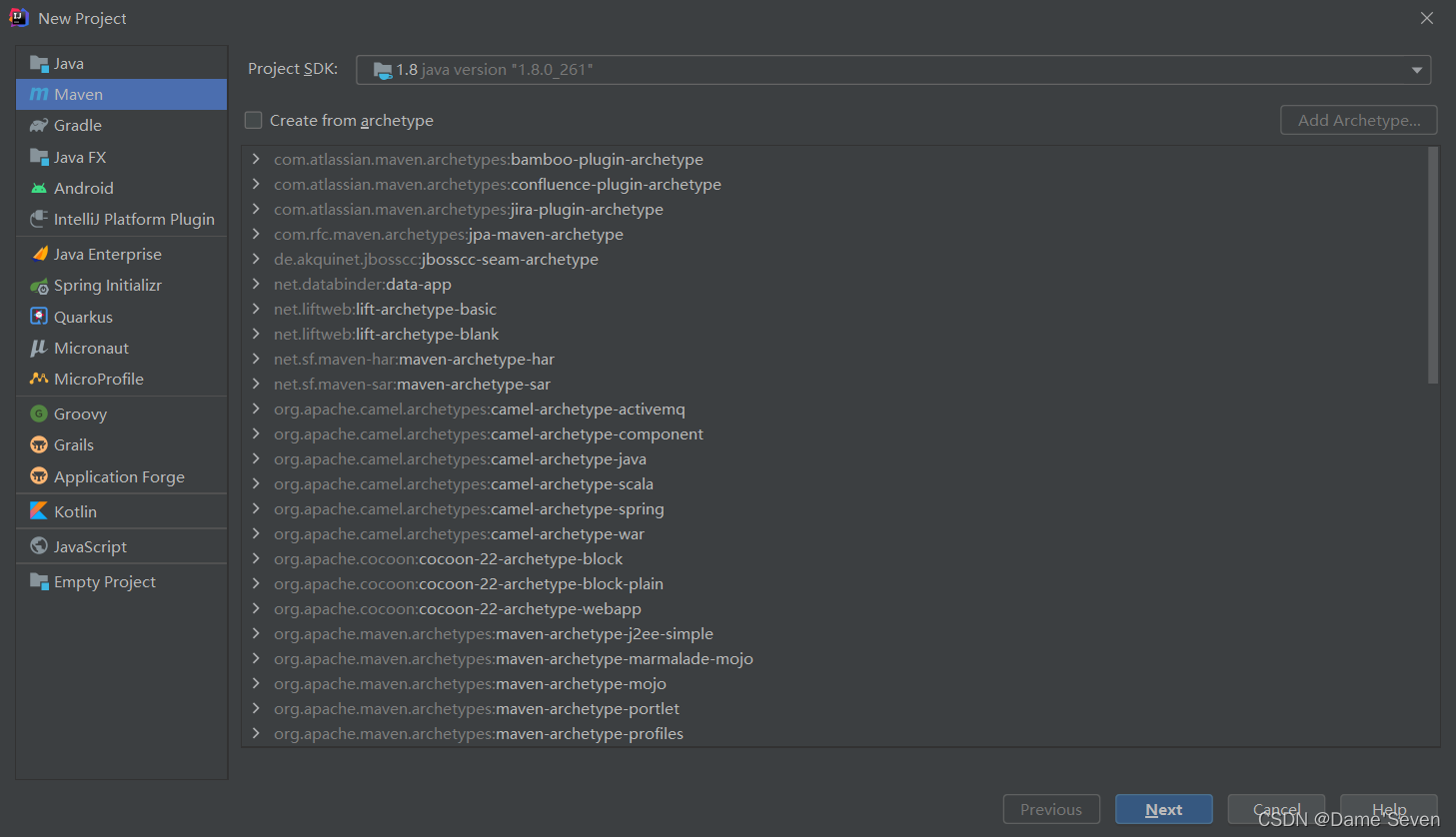
1.创建工程
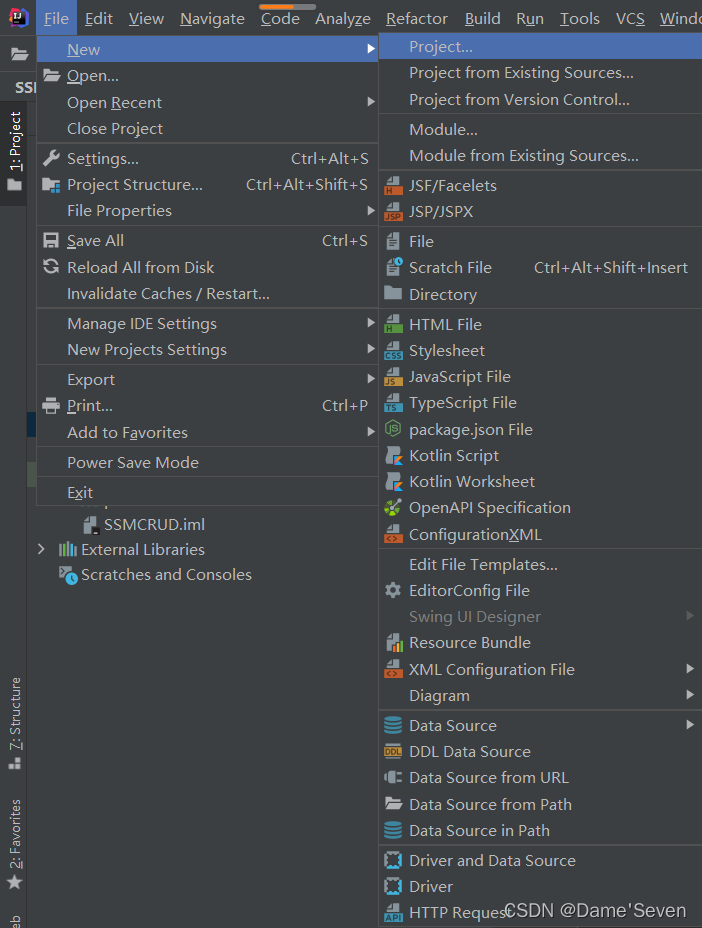
在这里插入图片描述
创建maven工程:
在这里插入图片描述
2.配置pom.xml
设置打包方式为war包形式:

<packaging>war</packaging>

并引入maven依赖:

<dependencies>
        <!-- SpringMVC -->
        <dependency>
            <groupId>org.springframework</groupId>
            <artifactId>spring-webmvc</artifactId>
            <version>5.3.1</version>
        </dependency>

        <!-- 日志 -->
        <dependency>
            <groupId>ch.qos.logback</groupId>
            <artifactId>logback-classic</artifactId>
            <version>1.2.3</version>
        </dependency>

        <!-- ServletAPI -->
        <dependency>
            <groupId>javax.servlet</groupId>
            <artifactId>javax.servlet-api</artifactId>
            <version>3.1.0</version>
            <scope>provided</scope>
        </dependency>

        <!-- Spring5和Thymeleaf整合包 -->
        <dependency>
            <groupId>org.thymeleaf</groupId>
            <artifactId>thymeleaf-spring5</artifactId>
            <version>3.0.12.RELEASE</version>
        </dependency>

        <!-- 导入jackson的依赖 -->
        <dependency>
            <groupId>com.fasterxml.jackson.core</groupId>
            <artifactId>jackson-databind</artifactId>
            <version>2.12.1</version>
        </dependency>

        <!-- https://mvnrepository.com/artifact/commons-fileupload/commons-fileupload -->
        <dependency>
            <groupId>commons-fileupload</groupId>
            <artifactId>commons-fileupload</artifactId>
            <version>1.3.1</version>
        </dependency>
    </dependencies>

3.创建webapp文件夹
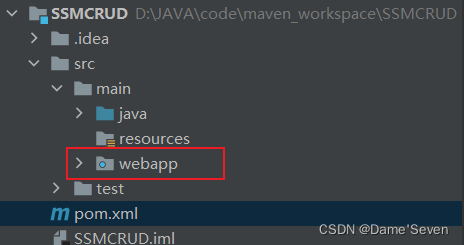
在这里插入图片描述
4.生成web.xml配置文件
注意文件的路径要写对,要在webapp\WEB-INF下:
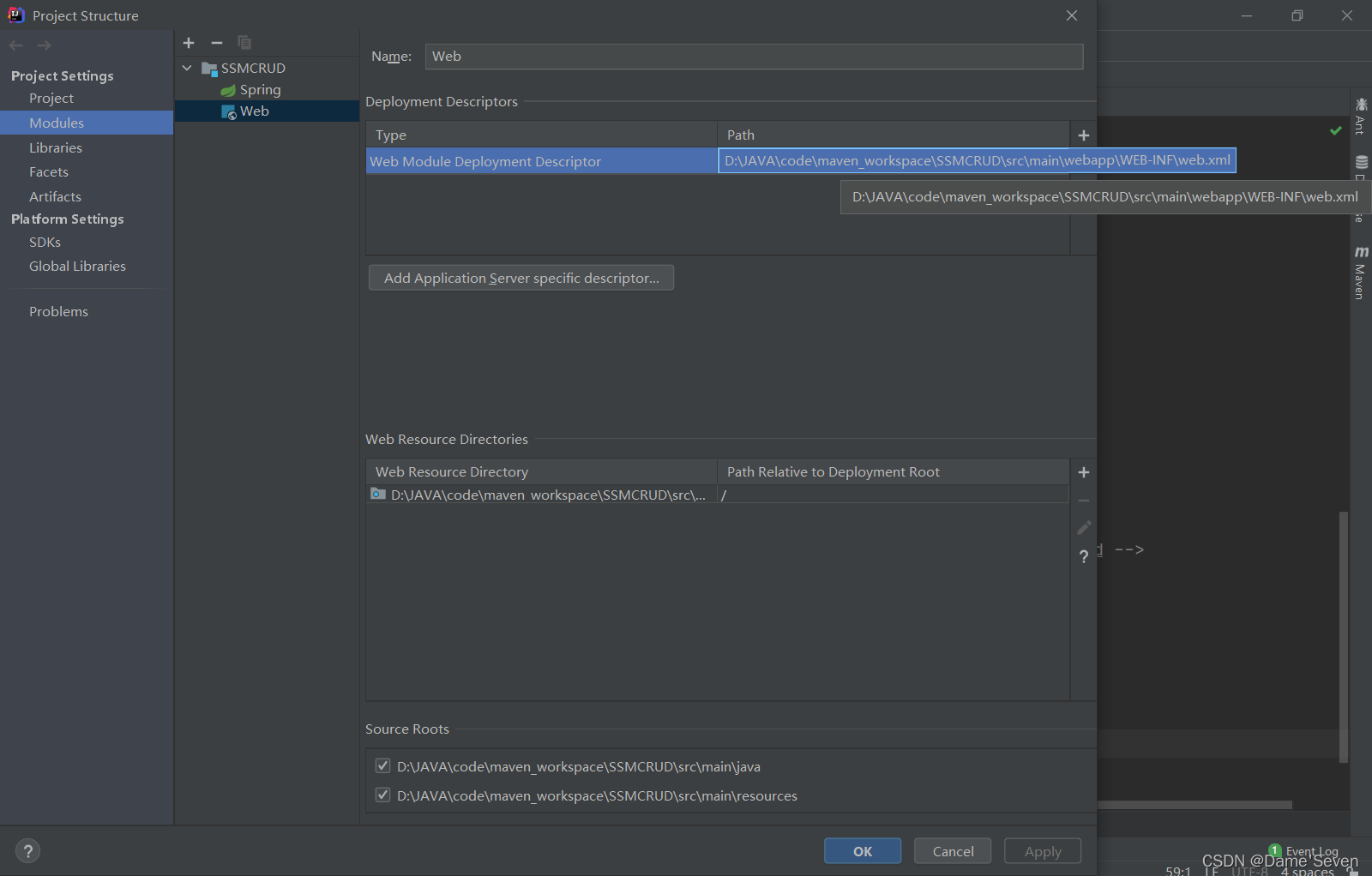
在这里插入图片描述
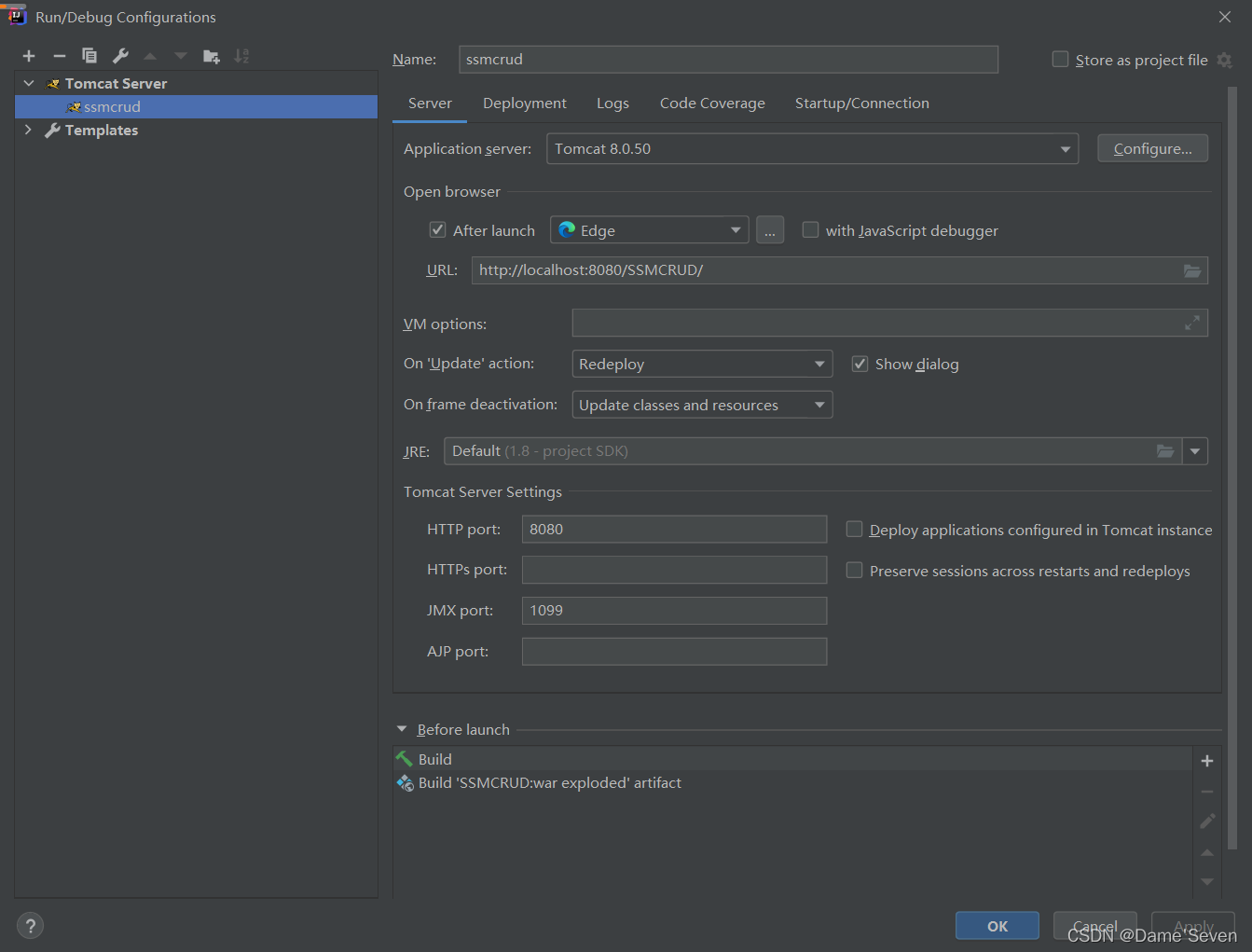
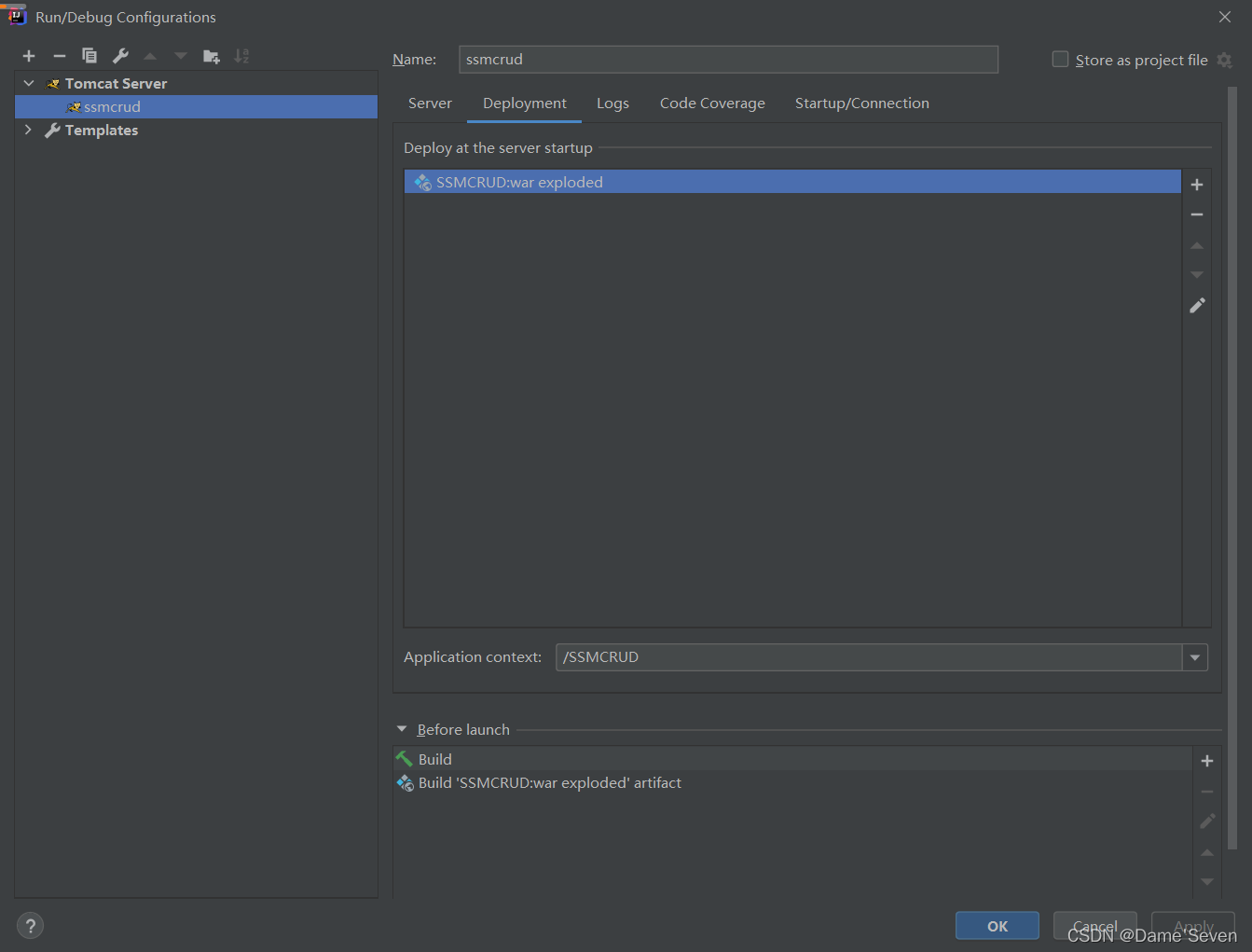
5.将工程部署到Tomcat服务器上
在这里插入图片描述
在这里插入图片描述
工程部署完成!

1. 首先,需要在本地安装Maven。可以从官网下载Maven并按照说明进行安装。 2. 创建一个Maven项目。可以使用Maven的命令行工具或者使用Eclipse等IDE来创建。 3. 在项目的pom.xml文件中添加Spring MVC的依赖。可以在Maven仓库中找到相应的依赖,例如: ``` <dependency> <groupId>org.springframework</groupId> <artifactId>spring-webmvc</artifactId> <version>5.3.9</version> </dependency> ``` 4. 配置Spring MVC。在项目的src/main/resources目录下创建一个名为springmvc-servlet.xml的配置文件,并添加以下内容: ``` <beans xmlns="http://www.springframework.org/schema/beans" xmlns:mvc="http://www.springframework.org/schema/mvc" xmlns:context="http://www.springframework.org/schema/context" xmlns:xsi="http://www.w3.org/2001/XMLSchema-instance" xsi:schemaLocation=" http://www.springframework.org/schema/beans http://www.springframework.org/schema/beans/spring-beans.xsd http://www.springframework.org/schema/mvc http://www.springframework.org/schema/mvc/spring-mvc.xsd http://www.springframework.org/schema/context http://www.springframework.org/schema/context/spring-context.xsd"> <context:component-scan base-package="com.example.controller" /> <mvc:annotation-driven /> <bean class="org.springframework.web.servlet.view.InternalResourceViewResolver"> <property name="prefix" value="/WEB-INF/views/" /> <property name="suffix" value=".jsp" /> </bean> </beans> ``` 其中,context:component-scan用于扫描控制器类的包路径,mvc:annotation-driven用于启用Spring MVC的注解驱动,InternalResourceViewResolver用于配置JSP视图解析器。 5. 创建控制器类。在项目的src/main/java目录下创建一个名为com.example.controller的包,并在该包下创建一个控制器类,例如: ``` @Controller public class HelloController { @RequestMapping("/hello") public String hello(Model model) { model.addAttribute("message", "Hello, Spring MVC!"); return "hello"; } } ``` 其中,@Controller用于标识该类为控制器类,@RequestMapping用于映射请求路径,Model用于向视图传递数据。 6. 创建JSP视图。在项目的src/main/webapp/WEB-INF/views目录下创建一个名为hello.jsp的JSP文件,例如: ``` <!DOCTYPE html> <html> <head> <title>Hello, Spring MVC!</title> </head> <body> <h1>${message}</h1> </body> </html> ``` 其中,${message}用于显示控制器类中传递的数据。 7. 运行项目。可以使用Maven的命令行工具或者使用Eclipse等IDE来运行项目。在浏览器中输入http://localhost:808/项目名/hello,即可看到Hello, Spring MVC!的输出。
评论
添加红包

请填写红包祝福语或标题

红包个数最小为10个

红包金额最低5元

当前余额3.43前往充值 >
需支付:10.00
成就一亿技术人!
领取后你会自动成为博主和红包主的粉丝 规则
hope_wisdom
发出的红包

打赏作者

Dame'Seven

你的鼓励将是我创作的最大动力

¥1 ¥2 ¥4 ¥6 ¥10 ¥20
扫码支付:¥1
获取中
扫码支付

您的余额不足,请更换扫码支付或充值

打赏作者

实付
使用余额支付
点击重新获取
扫码支付
钱包余额 0

抵扣说明:

1.余额是钱包充值的虚拟货币,按照1:1的比例进行支付金额的抵扣。
2.余额无法直接购买下载,可以购买VIP、付费专栏及课程。

余额充值