


 本文详细介绍了如何在Linux服务器与Windows客户端之间使用vsomeip进行通信,涉及环境设置、配置文件修改、以及服务端与客户端接口ID的调整,包括routingmanagerd的配置和应用启动。
注:本文域间通信是指,Linux(server)与Windows(client)之间通信
1、预置环境
(1)Ubuntu不可使用vsomeip3.4.10库
(2)vsomeip的hello-world域间通信成功,可参考基于Windows编译vsomeip-优快云博客
2、配置文件:
(1)my_6_adaptive_service_provider_process:
-
unicast:本机地址
-
routing:routingmanagerd
-
service、instance、unreliable、service-discovery(multicast)与客户端保持一致
{
    "unicast": "192.168.186.148",
    "netmask": "255.255.255.0",
    "logging":
    {
        "level": "debug",
        "console": "true",
        "file":
        {
            "enable": "false",
            "path": "/var/log/vsomeip.log"
        },
        "dlt": "false"
    },
    "applications":
    [
        {
            "name": "my_6_adaptive_service_provider_process",
            "id": "0x1136"
        }
    ],
    "services":
    [
        {
            "service": "0x546",
            "instance": "0x1",
           "unreliable":"31402",

            "events":
            [
                {
                    "event": "0xfff8",
                    "is_field": "false",
                    "is_reliable": "true"
                },
                {
                    "event": "0xfff9",
                    "is_field": "true",
                    "is_reliable": "true"
                }
            ],
            "eventgroups":
            [
                {
                    "eventgroup": "0x1",
                    "events":
                    [
                        "0xfff8",
                        "0xfff9"
                    ]
                }
            ]
        }
    ],
    "routing": "routingmanagerd",
    "service-discovery":
    {
        "enable" : "true",
        "multicast" : "224.0.0.11",
        "port" : "12330",
        "protocol" : "udp",
        "initial_delay_min" : "10",
        "initial_delay_max" : "100",
        "repetitions_base_delay" : "200",
        "repetitions_max" : "3",
        "ttl" : "3",
        "cyclic_offer_delay" : "2000",
        "request_response_delay" : "1500"
    }
}
(2)hello_world_client
-
unicast:本机地址
-
routing:hello_world_client(Windows不使用routing)
-
service、instance、unreliable、service-discovery(multicast)与服务端保持一致
{
    "unicast": "192.168.186.1",
     "logging" :
    {
        "level" : "debug",
        "console" : "true",
        "file" : { "enable" : "false", "path" : "/tmp/vsomeip.log" },
        "dlt" : "false"
    },
    "applications": [

        {
            "name": "hello_world_client",
            "id": "0x5555"
        }
    ],
    "services": [
        {
            "service": "0x546",
            "instance": "0x1",
            "unreliable": "31402"
        }
    ],
    "routing": "hello_world_client",
       "service-discovery" :
    {
        "enable" : "true",
        "multicast" : "224.0.0.11",
        "port" : "12330",
        "protocol" : "udp",
        "initial_delay_min" : "10",
        "initial_delay_max" : "100",
        "repetitions_base_delay" : "200",
        "repetitions_max" : "3",
        "ttl" : "3",
        "cyclic_offer_delay" : "2000",
        "request_response_delay" : "1500"
    }
}
3、源码修改
服务端:
将service_version_major(interface id)改为0,或者将客户端interface id改为与服务端一样的值
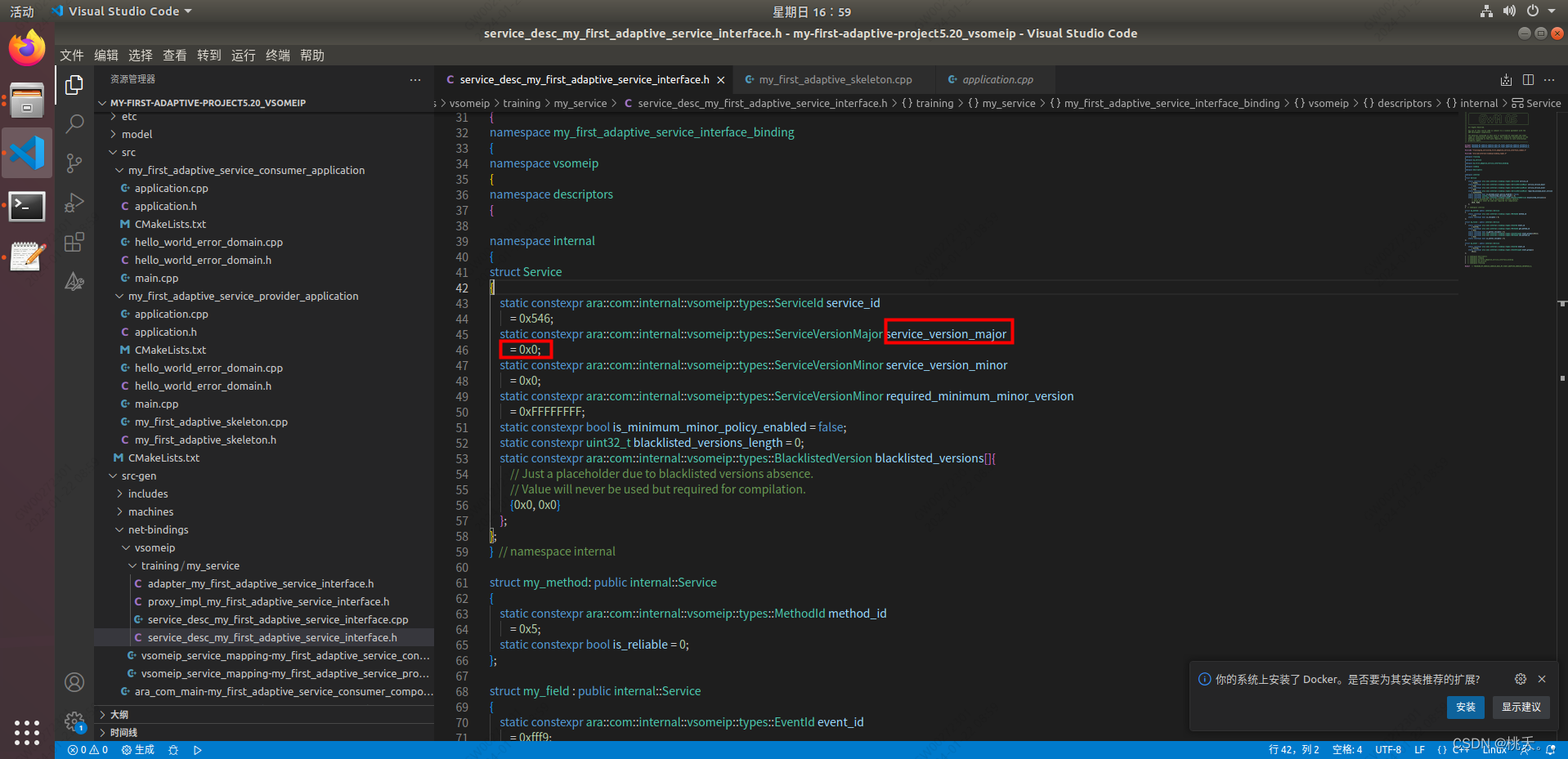
客户端的interface id默认为0 ,改为服务端interface id,如下
rq->set_interface_version(1);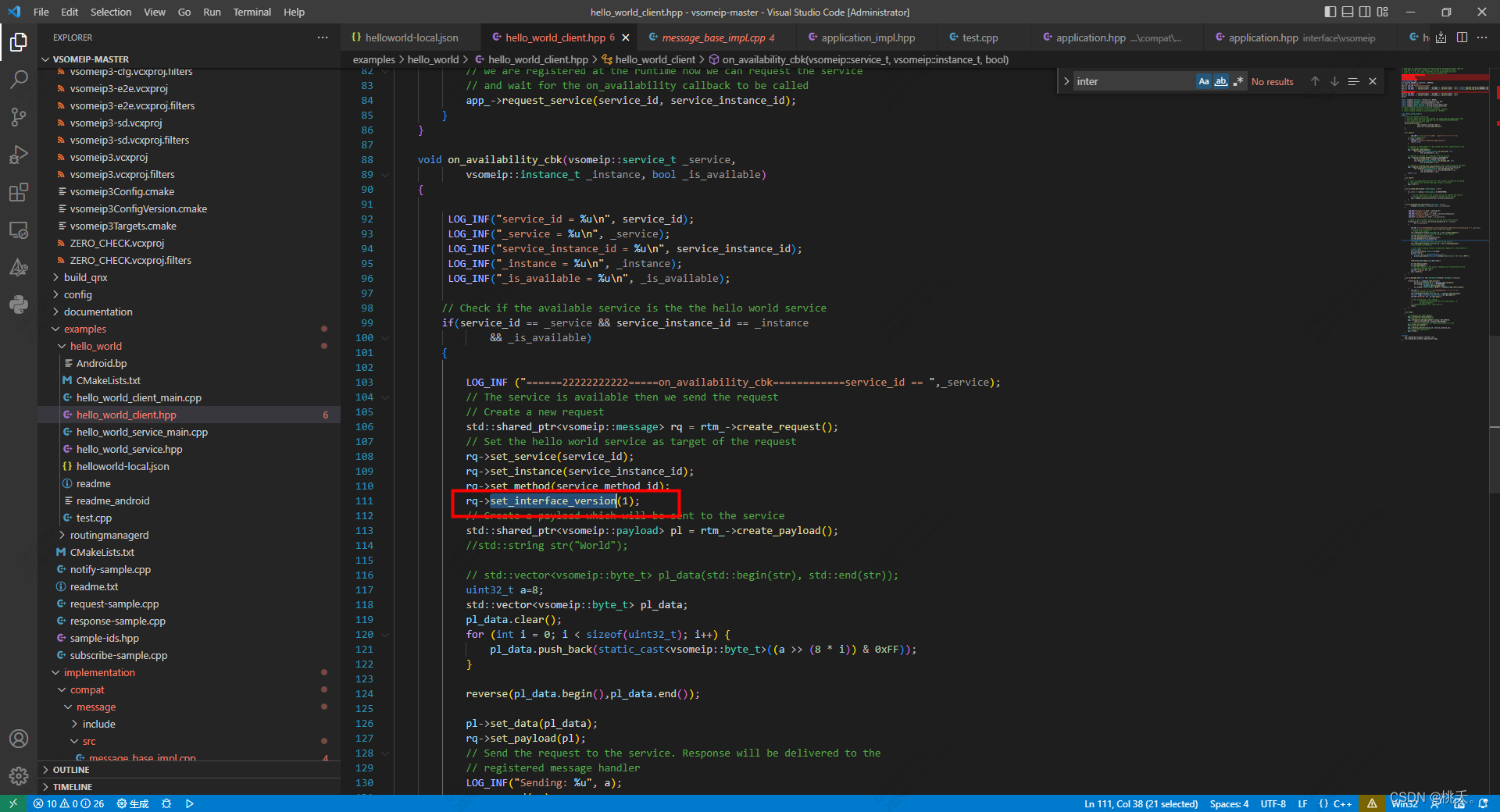
客户端:
文件hello_world_client.hpp中的service_id、service_instance_id 、service_method_id 改为服务端对应值
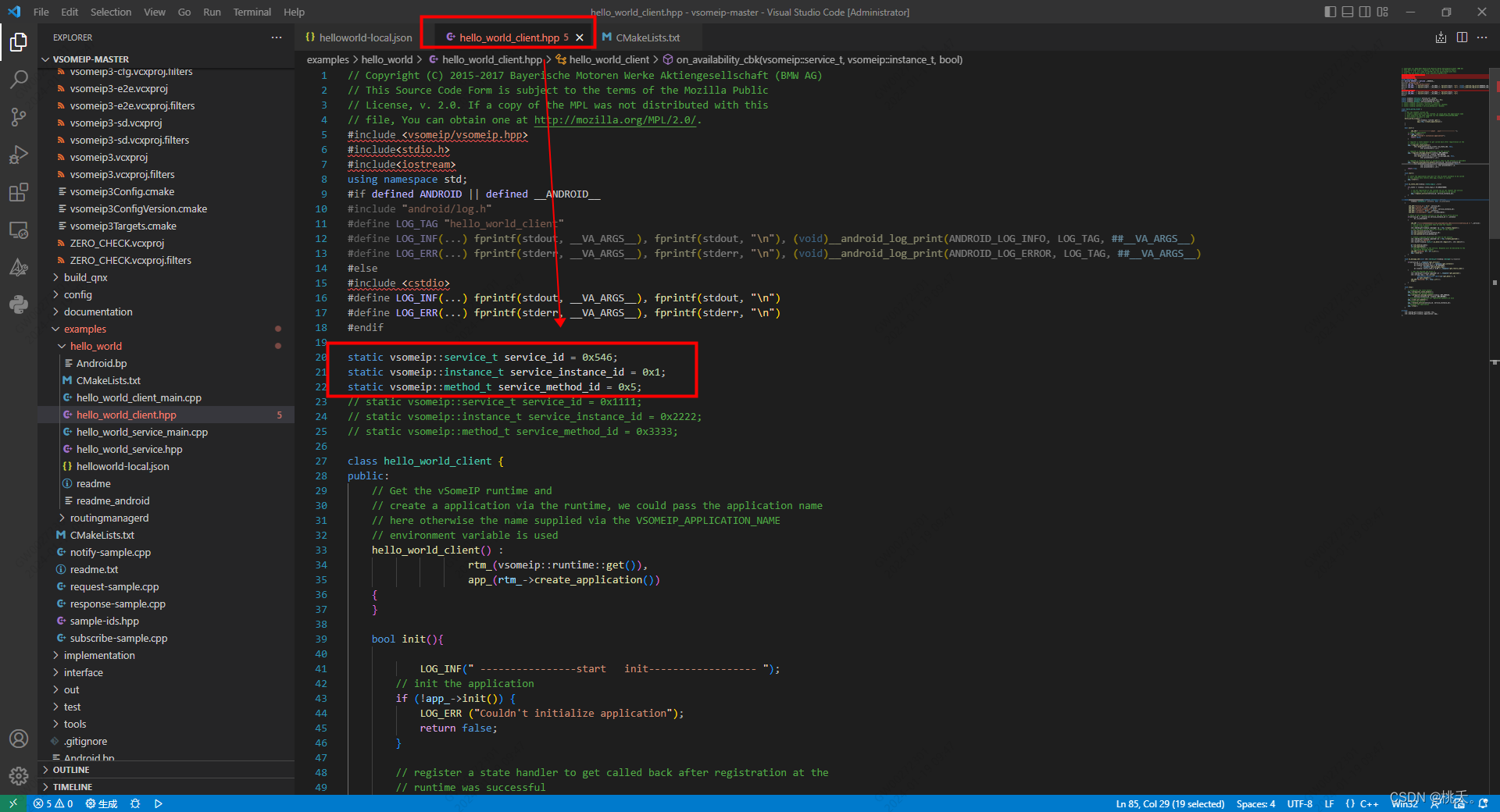 注:改完源码后 一定记得重新编译!!!
4、起rountingmanagerd
Linux中的服务端使用routing,Windows中不使用routing
注:若不使用routing,配置文件的routing字段配置为各自的applications name
VSOMEIP_CONFIGURATION=/home/ralf/Code/my-first-adaptive-project5.20_vsomeip/build/src/my_first_adaptive_service_provider_application/etc/vsomeip.json VSOMEIP_APPLICATION_NAME=routingmanagerd ./routingmanagerd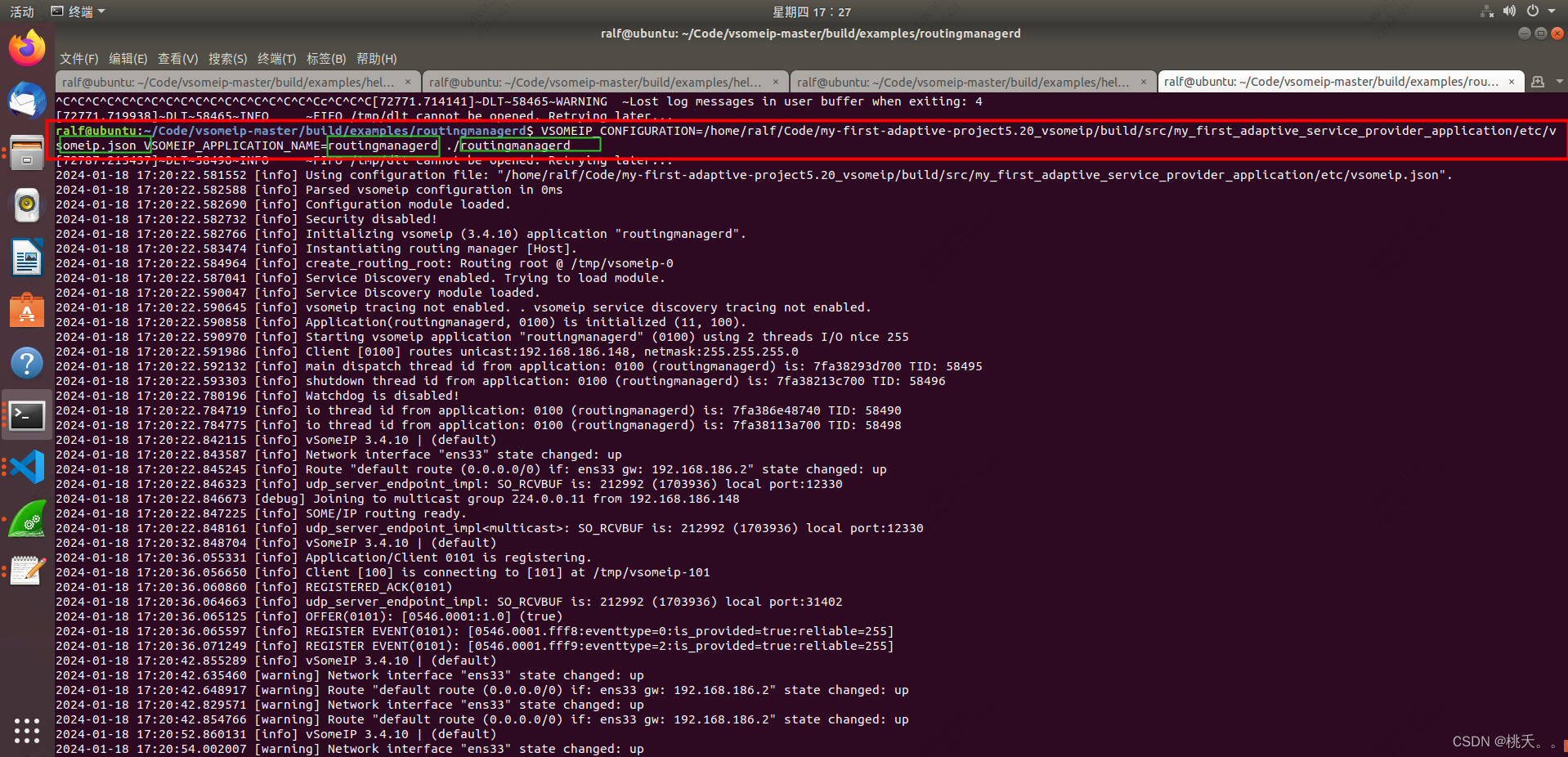
注:谁是server,routingmanagerd就使用谁的配置文件
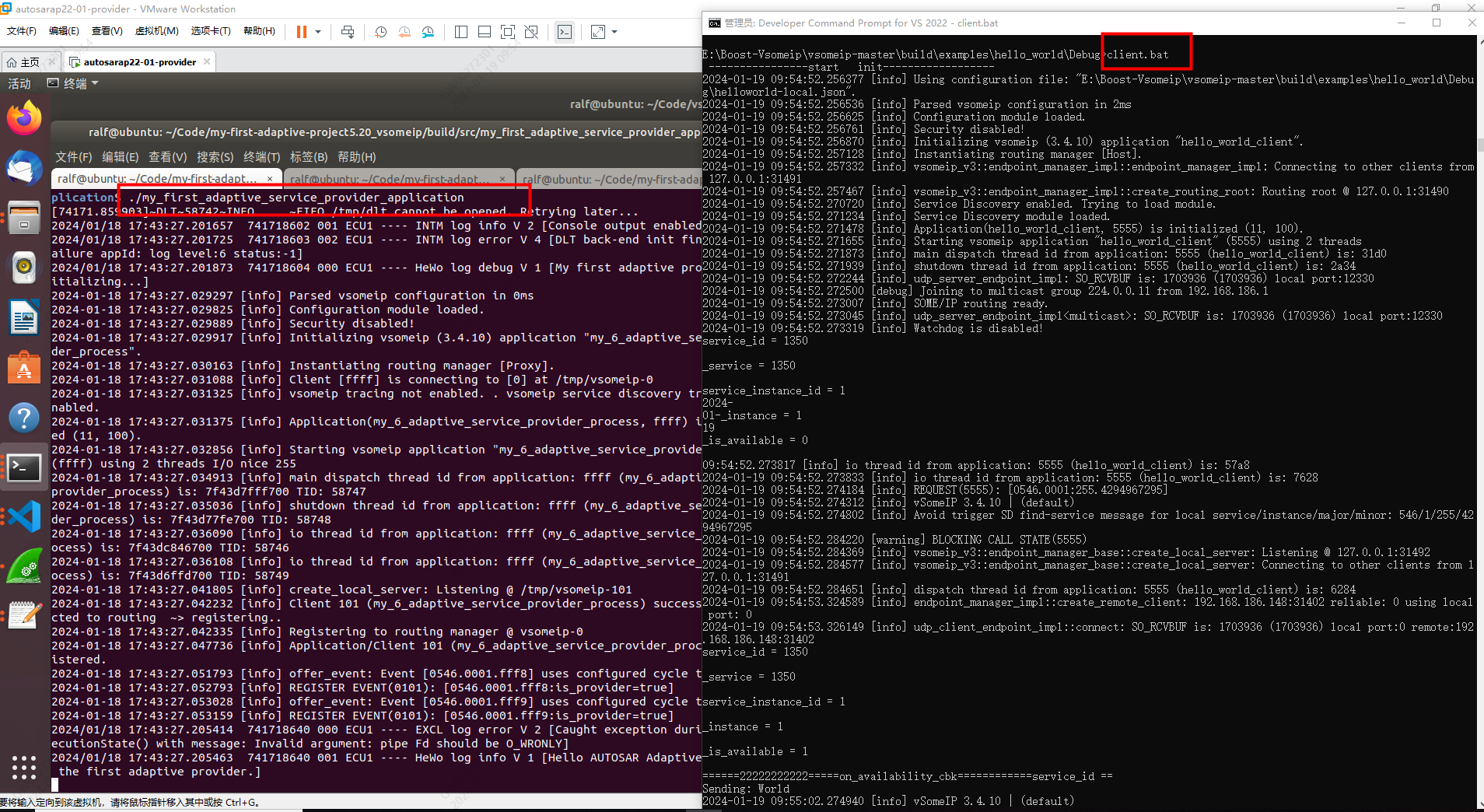
5、通信结果





 扫一扫
扫一扫


 5142
5142

 被折叠的 条评论
为什么被折叠?
被折叠的 条评论
为什么被折叠?
 到【灌水乐园】发言





