


 本文详细介绍如何在Microsoft Outlook中设置Gmail帐户,包括在Gmail网站上启用IMAP访问,以及在Outlook中添加Gmail帐户的步骤。对于使用两因素身份验证的用户,还提供了设置特定应用程序密码的方法。
If you use Microsoft Outlook, and want to set it up with your Gmail address, you’re in luck. Newer versions of Outlook make this easier than ever. You’ll need to enable a couple of settings on the Gmail website, and then connect to your Gmail account in Outlook. Let’s take a look.
如果您使用Microsoft Outlook,并希望使用您的Gmail地址进行设置,那么您很幸运。 较新版本的Outlook使此操作比以往更加轻松。 您需要在Gmail网站上启用几个设置,然后在Outlook中连接到您的Gmail帐户。 让我们来看看。
第一步:准备您的Gmail帐户 (Step One: Prepare Your Gmail Account)
Before you connect your Gmail account to Outlook, you must prepare your Gmail account so that it’s ready for the connection. Start by heading to the Gmail website in your desktop browser and signing in. You can’t do this in the mobile apps.
在将Gmail帐户连接到Outlook之前,必须准备好Gmail帐户,以便可以进行连接。 首先在桌面浏览器中访问Gmail网站并登录。您无法在移动应用中执行此操作。
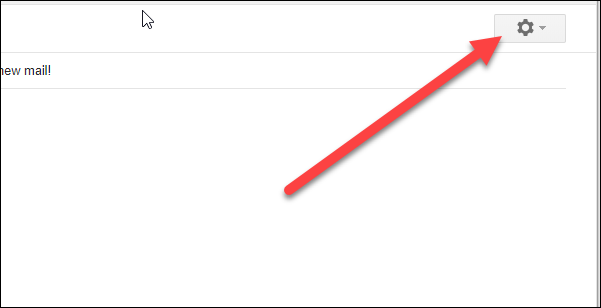
Click the gear icon in the top right corner.
点击右上角的齿轮图标。
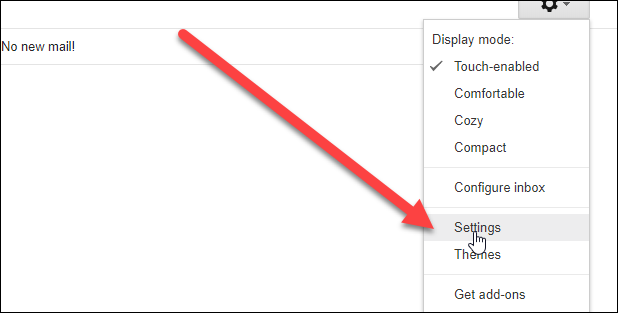
Choose “Settings” from the dropdown menu.
从下拉菜单中选择“设置”。
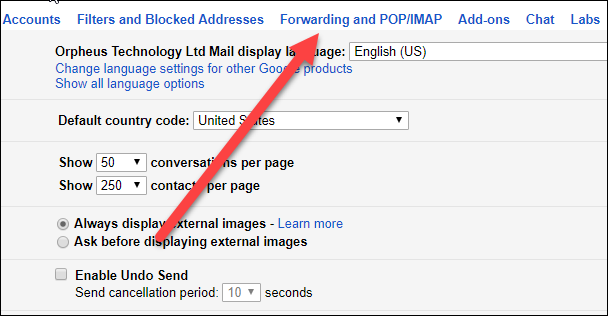
Switch over to the “Forwarding and POP/IMAP” tab.
切换到“转发和POP / IMAP”标签。
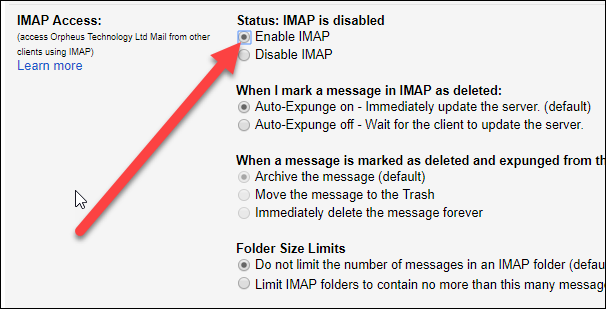
In the “IMAP Access” section, select the “Enable IMAP” option.
在“ IMAP访问”部分中,选择“启用IMAP”选项。
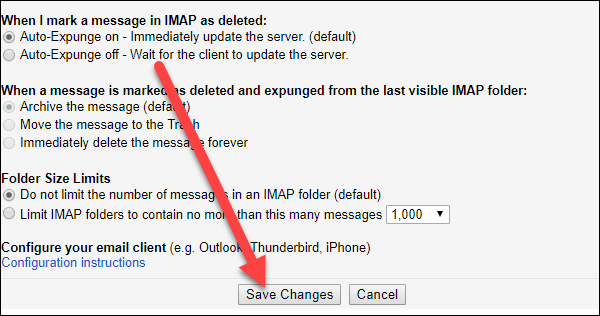
And then click the “Save Changes” button.
然后点击“保存更改”按钮。
That’s all you have to on the Gmail end of things. Now, it’s time to connect your Gmail account to Outlook.
这就是您在Gmail方面要做的所有事情。 现在,该将您的Gmail帐户连接到Outlook了。
第二步:将Outlook连接到您的Gmail帐户 (Step Two: Connect Outlook To Your Gmail Account)
After setting Gmail up to allow IMAP connections, Outlook makes it very easy to add your Gmail account.
将Gmail设置为允许IMAP连接后,Outlook可以非常轻松地添加您的Gmail帐户。
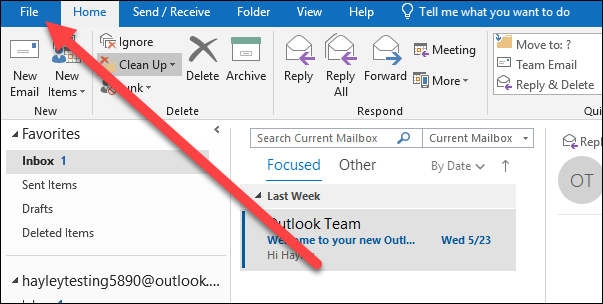
In Outlook, open the “File” menu.
在Outlook中,打开“文件”菜单。
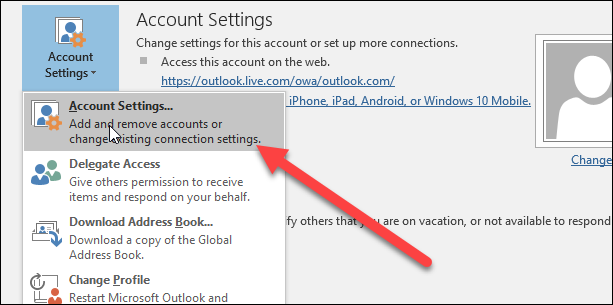
Click the “Account Settings” button.
点击“帐户设置”按钮。
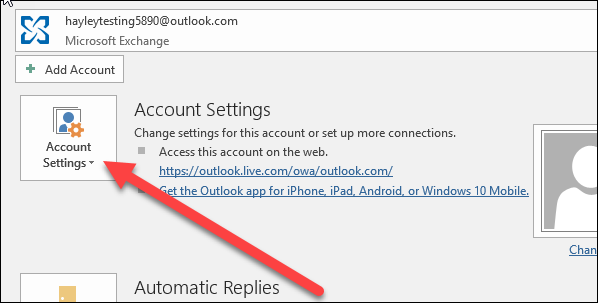
On the dropdown menu, click the “Account Settings” option.
在下拉菜单上,单击“帐户设置”选项。
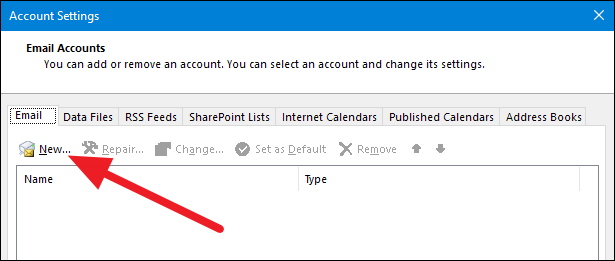
In the Account Settings window menu, click “New…”
在“帐户设置”窗口菜单中,单击“新建...”
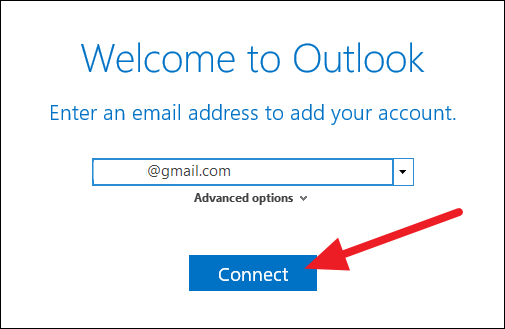
Type in your Gmail address and click “Connect”.
输入您的Gmail地址,然后单击“连接”。
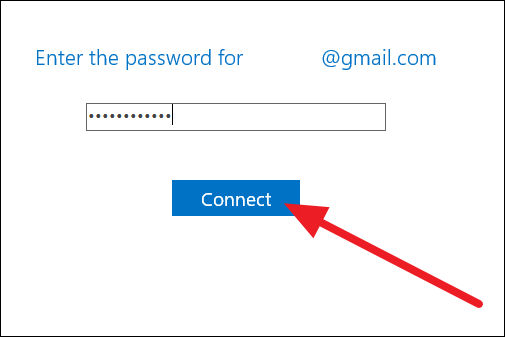
Type in the password for your Gmail account and then click “Connect”.
输入您的Gmail帐户的密码,然后单击“连接”。
Note: If you use two-factor authentication on your Gmail account (and you really should), then you’ll need to set up a specific app password for Outlook to connect to your Gmail account (check out that page for several troubleshooting tips for connecting Outlook to Gmail). If you don’t use two-factor authentication, and Outlook won’t connect to your Gmail account after entering your regular password, then you’ll likely need to change a setting that allows less secure apps to connect to your Google account.
注意 :如果您确实要在Gmail帐户上使用两因素身份验证 ,则需要为Outlook设置特定的应用程序密码以连接到Gmail帐户(有关该问题的一些疑难解答提示,请访问该页面)将Outlook连接到Gmail)。 如果您不使用双重身份验证,并且Outlook在输入常规密码后无法连接到Gmail帐户,则您可能需要更改一个设置,以允许安全性较低的应用程序连接到您的Google帐户。
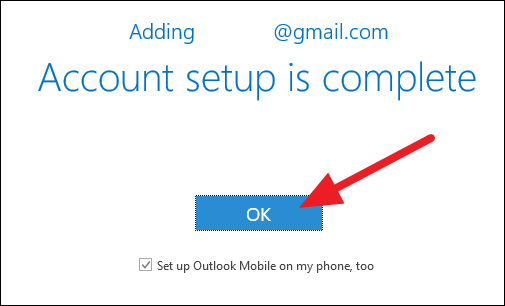
Wait for your account setup to complete. Unless you want to set up Outlook Mobile on your phone, too, you can deselect that option, and then click the “OK” button.
等待您的帐户设置完成。 除非您也想在手机上设置Outlook Mobile,否则可以取消选择该选项,然后单击“确定”按钮。
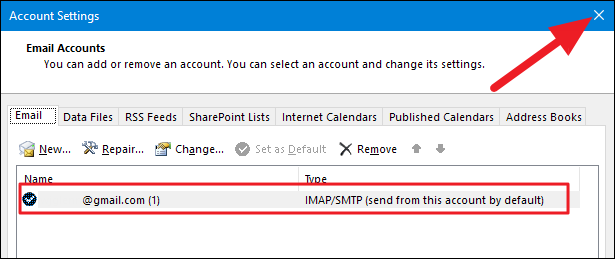
You should see your Gmail account added to your Outlook Account Manager menu. You can go ahead and close that window.
您应该看到您的Gmail帐户已添加到Outlook帐户管理器菜单中。 您可以继续关闭该窗口。
And now you can use your Gmail account right inside Microsoft Outlook.
现在,您可以直接在Microsoft Outlook中使用Gmail帐户。
翻译自: https://www.howtogeek.com/353584/how-to-use-gmail-with-microsoft-office/





 扫一扫
扫一扫


 51
51

 被折叠的 条评论
为什么被折叠?
被折叠的 条评论
为什么被折叠?
 到【灌水乐园】发言





