


 本文档详细介绍了如何开发一个用于前台首页显示文章列表的接口,包括在API接口工程中创建ArticlePortalControllerApi接口,在文章服务中实现Controller和Service层。在Service层中,涉及了查询条件构建、分页逻辑以及隐藏条件的处理,确保只显示即时发布、未删除且审核通过的文章。最后,提到了前端显示问题的一个常见解决方案。
说明:
(1)本篇博客内容:前台首页展示文章列表;
目录
二:开发【前台门户端,查询文章列表,接口】:Controller层;
1.在【api】接口工程中,创建ArticlePortalControllerApi接口;定义【前台门户端,查询文章列表,接口】;
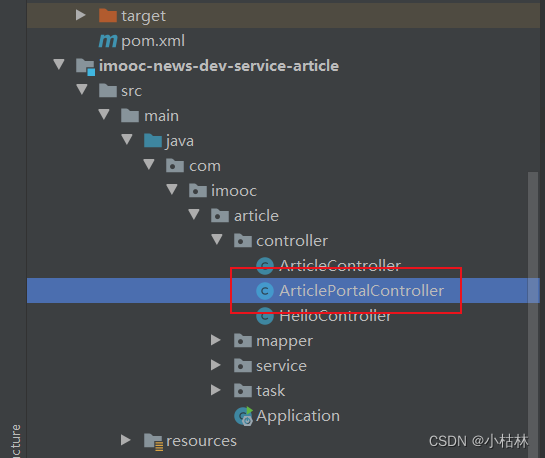
2.在【article】文章服务中,创建ArticlePortalController类;去实现【前台门户端,查询文章列表,接口】;
三:开发【前台门户端,查询文章列表,接口】:Service层;
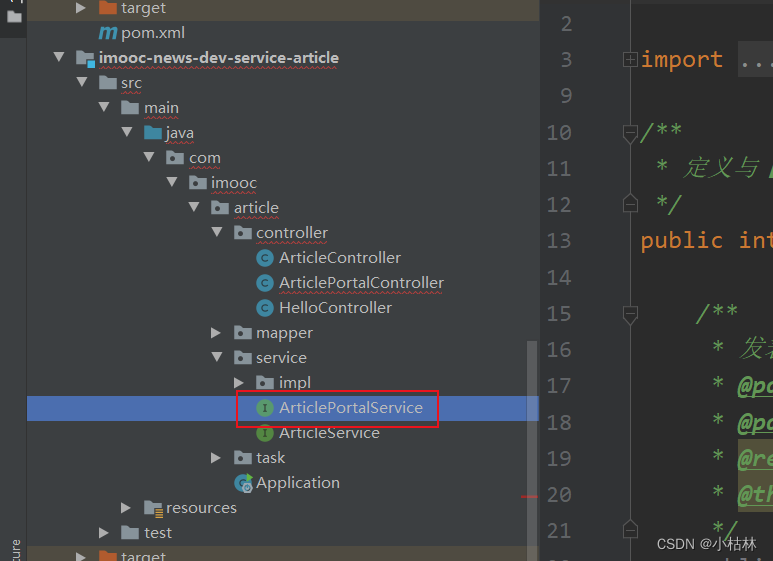
1.在【article】文章服务中,创建ArticlePortalService接口,定义查询文章列表的方法;
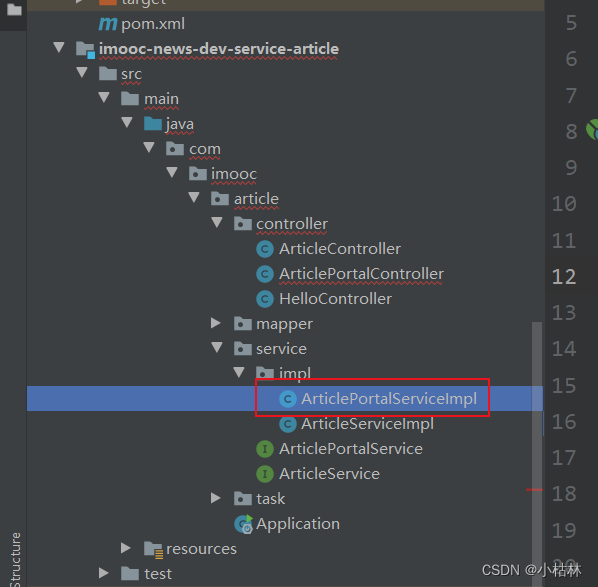
2.在【article】文章服务中,创建ArticlePortalServiceImpl类,去实现查询文章列表的方法;
一:本篇博客内容:前台首页,显示文章列表;
然后,这儿也是分页的,只是分页的方式是滚动分页;
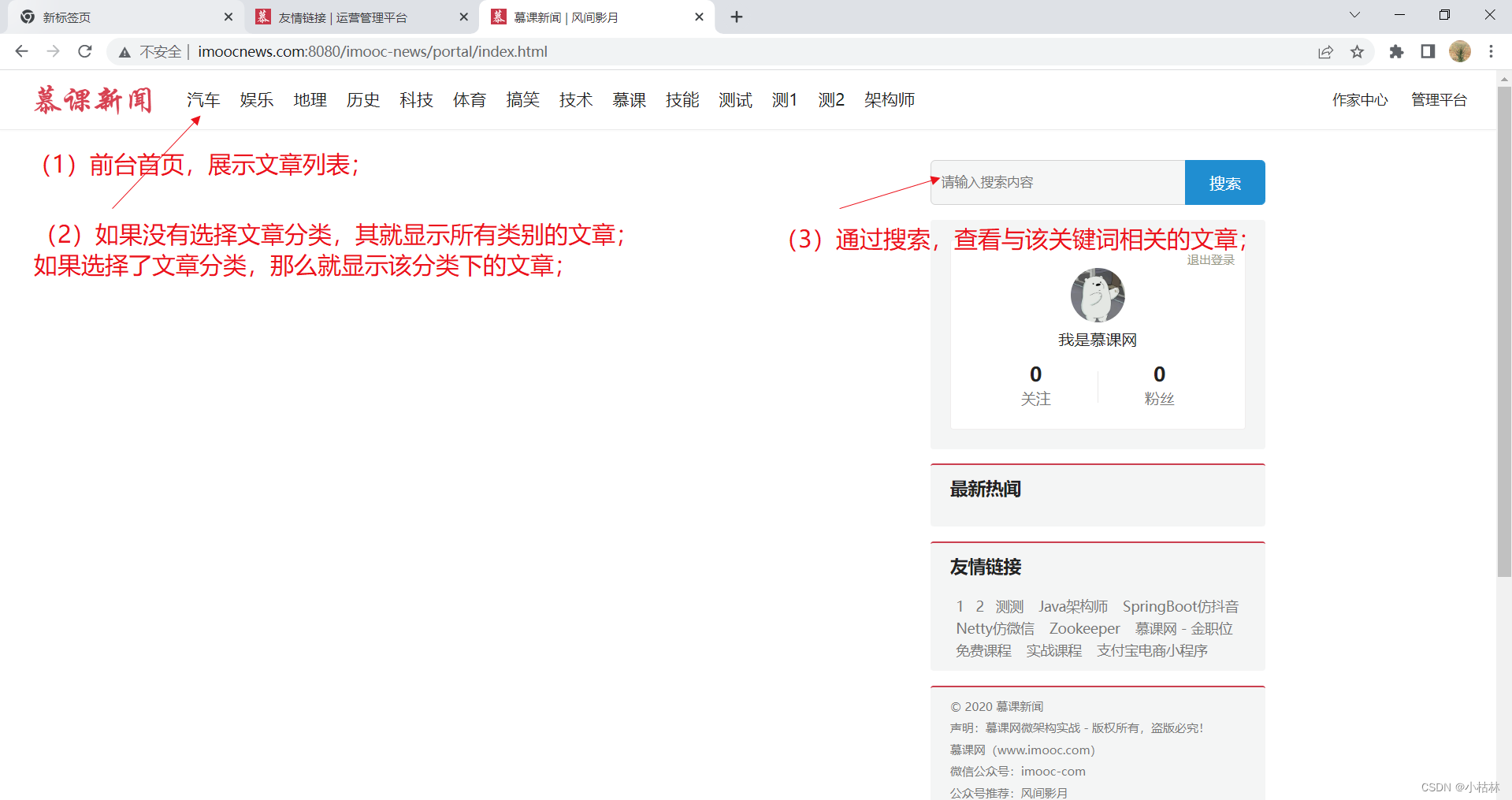
这部分逻辑,我们写在【article】文章服务中;
二:开发【前台门户端,查询文章列表,接口】:Controller层;
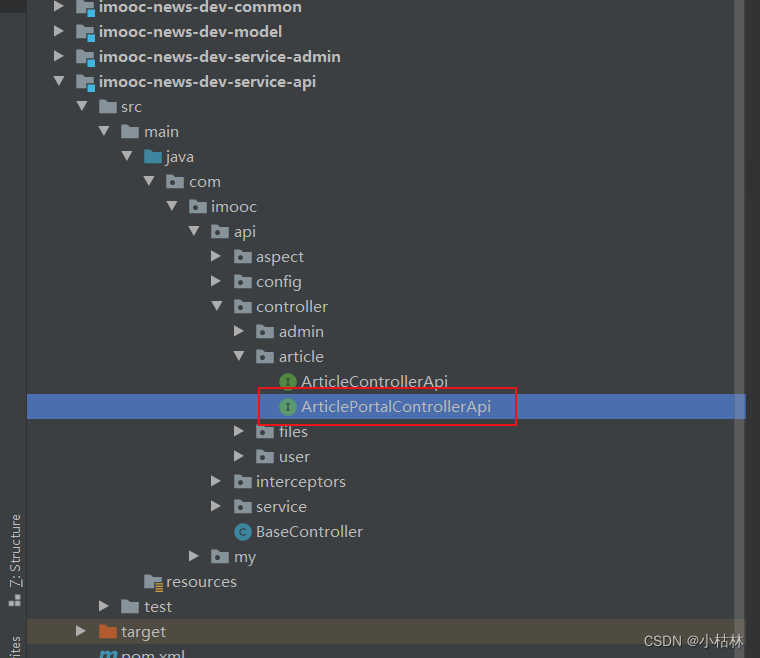
1.在【api】接口工程中,创建ArticlePortalControllerApi接口;定义【前台门户端,查询文章列表,接口】;
PS:其实与文章相关的业务还是挺多的;我之所以不在原先的ArticleControllerApi中写,而是要新创一个ArticlePortalControllerApi;主要目的是解耦;
    /**
     * 前台门户端,根据条件,查询文章列表,接口;
     * @param keyword
     * @param category
     * @param page
     * @param pageSize
     * @return
     */
    @ApiOperation(value = "前台门户端,根据条件,查询文章列表", notes = "前台门户端,根据条件,查询文章列表", httpMethod = "GET")
    @GetMapping("/list") //设置路由,这个是需要前后端约定好的;
    public GraceJSONResult queryAllList(@RequestParam String keyword,
                                        @RequestParam Integer category,
                                        @RequestParam Integer page,
                                        @RequestParam Integer pageSize);
说明:
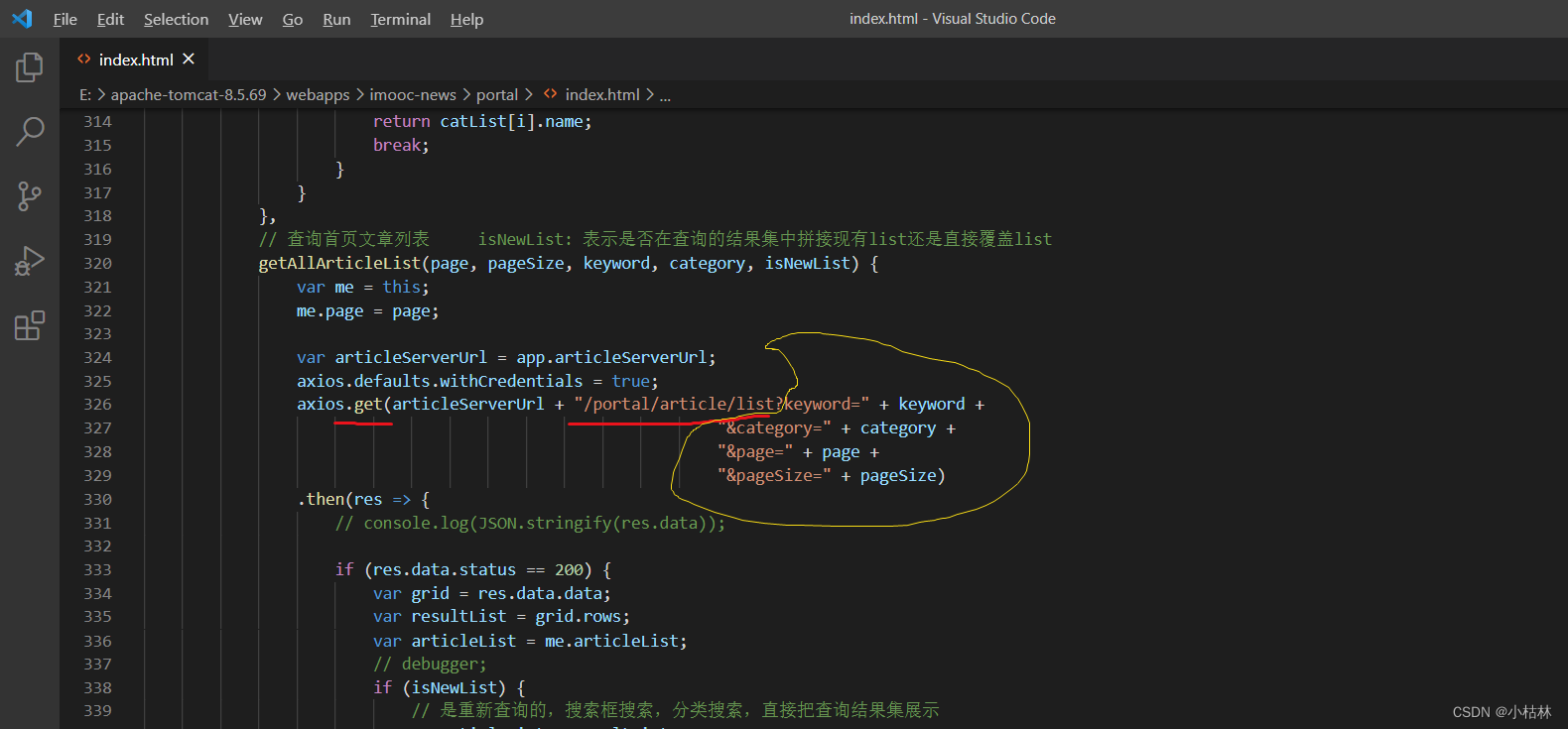
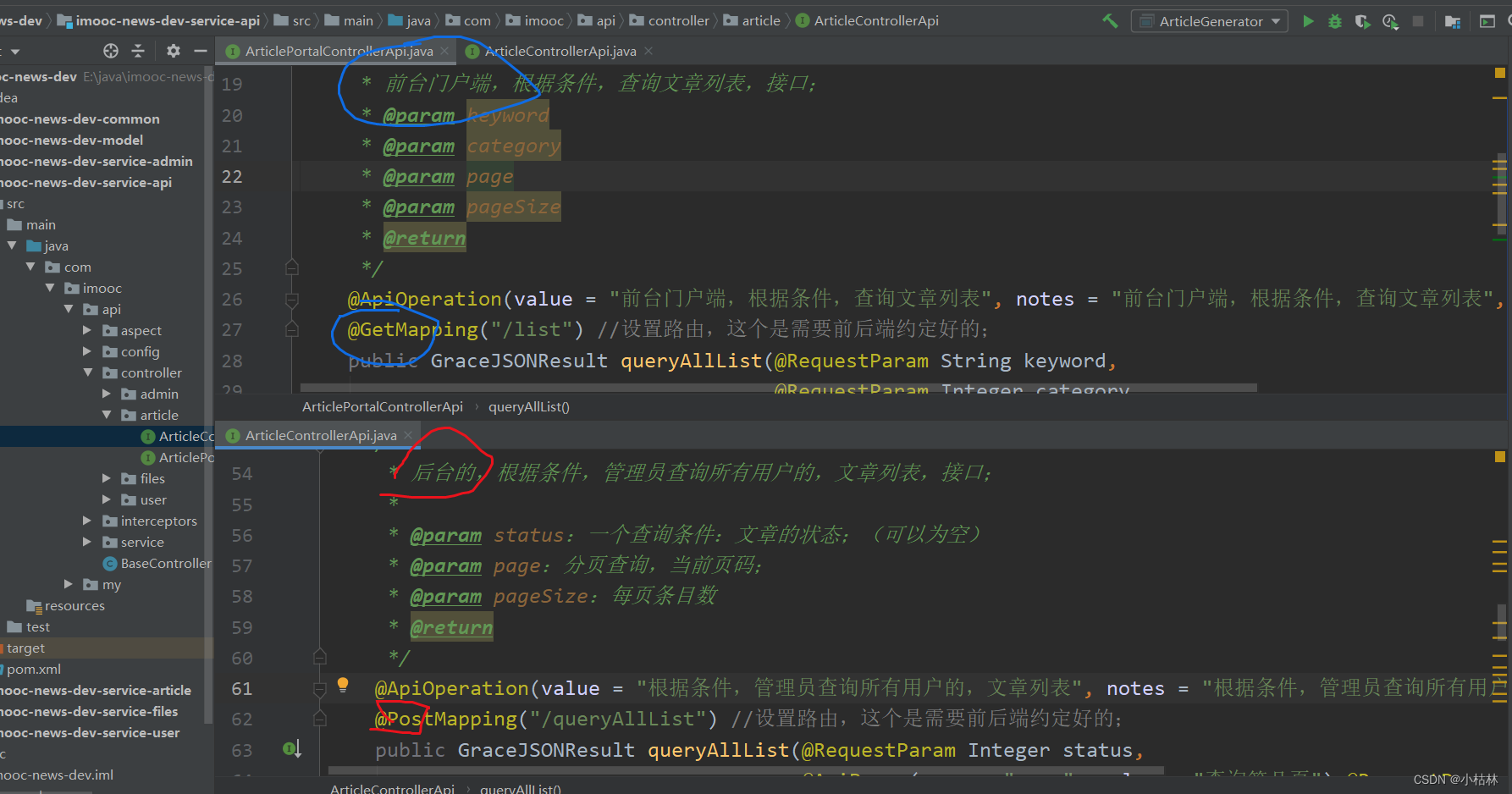
(1)该接口的url、请求方式、参数不是瞎写的;需要前后端保持一致;
(2)一般来说,对于查询来说;如果是前台门户端的,一般使用GET方式就可以了;如果是后台管理端,可以使用POST方式;
2.在【article】文章服务中,创建ArticlePortalController类;去实现【前台门户端,查询文章列表,接口】;
package com.imooc.article.controller;

import com.imooc.api.BaseController;
import com.imooc.api.controller.article.ArticlePortalControllerApi;
import com.imooc.article.service.ArticlePortalService;
import com.imooc.article.service.ArticleService;
import com.imooc.grace.result.GraceJSONResult;
import com.imooc.utils.PagedGridResult;
import org.slf4j.Logger;
import org.slf4j.LoggerFactory;
import org.springframework.beans.factory.annotation.Autowired;
import org.springframework.web.bind.annotation.RestController;

@RestController
public class ArticlePortalController extends BaseController implements ArticlePortalControllerApi {

    final static Logger logger = LoggerFactory.getLogger(ArticlePortalController.class);
    @Autowired
    private ArticlePortalService articlePortalService;

    @Override
    public GraceJSONResult queryAllList(String keyword, Integer category, Integer page, Integer pageSize) {
        // 1.如果前端传的page或者pageSize为空,我们就给其设置默认值,page设为1,pageSize设为10;
        if (page == null) {
            page = COMMON_START_PAGE; //在BaseController中定义的常量;
        }
        if (pageSize == null) {
            pageSize = COMMON_PAGE_SIZE;
        }

        // 3.调用Service层逻辑,去查询文章列表;
        PagedGridResult pagedGridResult = articlePortalService.queryIndexArticleList(keyword, category, page, pageSize);

        // 4.把"根据前端要求,包装好的pagedGridResult对象",返回给前端;
        return GraceJSONResult.ok(pagedGridResult);
    }
}
说明:
(1)Service层的内容,在三部分中有介绍;
三:开发【前台门户端,查询文章列表,接口】:Service层;
1.在【article】文章服务中,创建ArticlePortalService接口,定义查询文章列表的方法;
PS:即Service这儿我们也做了接口,新创建ArticlePortalService接口,一些与前台门户端相关的Service方法,我们都写在ArticlePortalService中;
package com.imooc.article.service;

import com.imooc.utils.PagedGridResult;

/**
 * 定义前台门户端的、与【article文章】相关的方法;
 */
public interface ArticlePortalService {


    /**
     * 前台首页,查询文章列表
     * @param keyword:文章搜索关键词
     * @param category:文章分类
     * @param page:分页查询,当前页码;
     * @param pageSize:每页条目数
     * @return
     */
    public PagedGridResult queryIndexArticleList(String keyword, Integer category, Integer page, Integer pageSize);
}
2.在【article】文章服务中,创建ArticlePortalServiceImpl类,去实现查询文章列表的方法;
package com.imooc.article.service.impl;

import com.github.pagehelper.PageHelper;
import com.imooc.api.service.BaseService;
import com.imooc.article.mapper.ArticleMapper;
import com.imooc.article.mapper.ArticleMapperCustom;
import com.imooc.article.service.ArticlePortalService;
import com.imooc.article.service.ArticleService;
import com.imooc.bo.NewArticleBO;
import com.imooc.enums.ArticleAppointType;
import com.imooc.enums.ArticleReviewStatus;
import com.imooc.enums.YesOrNo;
import com.imooc.exception.GraceException;
import com.imooc.grace.result.ResponseStatusEnum;
import com.imooc.pojo.Article;
import com.imooc.pojo.Category;
import com.imooc.utils.PagedGridResult;
import org.apache.commons.lang3.StringUtils;
import org.n3r.idworker.Sid;
import org.springframework.beans.BeanUtils;
import org.springframework.beans.factory.annotation.Autowired;
import org.springframework.stereotype.Service;
import org.springframework.transaction.annotation.Transactional;
import tk.mybatis.mapper.entity.Example;

import java.io.IOException;
import java.util.Date;
import java.util.List;

@Service
public class ArticlePortalServiceImpl extends BaseService implements ArticlePortalService {

    @Autowired
    private ArticleMapper articleMapper;

    /**
     * 前台首页,查询文章列表
     * @param keyword:文章搜索关键词
     * @param category:文章分类
     * @param page:分页查询,当前页码;
     * @param pageSize:每页条目数
     * @return
     */
    @Override
    public PagedGridResult queryIndexArticleList(String keyword, Integer category, Integer page, Integer pageSize) {

        // 1. 根据参数情况,构建查询条件;
        // 1.1 先创建一个查询实例,这个查询是针对Article作查询的;
        Example example = new Example(Article.class);
        // 1.2 设置排序方式;其中的"publishTime",指的是Article类中的publishTime字段;对应于article表的publish_time字段;
        example.orderBy("publishTime").desc();
        // 1.3 给上面的查询实例,增加查询条件;
        Example.Criteria criteria = example.createCriteria();

        /**
         * 2.1(隐藏条件)在前台首页,查询的文章应该是即时发布的文章,即is_appoint是0的文章;(PS:前面我们做过,如果一
         * 个定时发布的文章到时间后,我们会修改其is_appoint为0)
         */
        criteria.andEqualTo("isAppoint", YesOrNo.NO.type);
        /**
         * 2.2(隐藏条件)在前台首页,查询的文章不能是逻辑删除的文章;即,is_delete=0的文章;
         */
        criteria.andEqualTo("isDelete", YesOrNo.NO.type);
        /**
         * 2.3(隐藏条件)在前台首页,查询的文章需要是状态是审核通过,即article_status=3的文章;
         */
        criteria.andEqualTo("articleStatus", ArticleReviewStatus.SUCCESS.type);

        // 3. 如果前端传了keyword关键词;那么我们就添加上这个模糊查询的条件;
        if (StringUtils.isNotBlank(keyword)) {
            criteria.andLike("title", "%" + keyword + "%");
        }
        // 4. 如果前端传了category文章分类;那么我们就添加上这个条件;
        if (category != null) {
            criteria.andEqualTo("categoryId", category);
        }


        // 5. 设置分页;
        PageHelper.startPage(page, pageSize);
        // 6. 去查询
        List<Article> list = articleMapper.selectByExample(example);
        // 7. 把查询结果,包装成符合前端要求的pagedGridResult格式的;
        PagedGridResult pagedGridResult = setterPagedGrid(list, page);

        return pagedGridResult;
    }
}
说明:
(1) 在前台首页显示文章列表,出了可能传入的文章分类和搜索关键词两个条件外;该业务,具体也蕴含了其他几个隐藏条件;自己平时在开发的时候,面对某个业务的时候,需要留意这一点;
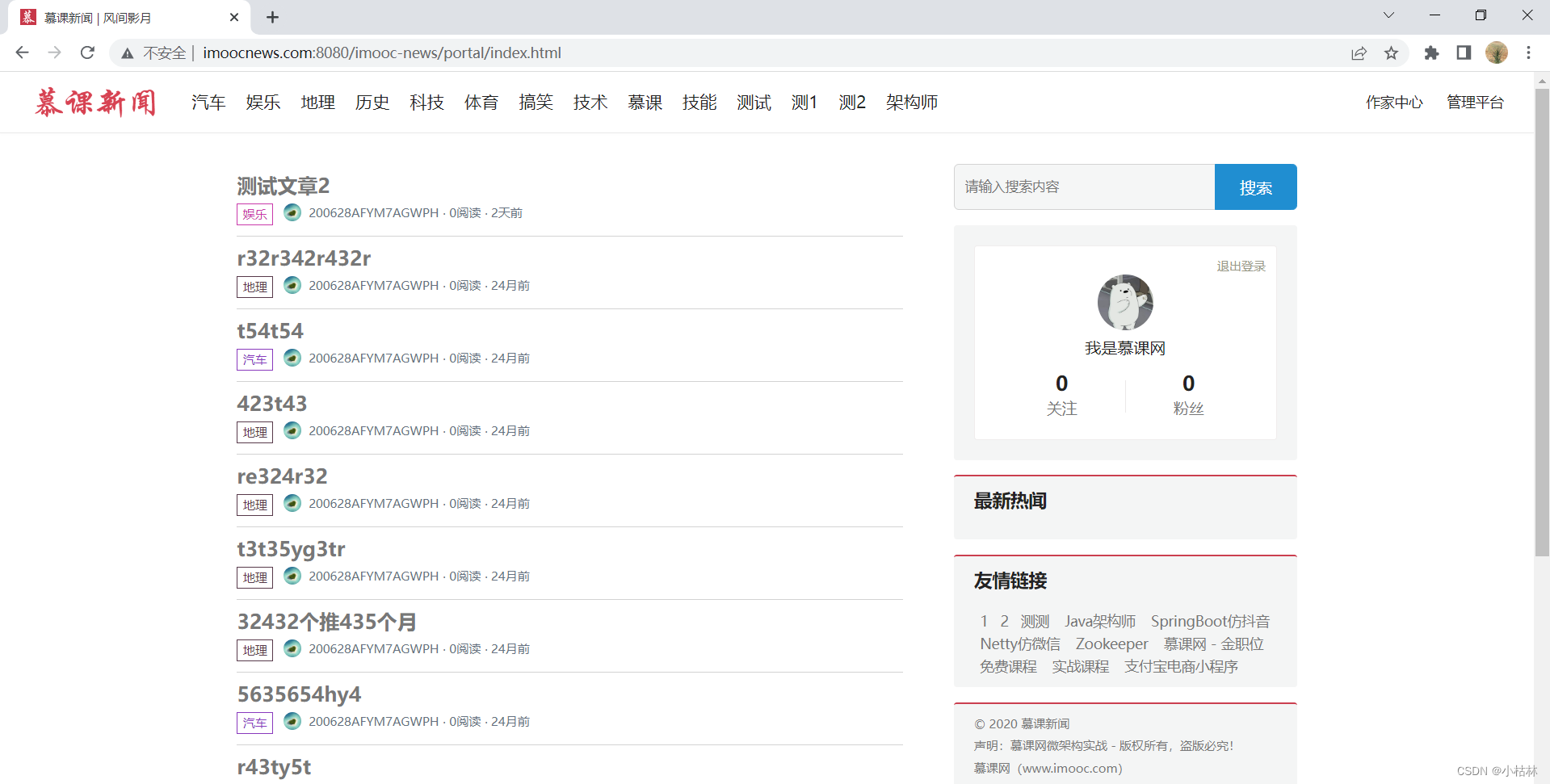
四:效果;
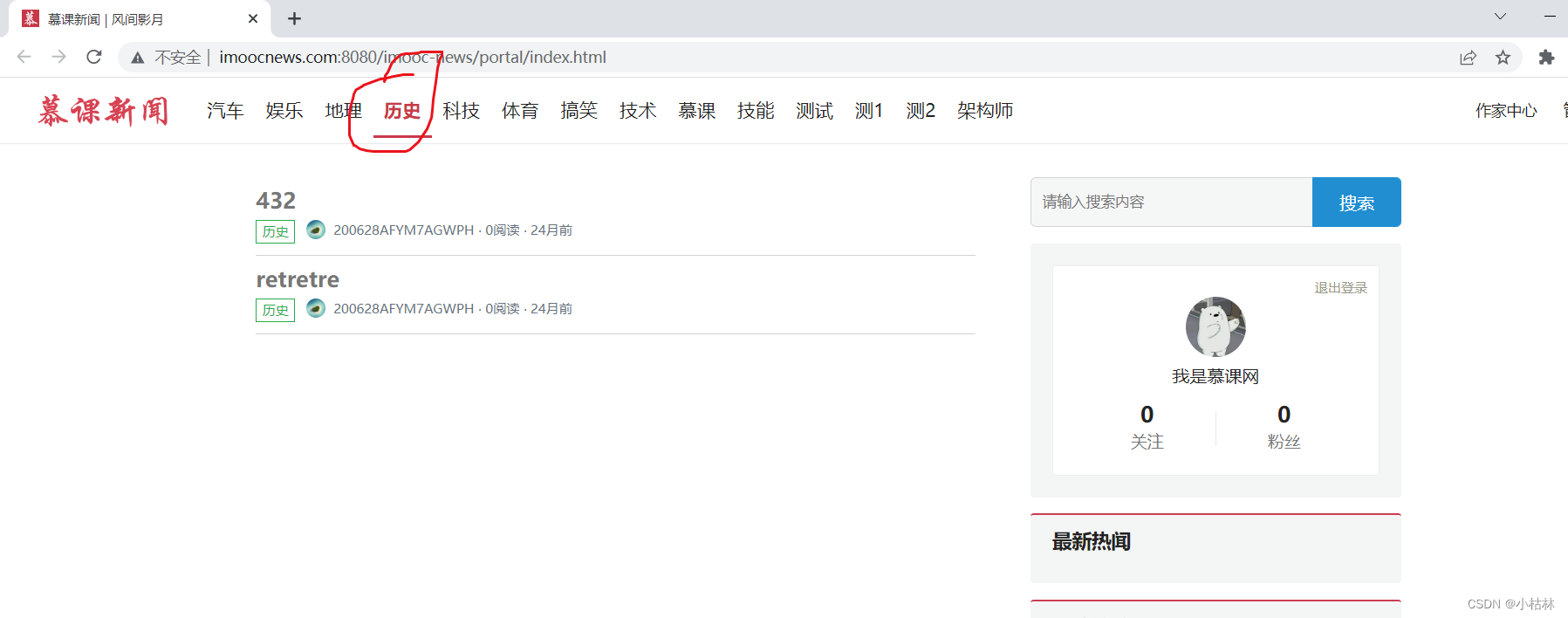
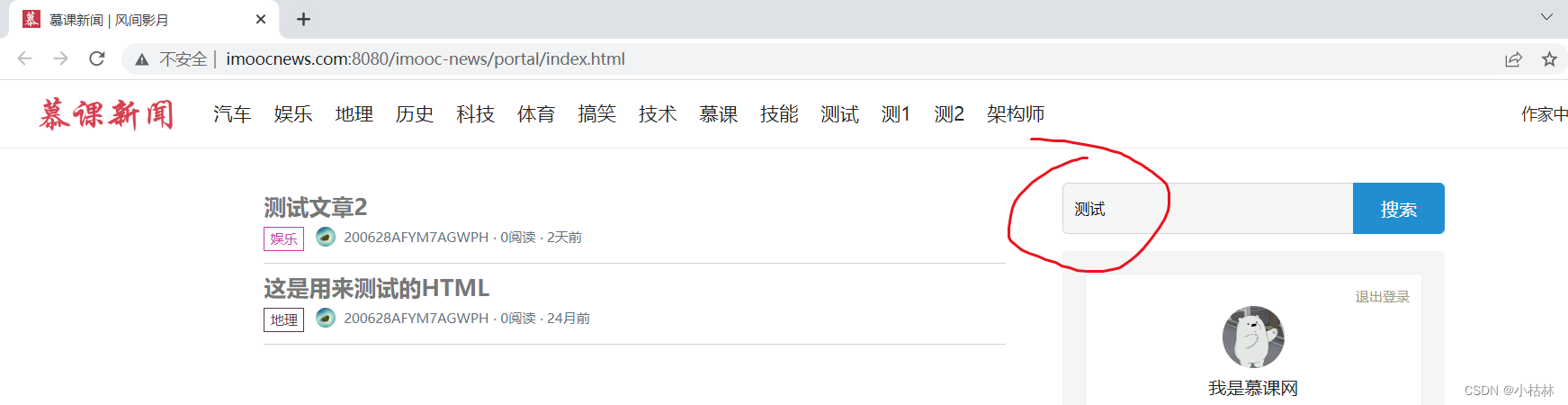
(1)先install一下整个项目;(2)记得使用SwitchHost开启虚拟域名映射;(3)使用Tomcat启动前端项目;(4)然后,启动后端项目;
一个问题:后端有数据但是前端不显示的问题;
把index.html中的以下代码注释掉就可以了,或者你看到第6小节就明白了
<a :href="'writer.html?writerId='+article.publisherVO.id" target="_blank"> <div class="publisher-name" v-if="article.publisherVO != null && article.publisherVO != undefined"> {{article.publisherVO.nickname}} ⋅</div> </a>
……………………………………………………
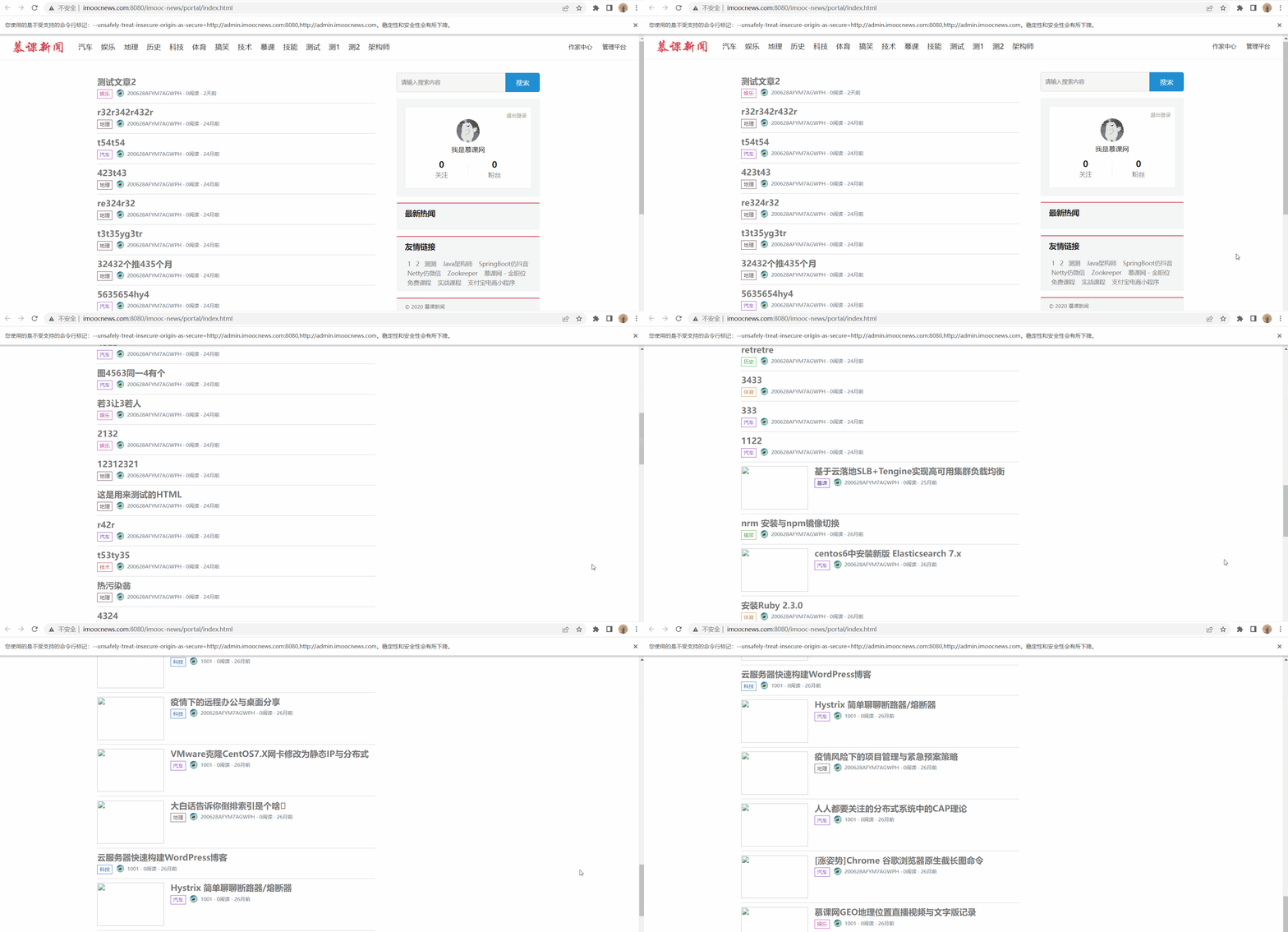
而且,可以看到滚动分页也是可以的(具体的滚动分页的效果实现,就是前端的内容)
……………………………………………………
……………………………………………………





 扫一扫
扫一扫


 被折叠的 条评论
为什么被折叠?
被折叠的 条评论
为什么被折叠?
 到【灌水乐园】发言





