



 本文介绍了在SpringBoot集成SpringSecurity时,如何在前后端完全分离的场景下关闭默认登录页面。通过创建自定义的授权异常处理器,处理未登录情况,并在SpringSecurity配置中关闭csrf,确保可以通过postman等工具进行登录操作。验证过程显示,未登录访问特定接口会返回未登录提示。
前言
用户在未登录的时候,访问后端服务,默认会跳转到默认登录页,这种情况在前后未分离,或者说半分离的情况下是没有问题的,但是在前后端完全分离的情况,像现在比较流行的vue.js,前后端分开部署,如果在用户未登录情况下访问后端,返回默认的登录显然是不行。下面通过配置,在用户未登录情况下访问后端时,返回之前封装的统一结果,然后前端通过状态码进行判断,跳转到自定义登录页。
实现
创建一个授权异常处理器类AuthenticationExceptionHandler并实现AuthenticationEntryPoint接口,如果是InsufficientAuthenticationException类型,那么说用户未登录,响应未登录提示。
@Component
public class AuthenticationExceptionHandler implements AuthenticationEntryPoint {
    @Override
    public void commence(HttpServletRequest request, HttpServletResponse response, AuthenticationException e) throws
            IOException {
        Result error = Result.error();
        if (e instanceof InsufficientAuthenticationException) {
            error.message(ResultCode.NOT_SIGN_IN.getMessage());
        }
        response.setContentType(MediaType.APPLICATION_JSON_UTF8_VALUE);
        response.getWriter().write(JsonUtil.toJsonString(error));
    }
}
在SpringSecurityConfig中添加设置AuthenticationExceptionHandler
1.注入当前处理器
    @Autowired
    AuthenticationExceptionHandler authenticationExceptionHandler;
2.添加配置
http.exceptionHandling()
	.authenticationEntryPoint(authenticationExceptionHandler);
3.关闭csrf(已经没有默认登录页了,通过postman等工具进行登录,所以需要将csrf关闭)
http.csrf().disable();
验证
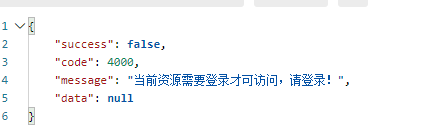
访问后端接口,成功返回未登录提示
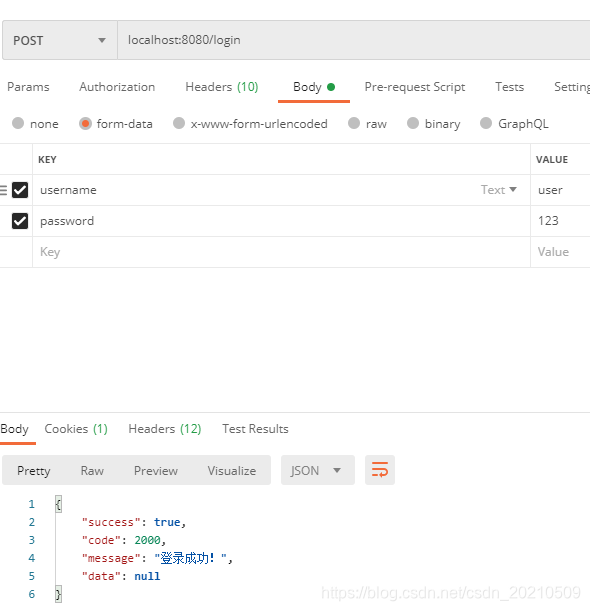
postman模拟登录
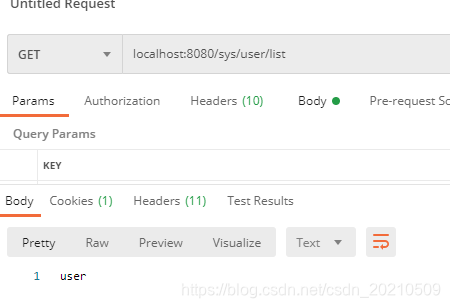
访问localhost:8080/sys/user/list 访问成功
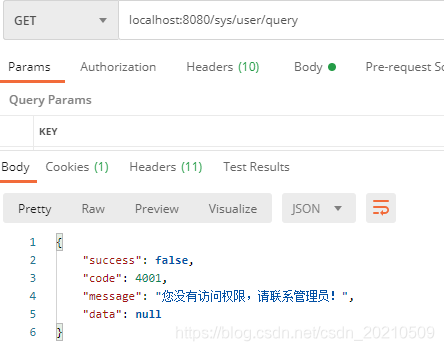
访问localhost:8080/sys/user/query 没有权限





 扫一扫
扫一扫


 1132
1132

 被折叠的 条评论
为什么被折叠?
被折叠的 条评论
为什么被折叠?
 到【灌水乐园】发言





