


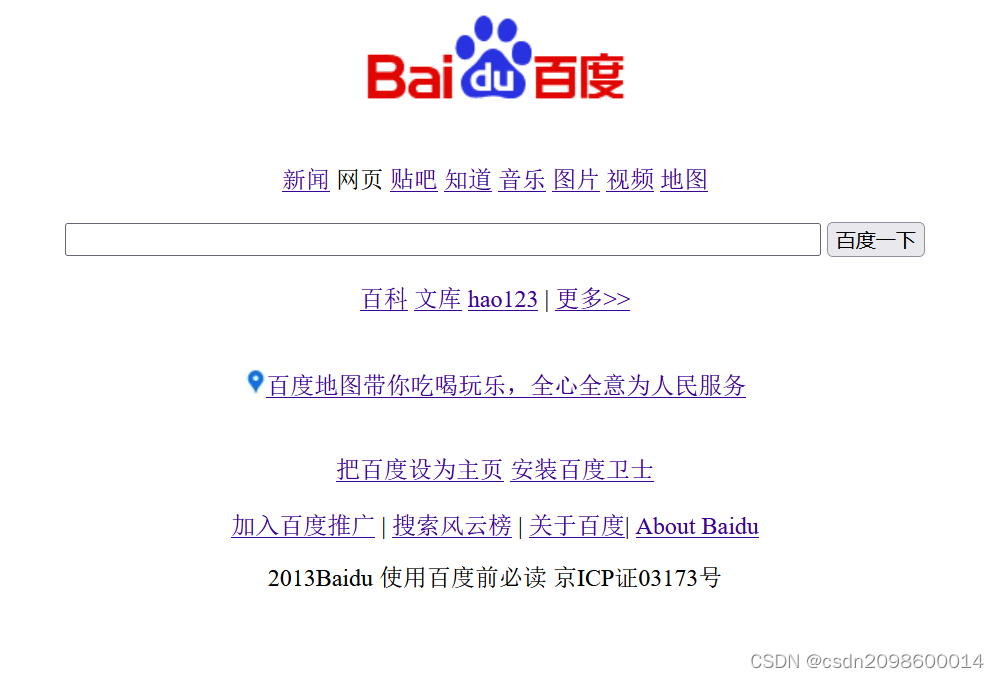
 本文介绍了初学者如何使用HTML来仿制百度首页。通过基本的HTML标签布局内容,用<div>划分区域,<p>添加文本,<a>创建超链接,以及<img>插入图片。此外,还涉及了在HTML内部编写<style>来设置样式和属性。
html是超文本标记语言,主要的作用是来构建网页。下面是我作为初学者第一次简单的仿照百度首页前端的构建
<!DOCTYPE html>
<html lang="en">
<head>
    <meta charset="UTF-8">
    <meta http-equiv="X-UA-Compatible" content="IE=edge">
    <meta name="viewport" content="width=device-width, initial-scale=1.0">
    <title>Document</title>
    <style>
        img {
    margin-left: auto;
    margin-right: auto;
}

    p{
        text-align: center;
    }
    div{
    font-style: '黑体';
    text-align: center;
    color:black;
    }
    a{
        font-style: '宋体';
        color: rgb(60, 1, 149);
    }
    </style>
</head>
<div><img  src="../关卡二/image/bdlogo.gif" alt=""></div>
<body>
<div class="diyiduan">
    <a href="">新闻</a> <span>网页</span> <a href="">贴吧</a> <a href="">知道</a>
 <a href="">音乐</a> <a href="">图片</a> <a href="">视频</a> <a href="">地图</a>
</div><br>
<div>
<input type="text" name="wd" size="80" height="50" width="20">
<input type="submit" value="百度一下">
</div><br>
<div class="diyiduan">
    <a href="">百科</a>  <a href="">文库</a>  <a href="">hao123</a> <span>|</span> <a href="">更多>></a>
</div><br><br>
<div>
    <img src="../关卡二/image/ic.jpg" alt=""><a href="">百度地图带你吃喝玩乐,全心全意为人民服务</a>
</div><br><br>
<div>
    <a href="">把百度设为主页</a> <a href="">安装百度卫士</a><br><br>
    <a href="">加入百度推广</a> <span>|</span> <a href="">搜索风云榜</a> <span>|</span> <a href="">关于百度</a><span>|</span> <a href="">About Baidu</a>
</div>
<p><span>2013Baidu 使用百度前必读 京ICP证03173号</span></p>
</body>
</html>
1.运用基本标签先把首页内容添加
2.使用<div>...</div>分成几个块区
3.<p>...</p>添加内容
4.<a>超链接标签是百度首页主要的构成,添加其他页面的网址路径
5.<img>标签插入需要的图片
6.在使用<style>...</style>在html内部写方法和对应的属性





 扫一扫
扫一扫


 1244
1244


 到【灌水乐园】发言



