



空间与运动
1.简答并用程序验证
游戏对象运动的本质是什么?
游戏对象运动的本质是游戏对象的空间属性(Position、Rotate、Scale)的数值随时间的变化
请用三种方法以上方法,实现物体的抛物线运动。(如,修改Transform属性,使用向量Vector3的方法…)
方法1
using System.Collections;
using System.Collections.Generic;
using UnityEngine;

public class Parabolic : MonoBehaviour {

	private float xv = 3;
    private float yv = 5;
    private float g = -1;
	// Use this for initialization
	void Start () {

	}

	// Update is called once per frame
	void Update () {
		yv += g * Time.deltaTime;
		this.transform.position += Vector3.right * xv * Time.deltaTime;
		this.transform.position += Vector3.down * yv * Time.deltaTime;
	}
}
方法2
using System.Collections;
using System.Collections.Generic;
using UnityEngine;

public class Parabolic : MonoBehaviour {

	private float xv = 3;
    private float yv = 5;
    private float g = -1;
	// Use this for initialization
	void Start () {

	}

	// Update is called once per frame
	void Update () {
		yv += g * Time.deltaTime;
		this.transform.Translate(xv * Time.deltaTime * Vector3.right + Vector3.down * yv * Time.deltaTime);
	}
}
方法3
using System.Collections;
using System.Collections.Generic;
using UnityEngine;

public class Parabolic : MonoBehaviour {

	private float xv = 3;
    private float yv = 5;
    private float g = -1;
	// Use this for initialization
	void Start () {

	}

	// Update is called once per frame
	void Update () {
		yv += g * Time.deltaTime;
		c = this.GetComponent<Rigidbody>();
    c.MovePosition(this.transform.position + Vector3.right * xv * Time.deltaTime
        + Vector3.down * yv * Time.deltaTime);

}
写一个程序,实现一个完整的太阳系, 其他星球围绕太阳的转速必须不一样,且不在一个法平面上。
使用cs为太阳添加脚本
using System.Collections;
using System.Collections.Generic;
using UnityEngine;

public class Solar : MonoBehaviour
{
    public Transform Mercury;  //水星
    public Transform Venus;  //金星
    public Transform Earth;  //地球
    public Transform Mars;  //火星
    public Transform Jupiter;  //木星
    public Transform Saturn;  //土星
    public Transform Uranus;  //天王星
    public Transform Neptune;  //海王星

    // Start is called before the first frame update
    void Start()
    {
        Sun.position = new Vector3(0, 0, 0);
        Mercury.position = new Vector3(2, 0, 0);
        Venus.position = new Vector3(33, 0, 0);
        Earth.position = new Vector3(4, 0, 0);
        Mars.position = new Vector3(5, 0, 0);
        Jupiter.position = new Vector3(6, 0, 0);
        Saturn.position = new Vector3(7, 0, 0);
        Uranus.position = new Vector3(8, 0, 0);
        Neptune.position = new Vector3(9, 0, 0);
    }

    // Update is called once per frame
    void Update()
    {
        Mercury.RotateAround(Sun.position, new Vector3(0, 3, 1), 23 * Time.deltaTime);
        Venus.RotateAround(Sun.position, new Vector3(0, 2, 1), 17 * Time.deltaTime);
        Earth.RotateAround(Sun.position, new Vector3(0, 1, 0), 10 * Time.deltaTime);
        Mars.RotateAround(Sun.position, new Vector3(0, 13, 5), 9 * Time.deltaTime);
        Jupiter.RotateAround(Sun.position, new Vector3(0, 8, 3), 8 * Time.deltaTime);
        Saturn.RotateAround(Sun.position, new Vector3(0, 2, 1), 7 * Time.deltaTime);
        Uranus.RotateAround(Sun.position, new Vector3(0, 9, 1), 4 * Time.deltaTime);
        Neptune.RotateAround(Sun.position, new Vector3(0, 7, 1), 3 * Time.deltaTime);

        Venus.Rotate(new Vector3(0, 3, 1) * 25 * Time.deltaTime);
        Mercury.Rotate(new Vector3(0, 2, 1) * 20 * Time.deltaTime);
        Earth.Rotate(new Vector3(0, 1, 0) * 30 * Time.deltaTime);
        Mars.Rotate(new Vector3(0, 3, 2) * 20 * Time.deltaTime);
        Jupiter.Rotate(new Vector3(0, 2, 1) * 30 * Time.deltaTime);
        Saturn.Rotate(new Vector3(0, 4, 1) * 20 * Time.deltaTime);
        Uranus.Rotate(new Vector3(0, 7, 1) * 20 * Time.deltaTime);
        Neptune.Rotate(new Vector3(0, 3, 1) * 30 * Time.deltaTime);
    }
编程实践
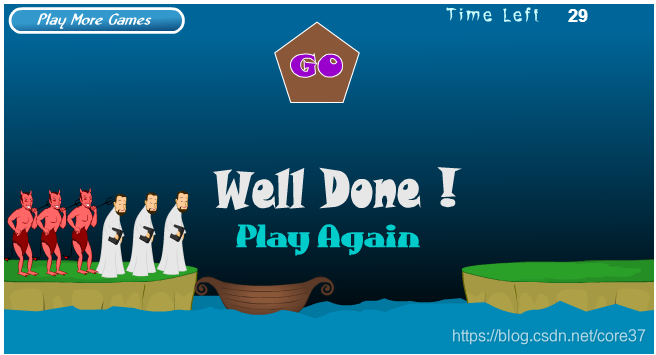
游戏中提及的事物
Priests(牧师)、Devil(恶魔)、Boat(小船)、River(河)、Bank(河岸)
玩家的动作
| 主体 | 动作 | 条件 | 效果 |
|---|---|---|---|
| 船上的牧师或者恶魔 | 点击 | 船上有剩余角色 | 下船 |
| 河岸上的牧师或者魔鬼 | 点击 | 船上有空位且岸上有角色 | 上船 |
| 船 | 点击 | 船上至少有一个角色 岸上的牧师数量不少于魔鬼 | 移动船只 |
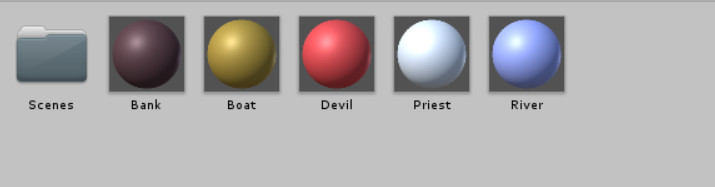
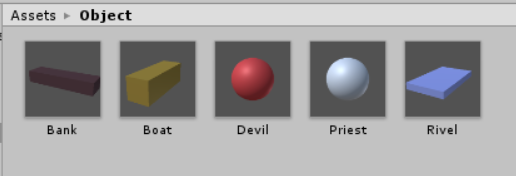
使用的材料预制
材料
预制
MVC架构
MVC是界面人机交互程序设计的一种架构模式。它把程序分为三个部分:
模型(Model):数据对象及关系
游戏对象、空间关系
控制器(Controller):接受用户事件,控制模型的变化
一个场景一个主控制器
至少实现与玩家交互的接口(IPlayerAction)
实现或管理运动
界面(View):显示模型,将人机交互事件交给控制器处理
处收 Input 事件
渲染 GUI ,接收事件
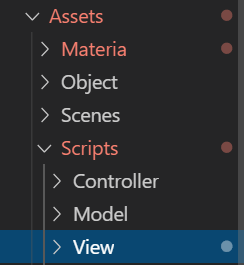
本例中通过使用在Script中分模块文件夹实现
Controller
SSDirector
创建导演(使用单例模式实现)
public static SSDirector GetInstance()
    {
        if (_instance == null)
        {
            _instance = new SSDirector();
        }
        return _instance;
    }
ISceneControllor
场景控制器的接口,导演使用这个接口与场景控制器沟通,只需加载资源。
public interface ISceneController
{
    void LoadResources();           //加载场景
}
FirstController
控制器,对场景中的具体对象进行操作,挂载到一个空的游戏对象中
 public LandModel land1;
    public LandModel land2;
    public BoatModel boat;
    private RoleModel[] roles;
    UserGUI user_gui;
    void Start()
    {
        SSDirector director = SSDirector.GetInstance();
        director.CurrentScenceController = this;
        user_gui = gameObject.AddComponent<UserGUI>() as UserGUI;
        LoadResources();
    }
UserGUI
用于控制GUI的各种信息的展示,用户交互结构
Model
控制各个对象的参数和属性和行为





 扫一扫
扫一扫


 1581
1581

 被折叠的 条评论
为什么被折叠?
被折叠的 条评论
为什么被折叠?
 到【灌水乐园】发言





