


一、shell项目-分发系统-expect讲解
• yum install -y expect //安装命令
二、 自动远程登录
cd /usr/local/sbin
vim 1.expect //编辑如下内容
#! /usr/bin/expect
set host "192.168.0.182"
set passwd "abc-123"
spawn ssh root@$host
expect {
"yes/no" { send "yes\r"; exp_continue}
"password:" { send "$passwd\r" }
}
interact
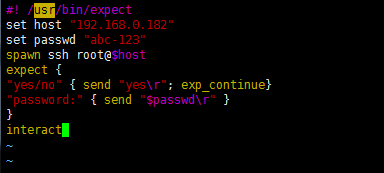
interact //需要停留在远程的机器上,不需要退出
expect eof //登录到机器,会暂停1-2秒,然后自动退出
使用ssh远程登录
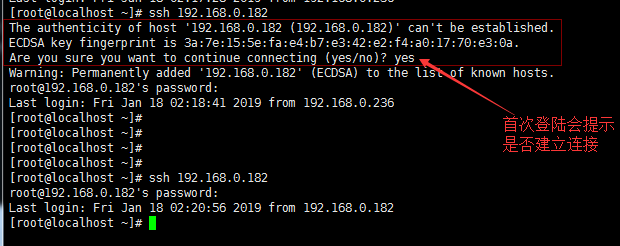
vim /root/.ssh/known_hosts //清空连接记录,继续登陆会提示是否建立连接
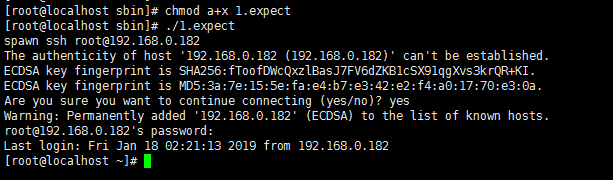
chmod a+x 1.expect //更改脚本权限
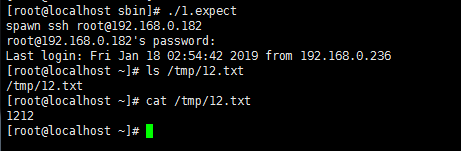
./1.expect //执行脚本
三、自动远程登录后,执行命令并退出
cd /usr/local/sbin
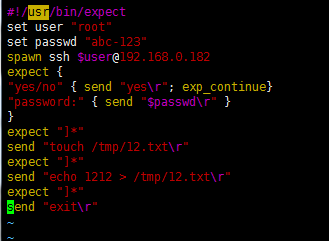
vim 2.expect //编辑如下内容
#!/usr/bin/expect
set user "root"
set passwd "abc-123"
spawn ssh $user@192.168.0.182
expect {
"yes/no" { send "yes\r"; exp_continue}
"password:" { send "$passwd\r" }
}
expect "]*"
send "touch /tmp/12.txt\r"
expect "]*"
send "echo 1212 > /tmp/12.txt\r"
expect "]*"
send "exit\r"
chmod a+x 2.expect //更改脚本权限
./2.expect //执行脚本
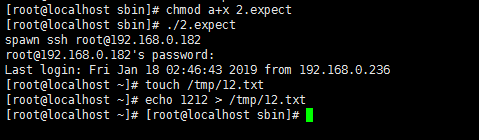
验证192.168.0.182上是否生成文件
四、expect脚本传递参数
• 传递参数
cd /usr/local/sbin
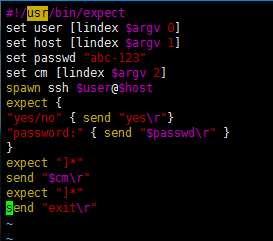
vim 3.expect //编辑如下内容
#!/usr/bin/expect
set user [lindex $argv 0]
set host [lindex $argv 1]
set passwd "abc-123"
set cm [lindex $argv 2]
spawn ssh $user@$host
expect {
"yes/no" { send "yes\r"}
"password:" { send "$passwd\r" }
}
expect "]*"
send "$cm\r"
expect "]*"
send "exit\r"
chmod a+x 3.expect //更改脚本权限
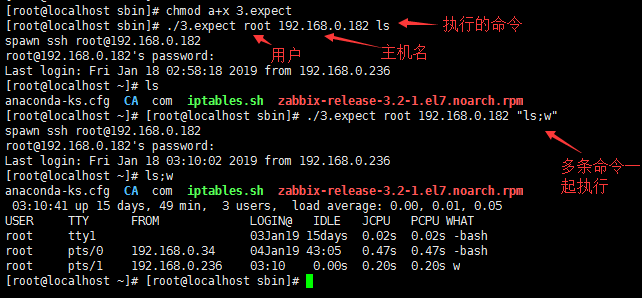
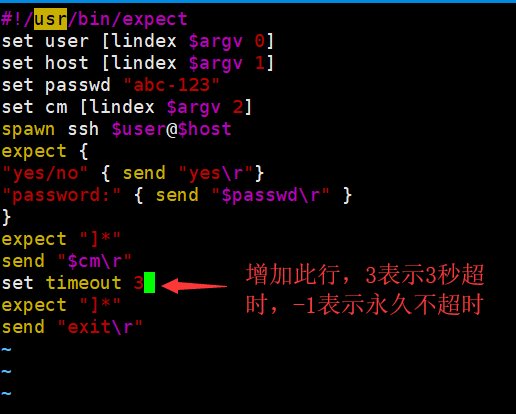
默认10s退出系统
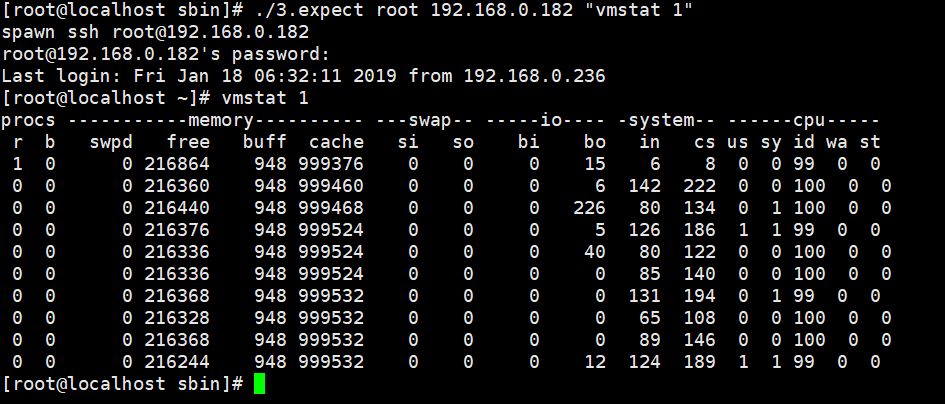
cd /usr/local/sbin
vim 3.expect
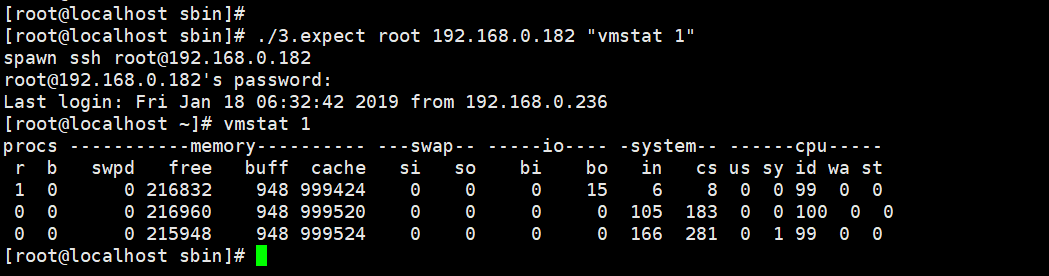
测试
五、expect脚本同步文件
• 自动同步文件
cd /usr/local/sbin
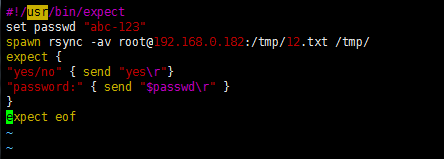
vim 4.expect //编辑如下内容
#!/usr/bin/expect
set passwd "abc-123"
spawn rsync -av root@192.168.0.182:/tmp/12.txt /tmp/
expect {
"yes/no" { send "yes\r"}
"password:" { send "$passwd\r" }
}
expect eof
yum install -y rsync //保证2台机器都执行安装rsync命令
chmod a+x 4.expect //更改脚本权限
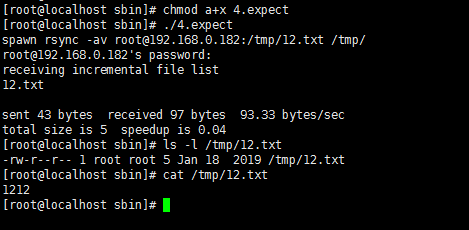
cd /usr/local/sbin
vim 4.expect
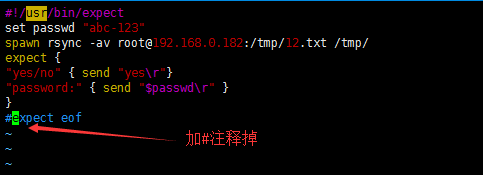
执行脚本,登录机器后立马退出

六、expect脚本指定host和要同步的文件
cd /usr/local/sbin
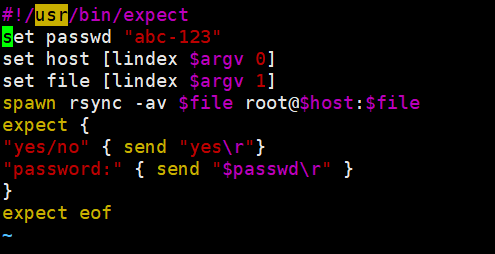
vim 5.expect //编辑如下内容
#!/usr/bin/expect
set passwd "abc-123"
set host [lindex $argv 0]
set file [lindex $argv 1]
spawn rsync -av $file root@$host:$file
expect {
"yes/no" { send "yes\r"}
"password:" { send "$passwd\r" }
}
expect eof
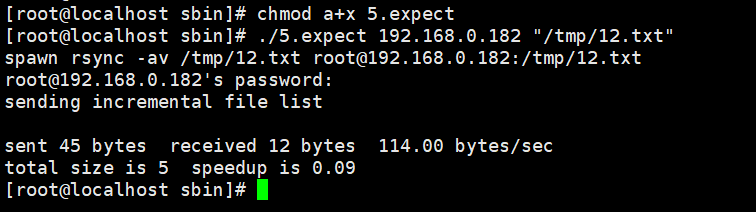
chmod a+x 5.expect //更改脚本权限
./5.expect 192.168.0.182 "/tmp/12.txt" //本地文件同步到远程
七、shell项目-分发系统-构建文件分发系统
• 需求背景
对于大公司而言,肯定时不时会有网站或者配置文件更新,而且使用的机器肯定也是好多台,少则几台,多则几十甚至上百台。所以,自动同步文件是至关重要的。
• 实现思路
首先要有一台模板机器,把要分发的文件准备好,然后只要使用expect脚本批量把需要同步的文件分发到目标机器即可。
• 核心命令
rsync -av --files-from=list.txt / root@host:/
• 文件分发系统的实现
cd /usr/local/sbin
vim rsync.expect //编辑如下内容
#!/usr/bin/expect
set passwd "abc-123"
set host [lindex $argv 0]
set file [lindex $argv 1]
spawn rsync -avR --files-from=$file / root@$host:/
expect {
"yes/no" { send "yes\r"}
"password:" { send "$passwd\r" }
}
expect eof
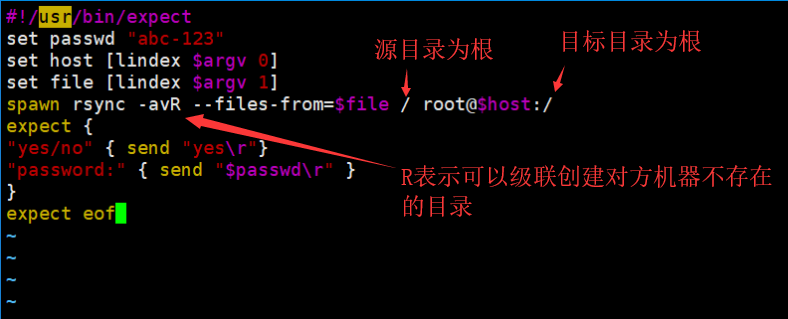
chmod a+x rsync.expect //更改脚本权限
创建文件列表,编辑文件路径
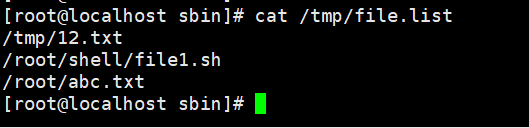
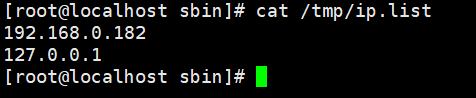
编辑ip列表,执行脚本的前提是需要2台机器的密码一致
cd /usr/local/sbin
vim rsync.sh //编辑如下内容
#!/bin/bash
for ip in `cat /tmp/ip.list`
do
./rsync.expect $ip /tmp/file.list
done
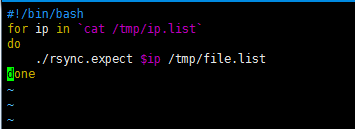
sh -x rsync.sh //执行脚本
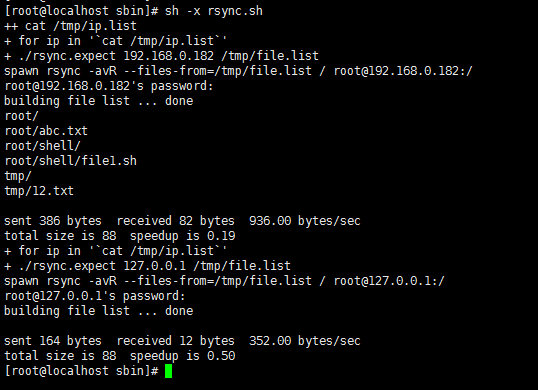
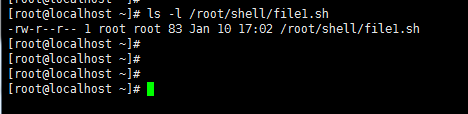
查看192.168.0.182上面是否有该文件
八、shell项目-分发系统-命令批量执行
cd /usr/local/sbin
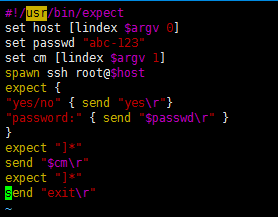
vim exe.expect //编辑如下内容
#!/usr/bin/expect
set host [lindex $argv 0]
set passwd "abc-123"
set cm [lindex $argv 1]
spawn ssh root@$host
expect {
"yes/no" { send "yes\r"}
"password:" { send "$passwd\r" }
}
expect "]*"
send "$cm\r"
expect "]*"
send "exit\r"
chmod a+x exe.expect //更改脚本权限
cd /usr/local/sbin
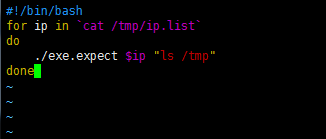
vim exe.sh //编辑如下内容
#!/bin/bash
for ip in `cat /tmp/ip.list`
do
echo $ip
./exe.expect $ip "ls /tmp"
done
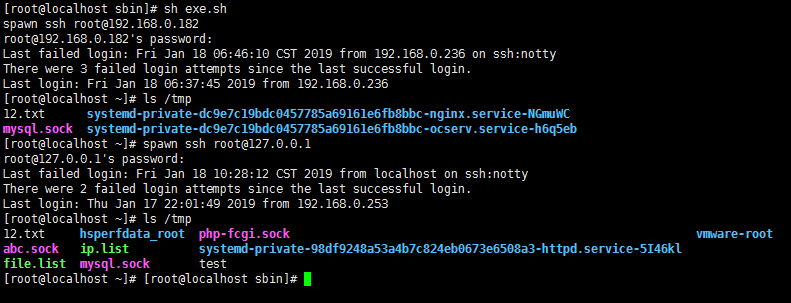
sh exe.sh //执行脚本





 扫一扫
扫一扫


 1934
1934

 被折叠的 条评论
为什么被折叠?
被折叠的 条评论
为什么被折叠?
 到【灌水乐园】发言





