



 本文详细介绍了ShaderHelper2组件的实现原理与使用方法,该组件是基于CocosCreator2.1.2版本重新编写的Shader特效组件,支持动态Shader参数调整,适用于游戏开发中的视觉效果提升。
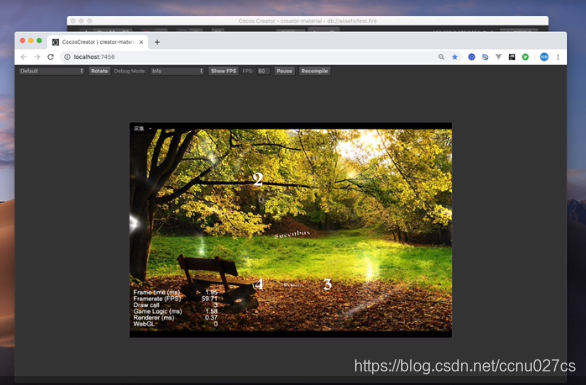
ShaderHelper 组件在 2.0.x 版本中有不少伙伴在使用,其实这里要感谢「Colin」大神,我是在他的git开源版本基本上修改而来的;同时要感谢「大掌教」,ShaderHelper中集成了大多数Shader特效是在「大掌教」的仓库中搬运过来的。
这一次,我仍然做一名搬运工,将 Cocos Creator 2.1.2 范例合集中的 custom_material 案例认真研究了一下,重新编写了新版本的 ShaderHelper2 终于可以让 ShaderHelper 又活过来了!下面是 ShaderHelper2 完整组件代码:
let

ShaderProperty

=
 cc
.
Class
({

    name
:

'ShaderProperty'
,

    properties
:

{

        key
:

''
,

        value
:

''
,


}

});


cc
.
Class
({


extends
:
 cc
.
Component
,


    properties
:

{

        effect
:
 cc
.
EffectAsset
,

//effect资源

        speed
:

0.01
,

//控制动态Shader的time参数

        props
:

[
ShaderProperty
],

//shader参数


},


    start
()

{


if

(!
this
.
effect
)

{


return
;


}


//获取精灵组件


let
 sprite
=

this
.
node
.
getComponent
(
cc
.
Sprite
);


if

(!
sprite
)

{


return
;


}


//实例化一个材质对象


let
 material
=

new
 cc
.
Material
();


//在材质对象上开启USE_TEXTURE定义

        material
.
define
(
'USE_TEXTURE'
,

true
);


//为材质设置effect,也是就绑定Shader了

        material
.
effectAsset
=

this
.
effect
;

        material
.
name
=

this
.
effect
.
name
;


//将材质绑定到精灵组件上,精灵可以绑定多个材质


//这里我们替换0号默认材质

        sprite
.
setMaterial
(
0
,
 material
);


//从精灵组件上获取材质,这步很重要,不然没效果


this
.
material
=
 sprite
.
getMaterial
(
0
);


//初始化参数


this
.
time
=

0
;


this
.
props
.
forEach
(
item
=>

this
.
material
.
setProperty
(
item
.
key
,
 item
.
value
));


},


/**

     * 在update事件中更新材质参数

     * 不同的Shader这里可能需要重写

     */

    update
()

{


if

(!
this
.
material
||

!
this
.
speed
)

{


return
;


}


if

(
this
.
flag
)

{


this
.
time
+=

this
.
speed
;


}

else

{


this
.
time
-=

this
.
speed
;


}


if

(
this
.
time
>=

1.2
)

{


this
.
flag
=

0
;


}

else

if

(
this
.
time
<=

-
0.2

)

{


this
.
flag
=

1
;


}

        //更新Shader代码中的time参数

        this
.
material
.
setProperty
(
'time'
,

this
.
time
);


},

});
由于比较仓促,ShaderHelper2 使用上还与老版本有所差异,同时支持的Shader特殊只有两个,也欢迎你向 ShaderHelper2 提交更多的 effect 特效文件!
原文转载自:一枚小工





 扫一扫
扫一扫


 5295
5295

 被折叠的 条评论
为什么被折叠?
被折叠的 条评论
为什么被折叠?
 到【灌水乐园】发言





