

【Bond随你入坑Azure之】Fundamental Concepts in One Picture

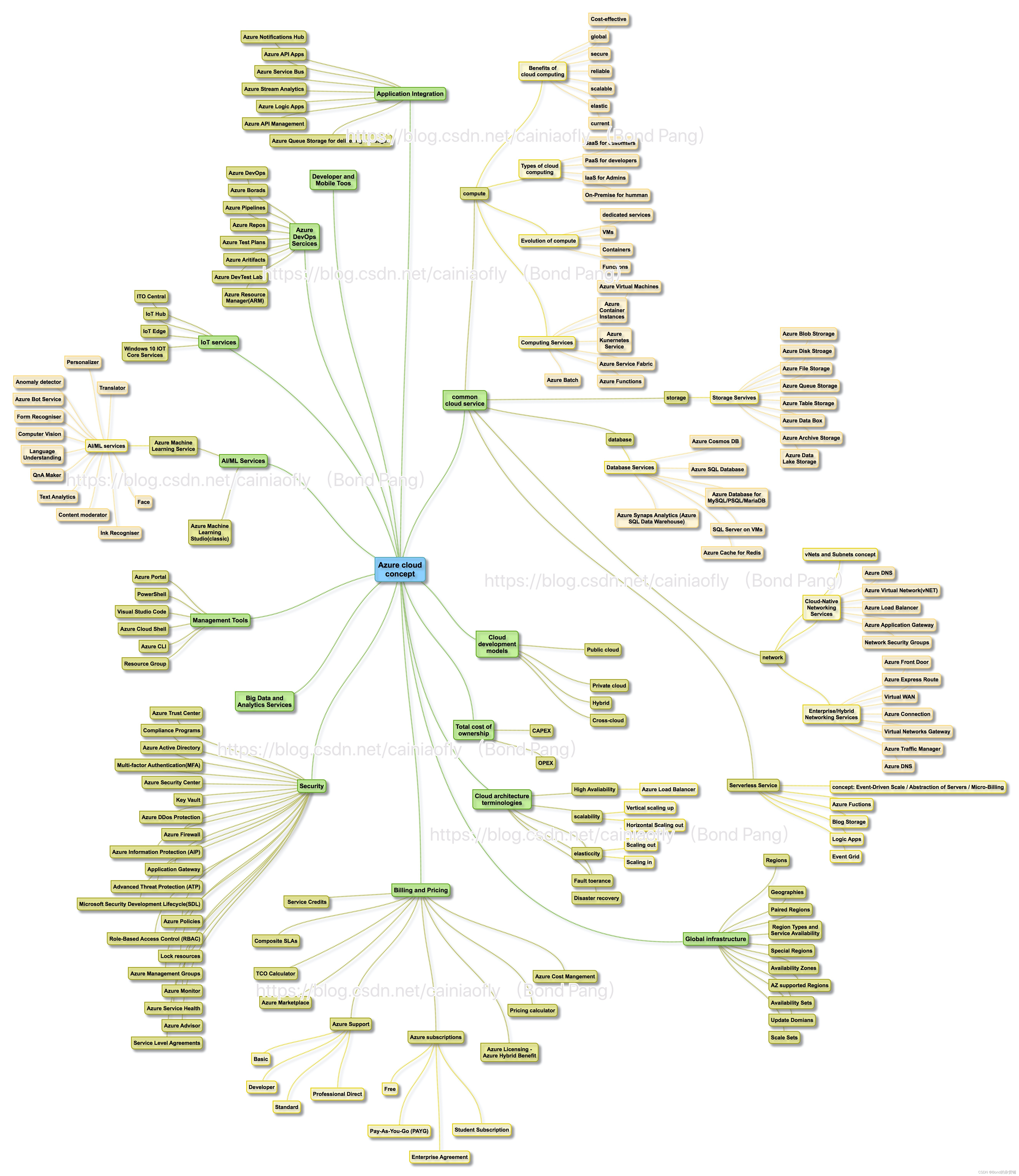
本文通过一张图详细介绍了微软Azure的各种核心服务模块,帮助读者全面理解和深入探索,无论是初学者还是专业开发者都能找到所需资源。

Introduction:

This diagram describes variety of core services/modules/components of Microsoft Azure in ONE PICTURE. Hope it would be helpful for you to build a complete understanding especially when you are trying to either figure out a outline to go through all the concepts or dig into one area you're interested in.

"To be certified rather than holding a certification paper only."

抽丝剥茧 一图流: (初阶)。
后记:

Azure literally means "bright blue color of the cloudless sky".  晴空万里之蔚蓝。

那么用中文翻译过来,就是“天之蓝”。 oh, 我的“老伙计”!  :)
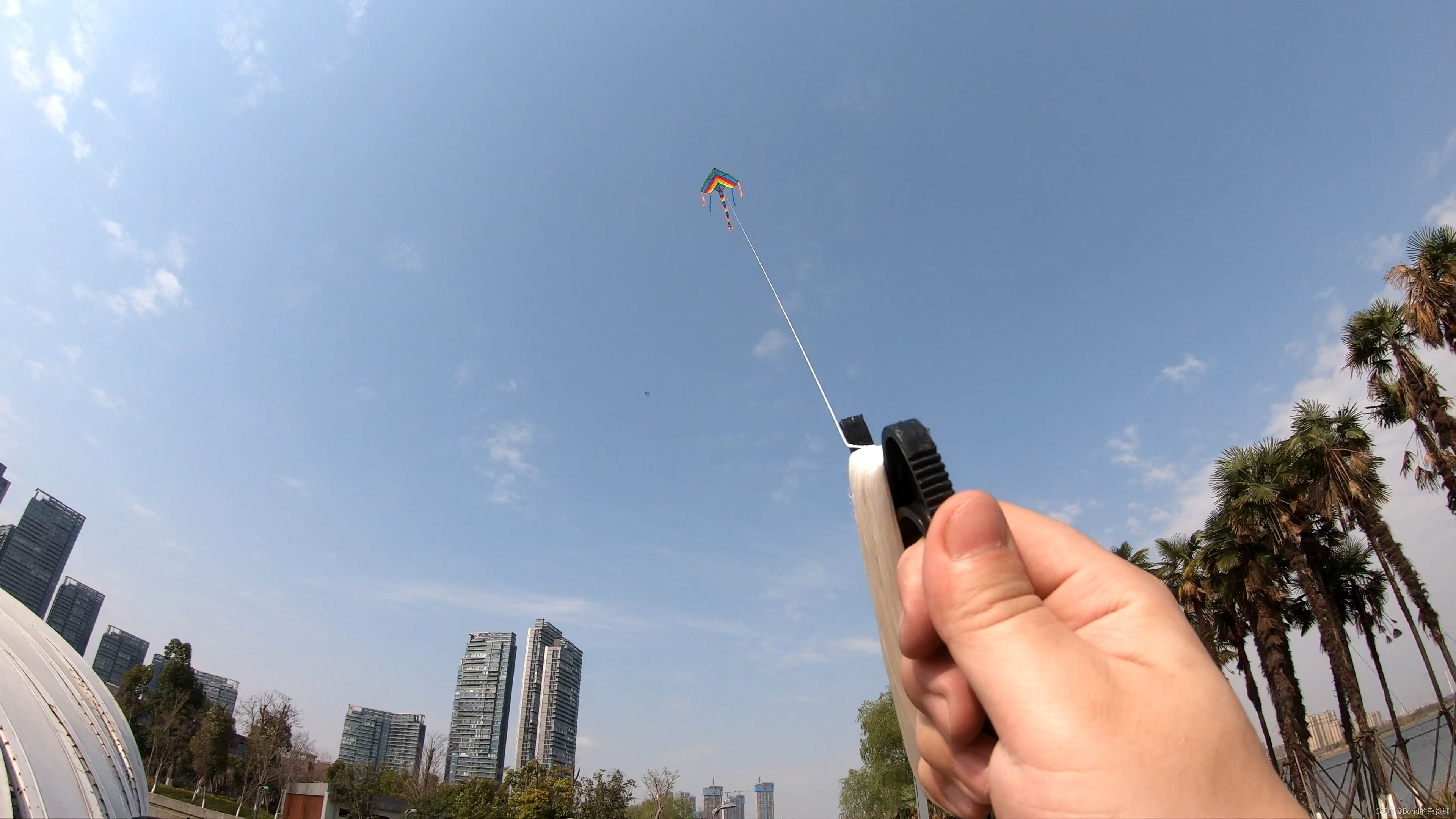
 shot on March 12, 2022.

在处理网络配置错误时,遇到 `bond0 is not defined` 的问题通常与网络接口的配置有关。这种情况常见于使用网络绑定(如双网卡绑定)的 Linux 系统中。以下是解决此问题的几个关键步骤和建议: 1. **检查网络绑定配置文件** 在大多数 Linux 发行版中,网络接口的配置文件位于 `/etc/sysconfig/network-scripts/`(Red Hat/CentOS)或 `/etc/network/interfaces`(Debian/Ubuntu)中。确保存在 `ifcfg-bond0` 文件并正确配置。例如,在 CentOS 系统中,该文件可能包含如下内容: ```bash DEVICE=bond0 TYPE=Bond NAME=bond0 BONDING_MASTER=yes BOOTPROTO=static ONBOOT=yes IPADDR=192.168.1.10 NETMASK=255.255.255.0 GATEWAY=192.168.1.1 BONDING_OPTS="mode=1 miimon=100" ``` 确保该文件存在并配置正确[^1]。 2. **检查从属接口的配置** 确保参与绑定的物理接口(如 `eth0` 和 `eth1`)配置文件中引用了 `bond0`。例如,在 `/etc/sysconfig/network-scripts/ifcfg-eth0` 中应包含: ```bash DEVICE=eth0 ONBOOT=yes BOOTPROTO=none MASTER=bond0 SLAVE=yes ``` 3. **加载绑定模块** 确保内核已加载 `bonding` 模块。可以通过以下命令检查: ```bash modprobe bonding ``` 如果需要在系统启动时自动加载该模块,可以将其添加到 `/etc/modules-load.d/bonding.conf` 文件中: ```bash echo "bonding" > /etc/modules-load.d/bonding.conf ``` 4. **重启网络服务** 在修改完配置后,重启网络服务以应用更改: ```bash systemctl restart network # CentOS/RHEL systemctl restart networking # Debian/Ubuntu ``` 5. **检查日志文件** 如果问题仍然存在,检查系统日志以获取更多信息。日志文件通常位于 `/var/log/messages` 或 `/var/log/syslog` 中,可以帮助定位配置错误。 6. **验证网络绑定状态** 使用以下命令检查绑定接口的状态: ```bash cat /proc/net/bonding/bond0 ``` 该命令将显示绑定接口的详细信息,包括当前的绑定模式、状态和参与绑定的物理接口。 ###
评论
添加红包

请填写红包祝福语或标题

红包个数最小为10个

红包金额最低5元

当前余额3.43前往充值 >
需支付:10.00
成就一亿技术人!
领取后你会自动成为博主和红包主的粉丝 规则
hope_wisdom
发出的红包
实付
使用余额支付
点击重新获取
扫码支付
钱包余额 0

抵扣说明:

1.余额是钱包充值的虚拟货币,按照1:1的比例进行支付金额的抵扣。
2.余额无法直接购买下载,可以购买VIP、付费专栏及课程。

余额充值


