



 本文档详细介绍了如何在一个程序中合并多个请求并上传到生产系统的过程。首先,创建空请求并添加描述,然后选择并包含所需请求,输入请求编号执行。执行后,合并请求并激活,确保所有对象都被包括。最后,检查对象和功能组,确认无误后激活。
文章目录
- 1. Introduce
- 2. procedure
- 2.1 Choost it and click the include.
- 2.2 Choose many request in the list .
- 2.3 Click it in the request.
- 2.4 input request number and execute it .
- 2.5 click execute it
- 2.6 click merge it
- 2.7 click connet it .
- 2.8. The object is inputed and you are sucessful
- 2.9 you find that all obejcts are include.
- 2.10 Please active it .
- 3.Summary
1. Introduce
In the sap programe, there are many times change for same programme. you don’t have finnal version. now you will upload it in the production system. you need merge it in one request and upload it .
2. procedure
First , you should create a empty request and add description.
We should create request(customizing request).
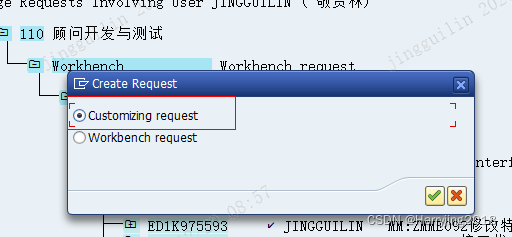
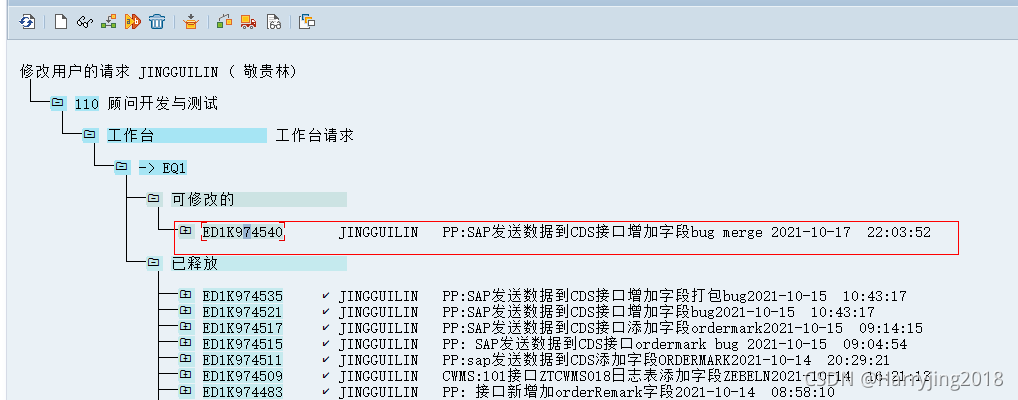
2.1 Choost it and click the include.
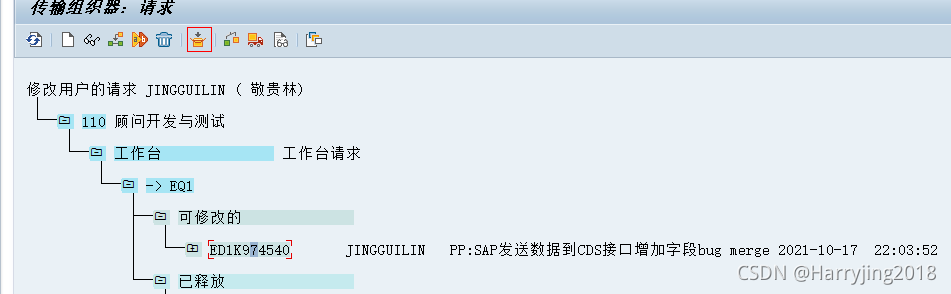
2.2 Choose many request in the list .
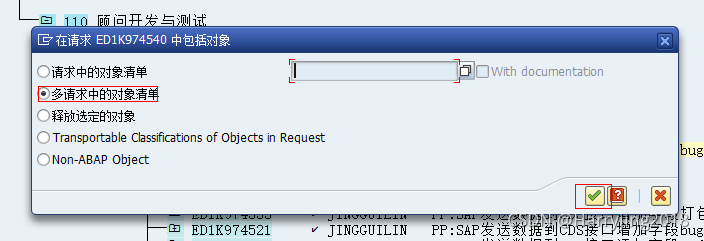
2.3 Click it in the request.
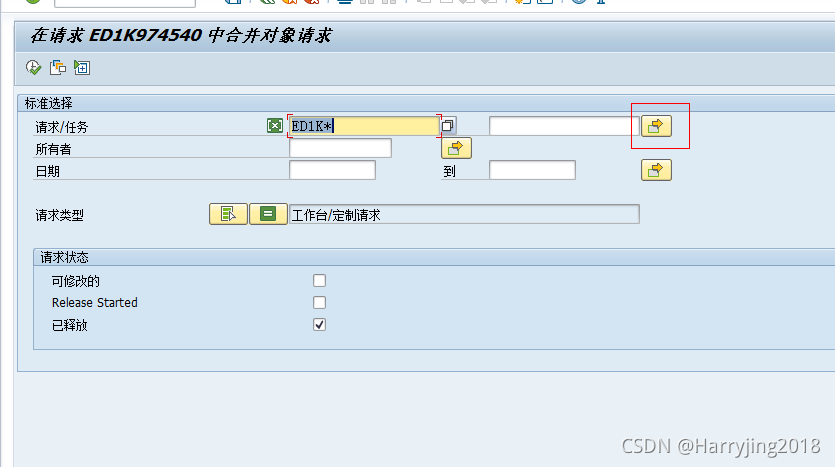
2.4 input request number and execute it .
Please take care space. So there is not space. and Please copy it from plaste board
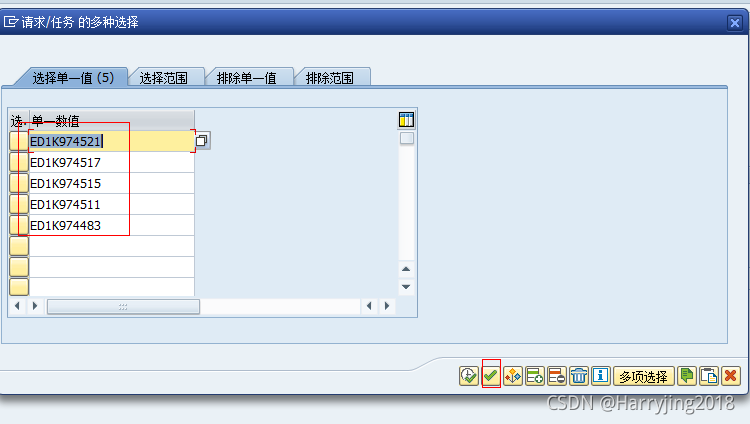
2.5 click execute it
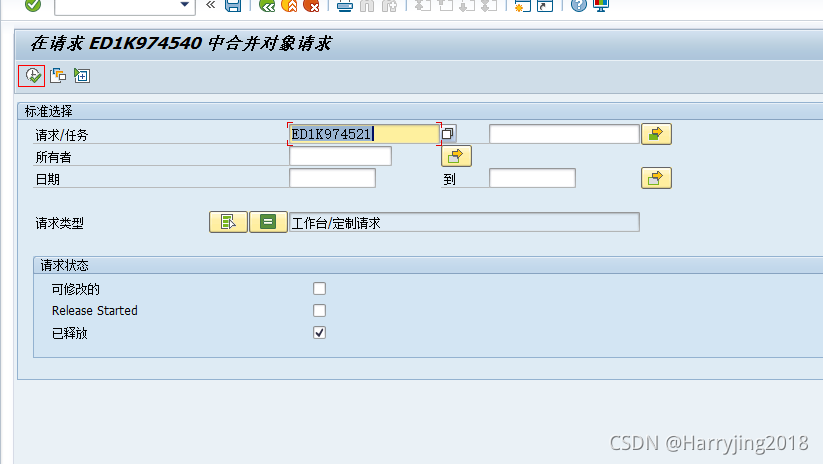
2.6 click merge it
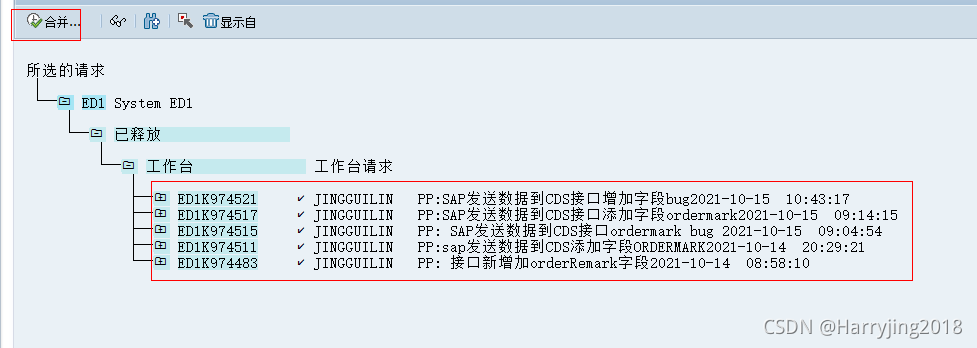
2.7 click connet it .
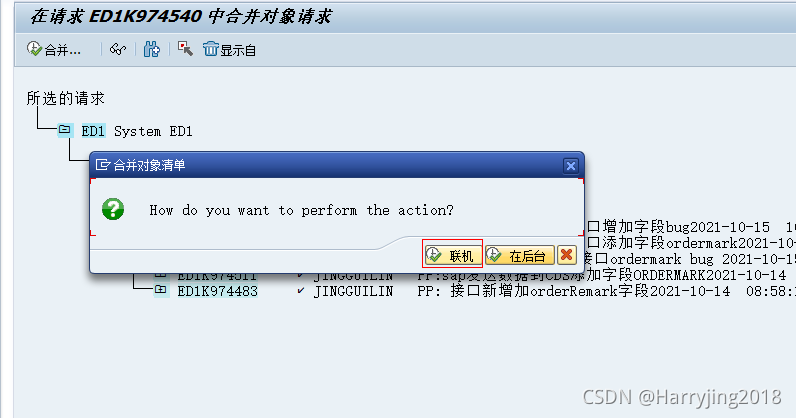
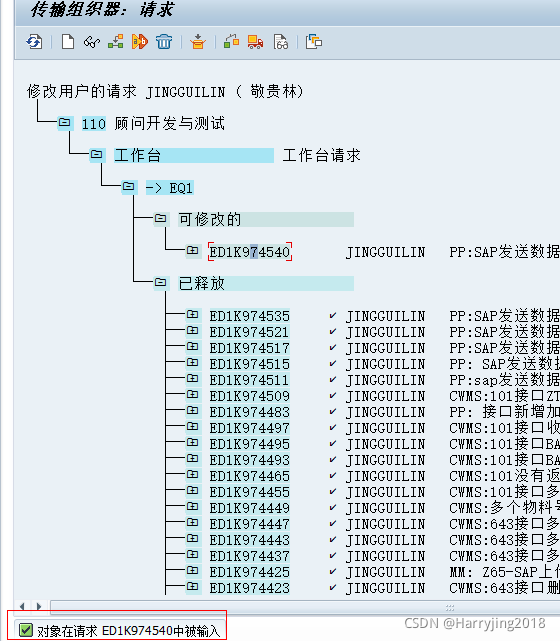
2.8. The object is inputed and you are sucessful
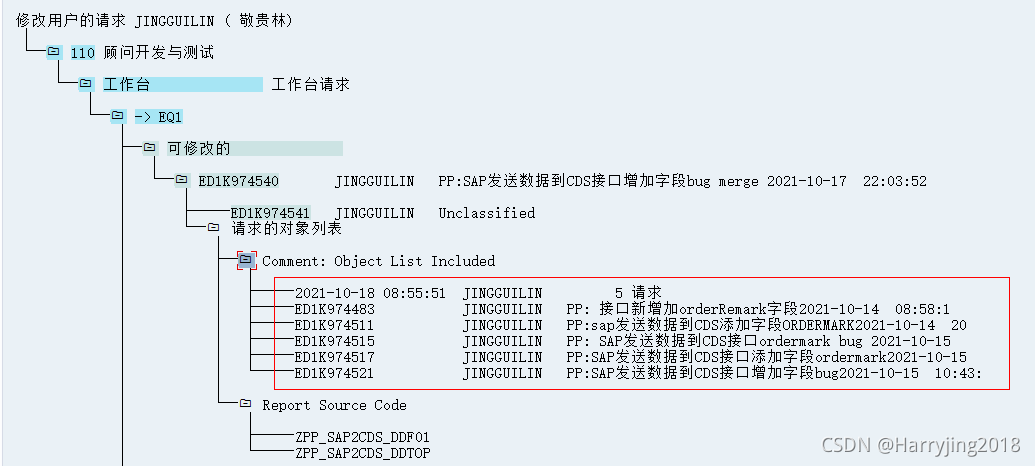
2.9 you find that all obejcts are include.
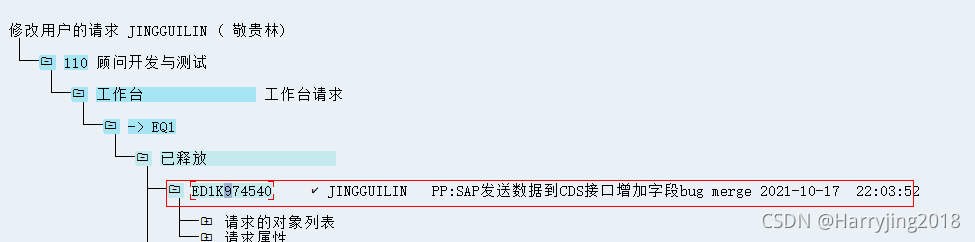
2.10 Please active it .
3.Summary
1.it is important request that include object and the last code version.The other request is not neccessary.
2.When you active it ,you should active it only outside number.
3.work and customer . And they can merge together
4.main program and sub-program (We need all request)
5. We should mark object in the key.
6. Check is important. And you transfer it . we should check object or function group.





 扫一扫
扫一扫


 1227
1227

 被折叠的 条评论
为什么被折叠?
被折叠的 条评论
为什么被折叠?
 到【灌水乐园】发言





