



 这篇博客详细介绍了如何使用CSS来定制JavaFX中的表格视图(TableView)的样式,包括字体大小、表头背景色、边框、单元格高度等,以实现更美观的界面展示。
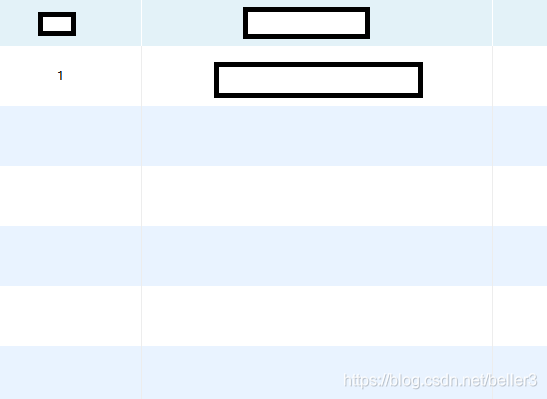
直接上代码吧,
.table-view{
  -fx-font-size: 16;    修改表格字体的大小
}
表头的背景设置
.table-view  .column-header-background {
    -fx-background-color: #DBDBDB;
}
表头设置
.table-view .column-header{
   -fx-border-color:#ffffff;
   -fx-border-width:0 1 0 0;     这个是为了解决默认的边框

   -fx-alignment: center;
   -fx-pref-height: 46;    高度设置
}
/*表格内容区域*/
.table-view .placeholder {
   -fx-background-color: transparent;
}

/*表格列*/
.table-column {
   -fx-pref-height: 60;
   -fx-background-color: transparent;
   -fx-alignment: center;

}

/*表格内容区域每行的样式*/
.table-row-cell {
   -fx-background-color: #ffffff;
}

.table-row-cell:odd {
   -fx-background-color: #E9F3FF;
}

.table-row-cell .table-cell {
   -fx-border-width: 1px;
}

.table-row-cell:selected{
   -fx-text-fill: black;
   -fx-background-color: #007FE1;
}





 扫一扫
扫一扫


 1039
1039

 被折叠的 条评论
为什么被折叠?
被折叠的 条评论
为什么被折叠?
 到【灌水乐园】发言





