 Flutter路由与页面切换



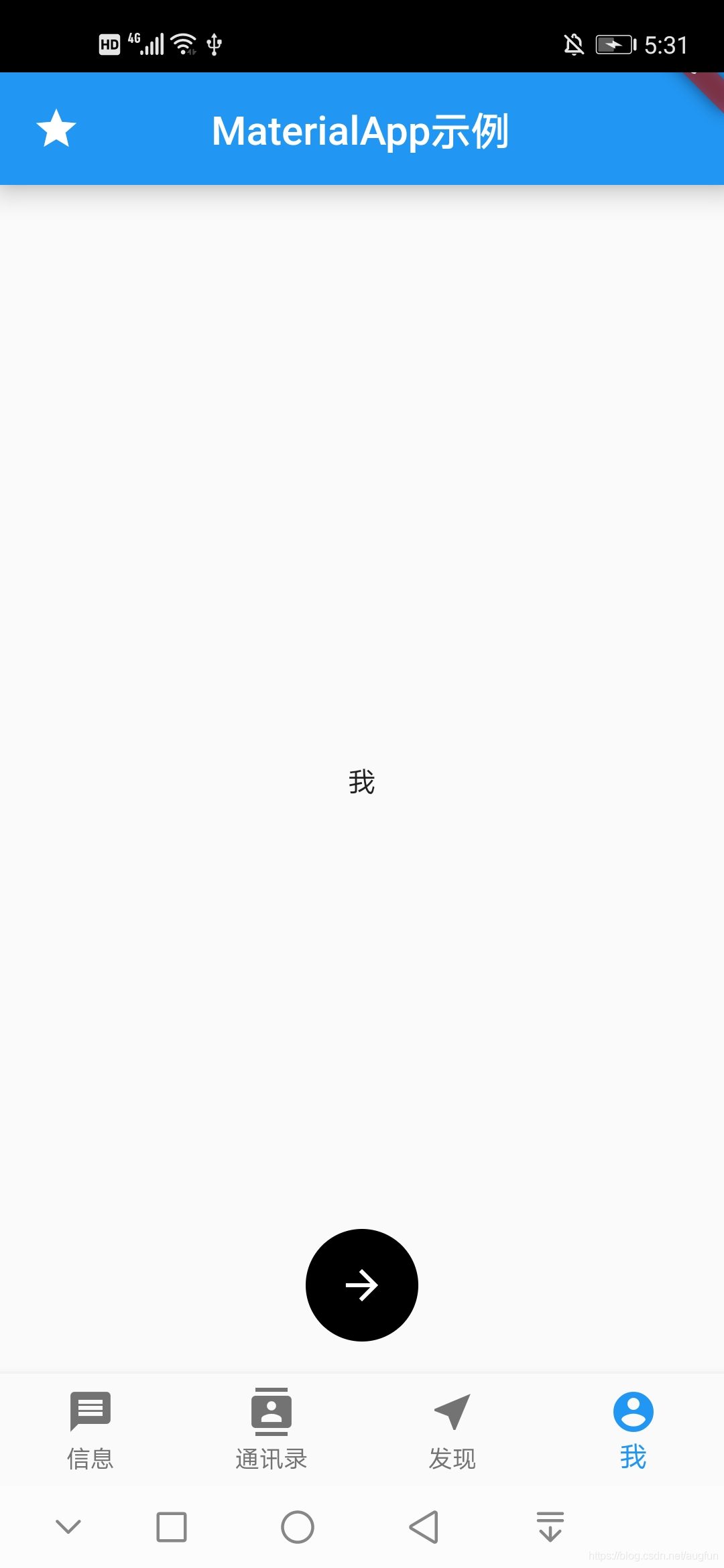
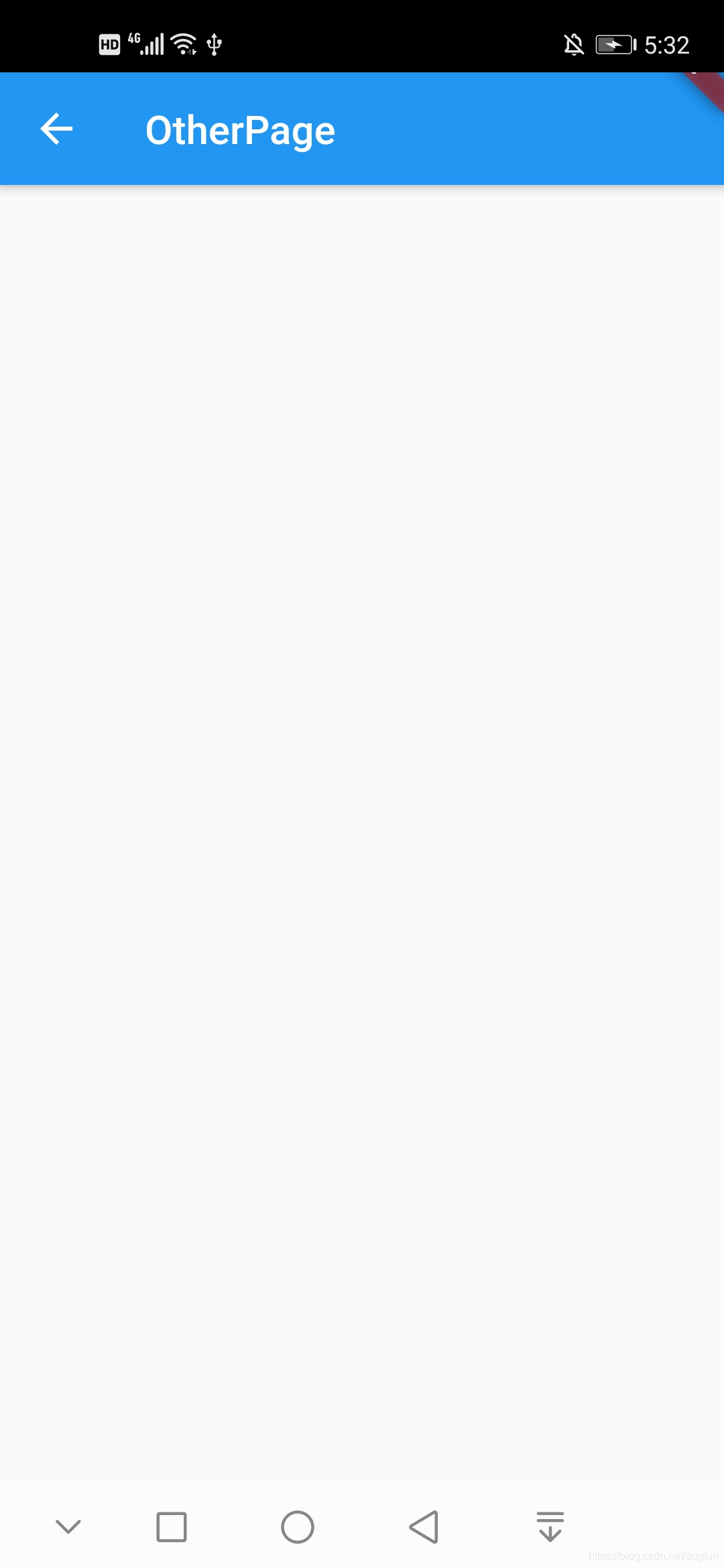
 本文通过一个具体的示例,展示了如何在Flutter应用中实现页面之间的路由跳转和状态管理。详细介绍了如何创建多个页面,使用MaterialApp进行页面的初始化设置,以及如何通过FloatingActionButton触发页面跳转,并利用BottomNavigationBar实现底部导航栏的功能。
ex:
import 'dart:math';

import 'package:flutter/material.dart';

void main() => runApp(MyApp());

class MyApp extends StatelessWidget {
  @override
  Widget build(BuildContext context) {
    return MaterialApp(
      title: 'MaterialApp',
      routes: {'/other': (BuildContext context) => OtherPage()},
      initialRoute: '/other',
      home: HomePage(),
    );
  }
}

class HomePage extends StatefulWidget {
  @override
  _HomePageState createState() => _HomePageState();
}

class _HomePageState extends State<HomePage> {
  int _currentIndex = 0;
  final _widgetOptions = [
    Text('信息'),
    Text('通讯录'),
    Text('发现'),
    Text('我'),
  ];

  @override
  Widget build(BuildContext context) {
    return Scaffold(
      appBar: AppBar(//上面的title
        title: Text('MaterialApp示例'),
        centerTitle: true,//居中
        leading: Icon(Icons.star),//左边有个星星图案
        elevation: 10.0,//appBar的阴影
      ),
      body: Center(child: _widgetOptions.elementAt(_currentIndex)),//body根据不同的控件显示不同的状态,居中布局
      floatingActionButton: FloatingActionButton(//悬浮的按钮
        onPressed: () {
          Navigator.pushNamed(context, '/other');
        },
        tooltip: '路由跳转',
        foregroundColor: Color(0xffffffff),
        backgroundColor: Color(0xff000000),
        //阴影
        elevation: 0.0,
        child: Icon(Icons.arrow_forward),
//        shape: RoundedRectangleBorder(),
      ),
      floatingActionButtonLocation: FloatingActionButtonLocation.centerFloat,//位置
      bottomNavigationBar: BottomNavigationBar(//底部导航栏
        items: [
          BottomNavigationBarItem(
            icon: Icon(Icons.message),
            title: Text('信息'),
          ),
          BottomNavigationBarItem(
            icon: Icon(Icons.contacts),
            title: Text('通讯录'),
          ),
          BottomNavigationBarItem(
            icon: Icon(Icons.near_me),
            title: Text('发现'),
          ),
          BottomNavigationBarItem(
            icon: Icon(Icons.account_circle),
            title: Text('我'),
          ),
        ],
        currentIndex: _currentIndex,
        type: BottomNavigationBarType.fixed,//设置位置固定
        onTap: (index) {
          setState(() {//控制刷新
            _currentIndex = index;
          });
        },
      ),

    );
  }
}

class OtherPage extends StatelessWidget {
  @override
  Widget build(BuildContext context) {
    return Scaffold(
      appBar: AppBar(
        title: Text('OtherPage'),
      ),
    );
  }
}
效果:点击以后跳转到右侧





 扫一扫
扫一扫


 2413
2413

 被折叠的 条评论
为什么被折叠?
被折叠的 条评论
为什么被折叠?
 到【灌水乐园】发言





