


YoloV8 OpenVINO 视频抽帧 自动标注 预标注
效果:
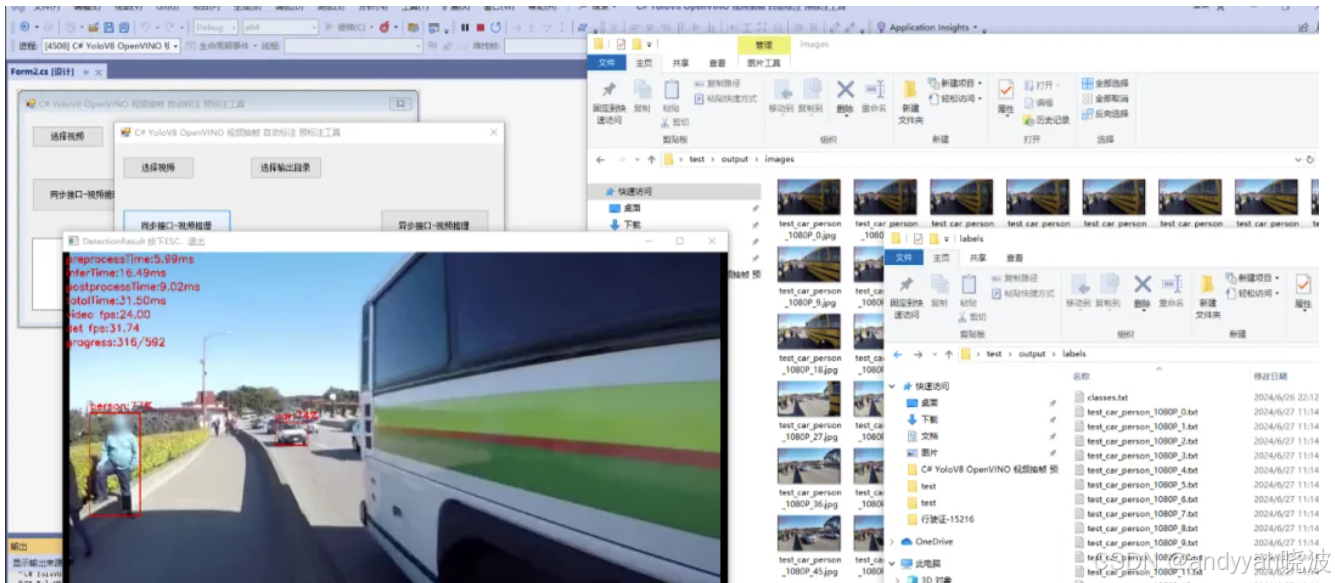
标注
项目
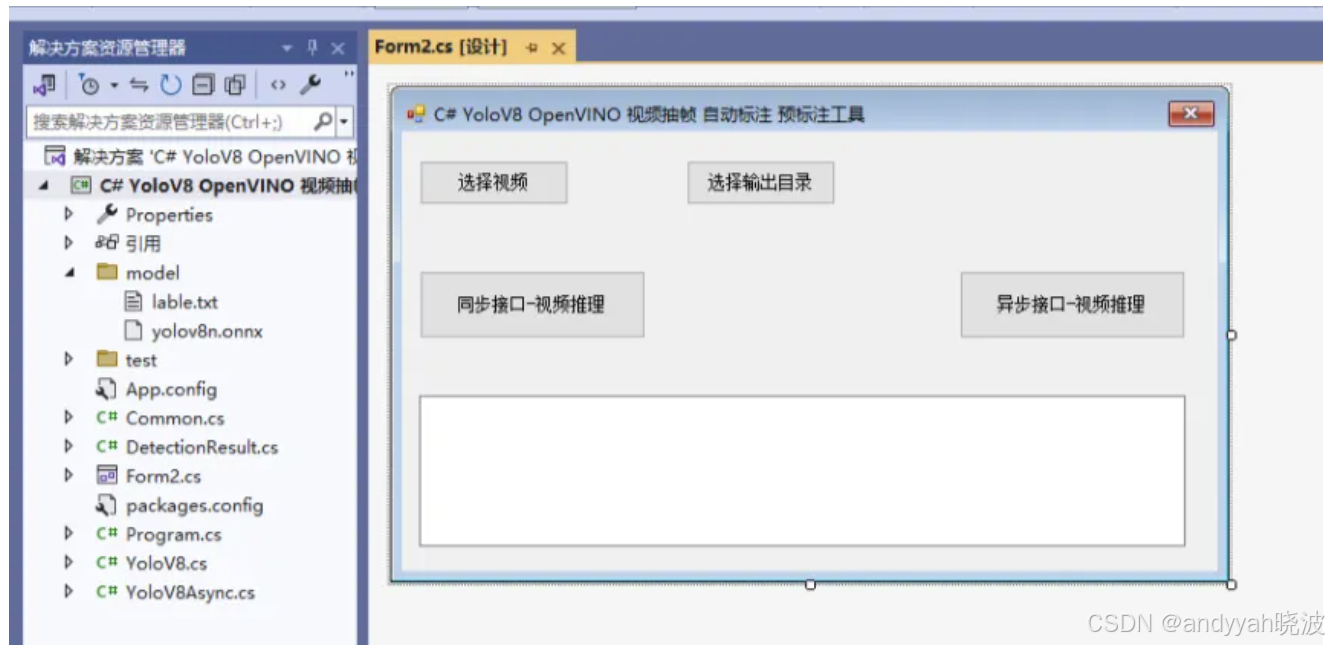
代码
using OpenCvSharp;
using System;
using System.Collections.Generic;
using System.Diagnostics;
using System.IO;
using System.Text;
using System.Threading;
using System.Threading.Tasks;
using System.Windows.Forms;
namespace yolov8_OpenVINO_Demo
{
public partial class Form2 : Form
{
public Form2()
{
InitializeComponent();
}
YoloV8 yoloV8;
YoloV8Async yoloV8Async;
string model_path;
string video_path = "";
string video_name = "";
string videoFilter = "*.mp4|*.mp4;";
VideoCapture vcapture;
string output_path = "";
string images_path = "";
string labels_path = "";
StringBuilder sb = new StringBuilder();
/// <summary>
/// 窗体加载,初始化
/// </summary>
/// <param name="sender"></param>
/// <param name="e"></param>
private void Form1_Load(object sender, EventArgs e)
{
model_path = "model/yolov8n.onnx";
yoloV8 = new YoloV8(model_path, "model/lable.txt");
yoloV8Async = new YoloV8Async(model_path, "model/lable.txt");
}
/// <summary>
/// 选择输出目录
/// </summary>
/// <param name="sender"></param>
/// <param name="e"></param>
private void button2_Click(object sender, EventArgs e)
{
output_path = "";
using (FolderBrowserDialog folderBrowserDialog = new FolderBrowserDialog())
{
folderBrowserDialog.Description = "选择目录";
DialogResult dialogResult = folderBrowserDialog.ShowDialog();
if (dialogResult == DialogResult.OK)
{
output_path = folderBrowserDialog.SelectedPath;
}
}
}
/// <summary>
/// 选择视频
/// </summary>
/// <param name="sender"></param>
/// <param name="e"></param>
private void button4_Click(object sender, EventArgs e)
{
OpenFileDialog ofd = new OpenFileDialog();
ofd.Filter = videoFilter;
ofd.InitialDirectory = Application.StartupPath + "\\test";
if (ofd.ShowDialog() != DialogResult.OK) return;
video_path = ofd.FileName;
video_name = System.IO.Path.GetFileNameWithoutExtension(video_path);
textBox1.Text = "";
}
/// <summary>
/// 同步接口-视频推理
/// </summary>
/// <param name="sender"></param>
/// <param name="e"></param>
private void button3_Click(object sender, EventArgs e)
{
if (video_path == "")
{
MessageBox.Show("请先选择视频!");
return;
}
if (output_path == "")
{
MessageBox.Show("请先选择输出目录!");
return;
}
images_path = output_path + "\\output\\images";
labels_path = output_path + "\\output\\labels";
if (!Directory.Exists(images_path))
{
Directory.CreateDirectory(images_path);
}
if (!Directory.Exists(labels_path 最低0.47元/天 解锁文章






 扫一扫
扫一扫


 1734
1734

 被折叠的 条评论
为什么被折叠?
被折叠的 条评论
为什么被折叠?
 到【灌水乐园】发言





