


 本文介绍如何从官网下载并安装Elasticsearch的IK分词器,包括指定中文分词的方法。详细解释了IK分词器的两种模式:ik_smart和ik_max_word,并展示了它们对中文文本的不同拆分效果。
安装
从官网下载:https://github.com/medcl/elasticsearch-analysis-ik/
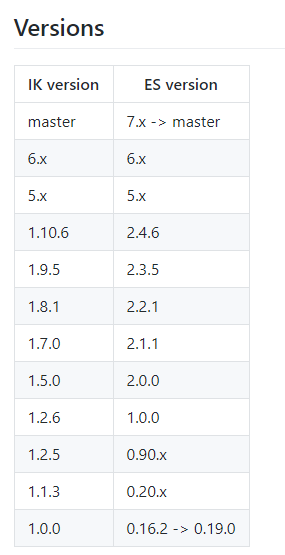
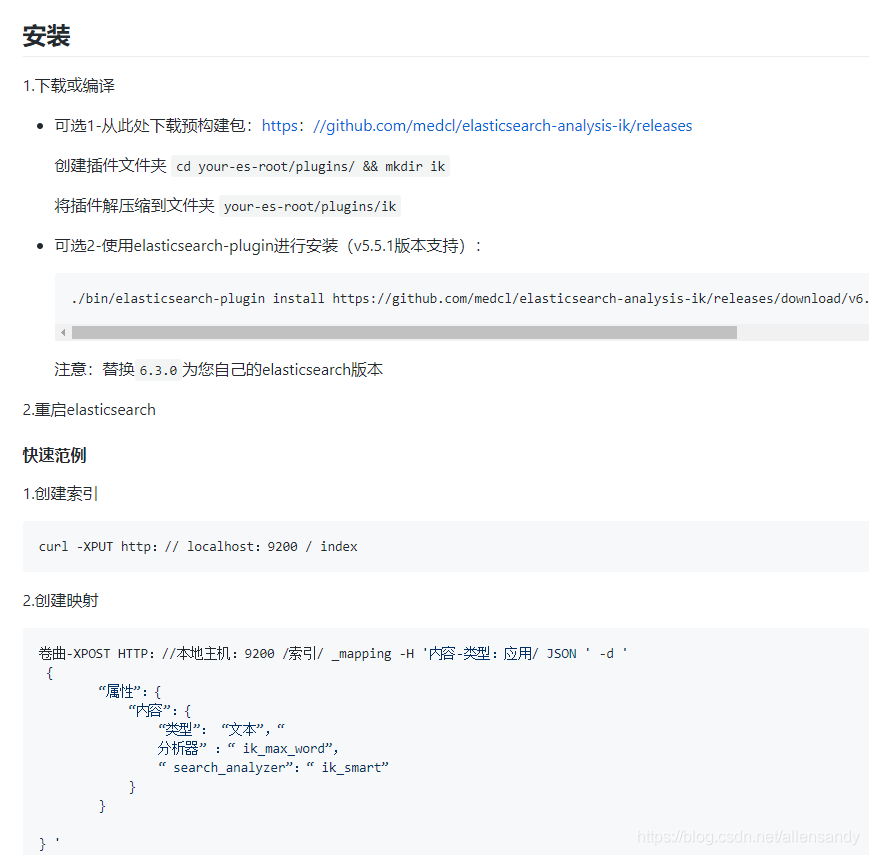
里面的安装步骤也已经描述了,安装文档操作即可:
截图如下:
中文分词
中文的分词器现在大家比较推荐的就是 IK分词器,当然也有些其它的比如 smartCN、HanLP。
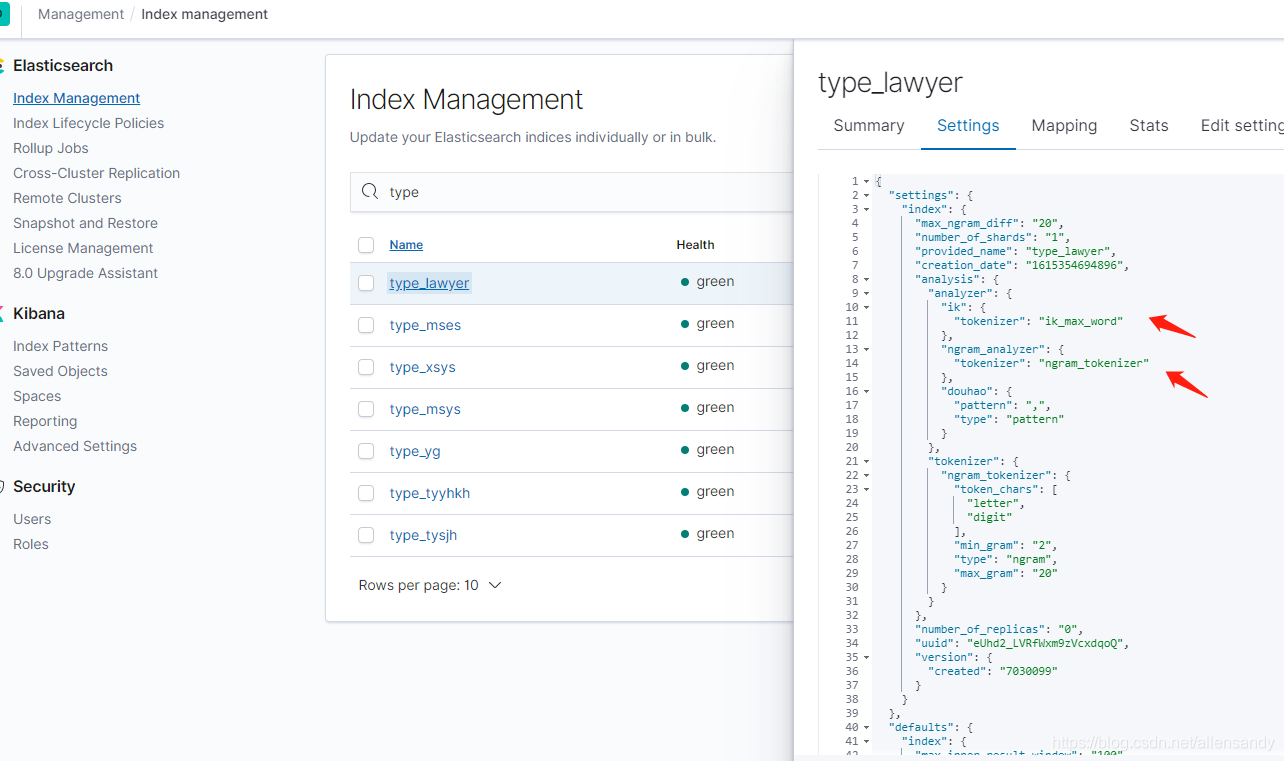
建索引的时候就可以指定中文分词了:
PUT book_v5
{
  "settings":{
    "number_of_shards": "6",
    "number_of_replicas": "1",
     //指定分词器
    "analysis":{
      "analyzer":{
        "ik":{
          "tokenizer":"ik_max_word"
        }
      }
    }
  },
  "mappings":{
    "novel":{
      "properties":{
        "author":{
          "type":"text"
        },
        "wordCount":{
          "type":"integer"
        },
        "publishDate":{
          "type":"date",
          "format":"yyyy-MM-dd HH:mm:ss || yyyy-MM-dd"
        },
        "briefIntroduction":{
          "type":"text"
        },
        "bookName":{
          "type":"text"
        }
      }
    }
  }
}
IK有两种颗粒度的拆分:
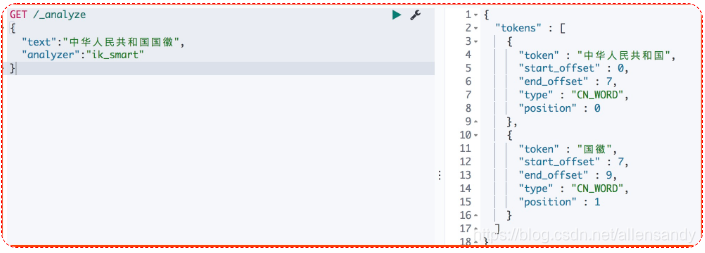
ik_smart: 会做最粗粒度的拆分
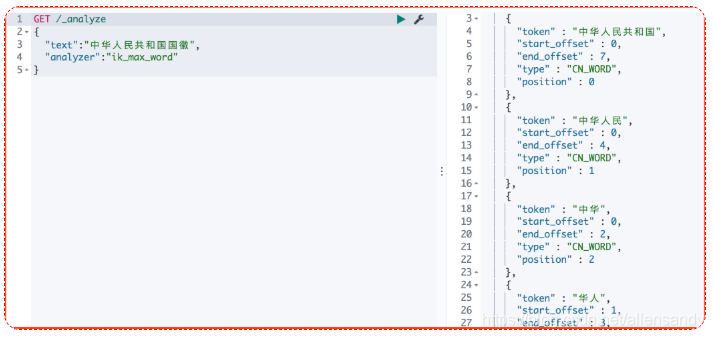
ik_max_word: 会将文本做最细粒度的拆分
- ik_smart 拆分
GET /_analyze
{
  "text":"中华人民共和国国徽",
  "analyzer":"ik_smart"
}
- ik_max_word 拆分
GET /_analyze
{
  "text":"中华人民共和国国徽",
  "analyzer":"ik_max_word"
}
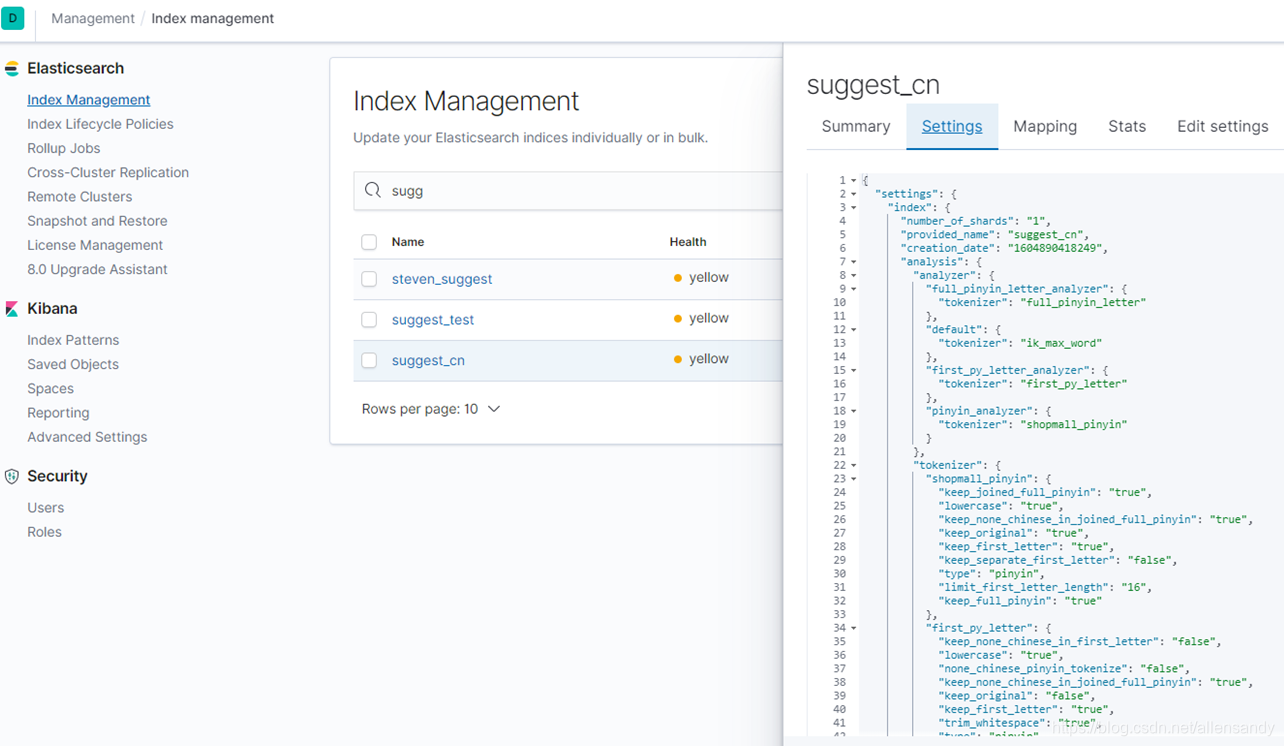
公司用:





 扫一扫
扫一扫


 648
648

 被折叠的 条评论
为什么被折叠?
被折叠的 条评论
为什么被折叠?
 到【灌水乐园】发言





