



 本文介绍如何在MacOS系统中使用hditool命令(如hdiutil attach/detach)避开管理员权限,实现对*.dmg软件的静默安装,包括详细步骤和涉及的hdiutil命令解释。重点展示了通过`hdiutil attach`和`hdiutil detach`操作来绕过sudo权限的实例,并提到了解决App无法打开问题的技巧。
公司电脑是macOS,手动安装某些软件(*.dmg)时需要系统管理员输入用户名和密码,要看管理员脸色行事。作为电脑的使用者有sudo权限,那我们是不是可以有绕过的方法呢?答案是肯定的。
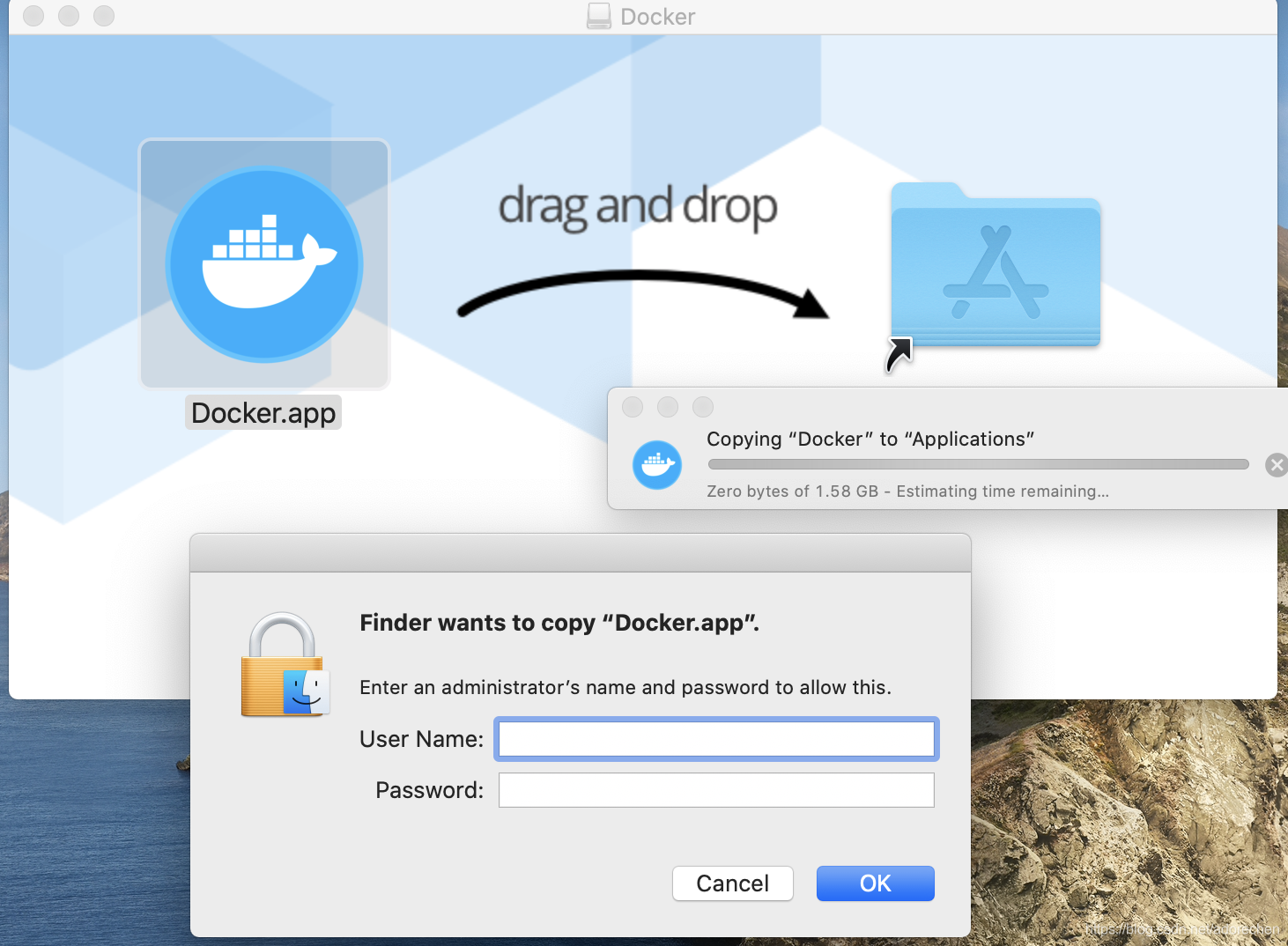
那我们就可以使用系统自带的hdituil命令来静默安装软件。
hdiutil 命令详解
NAME
hdiutil -- manipulate disk images (attach, verify, create, etc)
SYNOPSIS
hdiutil verb [options]
DESCRIPTION
hdiutil uses the DiskImages framework to manipulate disk images. Common verbs include attach, detach, verify, create, convert, and compact.
The rest of the verbs are currently: help, info, burn, checksum, chpass, erasekeys, unflatten, flatten, imageinfo, isencrypted, mountvol, unmount, plugins, udifrez, udifderez, resize, segment, makehybrid, and
pmap.
BACKGROUND
Disk images are data containers that emulate disks. Like disks, they can be partitioned and formatted. Many common uses of disk images blur the distinction between the disk image container and its content,
but this distinction is critical to understanding how disk images work. The terms "attach" and "detach" are used to distinguish the way disk images are connected to and disconnected from a system. "Mount" and
"unmount" are the parallel filesystems options.
For example, when you double-click a disk image in the macOS Finder, two separate things happen. First, the image is "attached" to the system just like an external drive. Then, the kernel and Disk Arbitration
probe the new device for recognized file structures. If any are discovered that should be mounted, the associated volumes will mount and appear on the desktop.
主要用到它的两个命令 hdituil attach, hdiutil detach.
attach image [options]
attach a disk image as a device. attach will return information about an already-attached image as if it had attached it. If any associated volumes are unmounted (and mounting is not suppressed),
they will be remounted. mount is a poorly-named synonym for attach. See BACKGROUND.
By default, the system applies additional mount options to filesystems backed by untrusted devices like disk images: options like nosuid and quarantine. PERMISSIONS VS. OWNERS explains the behavior
of such filesystems and EXAMPLES shows how to override some of the default behavior.
The output of attach has been stable since Mac OS X 10.0 (though it was called hdid(8) then) and is intended to be program-readable. It consists of the /dev node, a tab, a content hint (if applica-
ble), another tab, and a mount point (if any filesystems were mounted). Because content hints are derived from the partition data, GUID Partition Table types may leak through. Common GUIDs such as
"48465300-0000-11AA-AA11-0030654" are mapped to their human-readable counterparts (here "Apple_HFS").
detach dev_name [-force]
detach a disk image and terminate any associated process. dev_name is a partial /dev node path (e.g. "disk1"). As of Mac OS X 10.4, dev_name can also be a mountpoint. If Disk Arbitration is run-
ning, detach will use it to unmount any filesystems and detach the image. If not, detach will attempt to unmount any filesystems and detach the image directly (using the `eject' ioctl). If Disk
Arbitration is not running, it may be necessary to unmount the filesystems with umount(8) before detaching the image. eject is a synonym for detach. In common operation, detach is very similar to
diskutil(8)'s eject.
安装dmg文件的脚本
#/bin/bash
VOLUME=`hdiutil attach $1 | grep -o "/Volumes.*$"`
echo "app directory: $VOLUME"
APP_NAME=`ls "$VOLUME" | grep .app`
echo "app name: $APP_NAME"
cp -rf "$VOLUME/$APP_NAME" /Applications/"$APP_NAME"
xattr -c /Applications/"$APP_NAME"
hdiutil detach "$VOLUME"
echo "$APP_NAME install completed!"
~
xattr -c *.app 是删除所有扩展属性,解决问题“App can’t be opened because it is from an unidentified developer”。
详情参考:“App can’t be opened because it is from an unidentified developer” 的解决之道?_走向自由的博客-优快云博客
安装示例
./install_app.sh Docker.dmg
参考:





 扫一扫
扫一扫


 1422
1422

 被折叠的 条评论
为什么被折叠?
被折叠的 条评论
为什么被折叠?
 到【灌水乐园】发言





