


 本文探讨了如何使用OpenGL和FreeType库创建抗锯齿字体,解决字体缩放时出现的锯齿问题。通过使用8位像素存储和alpha通道,使字体边缘更加平滑透明。同时介绍了设置纹理及开启混合功能的方法。
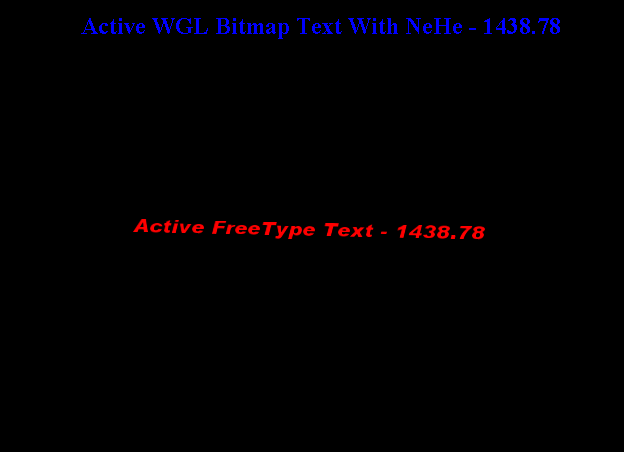
This samples shows us how to create anti-aliased font. The WGL font bitmap saved with binaries image, that means only one bit per pixel. This will cause some aliased problem as you zoom in the font. The font edge become very obvious and sharper. To address this issue we could use more bits like 8bits to store one pixel, we could have some grey values to make the edge become transparent and more smooth. And GUN FreeType library used to create such kind of fonts for OpenGL.
The following code used to set the font texture which already processed by FreeType:
//Here we actually create the texture itself, notice
//that we are using GL_LUMINANCE_ALPHA to indicate that
//we are using 2 channel data.
glTexImage2D( GL_TEXTURE_2D, 0, GL_RGBA, width, height,
      0, GL_LUMINANCE_ALPHA, GL_UNSIGNED_BYTE, expanded_data );
As you see from the above code, we used alpha channel for font texture. So we need to switch on alpha blend feature while drawing text.
...
glEnable(GL_BLEND);
glBlendFunc(GL_SRC_ALPHA, GL_ONE_MINUS_SRC_ALPHA);
...
If we want more cool font, may be we could ask artist to create some with PS. Those texture could be saved as 32bits images. This will be more colorful!
The full source code could be found from here.





 扫一扫
扫一扫


 438
438

 被折叠的 条评论
为什么被折叠?
被折叠的 条评论
为什么被折叠?
 到【灌水乐园】发言





