


 本文详细探讨了Vue3中methods、computed和watch的使用,包括它们的区别和应用场景。强调了computed的缓存机制和在数据变化时的高效更新,以及methods在函数调用中的作用。推荐在能使用computed时优先选择,因为它更高效且简洁。
完整原文地址见简书https://www.jianshu.com/p/09f55406e5ce
本文内容提要
this指针 指的是对应的 Vue实例【methods】插值表达式中 可以使用函数调用返回结果
【computed】计算属性的 用法
注意——computed模板 和 methods模板 其计算属性的区别
【watch】模板的 用法
【watch】 可以实现类似 【computed】的效果
当用
computed和methods都可以实现时,
推荐使用computed,因为computed有缓存机制;
当用computed和watch都可以实现时,
也推荐使用computed,因为computed编写开发起来更简洁;
this指针 指的是对应的 Vue实例
板块中的this指针(下面以methods板块为例),指的是Vue实例:
<!DOCTYPE html>
<html lang="en">
<head>
    <meta charset="UTF-8">
    <meta name="viewport" content="width=device-width, initial-scale=1.0">
    <title>Hello World! heheheheheheda</title>
    <script src="https://unpkg.com/vue@next"></script>
</head>
<body>
    <div id="heheApp"></div>
</body>
  <script>
    const app = Vue.createApp({
        data() {
            return {
                heheString: 'luelueluelielielie',
                event:'click'
            }
        },
        methods:{
            handleClick(){
                console.log('你戳到我啦————!', this.heheString);
            }
        },
        template: `
        <div @[event]="handleClick">{{heheString}}</div>`
    });
    const vm = app.mount('#heheApp');
  </script>
</html>以methods板块为例,运行时,
可以看到this.heheString打印的数据,
正式这边对应Vue实例的heheString字段的值——luelueluelielielie:

【methods】插值表达式中 可以使用函数调用返回结果
代码如下,代码<div>{{changeString(heheString)}}</div>中,使用函数调用 返回结果:
<!DOCTYPE html>
<html lang="en">
<head>
    <meta charset="UTF-8">
    <meta name="viewport" content="width=device-width, initial-scale=1.0">
    <title>Hello World! heheheheheheda</title>
    <script src="https://unpkg.com/vue@next"></script>
</head>
<body>
    <div id="heheApp"></div>
</body>
  <script>
    const app = Vue.createApp({
        data() {
            return {
                heheString: 'luelueluelielielie',
                event:'click'
            }
        },
        methods:{
            changeString(string){
                // console.log('你戳到我啦————!', this.heheString);
                return string.toUpperCase();
            }
        },
        template: `
        <div>{{changeString(heheString)}}</div>`
    });
    const vm = app.mount('#heheApp');
  </script>
</html>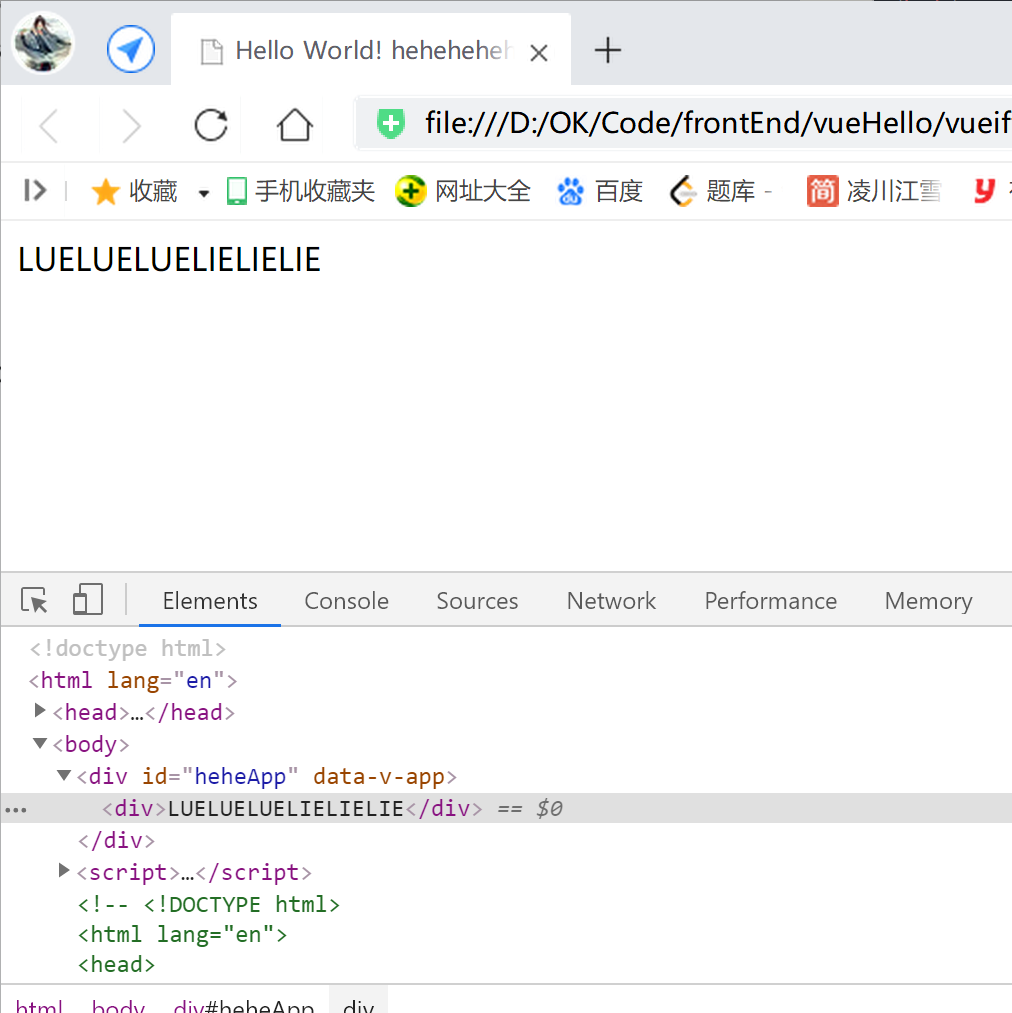
【computed】计算属性的 用法
<!DOCTYPE html>
<html lang="en">
<head>
    <meta charset="UTF-8">
    <meta name="viewport" content="width=device-width, initial-scale=1.0">
    <title>Hello World! heheheheheheda</title>
    <script src="https://unpkg.com/vue@next"></script>
</head>
<body>
    <div id="heheApp"></div>
</body>
  <script>
    const app = Vue.createApp({
        data() {
            return {
                heheString: 'luelueluelielielie',
                event:'click',
                testCount: 6,
                testPrice: 6
            }
        },
        computed:{
            testTotal() {
                return this.testCount * this.testPrice;
            }
        },
        methods:{
            changeString(string){
                // console.log('你戳到我啦————!', this.heheString);
                return string.toUpperCase();
            }
        },
        template: `
        <div>{{testTotal}}</div>`
    });
    const vm = app.mount('#heheApp');
  </script>
</html>
Vue 的 computed属性,
可以在这里定义计算逻辑属性,使用data()中的数据,计算得到结果,
供给template使用、渲染显示;template中可以通过插值表达式使用computed中的值,
运行结果:

动态改变data的数据时,
对应的 computed中定义的属性、对应的template中的DOM节点,
都会发生对应的改变:

注意——computed模板 和 methods模板 其计算属性的区别
---首先,【computed】内部会带有一种缓存机制,
在进行页面渲染的时候会更加高效,
computed模板 和 methods模板 都可以使用的情况下,推荐使用【computed】;
---接着,【computed】模板:
当【computed】定义的计算属性 依赖的 【data】数据发生变化时,计算属性才会重新计算和更新,如上面的例子;
而 当 只是页面重新渲染时,计算属性不会重新计算和更新,不会重新执行;
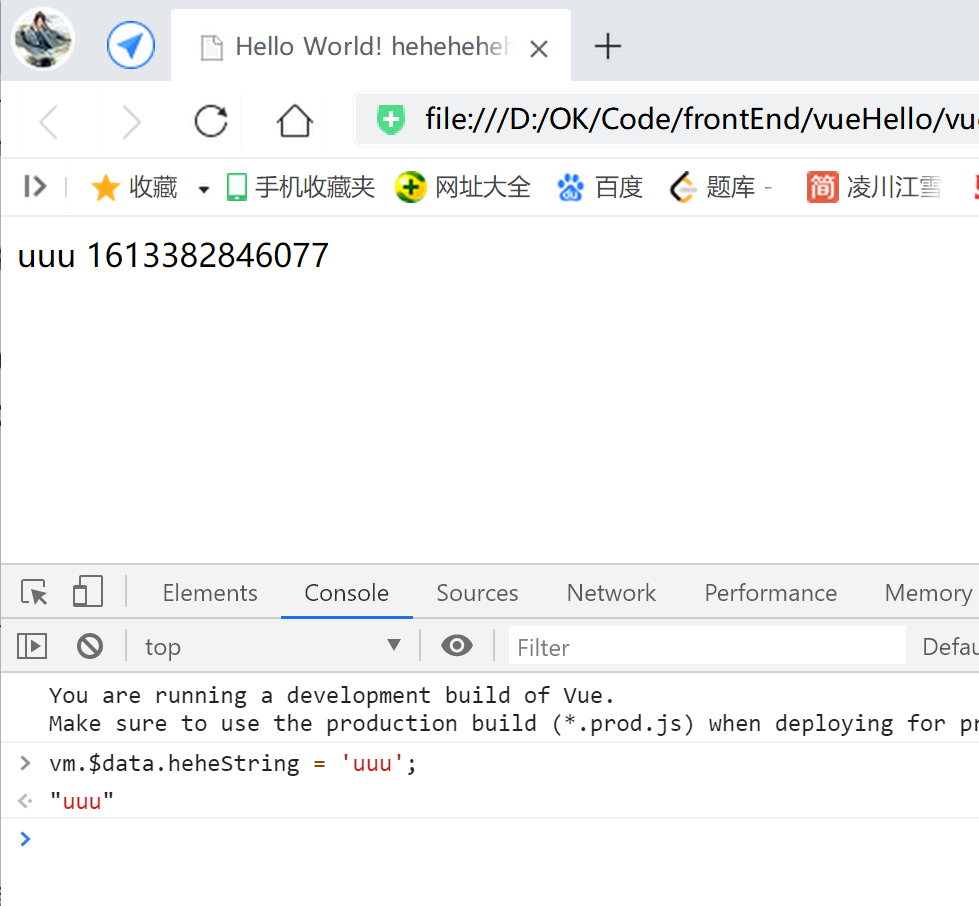
如下,
我们通过改变文本DOM节点对应绑定的data数据,使得页面重新渲染,
可以看到,
右侧的数据DOM节点没有变化,计算属性不会重新计算和更新;
<!DOCTYPE html>
<html lang="en">
<head>
    <meta charset="UTF-8">
    <meta name="viewport" content="width=device-width, initial-scale=1.0">
    <title>Hello World! heheheheheheda</title>
    <script src="https://unpkg.com/vue@next"></script>
</head>
<body>
    <div id="heheApp"></div>
</body>
  <script>
    const app = Vue.createApp({
        data() {
            return {
                heheString: 'luelueluelielielie',
                event:'click',
                testCount: 6,
                testPrice: 6
            }
        },
        computed:{
            testTotal() {
                // return this.testCount * this.testPrice;
                return Date.now();
            }
        },
        methods:{
            changeString(string){
                // console.log('你戳到我啦————!', this.heheString);
                return string.toUpperCase();
            },
            testGetTotal() {
                return Date.now();
            }
        },
        template: `
        <div>{{heheString}} {{testTotal}}</div>`
    });
    const vm = app.mount('#heheApp');
  </script>
</html>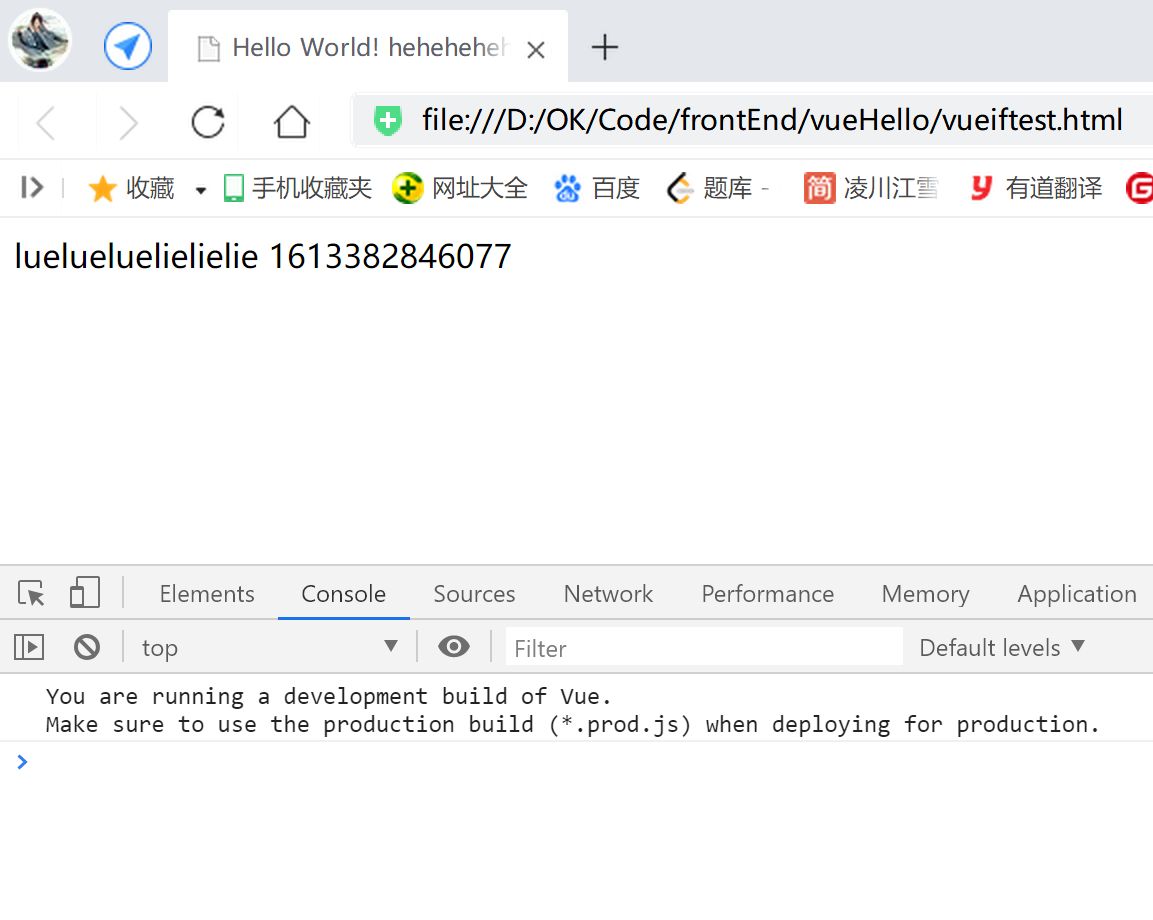
【methods】模板:
当页面重新渲染时,
【methods】模板下的内容会被 重新计算和更新,重新执行;





 扫一扫
扫一扫


 1128
1128

 被折叠的 条评论
为什么被折叠?
被折叠的 条评论
为什么被折叠?
 到【灌水乐园】发言





