


「OC」present和push操作区别以及混合推出的实现
文章目录
前言
在viewController的生命周期之中,我们探究了present以及push不同操作之中,生命周期的方法调用,以及在暑假的时候学习了如何实现自定义模态视图和自定义模态视图动画。因此我继续探究present以及push操作的相关区别,以及学习如何实现视图的混合推出。
present
用途
用简单的几行代码先展示present的用途
ViewController* vc = [[ViewController alloc] init];
[self presentViewController:vc2 animated:YES completion:nil];
对应的dismiss方法
[self dismissViewControllerAnimated:YES completion:nil];
对于我们的present来说,我们的返回和进入都是逐级进行的,代码如下
ViewController1.h:
#import <UIKit/UIKit.h>

@interface ViewController1 : UIViewController

@end
ViewController1.m:
#import "ViewController1.h"
#import "ViewController2.h"

@implementation ViewController1

- (void)viewDidLoad {
    [super viewDidLoad];

    UIButton *presentButton = [UIButton buttonWithType:UIButtonTypeSystem];
    [presentButton setTitle:@"Present ViewController2" forState:UIControlStateNormal];
    [presentButton addTarget:self action:@selector(presentViewController2) forControlEvents:UIControlEventTouchUpInside];
    presentButton.frame = CGRectMake(100, 100, 200, 50);
    [self.view addSubview:presentButton];
}

- (void)presentViewController2 {
    ViewController2 *vc2 = [[ViewController2 alloc] init];
    [self presentViewController:vc2 animated:YES completion:nil];
}

@end
ViewController2.h:
#import <UIKit/UIKit.h>

@interface ViewController2 : UIViewController

@end
ViewController2.m:
#import "ViewController2.h"
#import "ViewController3.h"

@implementation ViewController2

- (void)viewDidLoad {
    [super viewDidLoad];

    UIButton *presentButton = [UIButton buttonWithType:UIButtonTypeSystem];
    [presentButton setTitle:@"Present ViewController3" forState:UIControlStateNormal];
    [presentButton addTarget:self action:@selector(presentViewController3) forControlEvents:UIControlEventTouchUpInside];
    presentButton.frame = CGRectMake(100, 200, 200, 50);
    [self.view addSubview:presentButton];
}

- (void)presentViewController3 {
    ViewController3 *vc3 = [[ViewController3 alloc] init];
    [self presentViewController:vc3 animated:YES completion:nil];
}

@end
ViewController3.h:
#import <UIKit/UIKit.h>

@interface ViewController3 : UIViewController

@end
ViewController3.m:
#import "ViewController3.h"

@implementation ViewController3

- (void)viewDidLoad {
    [super viewDidLoad];

    UIButton *dismissButton = [UIButton buttonWithType:UIButtonTypeSystem];
    [dismissButton setTitle:@"Dismiss" forState:UIControlStateNormal];
    [dismissButton addTarget:self action:@selector(dismissViewController) forControlEvents:UIControlEventTouchUpInside];
    dismissButton.frame = CGRectMake(100, 300, 200, 50);
    [self.view addSubview:dismissButton];
}

- (void)dismissViewController {
    [self.presentingViewController dismissViewControllerAnimated:YES completion:nil];
}

@end
在这个示例中,控制器1包含一个按钮,点击后会present出控制器2。控制器2也包含一个按钮,点击后会present出控制器3。在控制器3中,点击按钮会通过dismiss方式逐级返回到前一个控制器,直到回到控制器1。
但是我们也可以用代码直接进行返回,这就要说到我们暑假自定义模态视图学习的关于presentedViewController以及presentingViewController的相关概念,即执行推出操作的上文来说为presentedViewController为被它推出的下文,执行推出操作的下文的presentingViewController为上文。
while循环越级返回
我已开始的设想是使用while循环,直到到达想要的控制器,我使用isKindOfClass的方法
- (void)touchesBegan:(NSSet<UITouch *> *)touches withEvent:(UIEvent *)event{


    UIViewController *currentViewController = self.presentingViewController;
    while (currentViewController) {


        if ([currentViewController isKindOfClass:[ViewController class]]) {


            // 找到所需的视图控制器
            ViewController *desiredViewController = (ViewController *)currentViewController;

            // 在这里执行dismiss操作
            [desiredViewController dismissViewControllerAnimated:YES completion:nil];

            break;
        }
        currentViewController = currentViewController.presentingViewController;
    }
}
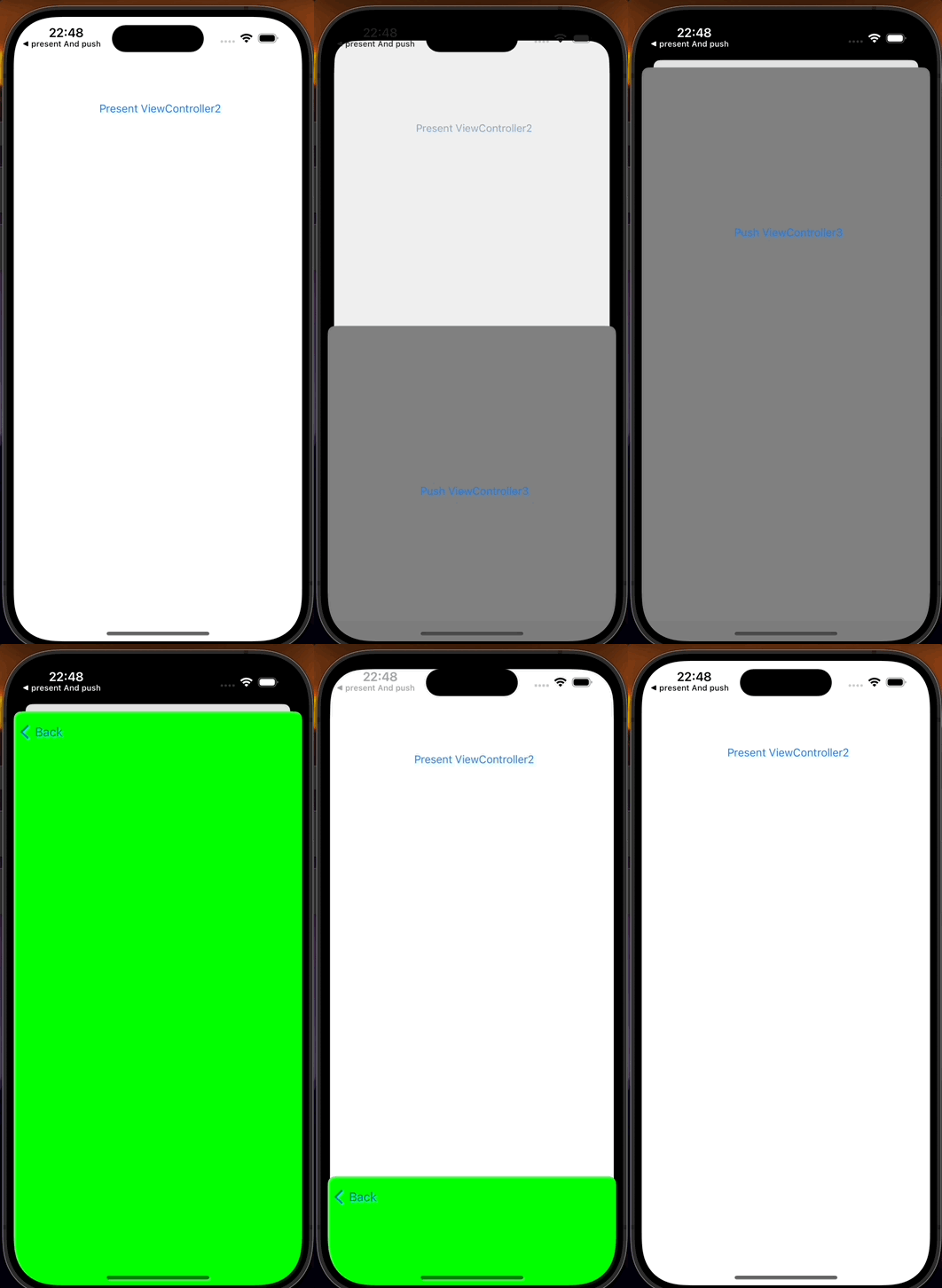
实现的也是如下效果
 、
、
通知越级返回
可是这样直接进行遍历似乎还是有点麻烦,只要present的视图够多或者足够复杂的话,这样似乎会对性能造成一定的损伤,于是我用上了前段时间学习的通知传值来解决这个问题
- 在需要直接返回的地方发送通知,可以是任何一个视图控制器
[[NSNotificationCenter defaultCenter] postNotificationName:@"DirectReturnNotification" object:nil userInfo:@{
@"targetViewController": @"ViewController1"} 最低0.47元/天 解锁文章






 扫一扫
扫一扫


 2079
2079

 被折叠的 条评论
为什么被折叠?
被折叠的 条评论
为什么被折叠?
 到【灌水乐园】发言





