


「OC」网易云界面的仿写
要求
一共完成三个页面,实现一个夜间模式的功能,还有一个更改头像功能的实现,其实经过前面的仿写,在编写cell的时候基本上没有遇到什么问题,更多的是跨界面传值等问题
图片渲染模式的更改
由于我在仿写的时候,为了尽量减少视图的寻找(其实就是懒),我在个人控件这里这个cell的仿写,使用的都是系统自带的图片,但由于系统自带的图片的颜色都为默认的蓝色,和仿写使用的红色主题不太契合,于是我便学习了如何使用渲染模式来更改图片的原本颜色。
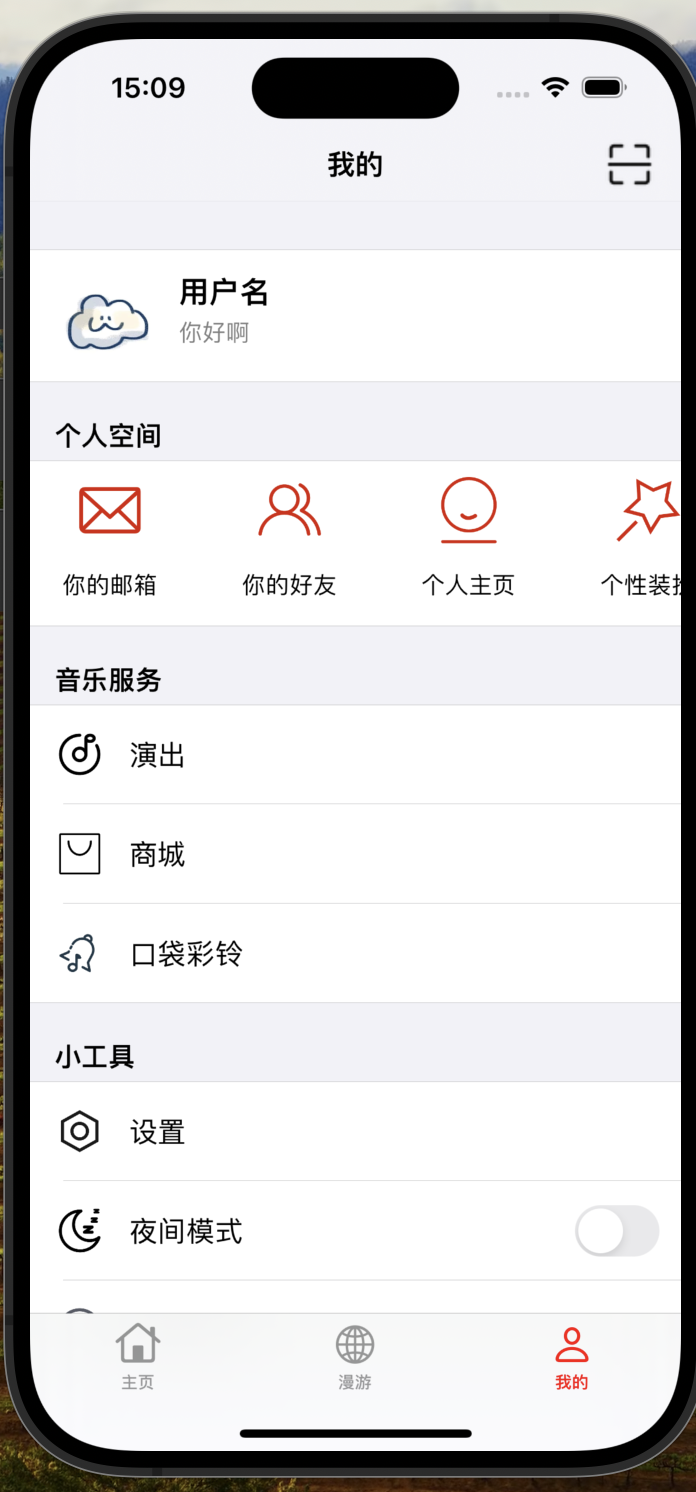
UIImage *originalImage = [UIImage imageNamed:@"your_image_name"];
UIImage *templateImage = [originalImage imageWithRenderingMode:UIImageRenderingModeAlwaysTemplate];
经过对图片的渲染模式的更改,我们可以通过修改imageview的tintcolor属性来,在使用模板模式修改图片颜色时,图片的透明部分将会保留透明性,并且只有不透明的部分会受到颜色的影响。
照片墙更改头像
照片墙是使用UICollectionView写的,实现了照片以随机的高度显示,具体的实现方法我在之前的博客之中有提到,有兴趣的读者可以自行查询、
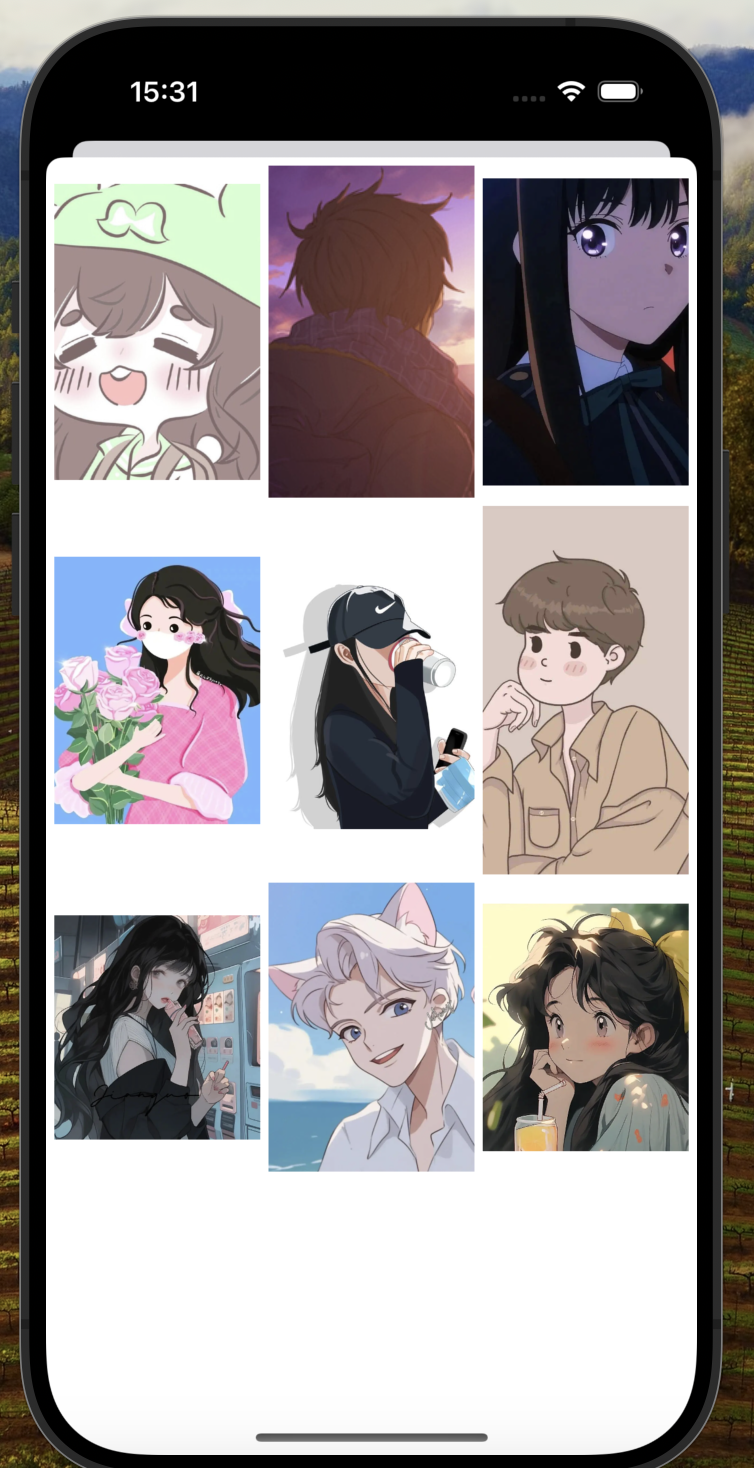
那么对于头像的传输返回我是使用协议传值。先从照片墙之中的控制器传至原先的控制器之中,让cell实现更新头像的操作
- (void)avatarButtonTapped {
    if ([self.delegate respondsToSelector:@selector(didTapAvatarButtonInCell:)]) {
        [self.delegate didTapAvatarButtonInCell:self];
    }
}//头像按钮监听是否被点击,若被点击则在控制器将照片前控制器弹出
- (void)didTapAvatarButtonInCell:(UserInfoTableViewCell *)cell {
    JCFourth *fourth= [[JCFourth alloc] init];
    fourth.delegate = self;
    if (isOn) {
        fourth.view.backgroundColor = [UIColor grayColor];
    } else {
        fourth.view.backgroundColor = [UIColor whiteColor];
    }

    [self presentViewController:fourth animated:YES completion:nil];
}//弹出照片墙
- (void)collectionView:(UICollectionView *)collectionView didSelectItemAtIndexPath:(NSIndexPath *)indexPath {
    UIImage *selectedImage = self.images[indexPath.item];
    [self.delegate viewController:self didSelectImage:selectedImage];
    [self dismissViewControllerAnimated:YES completion:nil];
}//在UIcollectionView之中实现选中之后将摘片传回
- (void)viewController:(JCFourth *)controller didSelectImage:(UIImage *)image {
    NSIndexPath *indexPath = [NSIndexPath indexPathForRow:0 inSection:0];
    UserInfoTableViewCell *cell = [self.tableView cellForRowAtIndexPath:indexPath];
    [cell.avatarButton setImage:image forState:UIControlStateNormal];
}//在头像界面的控制器执行协议方法
图像的切割
在仿写的过程值之中,我发现网易云的大部分图片显示都是圆角,不是单纯的正方形,为了实现这个效果,我简单学习了一些有关于CALayer的相关内容。CALayer被成为图层或者蒙版,与view不相同它主要就是对UI布局进行美化的,默认不响应事件。
我们要将正方形的图片给裁剪为圆形或者是圆角类型,一般都要先将view的masksToBounds或者clipsToBounds属性设置为YES,表示视图可以被切割
然后就是使用layer之中的 cornerRadius 属性,设置曲率圆的半径,只要 cornerRadius 为图片最长那条的一半以上,截出来的都为圆形
    self.avatarButton.layer.cornerRadius = 30;
    self.avatarButton.clipsToBounds = YES;
以上就是将视图截为圆形的方法
夜间模式的实现
关于夜间模式的实现,我分别使用了属性,通知,协议传值的方式实现,具体都在先前的博客之中了,关于夜间模式还有修改的就是修改界面的颜色了,为了实现夜间模式我们需要将整个页面的不同控件和背景进行颜色进行修改,以下就是调用的修改视图颜色的函数了。
- (void)userChangeDarkModeSetting : (UISwitch *)sender {

    NSDictionary *userInfo = @{@"boolValue": @(isOn)};
        [[NSNotificationCenter defaultCenter] postNotificationName:@"BoolValueNotification" object:nil userInfo:userInfo];
    if (!isOn) {
        [self.delegate userDidChangeDarkModeSetting:isOn];
        //调整导航栏颜色
        UINavigationBarAppearance *navigationBarAppearance = [[UINavigationBarAppearance alloc] init];
        navigationBarAppearance.backgroundColor = [UIColor grayColor];
        navigationBarAppearance.titleTextAttributes = @{NSForegroundColorAttributeName: [UIColor blackColor]};
        self.navigationController.navigationBar.standardAppearance = navigationBarAppearance;
        self.navigationController.navigationBar.scrollEdgeAppearance = navigationBarAppearance;

        self.tableView.backgroundColor = [UIColor darkGrayColor];
        self.tabBarController.tabBar.backgroundColor = [UIColor darkGrayColor];
        self.tabBarController.tabBar.barTintColor = [UIColor darkGrayColor];
        isOn = YES;
    } else {
        [self.delegate userDidChangeDarkModeSetting:isOn];
        //调整导航栏颜色
        UINavigationBarAppearance *navigationBarAppearance = [[UINavigationBarAppearance alloc] init];
        navigationBarAppearance.backgroundColor = [UIColor whiteColor];
        navigationBarAppearance.titleTextAttributes = @{NSForegroundColorAttributeName: [UIColor blackColor]};
        self.navigationController.navigationBar.standardAppearance = navigationBarAppearance;
        self.navigationController.navigationBar.scrollEdgeAppearance = navigationBarAppearance;

        self.tableView.backgroundColor = [UIColor clearColor];
        self.tabBarController.tabBar.barTintColor = [UIColor whiteColor];
        self.tabBarController.tabBar.backgroundColor = [UIColor whiteColor];
        isOn = NO;
    }

    [self.tableView reloadData];
    // 根据需要刷新界面

    [self.view setNeedsDisplay];


}

- (void)tableView:(UITableView *)tableView willDisplayCell:(UITableViewCell *)cell forRowAtIndexPath:(NSIndexPath *)indexPath {
    // 设置单元格的背景颜色
    BOOL nightModeEnabled = isOn;
    if (nightModeEnabled) {
        cell.backgroundColor = [UIColor lightGrayColor];
    } else {
        cell.backgroundColor = [UIColor whiteColor];
    }

}
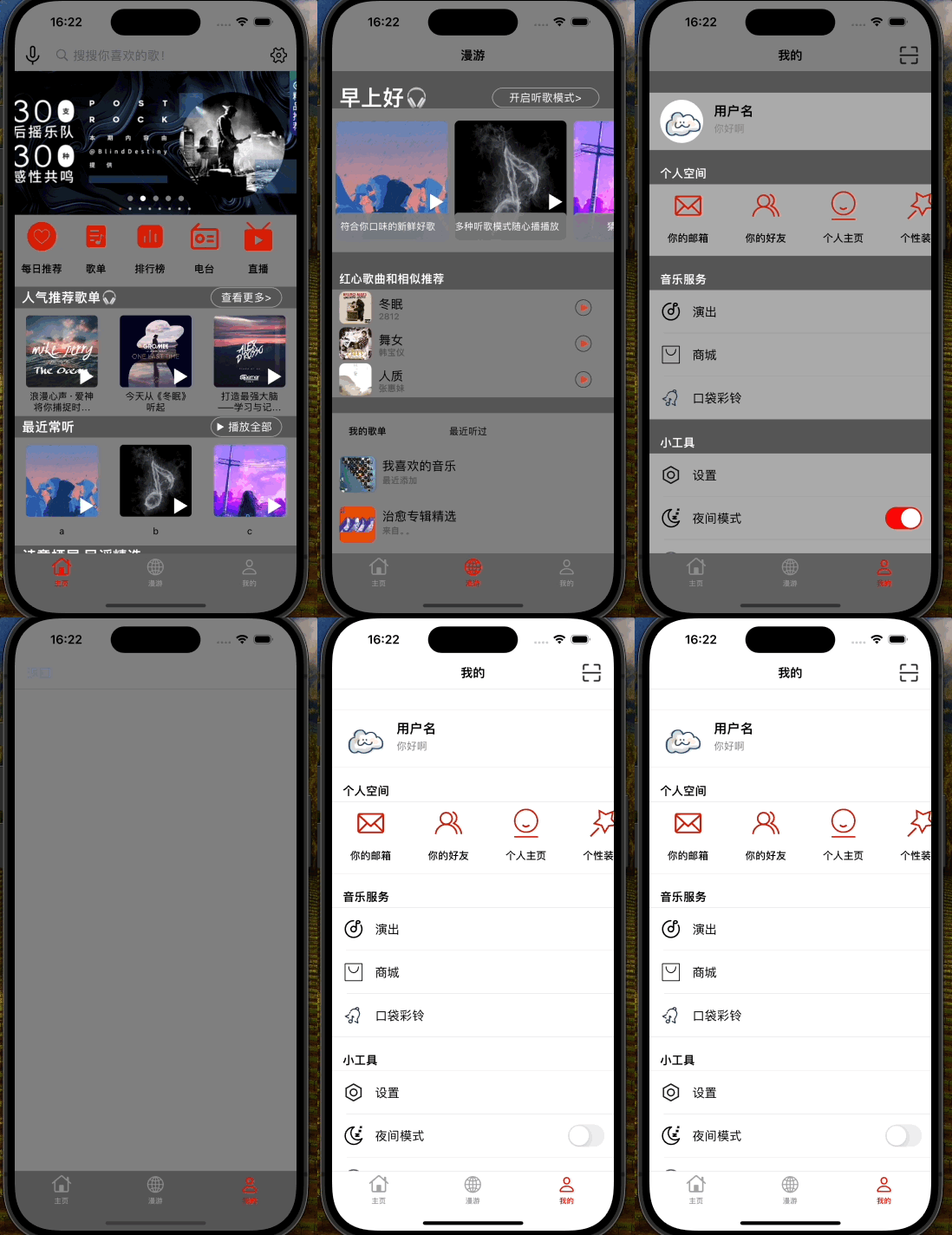
功能如上所示。





 扫一扫
扫一扫


 被折叠的 条评论
为什么被折叠?
被折叠的 条评论
为什么被折叠?
 到【灌水乐园】发言





