



 本文详细介绍如何在HarmonyOS 2.0中创建自定义布局,并添加文本和按钮组件,实现基本的用户界面设计。
编辑:MainAbilitySlice
先关掉显示hello world
//super.setUIContent(ResourceTable.Layout_ability_main);
加入自己的布局
DirectionalLayout directionalLayout = new DirectionalLayout(this);
directionalLayout.setWidth(ComponentContainer.LayoutConfig.MATCH_PARENT);
directionalLayout.setHeight(ComponentContainer.LayoutConfig.MATCH_PARENT);
directionalLayout.setOrientation(Component.VERTICAL);
directionalLayout.setPadding(32, 32, 32, 32);
super.setUIContent(directionalLayout);
看预览,好吧,啥也不是

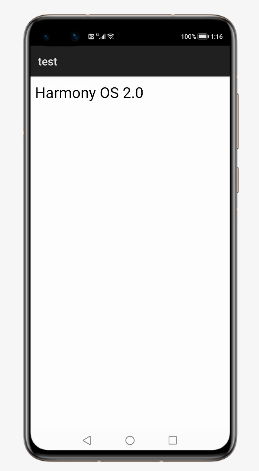
加点字
DirectionalLayout directionalLayout = new DirectionalLayout(this);
directionalLayout.setWidth(ComponentContainer.LayoutConfig.MATCH_PARENT);
directionalLayout.setHeight(ComponentContainer.LayoutConfig.MATCH_PARENT);
directionalLayout.setOrientation(Component.VERTICAL);
directionalLayout.setPadding(32, 32, 32, 32);
Text text = new Text(this);
text.setText("Harmony OS 2.0");
text.setTextSize(80);
directionalLayout.addComponent(text);
来个按钮吧
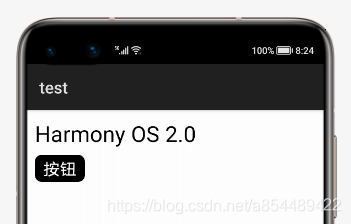
Button button = new Button(this);
button.setText("按钮");
button.setWidth(ComponentContainer.LayoutConfig.MATCH_CONTENT);
button.setTextSize(60);
button.setMarginTop(25);
button.setTextColor(Color.WHITE);
button.setPadding(30, 10, 30, 10);
ShapeElement background = new ShapeElement();
background.setRgbColor(new RgbColor(0, 0, 0));
background.setCornerRadius(25);
button.setBackground(background);





 扫一扫
扫一扫


 1190
1190

 被折叠的 条评论
为什么被折叠?
被折叠的 条评论
为什么被折叠?
 到【灌水乐园】发言





