


游戏简介
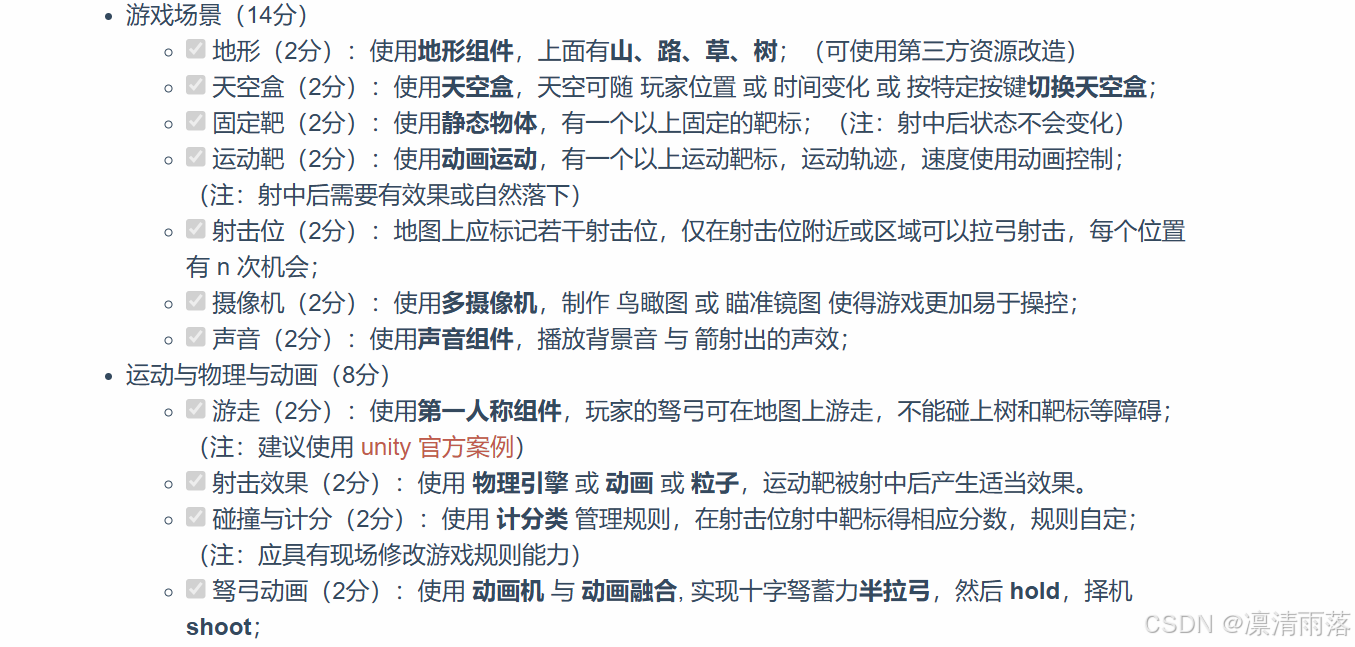
游戏要求
游戏画面
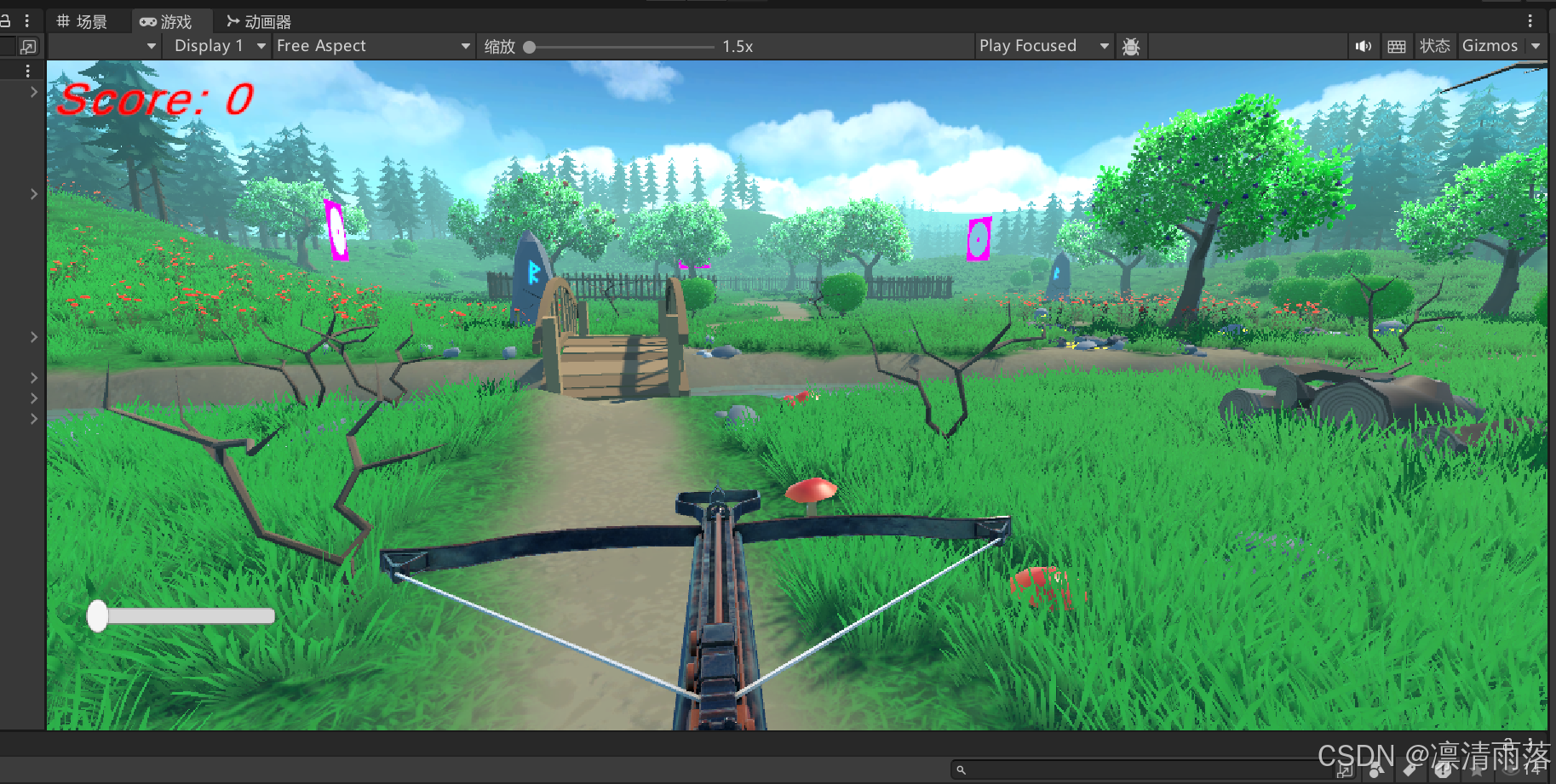
游戏演示视频如下:
玩家动作表
WASD:玩家前后左右移动
按下左键:拉弓开始蓄力
松开左键:射出弓箭
按下右键:切换天空盒
鼠标移动:视角跟随移动
P:背景音乐暂停/播放
箭射中靶子:根据规则计分
游戏资源
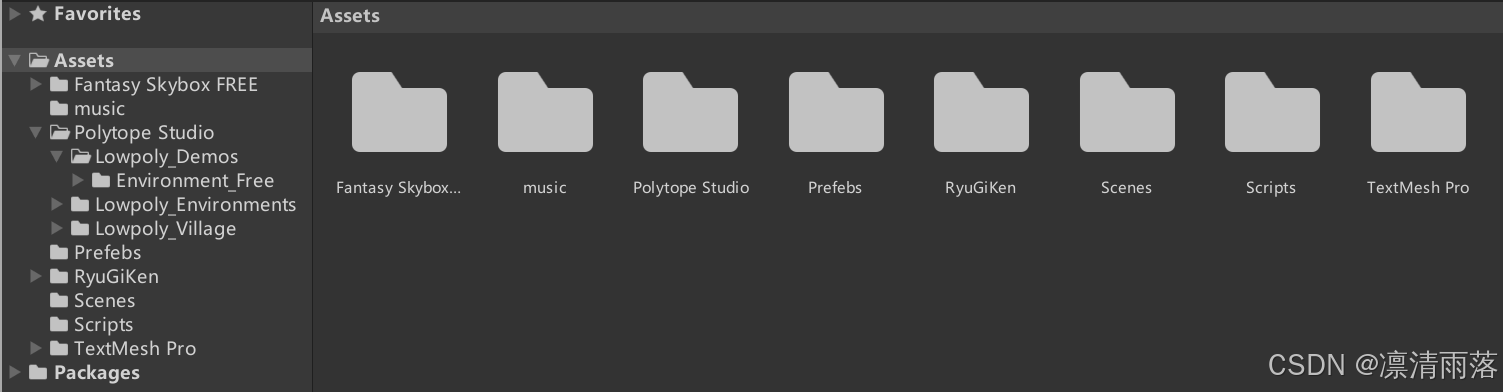
地形设计和弓弩以及天空盒的资源直接从Unity官方的资源商店中下载免费资源导入到项目当中
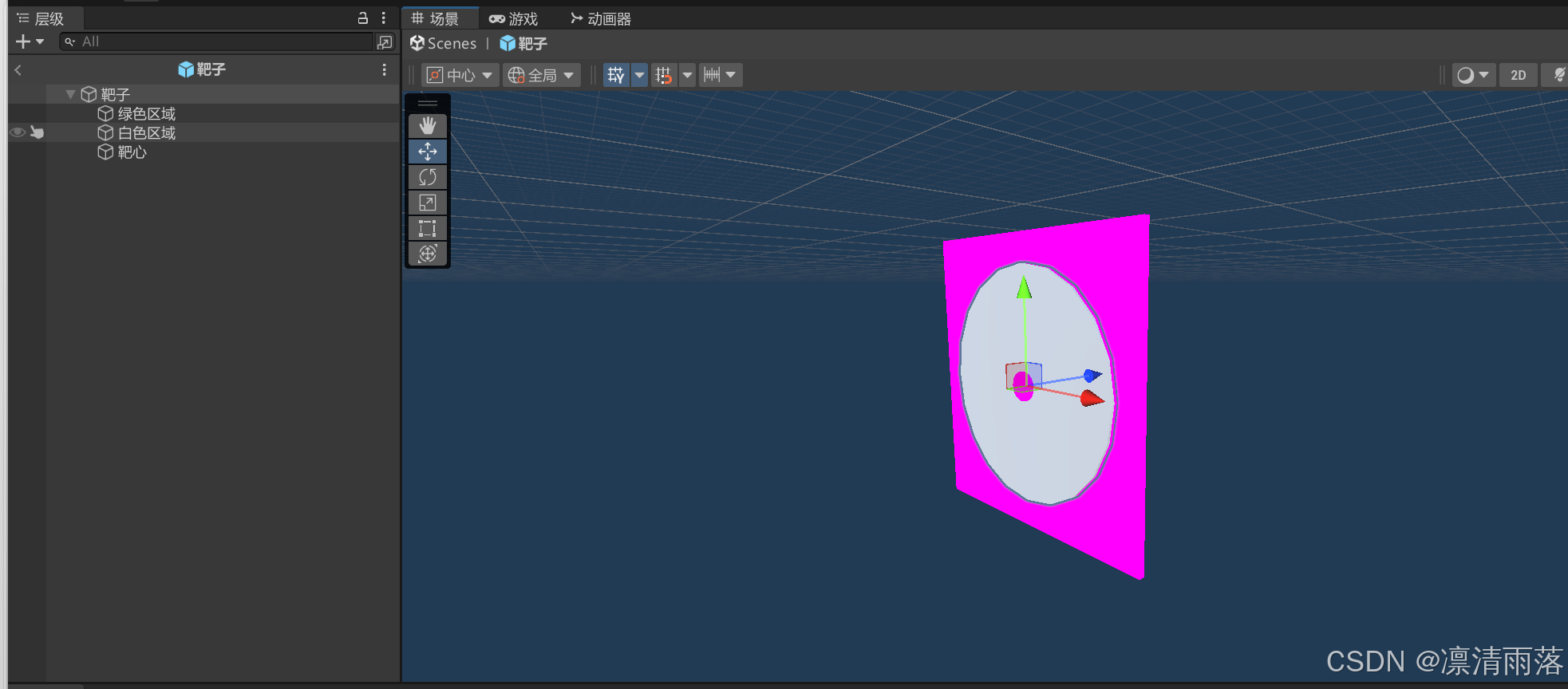
做一个靶子的预制体,白色区域和靶心是得分区域,其中靶心得分更高
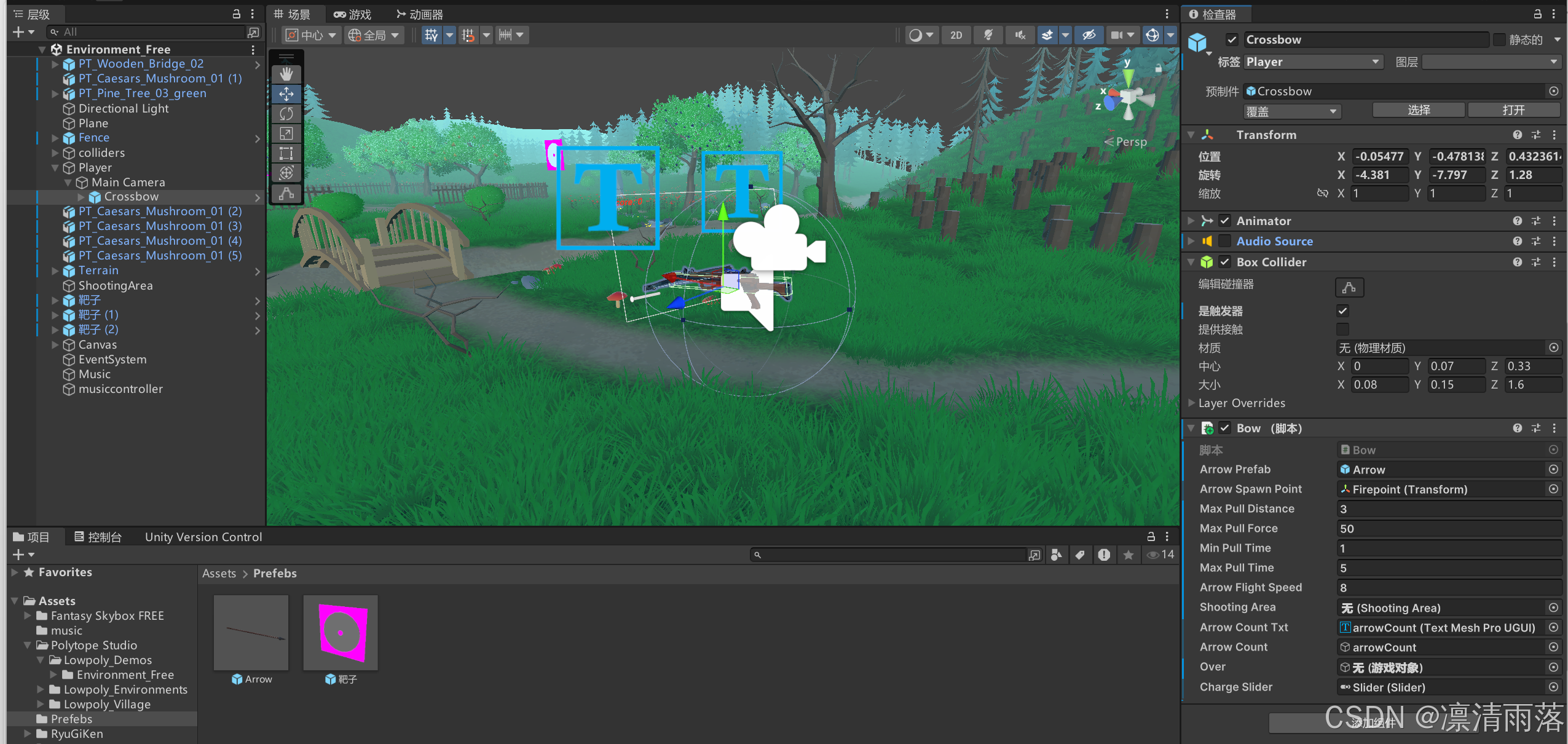
将弓弩的预制体拉到主摄像头下作为它的子对象,这样可以跟随第一人称视角移动
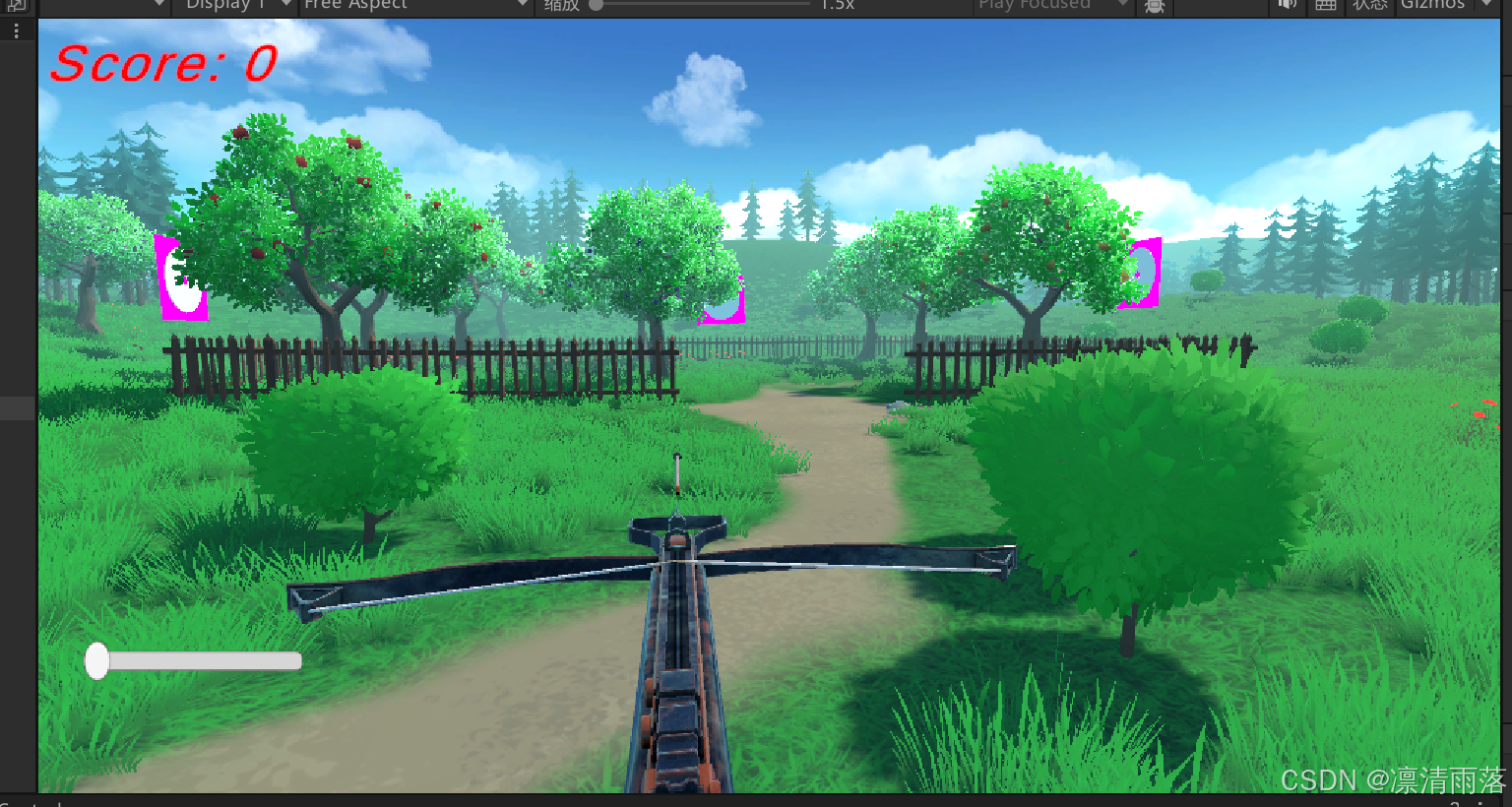
地图的中间是射击区域,只有进入栅栏围起来的区域才可以射击,周围有三个靶子,其中两边的靶子是移动靶子,射中的得分更多
代码设计
玩家移动控制器
using System.Collections;
using System.Collections.Generic;
using UnityEngine;

public class PlayerMovement : MonoBehaviour
{
    public CharacterController controller;

    public float speed = 5;
    public float gravity = -9.18f;
    public float jumpHeight = 3f;

    public Transform groundCheck;
    public float groundDistance = 0.4f;
    public LayerMask groundMask;

    Vector3 velocity;
    bool isGrounded;
    void Update()
    {
        isGrounded = Physics.CheckSphere(groundCheck.position, groundDistance, groundMask);

        if (isGrounded && velocity.y < 0)
        {
            velocity.y = -2f;
        }

        if (Input.GetKey("left shift") && isGrounded)
        {
            speed = 10;
        }
        else
        {
            speed = 5;
        }

        float x = Input.GetAxis("Horizontal");
        float z = Input.GetAxis("Vertical");

        Vector3 move = transform.right * x + transform.forward * z;

        controller.Move(move * speed * Time.deltaTime);

        if (Input.GetButtonDown("Jump") && isGrounded)
        {
            velocity.y = Mathf.Sqrt(jumpHeight * -2f * gravity);
        }

        velocity.y += gravity * Time.deltaTime;

        controller.Move(velocity * Time.deltaTime);
    }
}
天空盒切换
按下右键在两个天空盒材质之间切换,挂载在主摄像机上即可
using UnityEngine;

public class SkyboxSwitcher : MonoBehaviour
{
    //第一个天空盒
    public Material skybox1;
    //第二个天空盒
    public Material skybox2;

    //当前激活的天空盒是否为天空盒1
    private bool isSkybox1Active = true;

    private void Update()
    {
        //如果按下C键,切换天空盒
        if (Input.GetMouseButtonDown(1))
        {
            SwitchSkybox();
        }
    }

    private void SwitchSkybox()
    {
        //切换天空盒的状态
        isSkybox1Active = !isSkybox1Active;

        if (isSkybox1Active)
        {
            //设置渲染设置中的天空盒材质为第一个天空盒材质
            RenderSettings.skybox = skybox1;
        }
        else
        {
            //设置渲染设置中的天空盒材质为第二个天空盒材质
            RenderSettings.skybox = skybox2;
        }
    }
}
射箭实现
控制弓弩射箭的脚本,挂载在弓弩对象上,同时要添加射击区域,射箭点,箭数文本等属性
若进入射击区域,则显示可用箭的数量,表示可以进行射击
按下左键重置蓄力条,播放拉弓动画,持续蓄力更新进度条,松开鼠标射出弓箭,在弓弩前添加一个子对象作为射击点,射箭瞬间在射击点实例化一支弓箭设置速度射出
using UnityEngine;
using UnityEngine.UI;
using TMPro;

public class Bow : MonoBehaviour
{
    // 导入箭的预制体
    public GameObject arrowPrefab;
    // 箭的Transform组件
    public Transform arrowSpawnPoint;
    // 弓的最大拉动距离
    public float maxPullDistance = 3f;
    // 弓的最大拉动力度
    public float maxPullForce = 100f;
    // 弓的最小拉动时间
    public float minPullTime = 1f;
    // 弓的最大拉动时间
    public float maxPullTime = 5f;
    // 箭的飞行速度
    public float arrowFlightSpeed = 10f;

    // 开始的拉动时间
    private float pullStartTime;
    // 拉动的距离
    private float pullDistance;
    // 弓的动画控制器
    private Animator anim;

    // 射击区域
    public ShootingArea shootingArea;
    // 箭的数量text
    public TMP_Text arrowCountTxt;
    // 箭的数量UI
    public GameObject arrowCount;

    // 游戏介绍的UI
    public GameObject over;

    // 蓄力条
    public Slider chargeSlider;

    void Start()
    {
        Time.timeScale = 1;
        anim = GetComponent<Animator>();
        LockCursor(true);
        chargeSlider.value = 0f;  // 初始化蓄力条
    }

    private void Update()
    {
        if (Input.GetKeyDown(KeyCode.Escape) && Cursor.visible) { LockCursor(false); }

        if (Input.GetMouseButtonDown(0) && Cursor.visible == false) { LockCursor(true); }

        if (shootingArea == null)
        {
            Debug.Log("shootingArea is not assigned or cannot be found!");
            arrowCount.SetActive(false);
            return;
        }
        else
        {
            arrowCount.SetActive(true);
            arrowCountTxt.text = "Arrow:" + shootingArea.arrowCount;
        }

        if (shootingArea.isArrow && shootingArea.arrowCount > 0)
        {
            if (Input.GetMouseButtonDown(0))  // 按下左键开始拉弓
            {
                pullStartTime = 0;
                anim.SetTrigger("hold");
                chargeSlider.value = 0f;  // 重置蓄力条
                // 清除场景中的箭
                FindBullet();
            }

            else if (Input.GetMouseButton(0))  // 持续蓄力
            {
                // 增加拉动箭头的时间
                pullStartTime += Time.deltaTime;
                // 将拉动箭头的时间设置为前面计算得到的时间
                anim.SetFloat("holdTime", pullStartTime);
                // 更新蓄力条进度
                chargeSlider.value = Mathf.Clamp(pullStartTime / maxPullTime, 0f, 1f);
            }

            else if (Input.GetMouseButtonUp(0))  // 松开左键释放箭
            {
                pullDistance = pullStartTime;
                pullStartTime = 0;
                anim.SetTrigger("shoot");  // 播放射箭动画
                ShootArrow();
                Invoke("FindShootingArea", 1.5f);  // 1.5秒后查找射击区域
            }
        }
    }

    private void ShootArrow()
    {
        // 实例化箭
        GameObject arrow = Instantiate(arrowPrefab, arrowSpawnPoint.position, arrowSpawnPoint.rotation);
        Rigidbody arrowRigidbody = arrow.GetComponent<Rigidbody>();
        // 根据拉动距离给箭设定速度
        arrowRigidbody.velocity = transform.forward * pullDistance * 30f;
        shootingArea.arrowCount -= 1;
        arrowCountTxt.text = "Arrow:" + shootingArea.arrowCount;

        // 重置蓄力条回到起始位置
        chargeSlider.value = 0f;
    }


    public void FindBullet()
    {
        var bullets = GameObject.FindGameObjectsWithTag("Bullet");
        for (int i = 0; i < bullets.Length; i++)
        {
            Destroy(bullets[i]);
        }
    }

    public void FindShootingArea()
    {
        var ShootingAreas = GameObject.FindGameObjectsWithTag("ShootingArea");
        var temp = 0;
        for (int i = 0; i < ShootingAreas.Length; i++)
        {
            if (ShootingAreas[i].transform.GetComponent<ShootingArea>().arrowCount > 0)
            {
                temp++;
            }
        }
        if (temp <= 0)
        {
            LockCursor(false);
            over.SetActive(true);
            Time.timeScale = 0;
        }
    }

    public void LockCursor(bool a)
    {
        if (a)
        {
            Cursor.lockState = CursorLockMode.Locked;
            Cursor.visible = false;
        }
        else
        {
            Cursor.lockState = CursorLockMode.None;
            Cursor.visible = true;
        }
    }
}
射击区域
挂载到一个有碰撞器组件的空对象中,调整大小作为射击区域,当玩家进入和离开区域会触发碰撞,执行OnTriggerStay和OnTriggerExit函数,设置射箭的标志位
using System.Collections;
using System.Collections.Generic;
using UnityEngine;

public class ShootingArea : MonoBehaviour
{
    //将该区域的可用箭数初始化为5
    public int arrowCount = 10;
    //设置一个变量记录该区域是否有箭
    public bool isArrow;
    //记录玩家是否在区域内
    private bool isPlayer;

    private void OnTriggerStay(Collider other)
    {
        //如果玩家已经在区域内
        if (isPlayer) return;
        //如果该区域的触发器与标签为player的玩家发生碰撞
        if (other.gameObject.tag == "Player")
        {
            //更新相关的变量
            isPlayer = true;
            isArrow = true;
            //获取玩家物体上的脚本,并且将射击区域设置为当前的脚本
            other.gameObject.transform.GetComponent<Bow>().shootingArea = this;
            Debug.Log("Player entered shooting area.");
        }
    }


    private void OnTriggerExit(Collider other)
    {
        //如果触发器与标签为player的玩家离开碰撞
        if (other.gameObject.tag == "Player")
        {
            //更新相关变量
            Debug.Log("asfasfsafasfasfsaf");
            isPlayer = false;
            if (other.gameObject.transform.GetComponent<Bow>().shootingArea != null)
            {
                //将射击区域内的箭矢数量赋值给玩家物体上的Bow脚本的射击区域的箭矢数量
                arrowCount = other.gameObject.transform.GetComponent<Bow>().shootingArea.arrowCount;
            }
            isArrow = false;
            //将玩家物体上的Bow脚本的射击区域设置为null
            other.gameObject.transform.GetComponent<Bow>().shootingArea = null;
        }
    }
}
靶子控制脚本
当箭和靶子的得分区域发生碰撞执行函数计算得分,挂载在靶子对象上
using UnityEngine;
using UnityEngine.UI;
using TMPro;

public class Target : MonoBehaviour
{
    // 添加一个静态变量,表示玩家的总分数
    public static int playerScore = 0;

    // UI 文本用于显示分数
    public TMP_Text scoreText;

    //是否为运动靶子
    public bool isSportsTarget;

    //靶子的位置点
    private Transform point;

    //靶子的索引
    public int indexTarget;

    private void Start()
    {
        // 初始化分数为 0
        playerScore = 0;
        UpdateScoreText();
        //获取靶子的父对象作为位置点
        point = transform.parent;
    }

    private void OnCollisionEnter(Collision collision)
    {
        if (collision.gameObject.CompareTag("Bullet"))
        {
            // 调用函数计算得分
            CalculateScore();
            collision.transform.GetComponent<Rigidbody>().isKinematic = true;
            collision.transform.position = new Vector3(collision.contacts[0].point.x, collision.contacts[0].point.y, collision.contacts[0].point.z - Random.Range(-0.3f, -0.5f));
            collision.gameObject.transform.parent = point;
        }
    }

    private void CalculateScore()
    {
        int scoreToAdd = 0;

        if (gameObject.tag == "Bullseye")
        {
            scoreToAdd = isSportsTarget ? 10 : 8;
        }
        else if (gameObject.tag == "Circle")
        {
            scoreToAdd = isSportsTarget ? 5 : 3;
        }

        // 更新总分
        playerScore += scoreToAdd;
        UpdateScoreText();

        // 显示提示信息
        Tips.Instance.SetText($"在{indexTarget}号射击位上射中{indexTarget}号靶子,加{scoreToAdd}分");
    }

    private void UpdateScoreText()
    {
        if (scoreText != null)
        {
            scoreText.text = $"Score: {playerScore}";
        }
    }
}
靶子移动
using System.Collections;
using System.Collections.Generic;
using UnityEngine;

public class TargetMove : MonoBehaviour
{
    //靶子的移动速度
    public float speed = 5f;
    //靶子的移动距离
    public float distance = 10f;

    //靶子的起始位置
    private Vector3 startPosition;
    //靶子的移动方向
    private float direction = 1f;

    void Start()
    {
        //记录起始位置
        startPosition = transform.position;
    }

    void Update()
    {
        //计算下一帧的位置
        Vector3 nextPosition = transform.position + new Vector3(speed * direction * Time.deltaTime, 0f, 0f);

        // 判断是否超出移动范围,超出则改变移动方向
        if (Vector3.Distance(startPosition, nextPosition) > distance)
        {
            direction *= -1f;
        }

        // 更新位置
        transform.position = nextPosition;
    }
}
碰撞检测
当检测到标签为bullet的箭和靶子发送碰撞时,禁用箭的 Rigidbody,使其静止,并获取碰撞点和法线向量,调整箭的旋转,使箭能够垂直于靶子定在上面模拟中靶的效果
using System.Collections;
using System.Collections.Generic;
using UnityEngine;

public class ArrowStick : MonoBehaviour
{
    private void OnCollisionEnter(Collision collision)
    {
        // 检查碰撞的物体是否是箭(标签为 Bullet)
        if (collision.gameObject.CompareTag("Bullet"))
        {
            // 禁用箭的 Rigidbody,使其静止
            Rigidbody arrowRigidbody = collision.gameObject.GetComponent<Rigidbody>();
            if (arrowRigidbody != null)
            {
                arrowRigidbody.isKinematic = true;
                arrowRigidbody.velocity = Vector3.zero; // 停止箭的运动
                arrowRigidbody.angularVelocity = Vector3.zero; // 停止旋转
            }

            // 获取碰撞点和法线向量
            ContactPoint contact = collision.contacts[0];
            Vector3 hitPoint = contact.point;       // 碰撞点
            Vector3 hitNormal = contact.normal;     // 碰撞法线(靶子的表面方向)

            // 设置箭的位置为碰撞点,并稍微向后调整(避免穿透)
            collision.transform.position = hitPoint - hitNormal * 0.01f; // 根据法线向后偏移少许

            // 设置箭的旋转,使其方向垂直于靶子表面
            collision.transform.rotation = Quaternion.LookRotation(-hitNormal);

            // 将箭的父对象设置为靶子,使其固定在靶子上
            collision.transform.SetParent(this.transform);
        }
    }
}
背景音乐
using UnityEngine;

public class MusicToggleByKey : MonoBehaviour
{
    public AudioSource backgroundMusic; // 拖入背景音乐的 AudioSource

    void Update()
    {
        // 检测 P 键是否被按下
        if (Input.GetKeyDown(KeyCode.P))
        {
            ToggleMusic();
        }
    }

    void ToggleMusic()
    {
        if (backgroundMusic.isPlaying)
        {
            backgroundMusic.Pause(); // 如果正在播放,则暂停
        }
        else
        {
            backgroundMusic.Play(); // 如果暂停,则播放
        }
    }
}
完整代码
由于篇幅关系只能展示部分代码,完整代码仓库可以在下面链接下载





 扫一扫
扫一扫


 2294
2294

 被折叠的 条评论
为什么被折叠?
被折叠的 条评论
为什么被折叠?
 到【灌水乐园】发言





