


 该博客详细介绍了如何使用Ant Design表格组件实现列合并功能,通过`customRender`属性结合`rowSpan`来控制单元格合并。文章强调了由于`chargingStationShortName`字段的唯一性,可以确保正确合并。同时,文中提醒在处理数据拆分时要注意分页问题,以避免错误的合并。示例代码展示了具体的实现方法,并附带了实际效果截图。
a-table
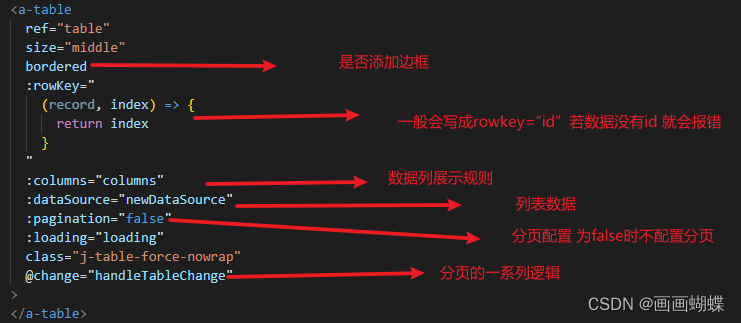
我们重点看columns 的配置
    columns:
     [
            {
          title: '建设期号',
          align: 'center',
          dataIndex: 'stationNo',
          customRender: (value, row, index) => {
            return this.mergeCell(value, row, index)
          },
        },
        {
          title: '场站',
          align: 'center',
          dataIndex: 'chargingStationShortName',
          customRender: (value, row, index) => {
            return this.mergeCell(value, row, index)
          },
        },
        {
          title: '充电桩数量',
          align: 'center',
          dataIndex: 'pileNumber',
          customRender: (value, row, index) => {
            return this.mergeCell(value, row, index)
          },
        },
        {
          title: '抄表时间',
          align: 'center',
          dataIndex: 'connectTime',
        },
        {
          title: '表尾号',
          align: 'center',
          dataIndex: 'meterCodeFull',
          customRender: (value, row, index) => {
            // 满足要求需要合并的行中的第一行
            const temp_Index = this.newDataSource.findIndex((record) =>
               record.meterCodeFull === value)
            // 需要合并的行数
            const rowSpan = this.newDataSource.filter((record) => record.meterCodeFull
               === value).length
            if (rowSpan > 1) {
              // 要合并的行中的第一个(从这一行合并)
              if (temp_Index === index) {
                return {
                  children: value,
                  attrs: { rowSpan: 2 },
                }
              }
              // 其他要合并的行都设rowSpan=0
              return {
                children: value,
                attrs: { rowSpan: 0 },
              }
            }
            return value
          },
        },
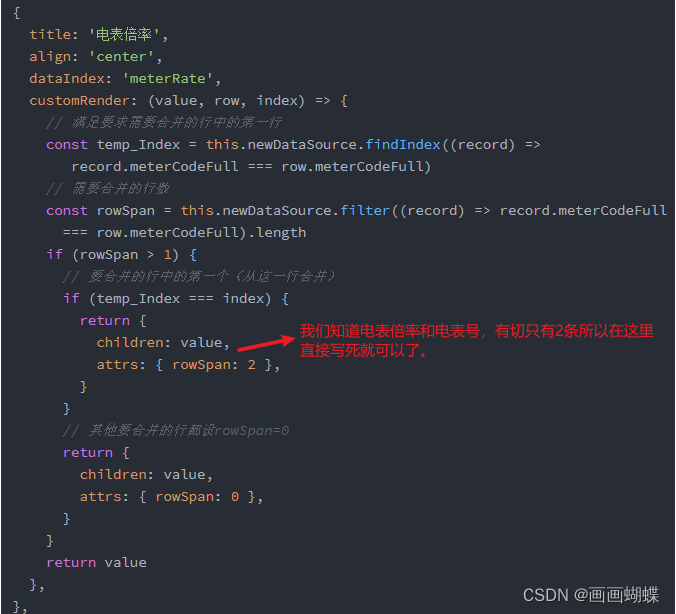
        {
          title: '电表倍率',
          align: 'center',
          dataIndex: 'meterRate',
          customRender: (value, row, index) => {
            // 满足要求需要合并的行中的第一行
            const temp_Index = this.newDataSource.findIndex((record) =>
               record.meterCodeFull === row.meterCodeFull)
            // 需要合并的行数
            const rowSpan = this.newDataSource.filter((record) => record.meterCodeFull
              === row.meterCodeFull).length
            if (rowSpan > 1) {
              // 要合并的行中的第一个(从这一行合并)
              if (temp_Index === index) {
                return {
                  children: value,
                  attrs: { rowSpan: 2 },
                }
              }
              // 其他要合并的行都设rowSpan=0
              return {
                children: value,
                attrs: { rowSpan: 0 },
              }
            }
            return value
          },
        },
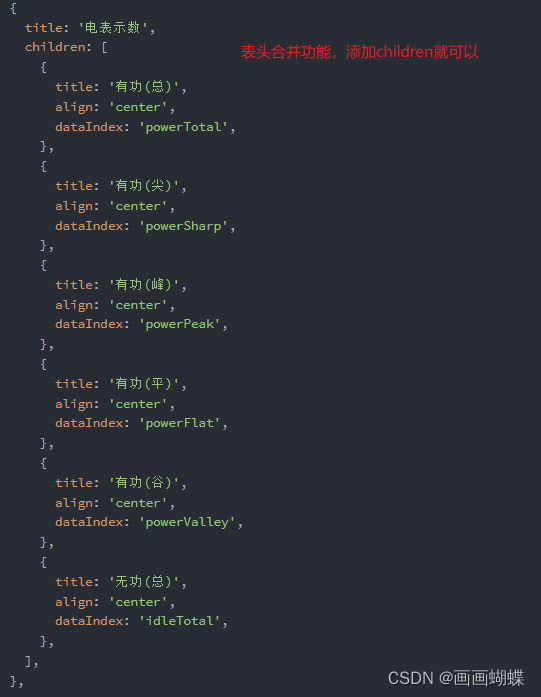
        {
          title: '电表示数',
          children: [
            {
              title: '有功(总)',
              align: 'center',
              dataIndex: 'powerTotal',
            },
            {
              title: '有功(尖)',
              align: 'center',
              dataIndex: 'powerSharp',
            },
            {
              title: '有功(峰)',
              align: 'center',
              dataIndex: 'powerPeak',
            },
            {
              title: '有功(平)',
              align: 'center',
              dataIndex: 'powerFlat',
            },
            {
              title: '有功(谷)',
              align: 'center',
              dataIndex: 'powerValley',
            },
            {
              title: '无功(总)',
              align: 'center',
              dataIndex: 'idleTotal',
            },
          ],
        },
    ]
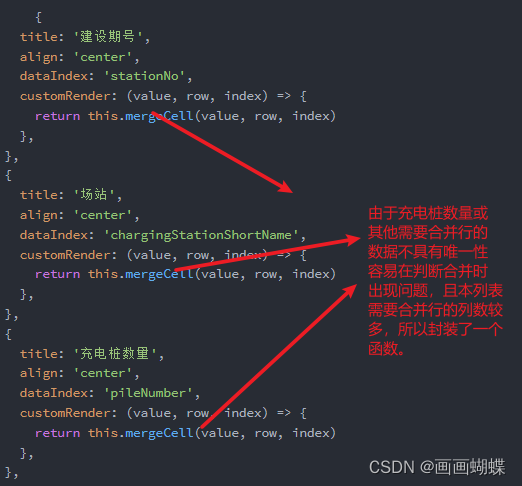
由于changingStationShortName 具有唯一性,不会出现与不该合并数据的值相同 所以封装一个方法,处理合并列问题。
// 合并单元格
    mergeCell(value, row, index) {
      // 满足要求需要合并的行中的第一行
      const temp_Index = this.newDataSource.findIndex(
        (record) => record.chargingStationShortName === row.chargingStationShortName
      )
      // 需要合并的行数
      const rowSpan = this.newDataSource.filter(
        (record) => record.chargingStationShortName === row.chargingStationShortName
      ).length
      if (rowSpan > 1) {
        // 要合并的行中的第一个(从这一行合并)
        if (temp_Index === index) {
          return {
            children: value,
            attrs: { rowSpan },
          }
        }
        // 其他要合并的行都设rowSpan=0
        return {
          children: value,
          attrs: { rowSpan: 0 },
        }
      }
      return value
    },
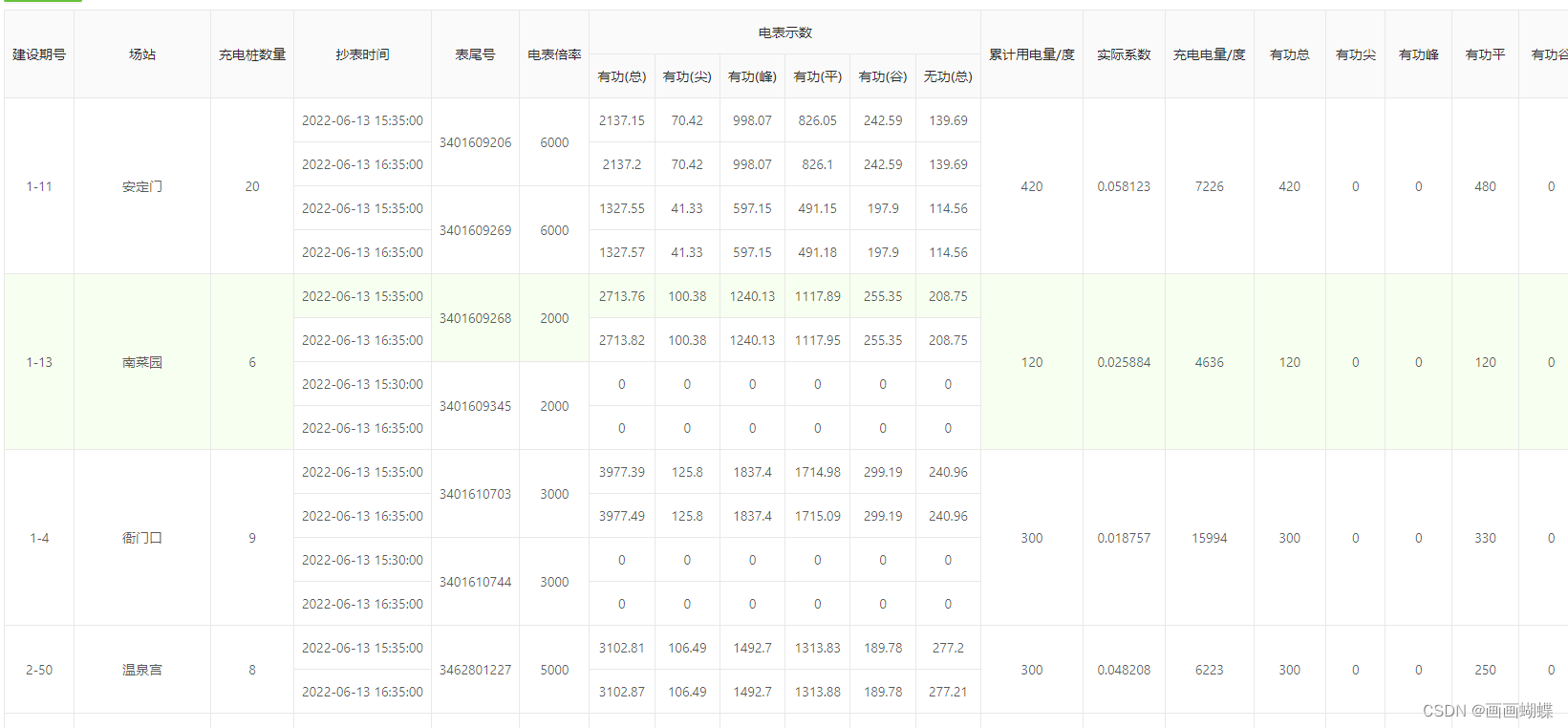
效果图如下:





 扫一扫
扫一扫


 146
146


 到【灌水乐园】发言



