


 本文详细介绍了如何使用Zabbix配置自定义监控脚本,监测httpd服务状态,并通过Python脚本检查error_log日志,包括设置ACL权限、安装Python3、配置zabbix_agentd和创建触发器。
自定义监控进程
以httpd服务为例,在客户端中安装httpd
[root@hehe ~]# dnf -y install httpd
[root@hehe ~]# systemctl restart httpd.service
[root@hehe ~]# systemctl enable httpd.service
Created symlink /etc/systemd/system/multi-user.target.wants/httpd.service → /usr/lib/systemd/system/httpd.service.
[root@hehe ~]#
[root@hehe ~]#  ps -ef | grep httpd | grep -v grep | wc -l
5
[root@hehe ~]#
新建脚本存放目录
[root@hehe ~]# mkdir /haha
[root@hehe ~]# cd /haha/
[root@hehe haha]# vim hehe.sh
#!/bin/bash
count=$(ps -ef | grep -Ev "grep|$0" | grep -c httpd)
if [ $count -eq 0 ];then
echo '1'
else
echo '0'
fi
[root@hehe haha]# chmod +x hehe.sh
[root@hehe haha]# chown zabbix.zabbix /haha/ hehe.sh
[root@hehe haha]# ll
总用量 4
-rwxr-xr-x. 1 zabbix zabbix 118 9月   6 01:36 hehe.sh
[root@hehe haha]#
脚本–0是httpd服务开启,1为关闭
[root@hehe haha]# ./hehe.sh
0
[root@hehe haha]# systemctl stop httpd.service
[root@hehe haha]# ./hehe.sh
1
修改zabbix_agentd.conf文件
[root@hehe haha]# vim /etc/zabbix/zabbix_agentd.conf
# Default:
 UserParameter=loginusers,who | wc -l
 UserParameter=check_httpd,/bin/bash /haha/hehe.sh
[root@hehe haha]# systemctl restart zabbix-agent.service
[root@hehe haha]# systemctl enable zabbix-agent.service
Created symlink /etc/systemd/system/multi-user.target.wants/zabbix-agent.service → /usr/lib/systemd/system/zabbix-agent.service.
[root@hehe haha]#
zabbix 服务端进行测试脚本
[root@hehe haha]# dnf -y install zabbix-get
[root@haha ~]# zabbix_get -s  192.168.40.100 -k check_httpd
0
zabbix web平台配置
新建监控项
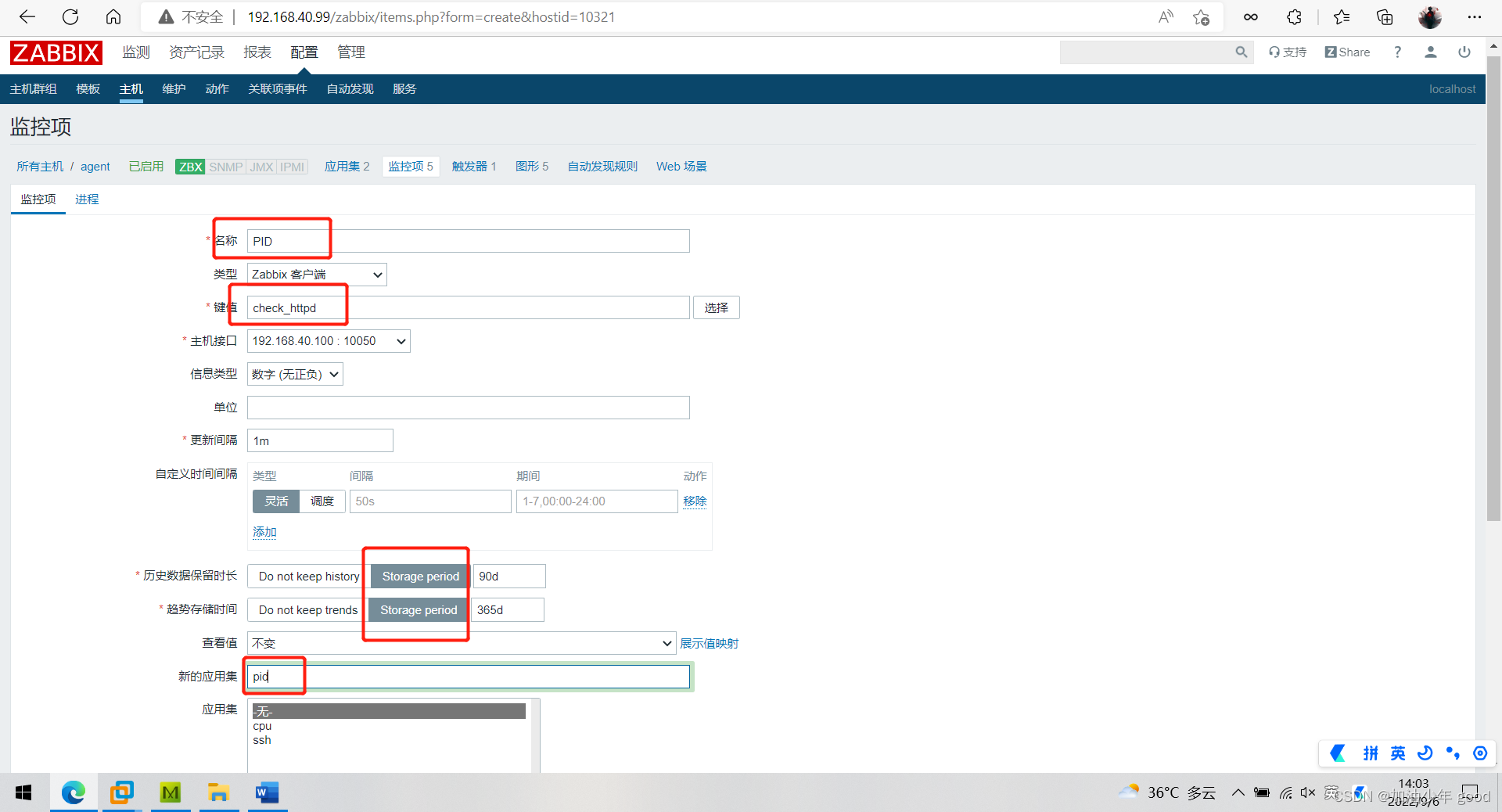
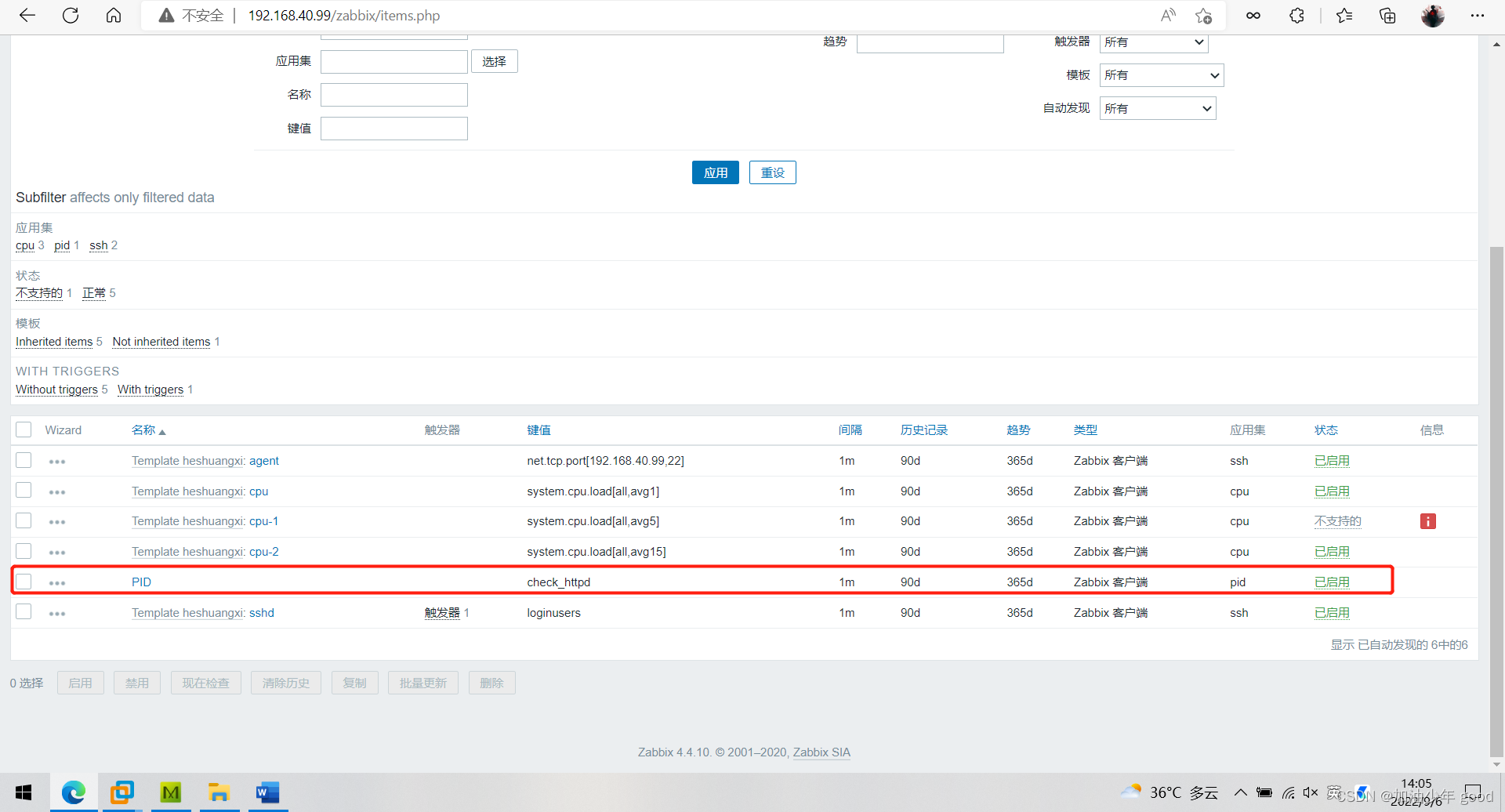
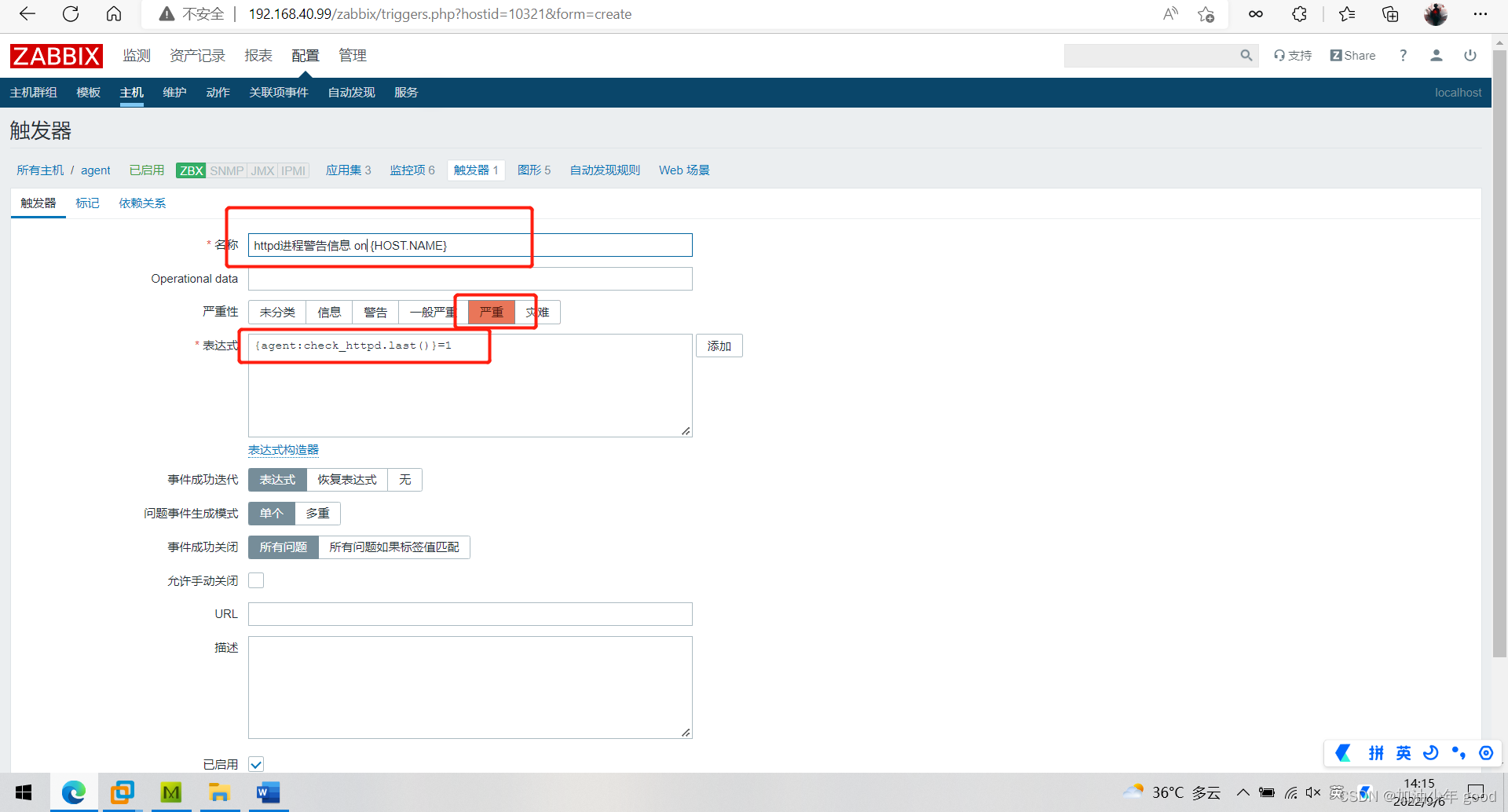
配置触发器
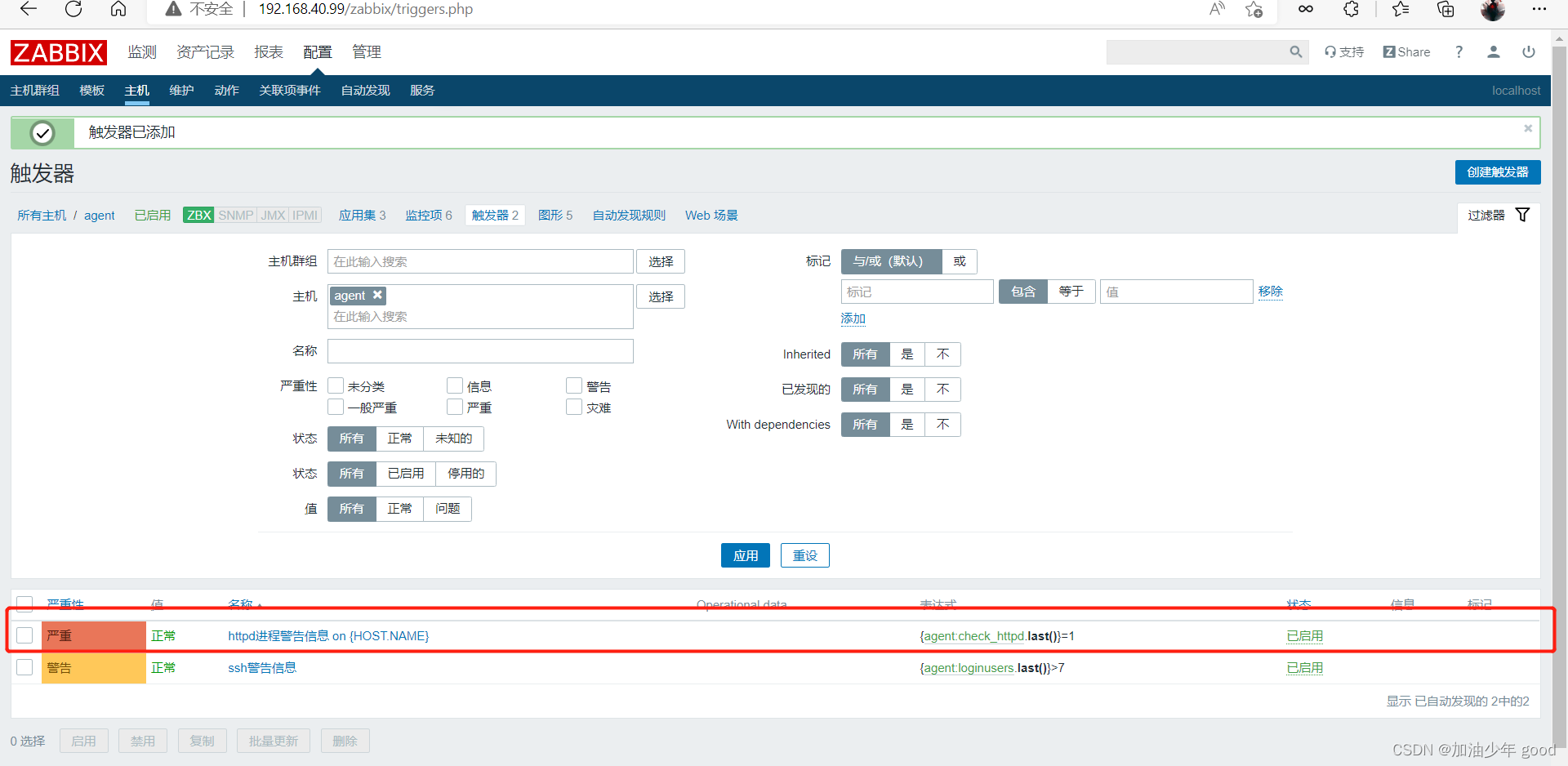
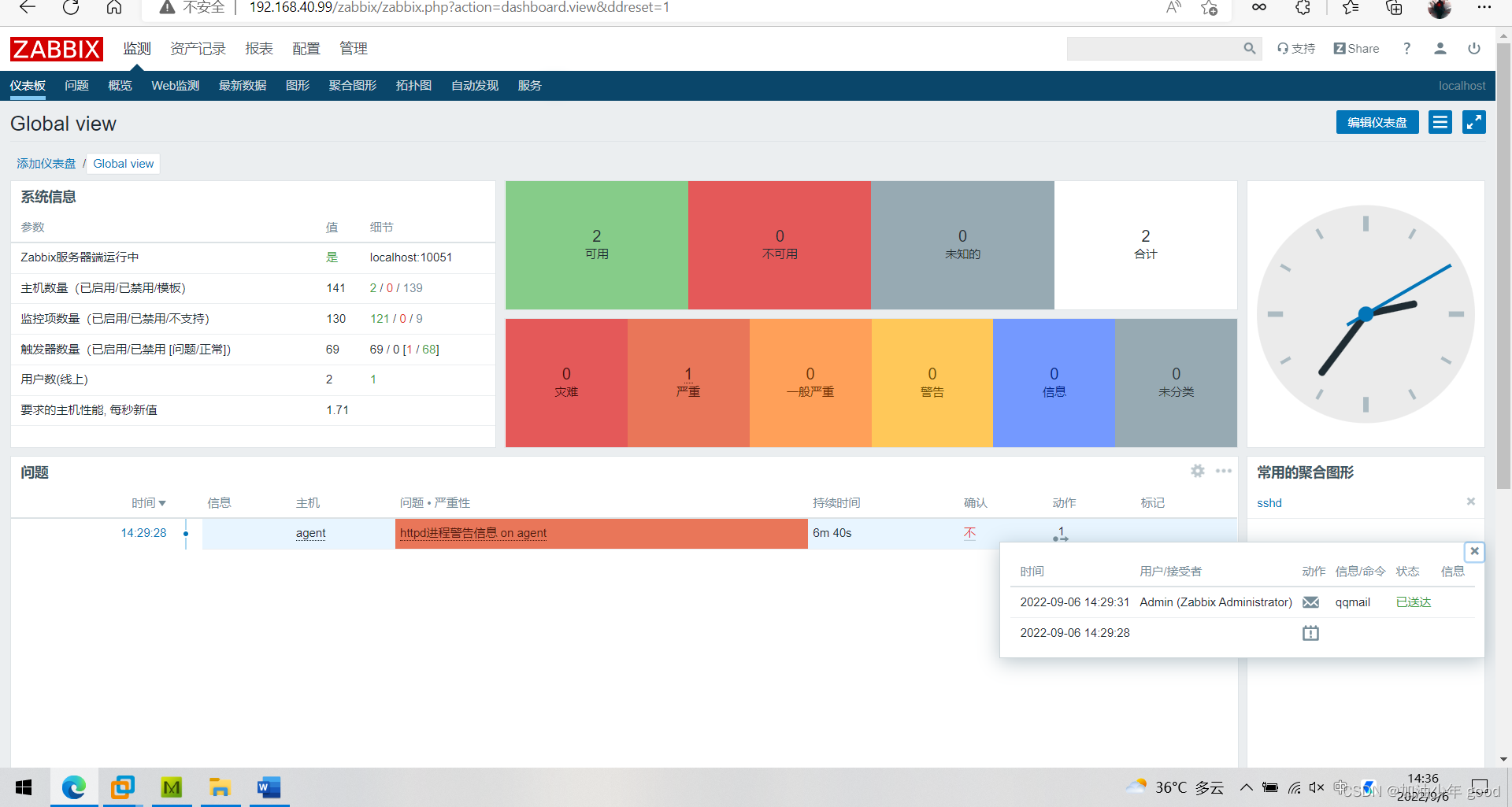
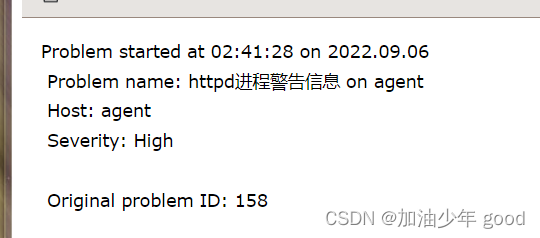
测试–关闭httpd服务,测试告警信息

自定义监控日志
下载log.py来协助我们进行测试,以httpd服务为例
将log.py上传到/etc/zabbix/script/目录下,然后给执行权限,修改所有者和所属组为zabbix
# log.py
### 作用:检查日志文件中是否有指定的关键字
#### 第一个参数为日志文件名(必须有,相对路径、绝对路径均可)
#### 第二个参数为seek position文件的路径(可选项,若不设置则默认为/tmp/logseek文件。相对路径、绝对路径均可)
#### 第三个参数为搜索关键字,默认为 Error

[root@hehe haha]# ls
hehe.sh  log.py
[root@hehe haha]# chmod  +x log.py
[root@hehe haha]# chown zabbix.zabbix log.py
[root@hehe haha]#
httpd服务的日志文件在/var/log/httpd/目录下,首先我们需要给这个目录设置一个ACL权限,让zabbix用户有权限去访问该目录
[root@hehe haha]# cd /var/log/httpd/
[root@hehe httpd]# ls
access_log  error_log
[root@hehe httpd]# cd ..
[root@hehe log]# setfacl -m u:zabbix:r-x httpd/
[root@hehe log]#
下载python3来执行log.py脚本
[root@hehe ~]# dnf -y install python3
修改zabbix_agentd.conf文件,并重启服务
[root@hehe ~]# vim /etc/zabbix/zabbix_agentd.conf
# Default:
 UserParameter=loginusers,who | wc -l
 UserParameter=check_httpd,/bin/bash /haha/hehe.sh
 UserParameter=check_logs[*],/usr/bin/python3 /haha/log.py $1 $2 $3

[root@hehe ~]# systemctl restart zabbix-agent.service
测试脚本
[root@hehe ~]# cd /haha/
[root@hehe haha]# python3 log.py /var/log/httpd/error_log
0
[root@hehe haha]# echo 'Error' >>  /var/log/httpd/error_log
[root@hehe haha]# python3 log.py /var/log/httpd/error_log
1
0为没有Error日志信息,1为有Error日志信息
测试完成后将写入的Error内容删除,而且因文件/tmp/logseek属于root账户,在web端写入写不进去,所以删除。
[root@hehe]# cd /tmp/
[root@hehe tmp]# rm -rf logseek
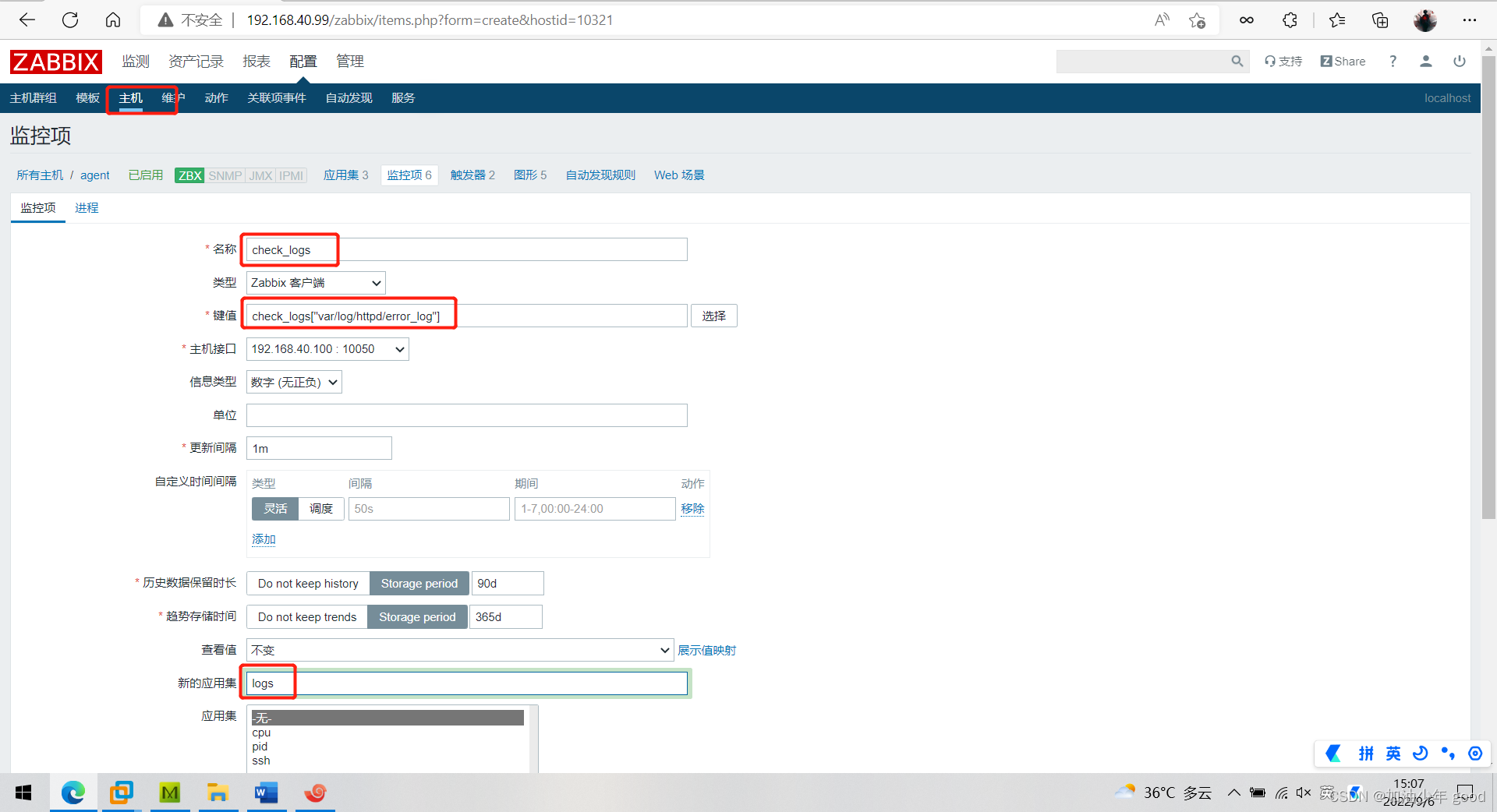
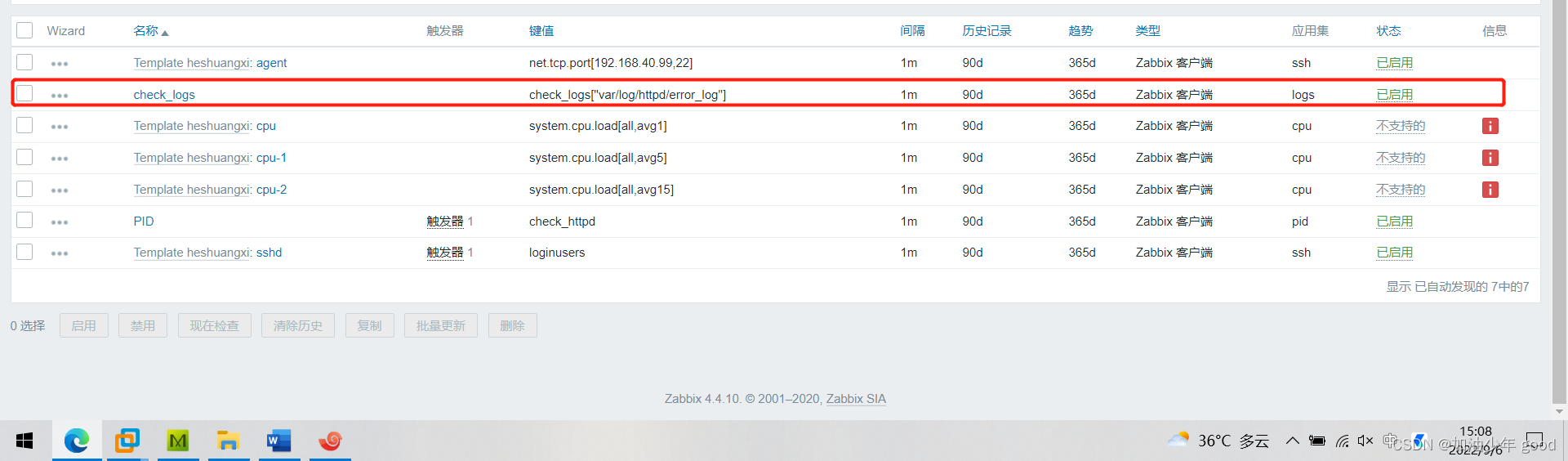
配置监控项
创建触发器
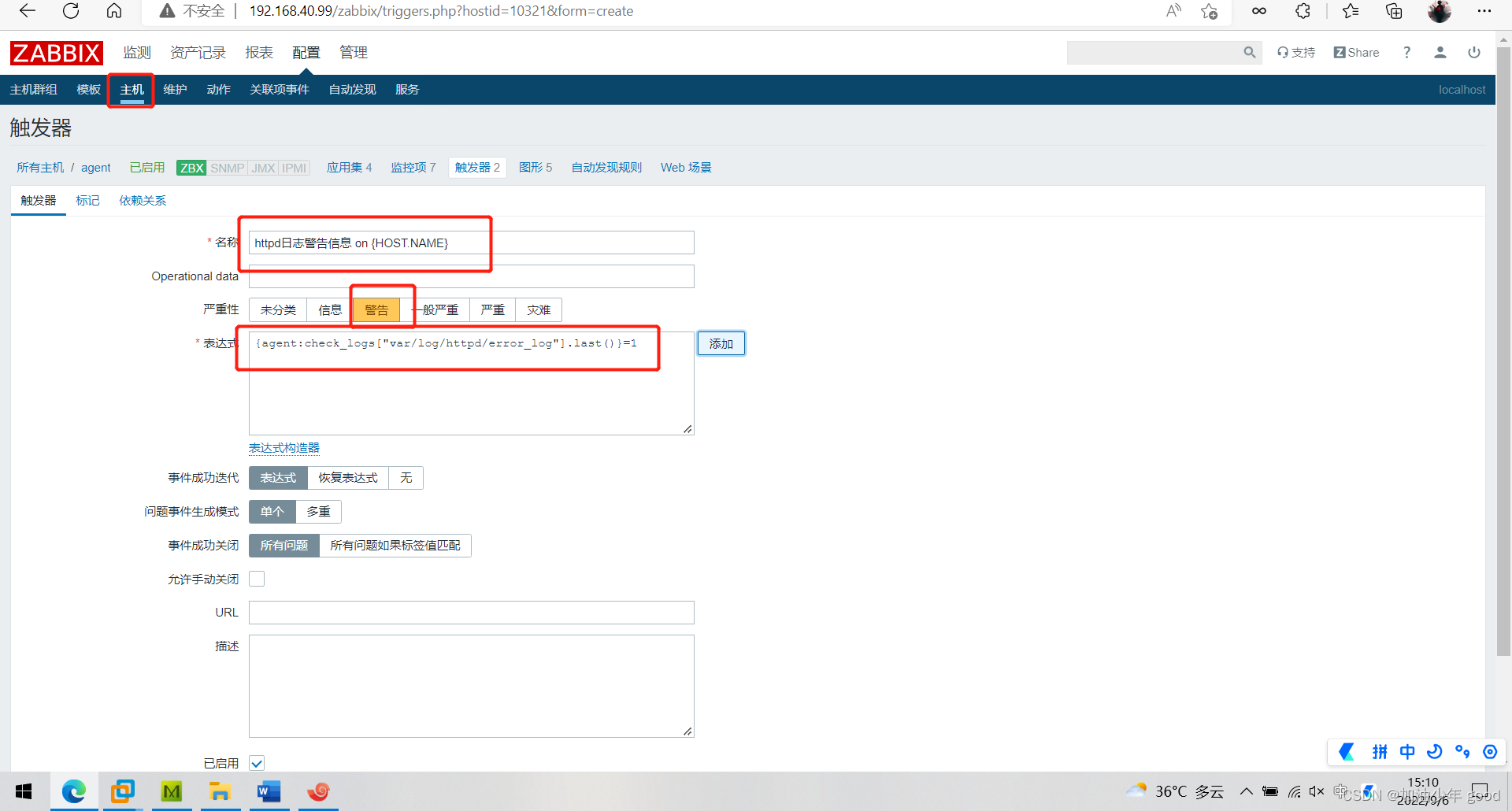
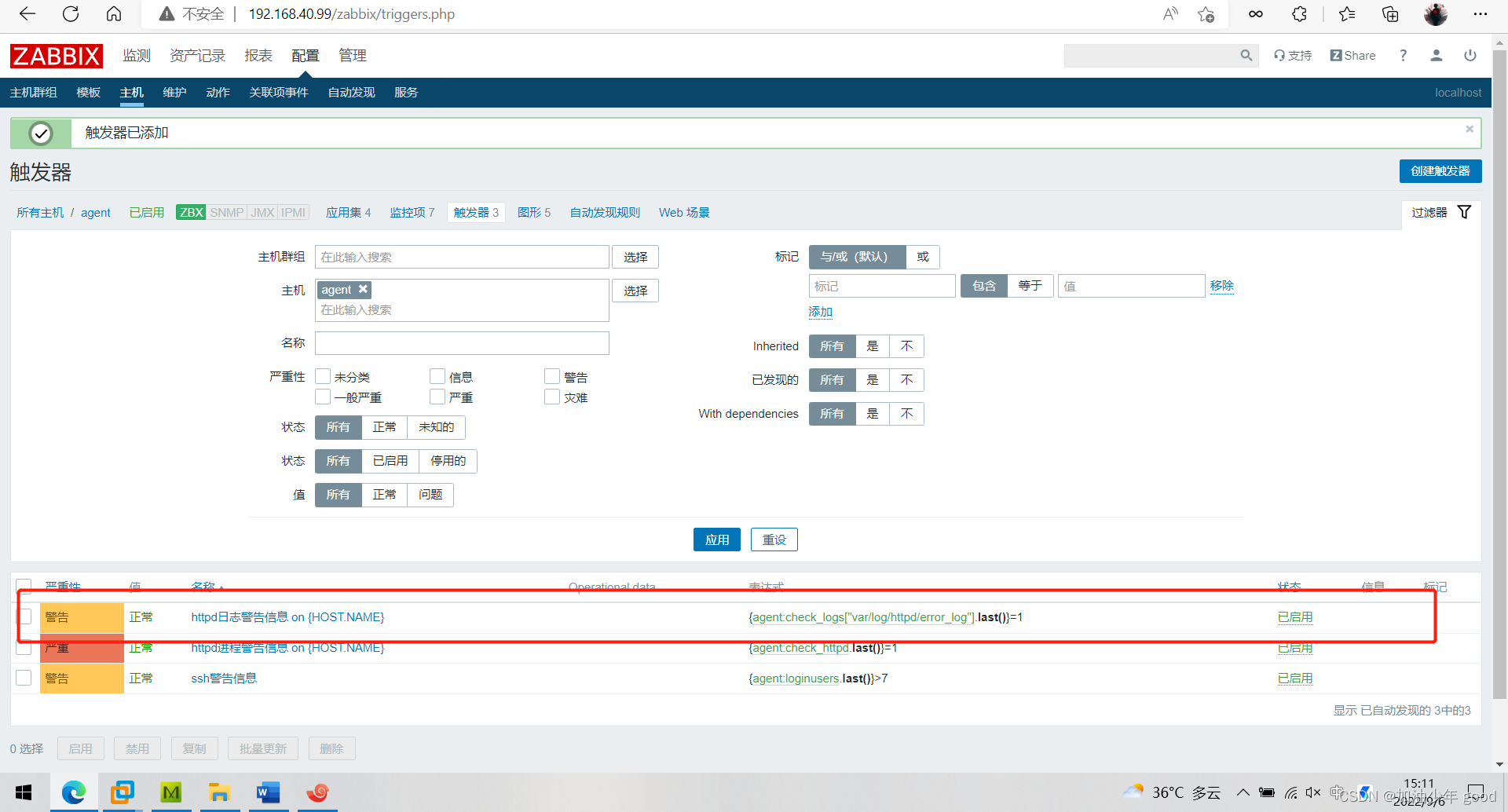
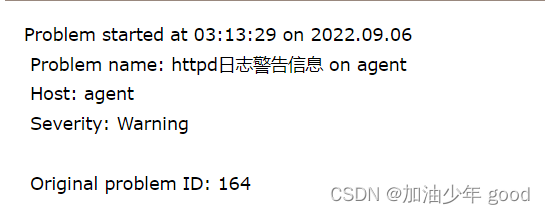
测试,echo Error >> /var/log/httpd/error_log
[root@hehe ~]# echo 'Error' >> /var/log/httpd/error_log






 扫一扫
扫一扫


 1361
1361

 被折叠的 条评论
为什么被折叠?
被折叠的 条评论
为什么被折叠?
 到【灌水乐园】发言





