



 本文介绍如何在Ubuntu18.04环境下,使用Qt5.13.2通过Mariadb的原生API进行数据库操作。详细步骤包括安装必要的库文件,配置头文件路径,并提供了一段C++代码示例,展示如何从数据库中读取数据并写入到文件。
本次试验使用的是Qt5.13.2在Ubuntu18.04下进行:
安装MySQL/Mariadb后需要安装lib-mysqlclient/lib-mariadbclient。
本次实验使用的是Mariadb的原生API,对应的库文件路径为
/usr/lib/x86_64-linux-gnu/
引用头文件路径为
/usr/include/mysql/
注意:在QT添加头文件只需要右键点击项目名选择添加xianyouwenji
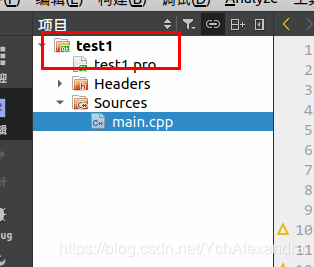
代码如下:
#include <iostream>
#include <cstdlib>
#include <mysql/mysql.h>

using namespace std;

bool write1(char* s)
{
    bool flag=true;
    FILE * f1=NULL;
    f1=fopen("code.cc","w+");
    if (f1==NULL)
        flag=false;
    fprintf(f1,"%s",s);
    fclose(f1);
    return flag;
}
void u_sql()
{
    MYSQL* conn=0;
    conn=mysql_init(NULL);
    mysql_real_connect(conn,"127.0.0.1","admin","047666","test",3306,NULL,0);
    mysql_query(conn,"select code from source where id=1");
    MYSQL_RES* ret=mysql_store_result(conn);
    MYSQL_ROW row=mysql_fetch_row(ret);
    char * s = row[0];
    cout<<write1(s)<<endl;
    mysql_free_result(ret);
    mysql_close(conn);
}
int main()
{
    cout << "Hello World!" << endl;
    u_sql();
    return 0;
}





 扫一扫
扫一扫


 655
655


 到【灌水乐园】发言



