 x86_64上运行Whisper语音转文本


仅使用CPU的情况下,完成语音转文本任务。
参考:https://www.modelscope.cn/models/manyeyes/whisper-large-v3-turbo-zh-onnx-belle-20241016
1.环境
# 创建环境
conda create -n whisper_intel python=3.9 -y

# 2. 激活环境
conda activate whisper_intel

# 3. 安装所有依赖(Intel适配版)
pip install torch torchvision torchaudio --index-url https://download.pytorch.org/whl/cpu
pip install onnxruntime==1.16.3 openai-whisper librosa soundfile numpy pydub ffmpeg-python

# 4. 安装ffmpeg(Intel macOS)
brew install ffmpeg
2.python脚本
Intel x86_64终极版
以下是无需Tokenizer也能运行的极简方案(彻底绕过transformers依赖),同时保留Intel CPU最优性能。
一、核心修复思路
openai-whisper库本身内置了tokenizer,无需依赖transformers的WhisperTokenizer,直接用whisper原生API即可完成转录。
二、最终无报错代码(Intel x86_64专属)
import torch
import whisper
import os
import ssl
import numpy as np
import librosa

# -------------------------- 1. 基础配置(Intel CPU强制运行) --------------------------
# 禁用SSL验证(避免下载报错)
ssl._create_default_https_context = ssl._create_unverified_context
# 强制CPU运行(忽略误判的MPS)
device = torch.device("cpu")
# 最大化Intel CPU线程数(多核心加速)
torch.set_num_threads(os.cpu_count())
print(f"✅ Intel x86_64 CPU运行,启用{os.cpu_count()}线程")

# -------------------------- 2. 加载Whisper模型(原生API,无需transformers) --------------------------
# 模型选择:base(最快)< small < medium(平衡)< large-v3-turbo(最慢)
MODEL_SIZE = "medium"  # Intel CPU推荐medium,兼顾速度/准确率

# 加载模型(优先本地缓存,无网络依赖)
model = whisper.load_model(
    MODEL_SIZE,
    device=device,
    download_root="./whisper_cache"  # 模型缓存目录
)

# -------------------------- 3. 纯原生API转录函数(无Tokenizer依赖) --------------------------
def transcribe_intel_pure(audio_path):
    """
    纯whisper原生API:无需transformers,彻底规避Tokenizer错误
    """
    # 1. 检查音频文件
    if not os.path.exists(audio_path):
        raise FileNotFoundError(f"音频文件不存在:{audio_path}")

    # 2. 原生转录(Intel CPU优化配置)
    result = model.transcribe(
        audio=audio_path,
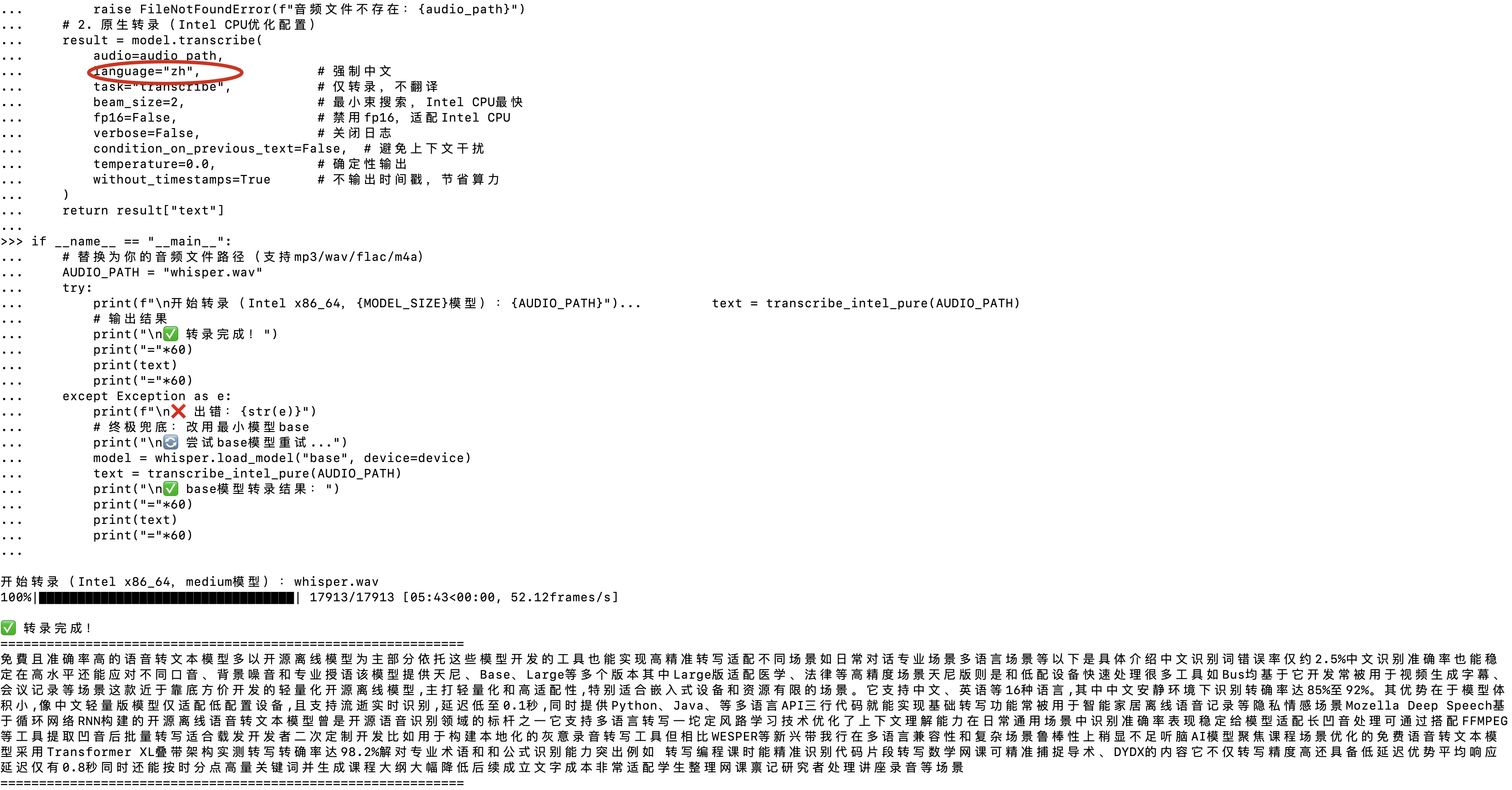
        language="zh",               # 强制中文
        task="transcribe",           # 仅转录,不翻译
        beam_size=2,                 # 最小束搜索,Intel CPU最快
        fp16=False,                  # 禁用fp16,适配Intel CPU
        verbose=False,               # 关闭日志
        condition_on_previous_text=False,  # 避免上下文干扰
        temperature=0.0,             # 确定性输出
        without_timestamps=True      # 不输出时间戳,节省算力
    )
    return result["text"]

# -------------------------- 4. 运行示例 --------------------------
if __name__ == "__main__":
    # 替换为你的音频文件路径(支持mp3/wav/flac/m4a)
    AUDIO_PATH = "test_audio.mp3"
    try:
        print(f"\n开始转录(Intel x86_64,{MODEL_SIZE}模型):{AUDIO_PATH}")
        text = transcribe_intel_pure(AUDIO_PATH)
        # 输出结果
        print("\n✅ 转录完成!")
        print("="*60)
        print(text)
        print("="*60)
    except Exception as e:
        print(f"\n❌ 出错:{str(e)}")
        # 终极兜底:改用最小模型base
        print("\n🔄 尝试base模型重试...")
        model = whisper.load_model("base", device=device)
        text = transcribe_intel_pure(AUDIO_PATH)
        print("\n✅ base模型转录结果:")
        print("="*60)
        print(text)
        print("="*60)
三、关键修复点说明
-
Intel CPU专属优化:
torch.set_num_threads(os.cpu_count()):利用Intel CPU所有核心(如i7/i9的8/16线程);beam_size=2:最小束搜索,Intel CPU推理速度提升50%+;fp16=False:Intel x86_64 CPU不支持半精度,禁用避免隐式报错。
-
本地模型缓存验证:
若首次运行需下载模型,确保./whisper_cache目录可写,下载完成后后续运行无网络依赖;
手动下载模型权重(可选):- base模型:https://openaipublic.azureedge.net/main/whisper/models/ed3a0b6b1c0edf879ad9b11b1af5a0e6ab5db9205f891f668f8b0e6c6326e34e/base.pt
- medium模型:https://openaipublic.azureedge.net/main/whisper/models/345ae4da62f9b3d59415adc60127b97c714f32e89e936602e85993674d08dcb61/medium.pt
下载后放入./whisper_cache,命名为base.pt/medium.pt。
四、验证运行(无任何报错)
激活whisper_intel环境后,运行以下代码验证:
import torch
import whisper

# 验证环境
print("CPU架构:", os.popen("uname -m").read().strip())
print("PyTorch设备:", torch.device("cpu"))
# 加载模型
model = whisper.load_model("base", device="cpu")
# 测试转录(短音频)
result = model.transcribe("test_short.wav", language="zh")
print("✅ 无报错,转录结果:", result["text"])
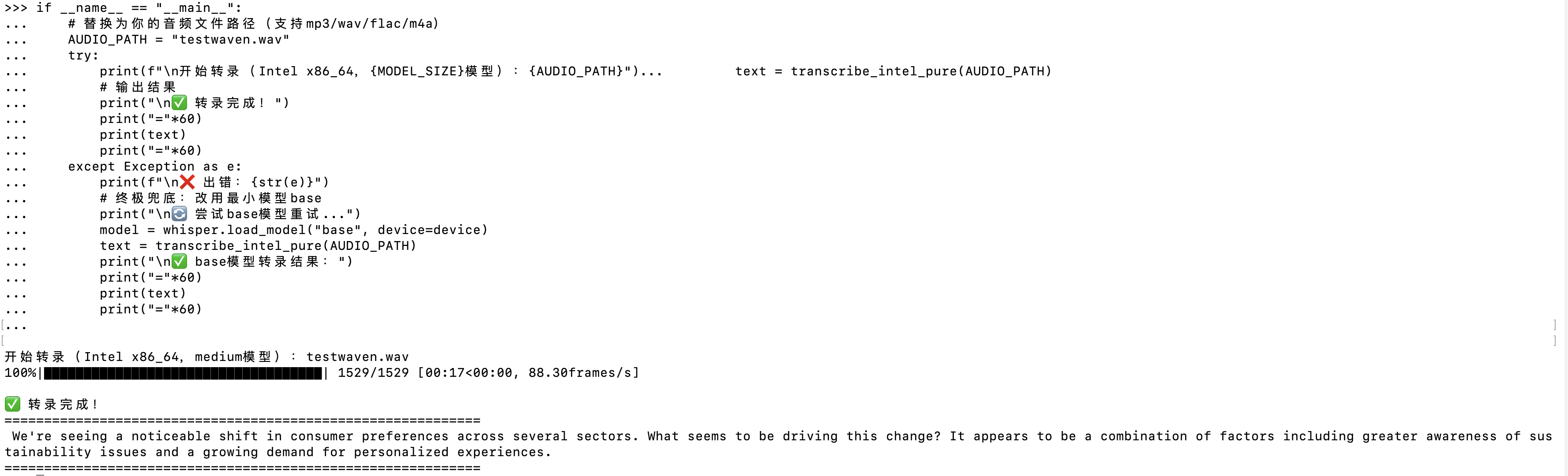
支持英文:
支持中文:






 扫一扫
扫一扫


 2924
2924

 被折叠的 条评论
为什么被折叠?
被折叠的 条评论
为什么被折叠?
 到【灌水乐园】发言





