


欢迎关注微信公众号
医学生物信息学,医学生的生信笔记,记录学习过程。
使用+可以对多个字符串进行拼接,并产生一个字符串对象。字符串不允许直接与其他类型的数据拼接。
不同的字符所占字节数不同,所以要计算字符串的长度,得先了解各字符所占的字节数。数字、英文、小数点、下划线和空格占一个字节。一个汉字占2~4个字节,占几个字节取决于采用的编码。汉字在GBK或GB2312编码中占2个字节,在UTF-8或Unicode中一般占3个字节或4个字节。len()函数计算字符串的长度,且不区分英文、数字和汉字,所有字符都认为是一个。在实际开发程序时,有时需要获取字符串实际所占的字节数,即如果采用UTF-8编码,则汉字占3个字节,当采用GBK或GB2312时,汉字占2个字节。这时可以通过使用encode()方法进行编码后再获取。
字符串的常用操作
字符串是Python中的不可变数据类型
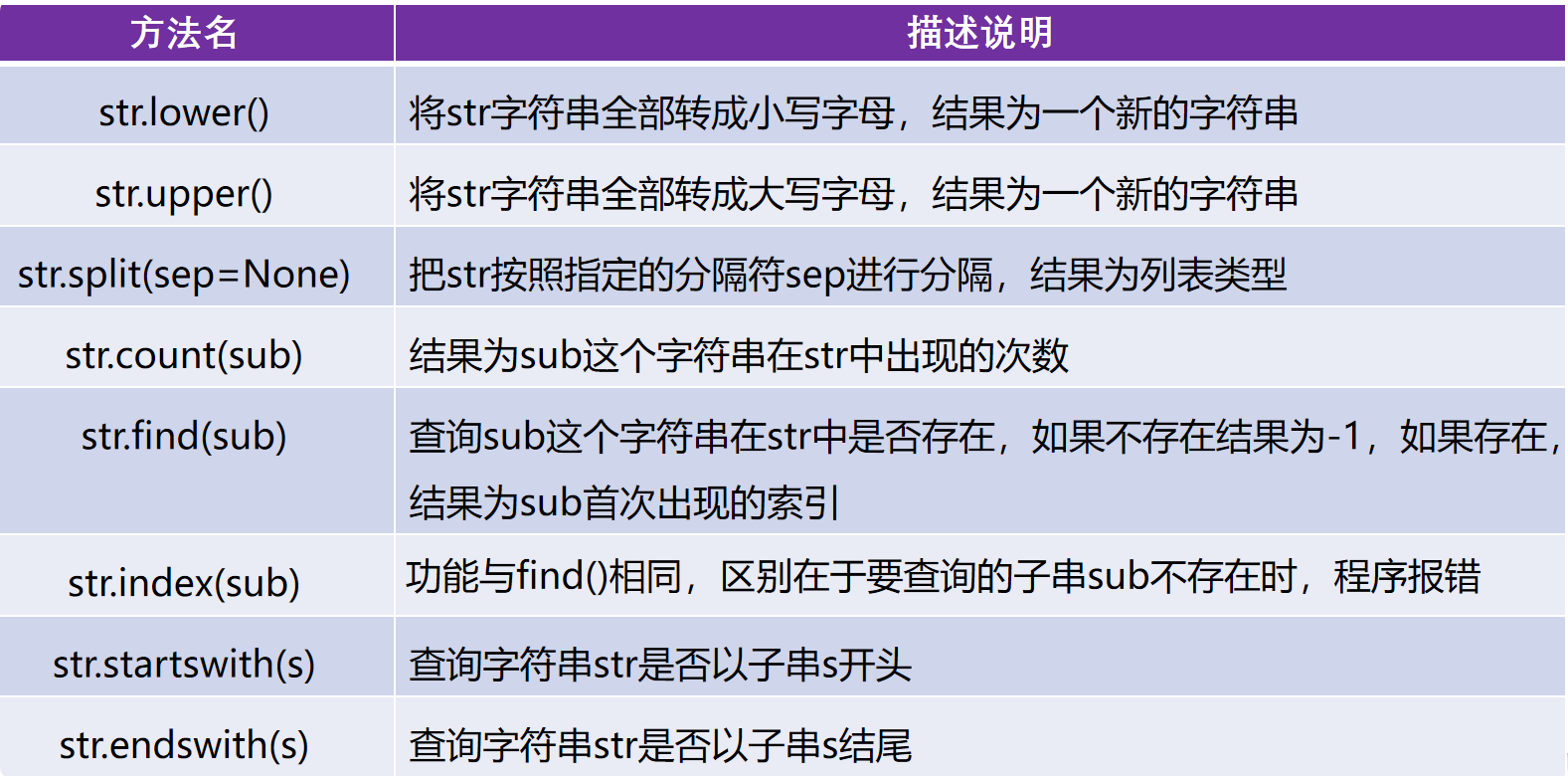
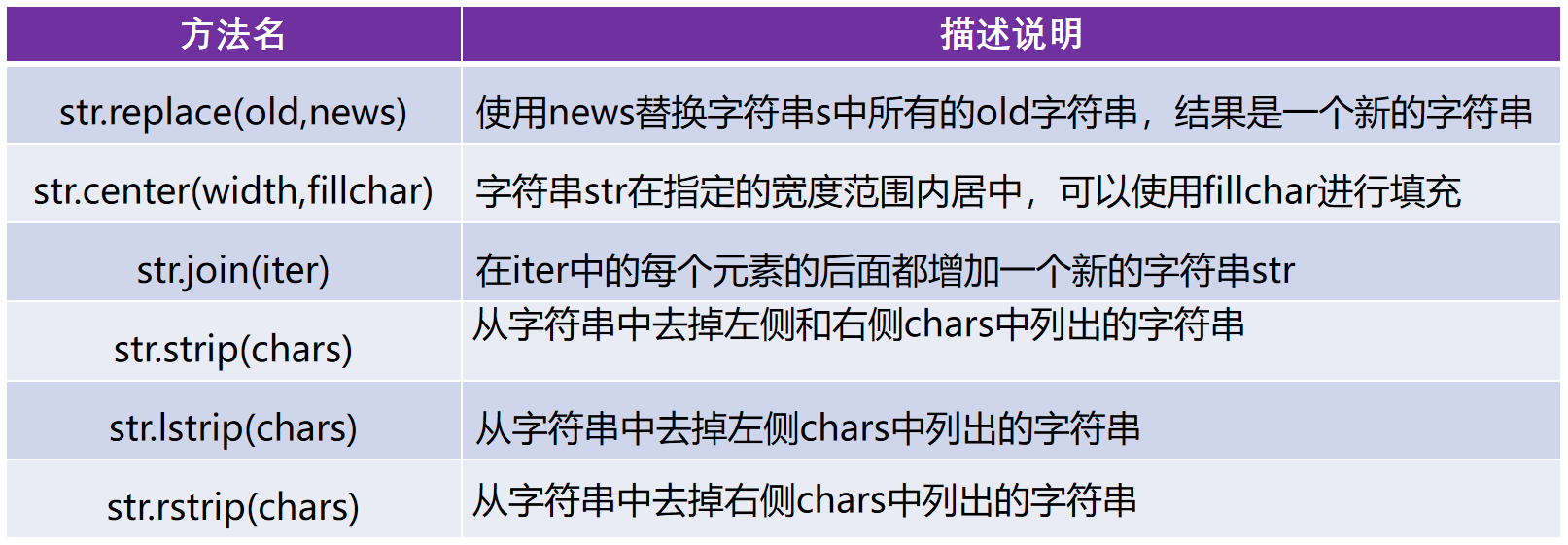
大小写转换
s1='HelloWorld'
new_s2=s1.lower()
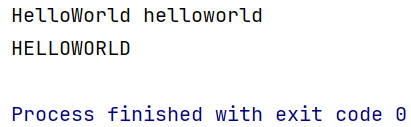
print(s1,new_s2)

new_s3=s1.upper()
print(new_s3)
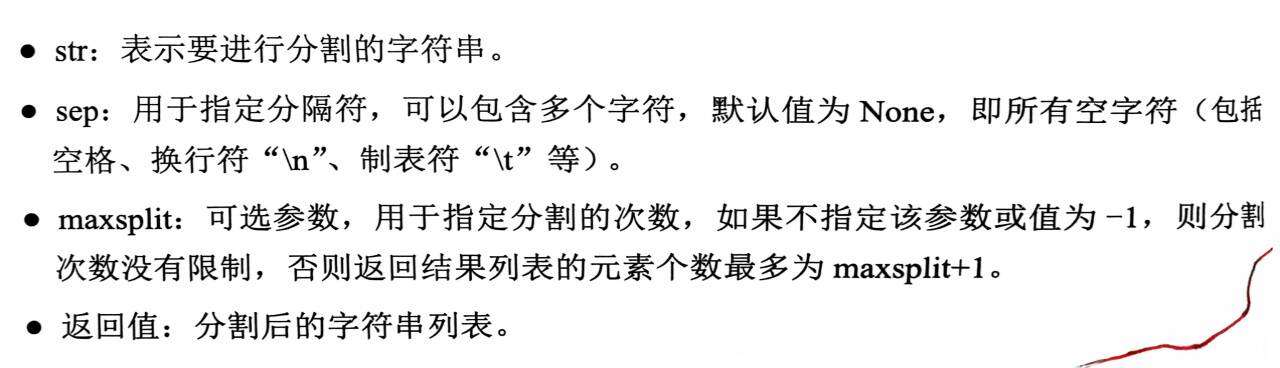
分割字符串
把字符串分割成列表。
# 如果不指定sep参数,则也不能指定maxsplit参数。
str.split(sep,maxsplit)
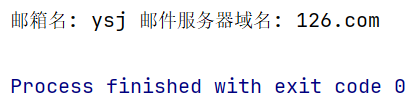
e_mail='ysj@126.com'
lst=e_mail.split('@')
print('邮箱名:',lst[0],'邮件服务器域名:',lst[1])
字符串的检索
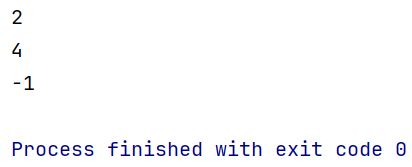
s1='HelloWorld'
print(s1.count('o')) # o在字符串s1中出现了两次

# 检索操作
print(s1.find('o')) # o在字符串s1中首次出现的位置
print(s1.find('p')) # -1,没有找到
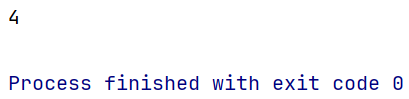
s1='HelloWorld'
print(s1.index('o'))
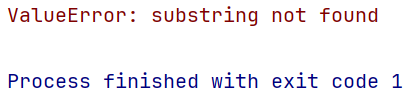
s1='HelloWorld'
print(s1.index('p'))
s1='HelloWorld'
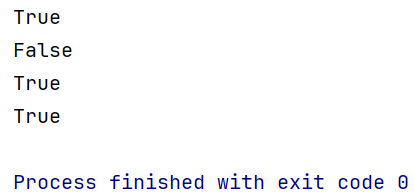
print(s1.startswith('H')) # True
print(s1.startswith('P')) # False

print('demo.py'.endswith('.py')) # True
print('text.txt'.endswith('.txt')) # True
字符串的替换
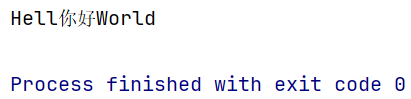
s='HelloWorld'
new_s=s.replace('o','你好',1) # 最后一个参数是替换次数,默认是全部替换
print(new_s)
字符串在指定的宽度范围内居中
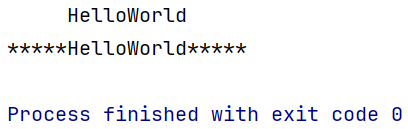
s='HelloWorld'
print(s.center(20))
print(s.center(20,'*'))
去掉字符串左右的空格
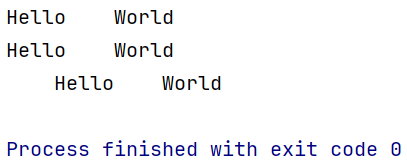
s='    Hello    World    '
print(s.strip()) #
print(s.lstrip()) # 去除字符串左侧的空格
print(s.rstrip()) # 去除字符串右侧的空格
去掉指定的字符
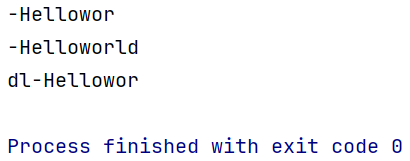
s3='dl-Helloworld'
print(s3.strip('ld')) # 与顺序无关
print(s3.lstrip('ld'))
print(s3.rstrip('dl'))
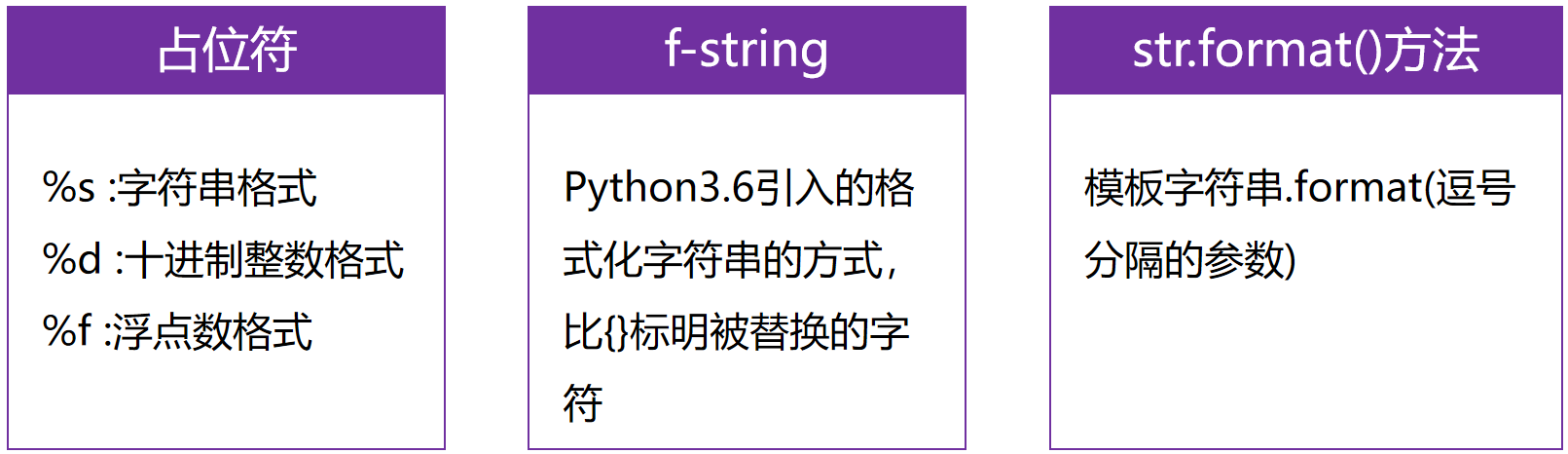
格式化字符串的三种方式
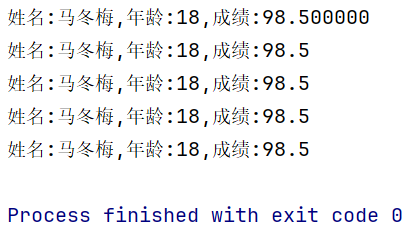
#(1)使用占位符进行格式化
name='马冬梅'
age=18
score=98.5
print('姓名:%s,年龄:%d,成绩:%f' % (name,age ,score))
print('姓名:%s,年龄:%d,成绩:%.1f' % (name,age ,score))

# (2)f-string
print(f'姓名:{name},年龄:{age},成绩:{score}')

# (3)使用字符串的format方法
print('姓名:{0},年龄:{1},成绩:{2}'.format(name,age,score))
print('姓名:{2},年龄:{0},成绩:{1}'.format(age,score,name))
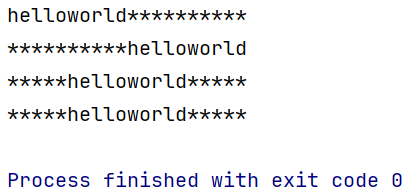
s='helloworld'
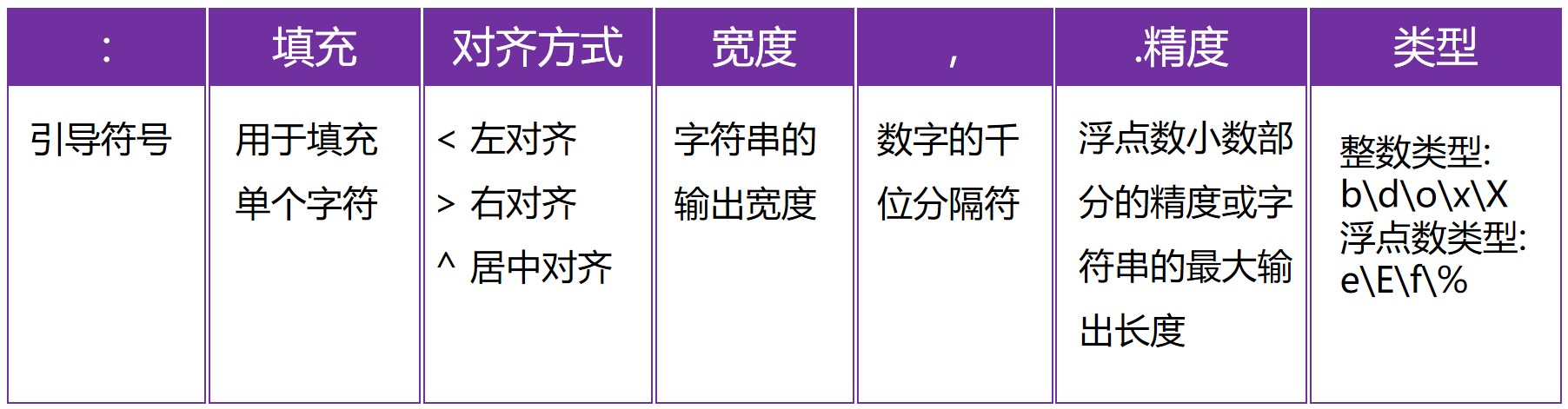
print('{0:*<20}'.format(s)) # 字符串的显示宽度为20,左对齐,空白部分使用* 号填充
print('{0:*>20}'.format(s))
print('{0:*^20}'.format(s))

# 居中对齐
print(s.center(20,'*'))
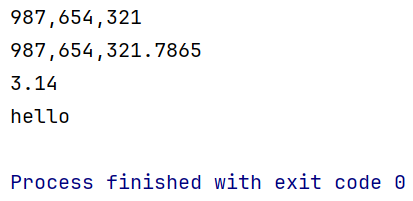
# 千位分隔符(只适用于整数和浮点数)
print('{0:,}'.format(987654321))
print('{0:,}'.format(987654321.7865))

# 浮点数小数部分的精度
print('{0:.2f}'.format(3.1419826))
# 字符串类型 .表示是最大的显示长度
print('{0:.5}'.format('helloworld')) # hello
# 整数类型
a=425
print('二进制:{0:b},十进制:{0:d},八进制:{0:o},十六进制:{0:x},十六进制:{0:X}'.format(a))

# 浮点数类型
b=3.1415926
print('{0:.2f},{0:.2E},{0:.2e},{0:.2%}'.format(b) )

格式化字符串的详细格式
字符串的编码和解码
字符串的编码
将str类型转换成bytes类型,需要使用到字符串的encode()方法:
str.encode(encoding="utf-8",
          errors="strict/ignore/replace")
字符串的解码
将bytes类型转换成str类型,需要使用到bytes类型的decode()方法
bytes.decode(encoding="utf-8",
             errors="strict/ignore/replace")
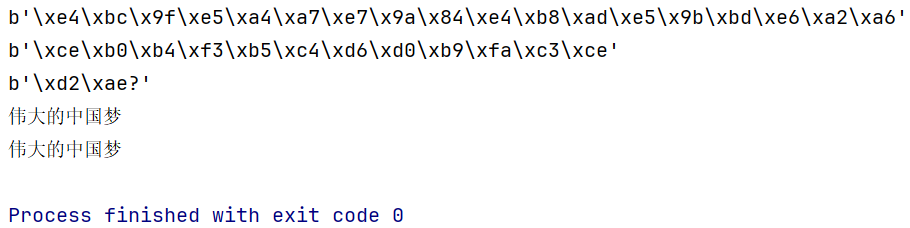
s='伟大的中国梦'
# 编码 str->bytes
scode=s.encode(errors='replace') # 默认是utf-8 ,因为utf-8中文占3个字节
print(scode)

scode_gbk=s.encode('gbk',errors='replace') # gbk中中文占2个字节
print(scode_gbk)

# 编码中的出错问题
s2='耶✌'
scode_error=s2.encode('gbk',errors='replace')
print(scode_error)

# 解码过程bytes->str
print(bytes.decode(scode_gbk,'gbk'))
print(bytes.decode(scode,'utf-8'))
数据的验证
数据的验证是指程序对用户输入的数据进行“合法”性验证
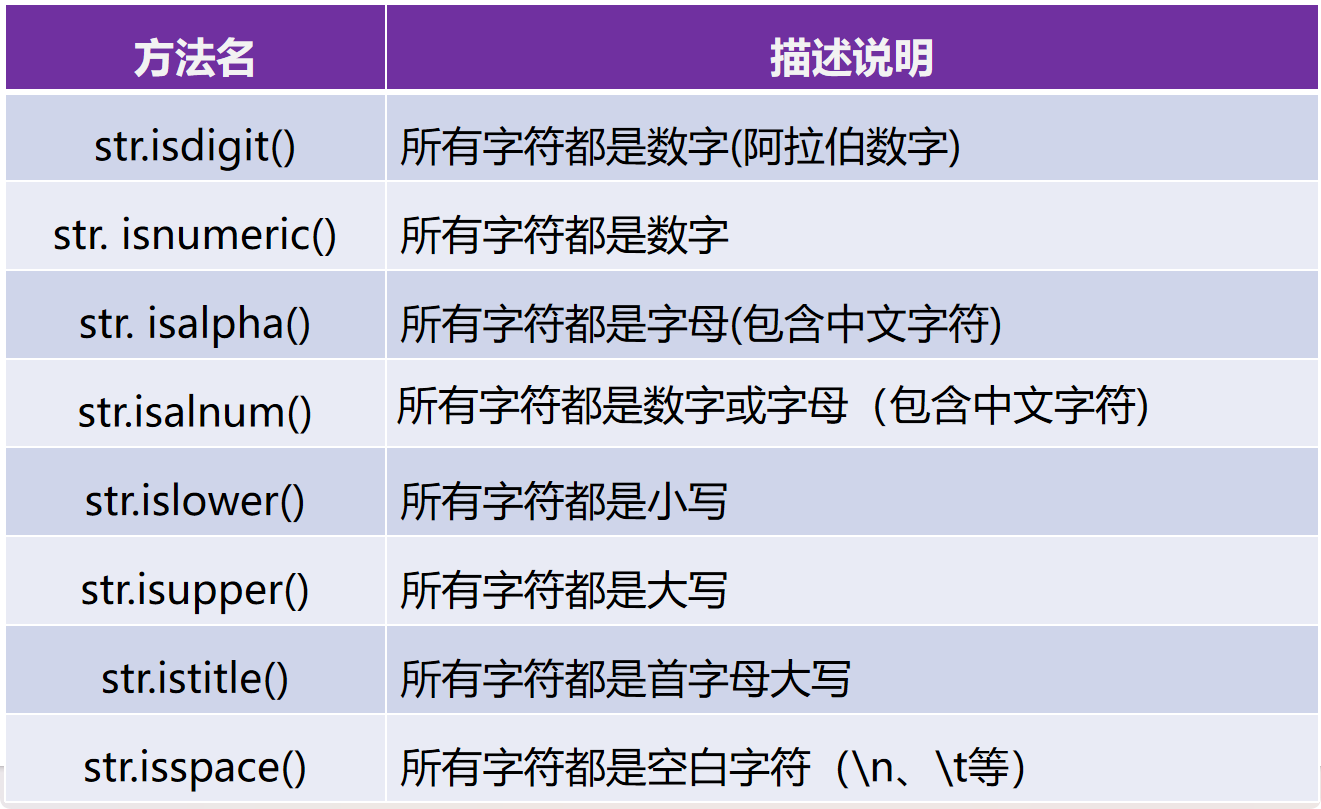
# isdigit()十进制的阿拉伯数字
print('123'.isdigit()) # True
print('一二三'.isdigit()) # False
print('0b1010'.isdigit()) # False
print('ⅢⅢⅢ'.isdigit()) # False
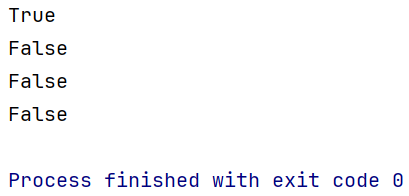
# 所有字符都是数字
print('123'.isnumeric()) # True
print('一二三'.isnumeric())# True
print('0b1010'.isnumeric()) # False
print('ⅢⅢⅢ'.isnumeric()) # True
print('壹贰叁'.isnumeric()) # True
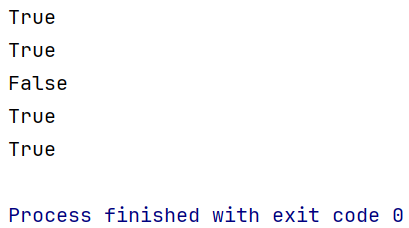
# 所有字符都是字母(包含中文字符)
print('hello你好'.isalpha()) # True
print('hello你好123'.isalpha()) # False
print('hello你好一二三'.isalpha()) # True
print('hello你好ⅢⅢⅢ'.isalpha()) # False
print('hello你好壹贰叁'.isalpha()) # True
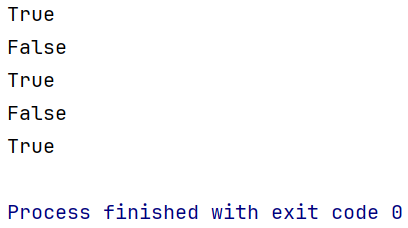
# 所有字符都是数字或字母
print('hello你好'.isalnum()) # True
print('hello你好123'.isalnum()) #True
print('hello你好一二三'.isalnum()) #True
print('hello你好ⅢⅢⅢ'.isalnum()) #True
print('hello你好壹贰叁'.isalpha()) # True
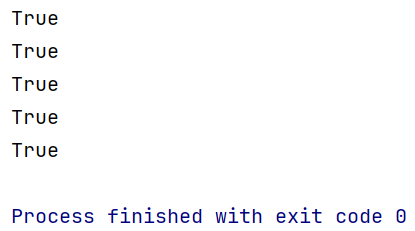
# 判断字符的大小写
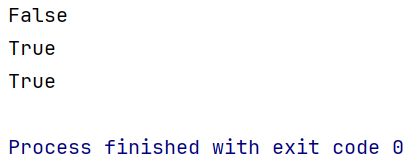
print('HelloWorld'.islower()) # False
print('helloworld'.islower()) # True
print('hello你好'.islower()) # True
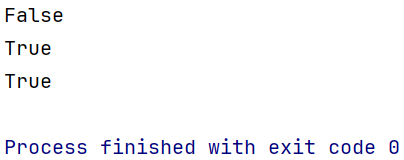
print('HelloWorld'.isupper()) # False
print('HELLOWORLD'.isupper()) # True
print('HELLO你好'.isupper()) # True
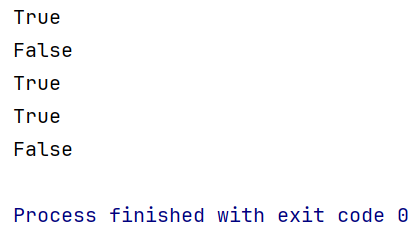
#所有字符都是首字母大写
print('Hello'.istitle()) # True
print('HelloWorld'.istitle()) # False
print('Helloworld'.istitle()) # True
print('Hello World'.istitle()) # True
print('Hello world'.istitle()) # False
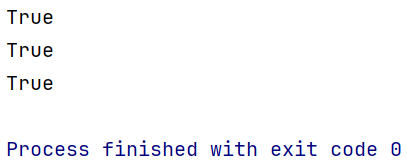
# 判断是否都是空白字符
print('\t'.isspace()) # True
print(' '.isspace()) # True
print('\n'.isspace()) # True
字符串拼接
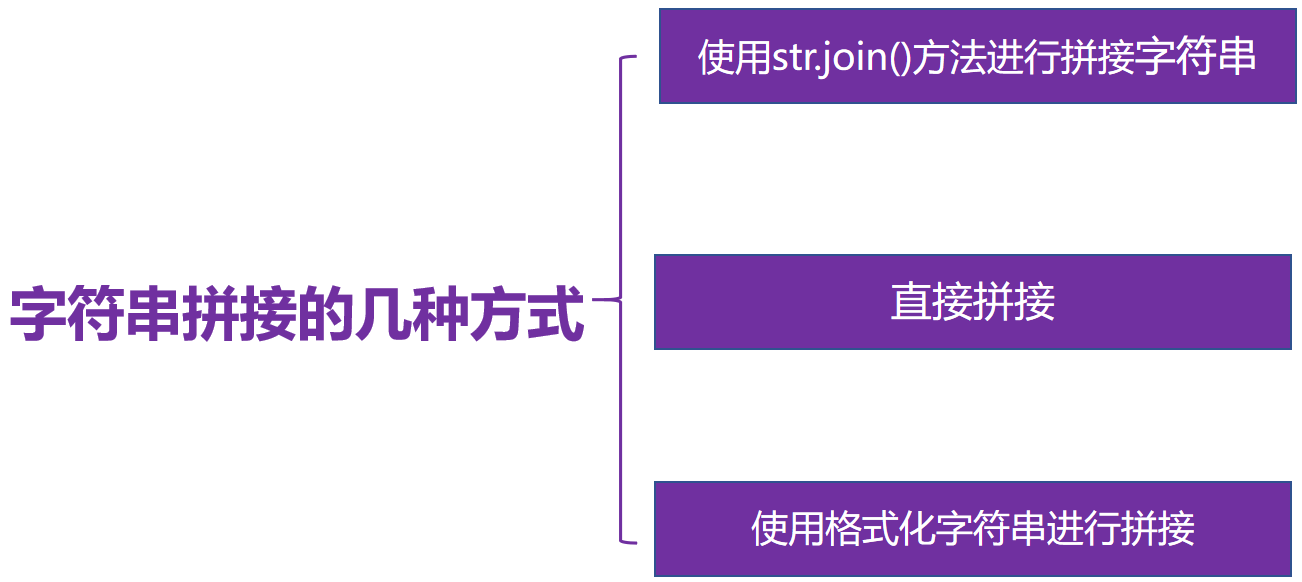
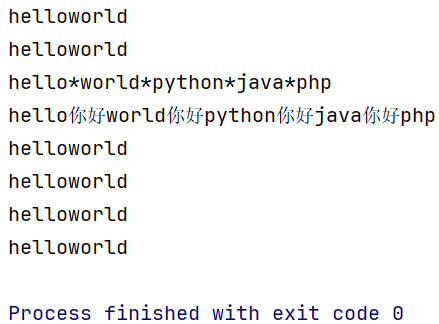
s1='hello'
s2='world'
# (1)使用+进行拼接
print(s1+s2)

# (2)使用字符串的join()方法
print(''.join([s1,s2])) # 使用空字符串进行拼接

print('*'.join(['hello','world','python','java','php']))
print('你好'.join(['hello','world','python','java','php']))

# (3) 直接拼接
print('hello''world')

# (4)使用格式化字符串进行拼接
print('%s%s' % (s1,s2))
print(f'{s1}{s2}')
print('{0}{1}'.format(s1,s2))
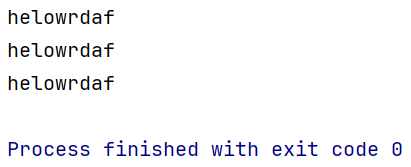
字符串去重
s='helloworldhelloworldadfdfdeoodllffe'
# (1)字符串拼接及not in
new_s=''
for item in s:
    if item not in new_s:
        new_s+=item # 拼接操作
print(new_s)


# (2)使用索引+not in
new_s2=''
for i in range(len(s)):
    if s[i]  not in new_s2:
        new_s2+=s[i]
print(new_s2)

# (3)通过集合去重+列表排序'
new_s3=set(s)
lst=list(new_s3)
lst.sort(key=s.index)
print(''.join(lst))
正则表达式
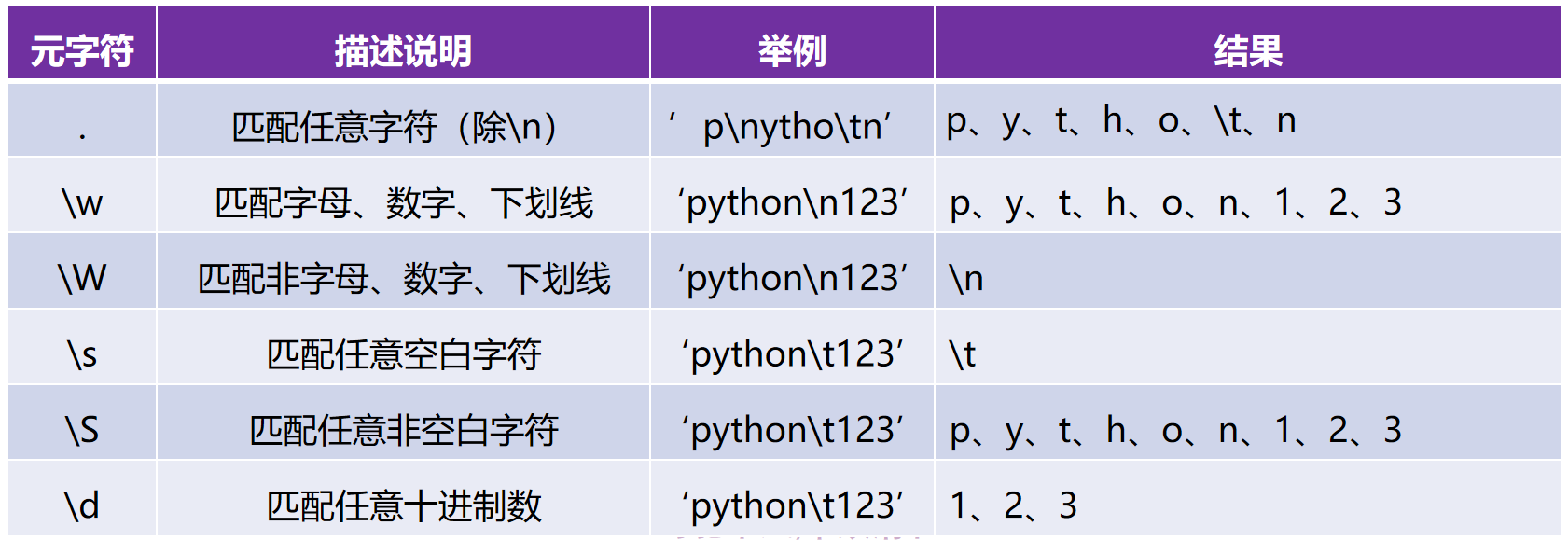
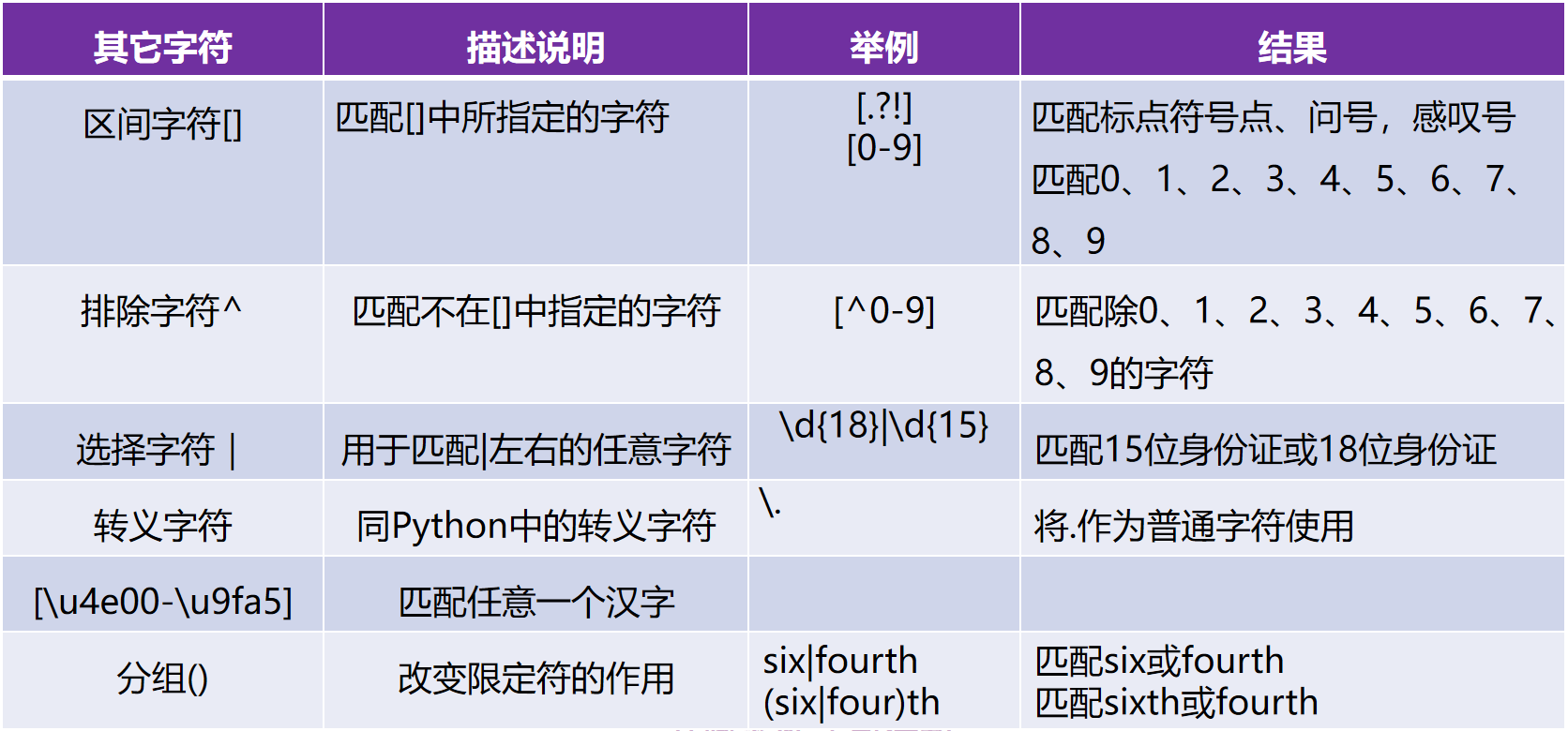
元字符
- 具有特殊意义的专用字符
- 例如
^和$分别表示匹配的开始和结束
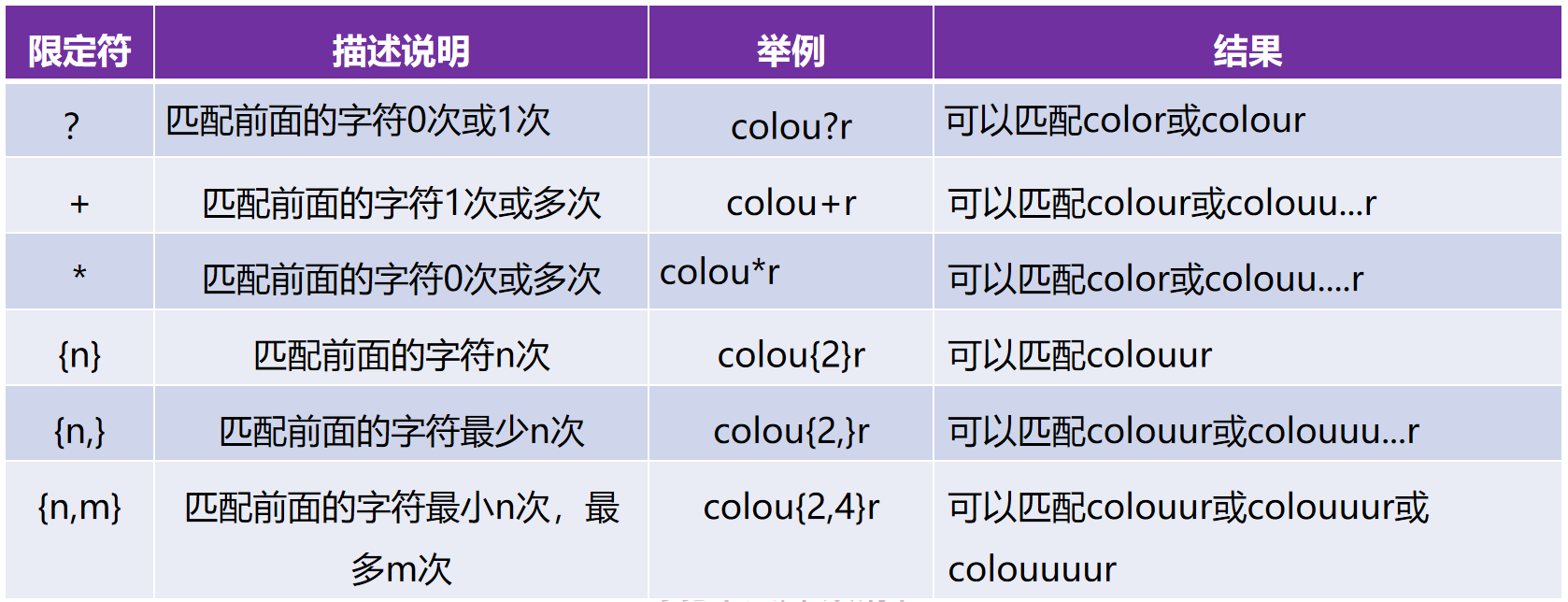
限定符
用于限定匹配的次数
其他字符
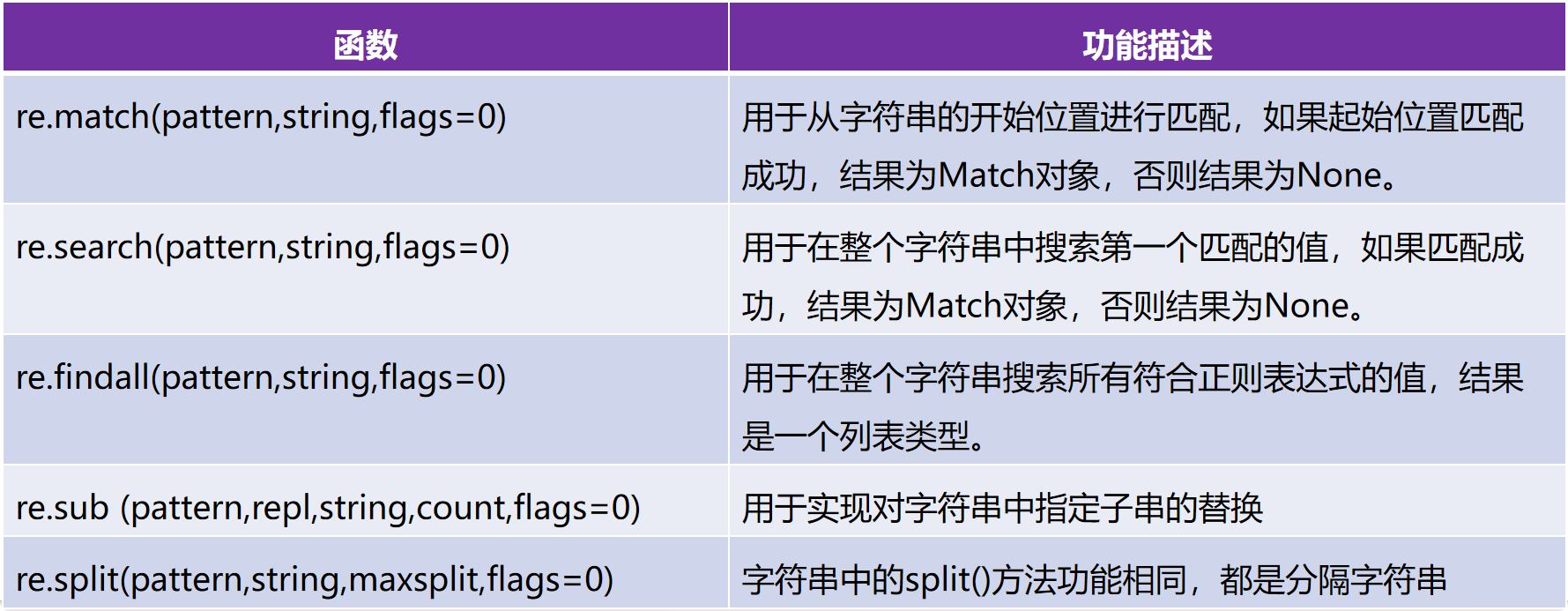
re模块
- Python中的内置模块
- 用于实现Python中的正则表达式操作
import re # 导入
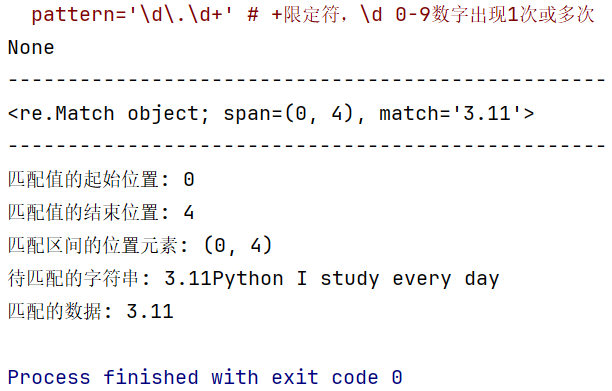
pattern='\d\.\d+' # +限定符,\d 0-9数字出现1次或多次
s='I study Python 3.11 every day' # 待匹配字符串
match=re.match(pattern,s,re.I)
print(match) # None
print('-'*50)

s2='3.11Python I study every day'
match2=re.match(pattern,s2)
print(match2) # <re.Match object; span=(0, 4), match='3.11'>
print('-'*50)

print('匹配值的起始位置:',match2.start())
print('匹配值的结束位置:',match2.end())
print('匹配区间的位置元素:',match2.span())
print('待匹配的字符串:',match2.string)
print('匹配的数据:',match2.group())
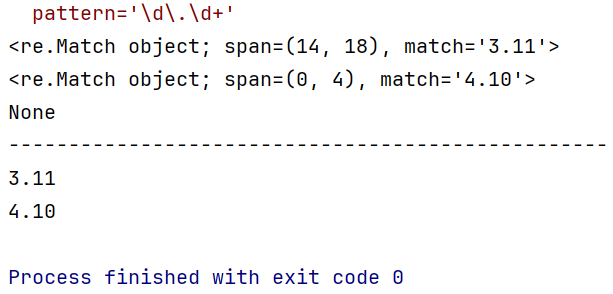
import re
pattern='\d\.\d+'
s='I study Python3.11 every day Python2.7 I love you'
match=re.search(pattern,s)

s2='4.10 Python I study every day'
s3='I study Python every day'

match2=re.search(pattern,s2)
match3=re.search(pattern,s3) # None
print(match)
print(match2)
print(match3)
print('-'*50)

print(match.group())
print(match2.group())
import re # 导入
pattern='\d\.\d+' # +限定符,\d 0-9数字出现1次或多次
s='I study Python3.11 every day Python2.7 I love you'
s2='4.10 Python I study every day'
s3='I study Python every day'
lst=re.findall(pattern,s)
lst2=re.findall(pattern,s2)
lst3=re.findall(pattern,s3)

print(lst)
print(lst2)
print(lst3)

import re
pattern='黑客|破解|反爬'
s='我想学习Python,想破解一些VIP视频,Python可以实现无底线反爬吗?'
new_s=re.sub(pattern,'XXX',s)
print(new_s)

s2='https://www.baidu.com/s?wd=ysj&rsv_spt=1'
pattern2='[?|&]'
lst=re.split(pattern2,s2)
print(lst)

参考资料
[1] https://www.bilibili.com/video/BV1wD4y1o7AS/?p=7&share_source=copy_web&vd_source=d40f0854606900163a564a59cfa3027c
[2] 零基础Python学习笔记 明日科技编著
[3] Python编程从入门到实践(第3版)






 扫一扫
扫一扫


 3739
3739

 被折叠的 条评论
为什么被折叠?
被折叠的 条评论
为什么被折叠?
 到【灌水乐园】发言





