


 博客主要讲述了解决pip install scipy报错的过程。首先需手动下载依赖numpy+mkl,若出现whl和系统不匹配问题,通过pip debug --verbose查看python对应版本,发现是系统中存在两个python所致,修改环境变量path切换版本。之后下载对应scipy.whl包,最终成功导入使用。
pip install scipy报错
error: subprocess-exited-with-error

× Getting requirements to build wheel did not run successfully.
│ exit code: 1
╰─> See above for output.

note: This error originates from a subprocess, and is likely not a problem with pip.
第一步 安装numpy+mkl
https://www.javazxz.com/thread-2649-1-1.html
需要手动下载依赖numpy+mkl:64位系统,python 3.10,对应numpy‑1.22.4+mkl‑cp310‑cp310‑win_amd64.whl
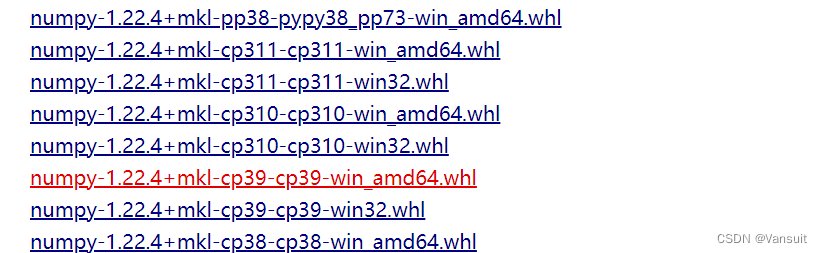
然后到下载目录中,pip install,报错如下
ERROR: numpy-1.22.4+mkl-cp310-cp310-win_amd64.whl is not a supported wheel on this platform.
提示我们这个whl和系统不匹配,通过pip debug --verbose 查看python对应的版本
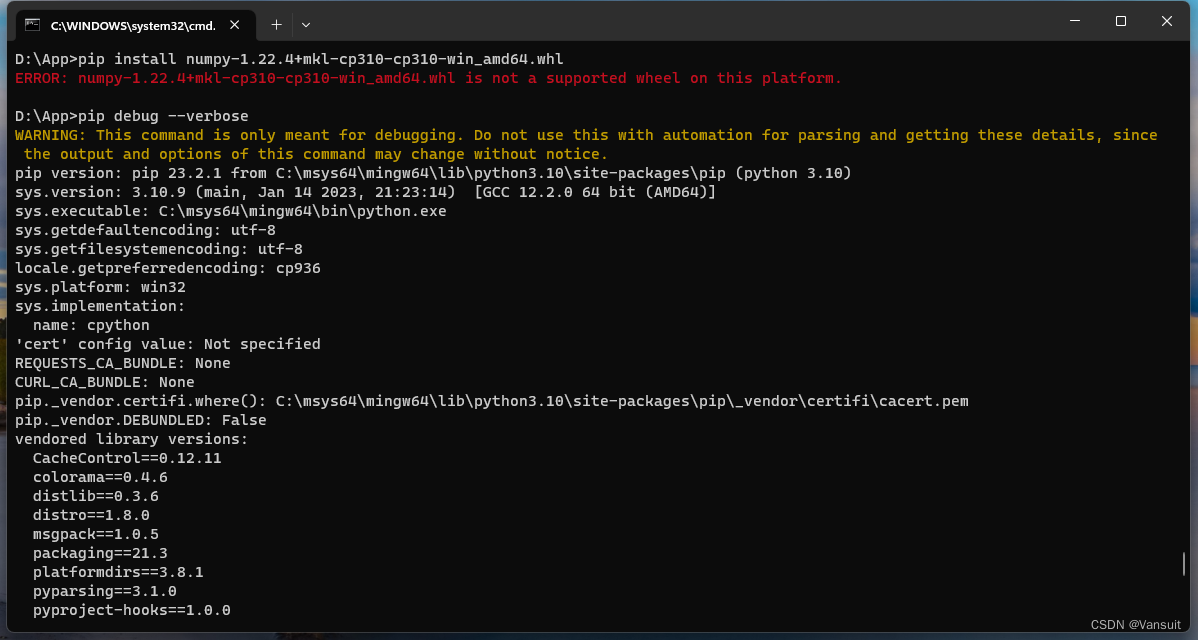
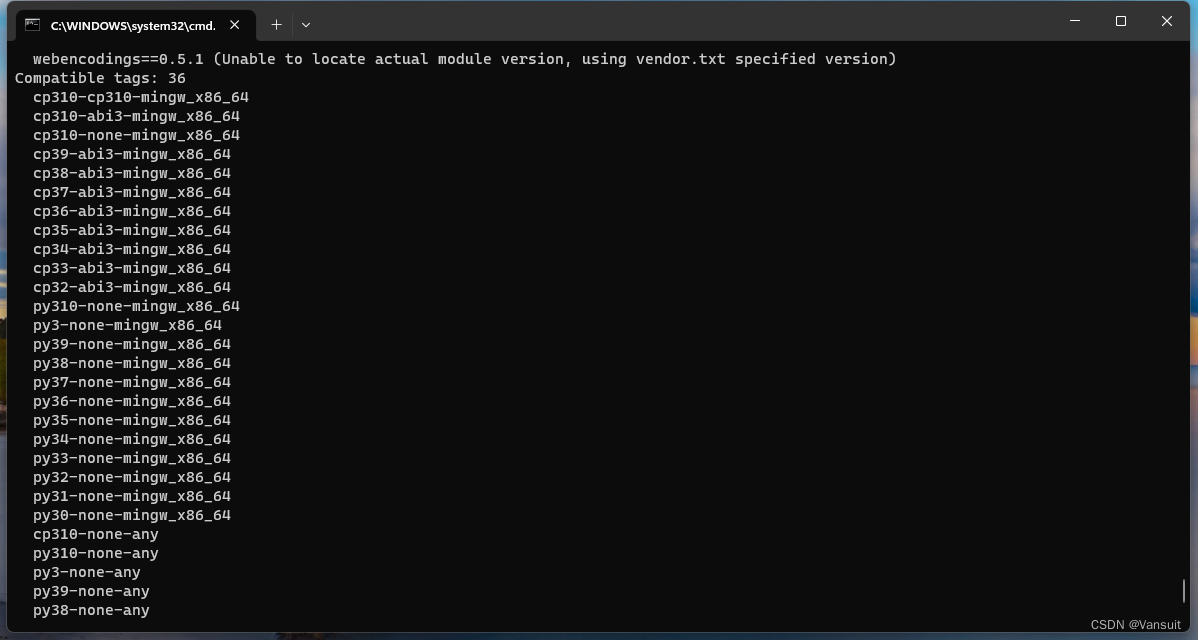
我们可以看到python匹配的标签包括36个,最高版本为3.10。这里没有我们下载的cp310-cp310-win_amd64,不知道为什么都是mingw的包,看到的其他帖子都是win_amd64。
参考这篇帖子
参考https://blog.youkuaiyun.com/the_killing_jar/article/details/131023187
pip debug --verbose 出现上面的结果,是因为系统中包含两个python,当前使用的是mingw版本的python 3.10。而我安装的python是3.9。
修改环境变量path,将自己安装的python的路径移到mingw上面。
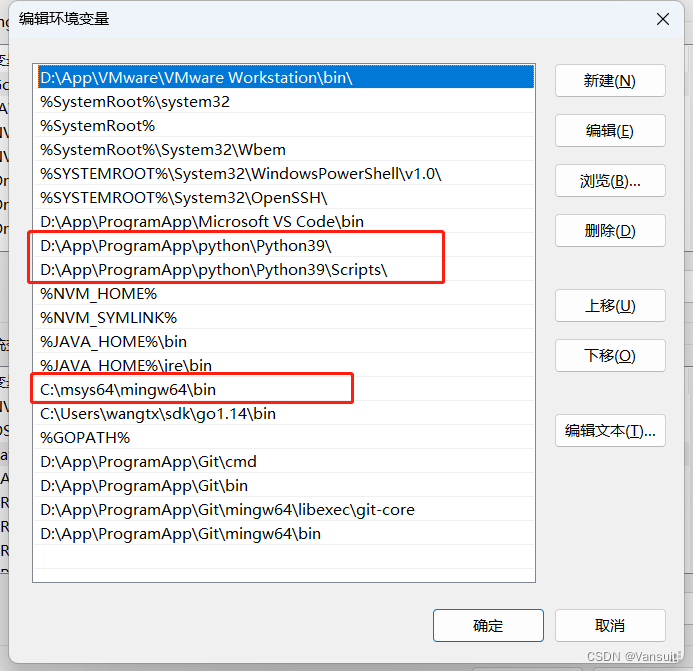
在cmd中查看python版本发现已经切换到python3.9了。下载对应的numpy-1.22.4+mkl-cp39-cp39-win_amd64.whl
第二步 下载安装scipy
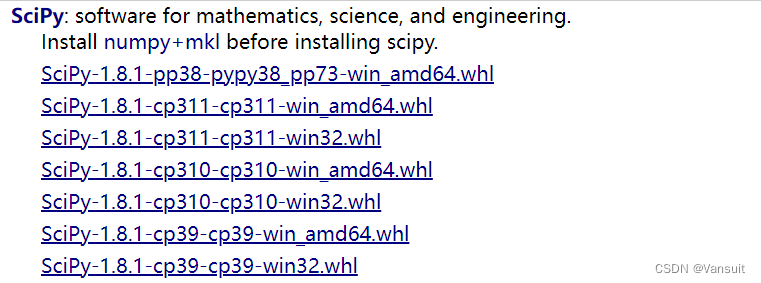
和第一步一样,下载对应的scipy.whl包
最后
在python中导入scipy,

测试成功,可以正常使用scipy了。






 扫一扫
扫一扫


 3163
3163

 被折叠的 条评论
为什么被折叠?
被折叠的 条评论
为什么被折叠?
 到【灌水乐园】发言





