


 博主在解释器项目进入维护阶段后继续研究操作系统。本文基于之前实现的最小操作系统,给出优化代码并进行修改。介绍了setup模块在Linux 0.11中的作用、编译过程及加载位置,还讲述了使用0x13中断读取setup模块的代码,最后写了setup模块并设置显示器模式。
距离上一次发操作系统文章已经度过了好几个月,这几个月里我在忙于一个解释器项目,现在项目已经完全进入维护阶段,所以就有了空余时间继续啃操作系统。先看看解释器最终做出来的效果:
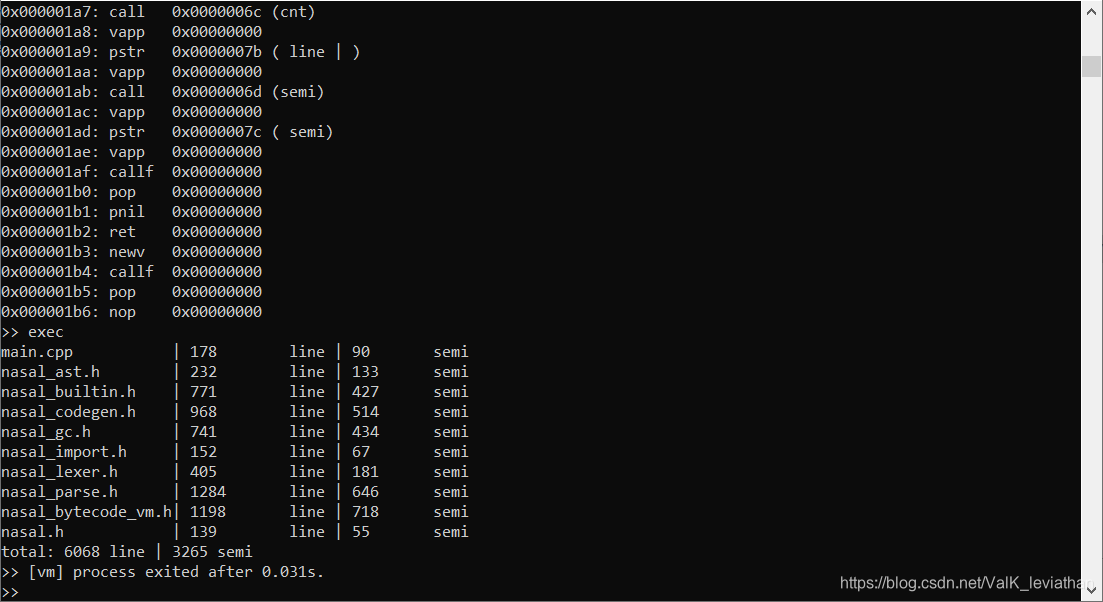
好了题外话到此为止。0x01中我们实现了一个最小操作系统,使用0x10中断输出了一个句子。当时那篇文章开篇先把内存分布讲了一通(我现在看都觉得昏),可能有些劝退,这次开篇我先把优化的代码贴这,我们接下来基于此进行修改。
# ballon system bootsect.s
# copyright @ValKmjolnir
# 2020

.code16
.global bootstart

.equ BOOTSEG, 0x07c0 # begin from 0x07c0:0x0000->0x07c00
.equ INITSEG, 0x9000 # jump to 0x9000:0x0000->0x90000 then bootsect 0x90000~0x901ff
.equ SETUPSEG,0x9020 # beginning address of setup.s
.equ SYSSEG,  0x1000 # beginning address of system
.equ SYSEND,  0x8000 # system ends at 0x70000=448kb

ljmp $BOOTSEG,$bootstart

bootstart:
	mov $BOOTSEG,%ax
	mov %ax,%ds
	mov $INITSEG,%ax
	mov %ax,%es
	xor %di,%di
	xor %si,%si
	mov $0x100,%cx
	rep
	movsw
	ljmp $INITSEG,$stackset
	# copy operation use rep movsw 256(cx) times to move 512(256*2) bytes from ds:di to es:si
	# copy bootsect from 0x07c00 to 0x90000 and jump to 0x90000+stackset
	# ljmp $INITSEG,$stackset -> cs=INITSEG ip=stackset
stackset:
	mov %cs,%ax     # ax=INITSEG
	mov %ax,%ds     # ds=ax
	mov %ax,%es     # es=ax
	mov %ax,%ss     # ss=ax
	mov $0xff00,%sp # sp=0xff00

start:
	mov $0x03,%ah   # read cursor position
	xor %bh,%bh     # set page 0
	int $0x10       # BIOS video service

	mov $INITSEG,%ax
	mov %ax,%es     # es:bp points to the string

	mov $sysmsg,%bp # set string address
	mov $0x1301,%ax # write string,move cursor
	mov $0x0007,%bx # page 0,black background/white characters
	mov $28,%cx     # length of string
	int $0x10       # BIOS video service

die:
	hlt
	jmp die         # infinite loop

sysmsg:
	.ascii "Starting Balloon System..."
	.byte 13,10

.=510
signature:
	.word 0xaa55
部分同学认为intel的看起来比at&t的舒服……很尴尬的是我没有学,但是网上有两种风格的转换规则,可以对照进行转换。
setup模块在linux 0.11中用于将system模块(这个我们会在0x03中导入)整体上移,覆盖到0地址处,首次加载idt,gdt,并打开a20,激活保护模式。在Makefile中,我们给setup模块定了4*512字节的空间来自由发挥。
All: Image
 最低0.47元/天 解锁文章






 扫一扫
扫一扫


 9349
9349

 被折叠的 条评论
为什么被折叠?
被折叠的 条评论
为什么被折叠?
 到【灌水乐园】发言





