


 本文详细介绍Filebeat的下载、配置及启动流程,包括如何修改filebeat.yml文件以指定日志路径、设置日志主题及Kafka输出配置,适用于日志管理和监控场景。
目录
前提,kafka环境搭建:Kafka系列:Kafka安装完整步骤
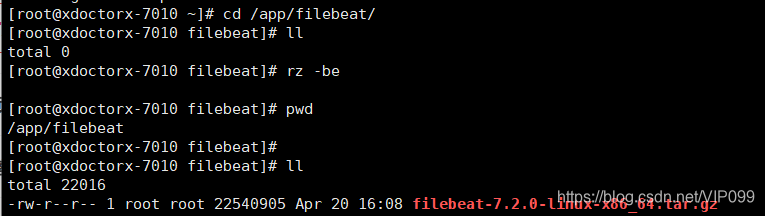
下载解压
下载
优快云地址:https://download.youkuaiyun.com/download/VIP099/12343816
解压
tar -zxvf filebeat-7.2.0-linux-x86_64.tar.gz

验证版本
./filebeat-7.2.0-linux-x86_64/filebeat version

配置filebeat.yml
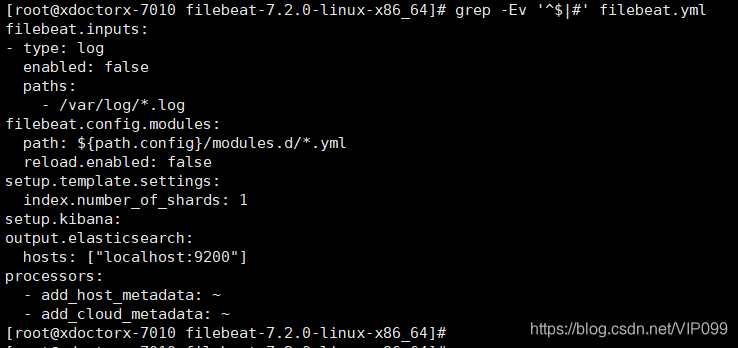
默认配置
grep -Ev '^$|#' filebeat.yml
修改配置
filebeat.inputs:
#------------------data----------
- type: log
enabled: true
paths:
- /var/log/*.log
fields:
log_topic: varlog
fields_under_root: true
- type: log
enabled: true
paths:
- /data/xdoctorx001/*.log
fields:
log_topic: xdoctorx
fields_under_root: true
#-------------log------------
logging.level: info
logging.to_files: true
logging.files:
path: /data/filebeat/
name: filebeat
keepfiles: 7
permissions: 0755
#-------------------output--------------
output.kafka:
enabled: true
hosts: ["192.168.40.148:9092"]
topic: "%{[log_topic]}"#----------------------end--------------
启动
#调试启动
./filebeat -e -c filebeat.yml
#后台启动
nohup ./filebeat -c filebeat.yml -d "Publish" & >/data/filebeat/filebeat# 自启动脚本
验证
进程

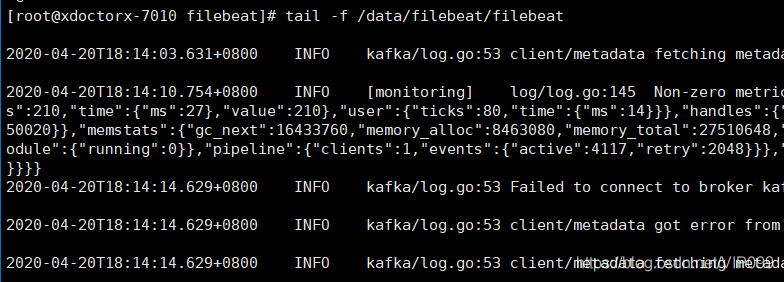
日志
扩展
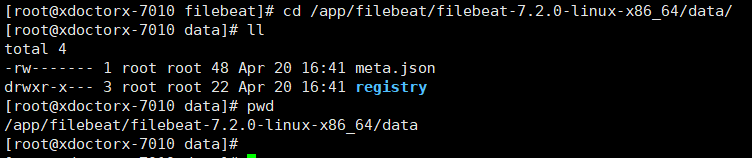
data目录记录着日志处理的进度
参考
https://www.elastic.co/cn/downloads/beats/filebeat
https://www.elastic.co/cn/downloads/past-releases#filebeat
https://www.elastic.co/guide/en/beats/filebeat/7.x/filebeat-configuration.html
https://www.elastic.co/guide/en/beats/filebeat/7.x/kafka-output.html





 扫一扫
扫一扫


 277
277

 被折叠的 条评论
为什么被折叠?
被折叠的 条评论
为什么被折叠?
 到【灌水乐园】发言





