


通过学习唐宇迪老师的opencv停车场车位实战,在这里本人来汇总一下该项目的实现步骤:
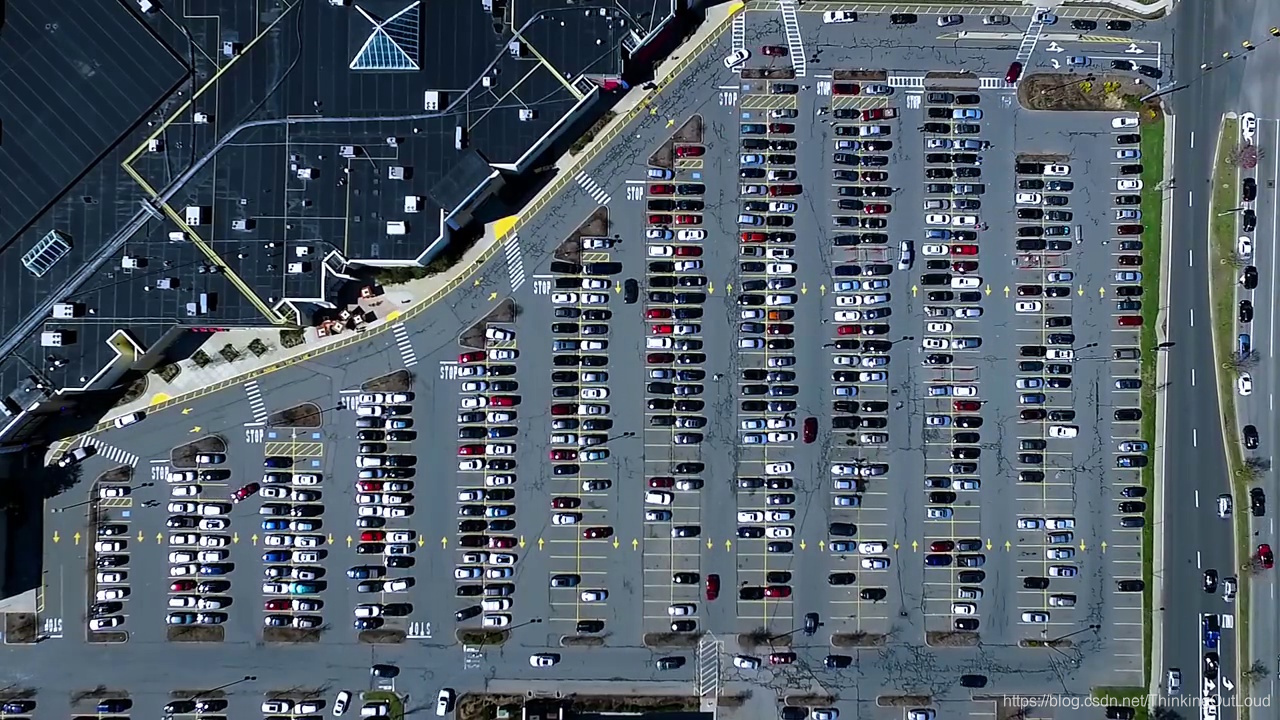 实际数据中,上面的图像为动态的实时监控录像,我们需要利用opencv的利用,形成能够实时的记录有空缺的停车位,并且能够为新来的车辆指引其最近的停车位置。
```python
if __name__ == '__main__':
    test_images = [plt.imread(path) for path in glob.glob('test_images/*.jpg')]
    weights_path = 'car1.h5'
    video_name = 'parking_video.mp4'
    class_dictionary = {}
    class_dictionary[0] = 'empty'
    class_dictionary[1] = 'occupied'
    park = Parking()
    park.show_images(test_images)
    final_spot_dict = img_process(test_images,park)
    model = keras_model(weights_path)
    img_test(test_images,final_spot_dict,model,class_dictionary)
    video_test(video_name,final_spot_dict,model,class_dictionary)
在上述的主代码中:
- test_images:为我们输入的数据
- weights_path:为我们训练的模型,“car1.h5”为我们训练完得到的模型结果,以及训练参数权重,用于之后判断车位是否有被占
- video_name:为输入的数据,用于实时的监控运作
- clas
 最低0.47元/天 解锁文章






 扫一扫
扫一扫


 666
666

 被折叠的 条评论
为什么被折叠?
被折叠的 条评论
为什么被折叠?
 到【灌水乐园】发言





