


效果: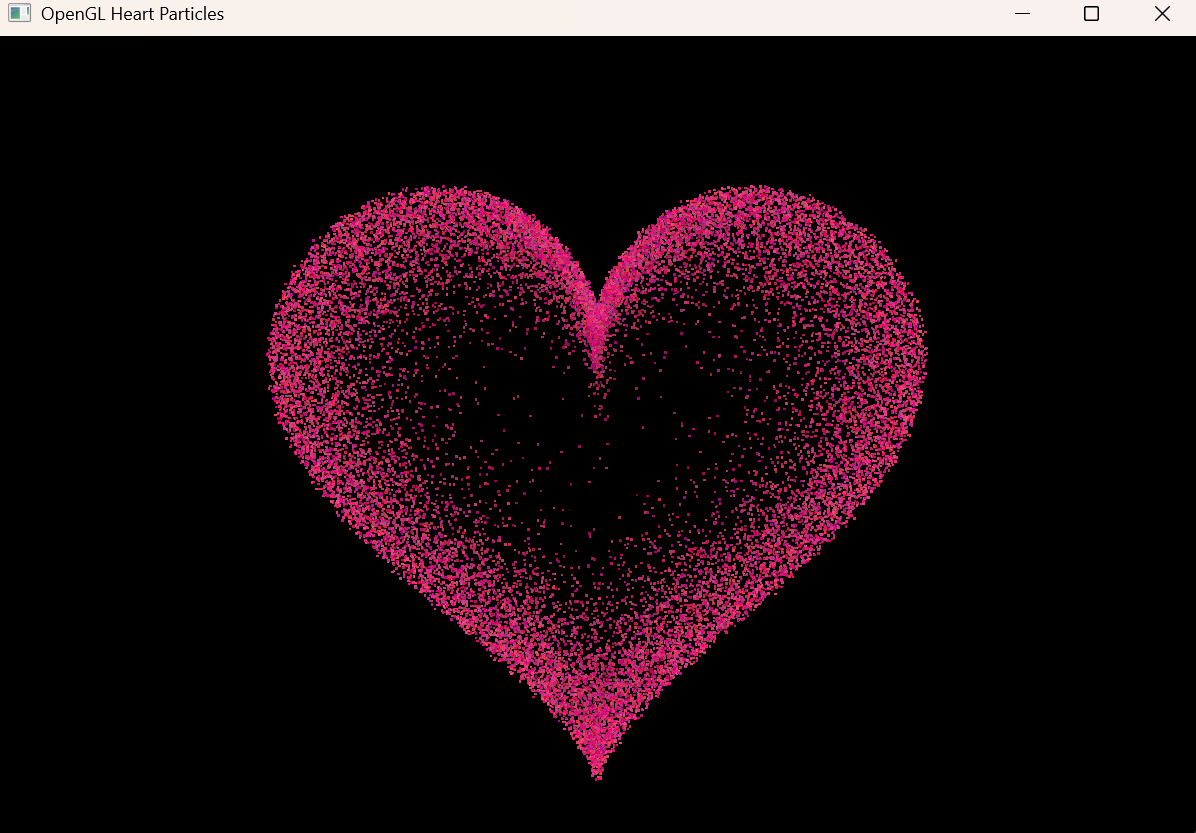
在开始前需要准备需要的OpenGL相关的头文件和库,此处我们利用Visual Studio自带的vcpkg进行安装管理,需要实现确保是否已经安装了vcpkg,工具->命令行->开发者命令提示,输入命令
vcpkg --version
如果输出vcpkg 包管理程序版本相关信息就是安装了vcpkg
如果没有安装vcpkg:
工具->获取工具和功能
勾选vcpkg 包管理器,然后点击右下角的 修改 即可

- 打开Visual Studio,新建一个空项目,添加一个main.cpp源文件
- 打开项目属性,配置属性->vcpkg -> Use Vcpkg Manifest(默认是否,改为是)->确定
- Visual Studio界面上方 工具->命令行->开发者命令提示
- 输入以下命令:
vcpkg new --application
vcpkg add port opengl glfw3 glad
vcpkg install
当看到以下信息时,所需要的库就已经下载完成了:
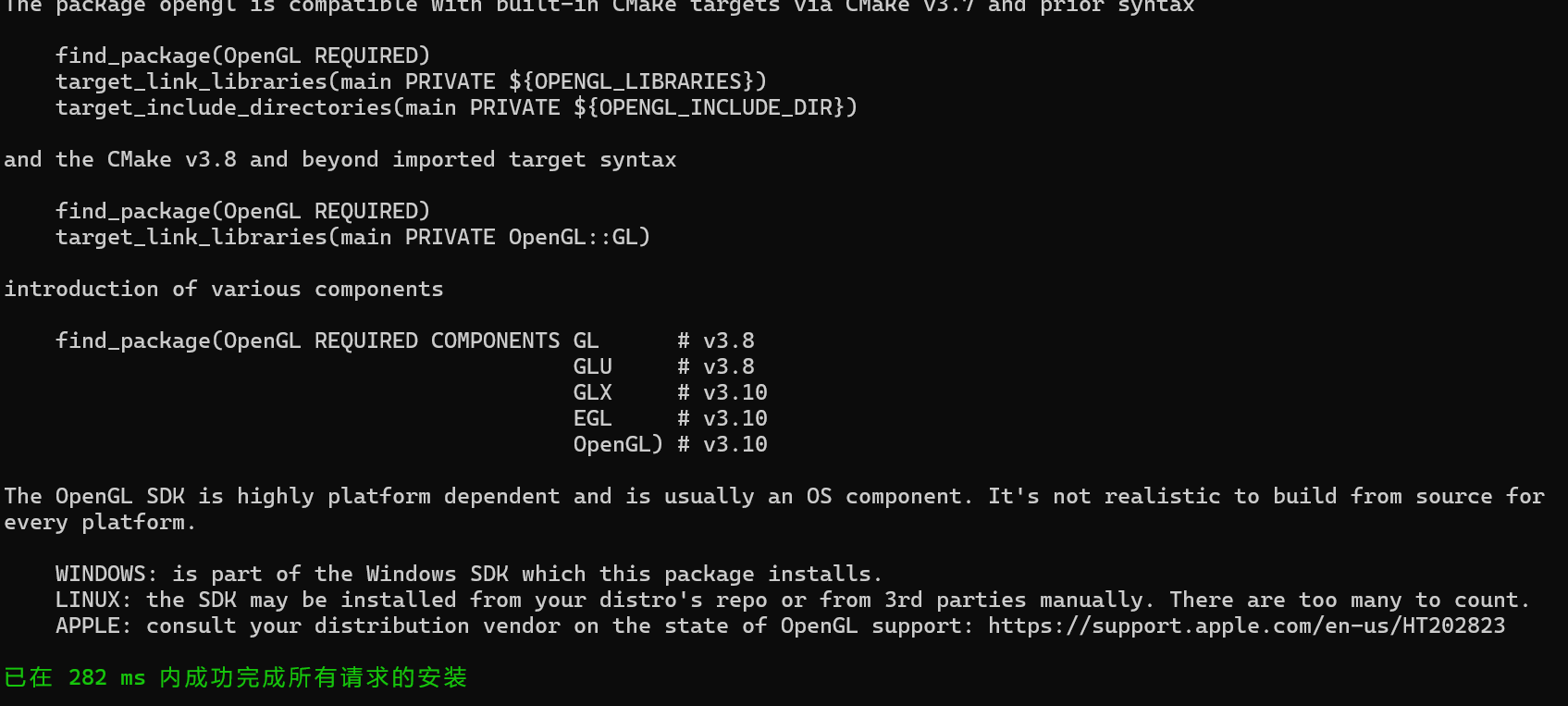
然后就可以关闭这个命令行窗口了。
完成后会在当前项目路径下产生一个vcpkg_installed文件夹,vcpkg_installed\x64-windows里面就是需要的文件,包含include、lib等
接下来是在该项目中添加附加包含目录、附加库目录、附加依赖等
- 打开项目属性->C/C++->常规->附加包含目录,编辑:加入vcpkg_installed\x64-windows下的include路径
- 链接器->常规->附加库目录,编辑:加入vcpkg_installed\x64-windows下的lib路径
- 链接器->输入->附加依赖项,编辑:加入 opengl32.lib;glfw3dll.lib
接下来就可以在main.cpp文件里面写入代码了。
OpenGL版动态粒子爱心源代码:
#include <glad/glad.h>
#include <GLFW/glfw3.h>
#include <cmath>
#include <vector>
#include <ctime>
#include <cstdlib>

const int SCR_WIDTH = 1200;
const int SCR_HEIGHT = 800;
const int QUANTITY = 500;
const int CIRCLES = 210;
const int FRAMES = 20;
const double PI = 3.1415926;
const double e = 2.71828;

//粒子结构体,包含位置x,y以及颜色rgb
struct Particle
{
    float x, y;
    float r, g, b;
};

std::vector<Particle> origin_points;
std::vector<Particle> points;
std::vector<Particle> frame_particles[FRAMES];

//生成a~b之间的随机数
float randomf(float a, float b)
{
    return a + (b - a) * (rand() / (float)RAND_MAX);
}

// 初始化爱心轮廓点
void generateHeartShape()
{
    double x1 = 0, y1 = 0, x2 = 0, y2 = 0;
    double averag_distance = 0.162;
    for (double rad = 0.1; rad <= 2 * PI; rad += 0.005)
    {
        // x = 16*sin^3(rad)
        // y = 13*cos(rad)-5*cos(2*rad)-2*cos(3*rad)-cos(4*rad)
        x2 = 16 * pow(sin(rad), 3);
        y2 = 13 * cos(rad) - 5 * cos(2 * rad) - 2 * cos(3 * rad) - cos(4 * rad);
        double d = sqrt(pow(x2 - x1, 2) + pow(y2 - y1, 2));
        if (d > averag_distance)
        {
            origin_points.push_back({ (float)x2, (float)y2, 1.0f, 0.0f, 0.0f });
            x1 = x2; y1 = y2;
        }
    }
}

// 生成所有粒子
void generateParticles()
{
    for (double size = 0.1, lightness = 1.5; size <= 20; size += 0.1)
    {
        double success_p = 1 / (1 + pow(e, 8 - size / 2));
        if (lightness > 1) lightness -= 0.0025;
        for (auto& p : origin_points)
        {
            if (success_p > randomf(0, 1))
            {
                float color_r = randomf(0.7f, 1.0f) / lightness;
                float color_g = randomf(0.0f, 0.3f) / lightness;
                float color_b = randomf(0.3f, 0.6f) / lightness;
                points.push_back({
                    (float)(size * p.x + randomf(-4, 4)),
                    (float)(size * p.y + randomf(-4, 4)),
                    color_r, color_g, color_b
                    });
            }
        }
    }

    // 生成每帧动画数据
    int point_size = points.size();
    for (int frame = 0; frame < FRAMES; ++frame)
    {
        std::vector<Particle> current;
        for (int i = 0; i < point_size; ++i)
        {
            Particle p = points[i];
            double dist = sqrt(p.x * p.x + p.y * p.y);
            double increase = -0.0009 * dist * dist + 0.35714 * dist + 5;
            double dx = increase * p.x / dist / FRAMES;
            double dy = increase * p.y / dist / FRAMES;
            p.x += (float)(dx * frame);
            p.y += (float)(dy * frame);
            current.push_back(p);
        }
        frame_particles[frame] = current;
    }
}

// 顶点着色器
const char* vertexShaderSource = R"(
#version 330 core
layout (location = 0) in vec2 aPos;
layout (location = 1) in vec3 aColor;
out vec3 ourColor;
uniform vec2 screenSize;
void main()
{
    float x = aPos.x / (screenSize.x / 2);
    float y = aPos.y / (screenSize.y / 2);
    gl_Position = vec4(x, y, 0.0, 1.0);
    gl_PointSize = 2.5;
    ourColor = aColor;
}
)";

// 片段着色器
const char* fragmentShaderSource = R"(
#version 330 core
in vec3 ourColor;
out vec4 FragColor;
void main()
{
    FragColor = vec4(ourColor, 1.0);
}
)";

// 着色器编译
unsigned int compileShader(unsigned int type, const char* src)
{
    unsigned int shader = glCreateShader(type);
    glShaderSource(shader, 1, &src, nullptr);
    glCompileShader(shader);
    return shader;
}

unsigned int createShaderProgram()
{
    unsigned int vs = compileShader(GL_VERTEX_SHADER, vertexShaderSource);
    unsigned int fs = compileShader(GL_FRAGMENT_SHADER, fragmentShaderSource);
    unsigned int program = glCreateProgram();
    glAttachShader(program, vs);
    glAttachShader(program, fs);
    glLinkProgram(program);
    glDeleteShader(vs);
    glDeleteShader(fs);
    return program;
}

int main()
{
    srand((unsigned)time(0));
    glfwInit();
    glfwWindowHint(GLFW_CONTEXT_VERSION_MAJOR, 3);
    glfwWindowHint(GLFW_CONTEXT_VERSION_MINOR, 3);
    glfwWindowHint(GLFW_OPENGL_PROFILE, GLFW_OPENGL_CORE_PROFILE);
    GLFWwindow* window = glfwCreateWindow(SCR_WIDTH, SCR_HEIGHT, "OpenGL Heart Particles", NULL, NULL);
    glfwMakeContextCurrent(window);
    gladLoadGLLoader((GLADloadproc)glfwGetProcAddress);

    glViewport(0, 0, SCR_WIDTH, SCR_HEIGHT);
    glEnable(GL_PROGRAM_POINT_SIZE);

    generateHeartShape();
    generateParticles();

    unsigned int shaderProgram = createShaderProgram();

    unsigned int VAO, VBO;
    glGenVertexArrays(1, &VAO);
    glGenBuffers(1, &VBO);
    glBindVertexArray(VAO);
    glBindBuffer(GL_ARRAY_BUFFER, VBO);
    glBufferData(GL_ARRAY_BUFFER, sizeof(Particle) * points.size(), nullptr, GL_DYNAMIC_DRAW);
    glVertexAttribPointer(0, 2, GL_FLOAT, GL_FALSE, sizeof(Particle), (void*)0);
    glEnableVertexAttribArray(0);
    glVertexAttribPointer(1, 3, GL_FLOAT, GL_FALSE, sizeof(Particle), (void*)(2 * sizeof(float)));
    glEnableVertexAttribArray(1);

    glUseProgram(shaderProgram);
    int screenSizeLoc = glGetUniformLocation(shaderProgram, "screenSize");
    glUniform2f(screenSizeLoc, SCR_WIDTH, SCR_HEIGHT);

    int frame = 0;
    bool extend = true;

    while (!glfwWindowShouldClose(window))
    {
        glClear(GL_COLOR_BUFFER_BIT);
        glBindBuffer(GL_ARRAY_BUFFER, VBO);
        glBufferSubData(GL_ARRAY_BUFFER, 0, sizeof(Particle) * frame_particles[frame].size(), frame_particles[frame].data());

        glDrawArrays(GL_POINTS, 0, frame_particles[frame].size());

        glfwSwapBuffers(window);
        glfwPollEvents();

        if (extend) frame++;
        else frame--;
        if (frame >= FRAMES - 1) extend = false;
        else if (frame <= 0) extend = true;

        glfwWaitEventsTimeout(0.02); // 控制帧率
    }

    glfwTerminate();
    return 0;
}





 扫一扫
扫一扫


 697
697

 被折叠的 条评论
为什么被折叠?
被折叠的 条评论
为什么被折叠?
 到【灌水乐园】发言





