



 本文介绍了如何使用Playwright的select_option方法来操作网页下拉框,包括单选、多选以及通过value、label进行定位。相比selenium,Playwright提供了更为便捷的方式处理这类交互,无需额外导入函数,提高了自动化测试的效率。
前言
我们在日常工作中,经常会遇到下面的情况,我们需要在一个下拉框中选择一个选项:
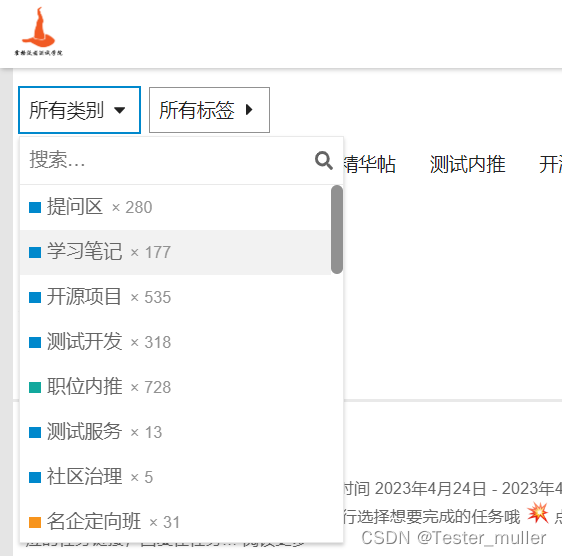
在使用selenium定位的过程中,我们可以选择使用selenium的Select类,有了playwright,我们的操作会变得更简单一些。
playwright也提供了select的方法进行操作。
select 用法
使用locator.select_option()选择元素中的一个或多个选项。我们可以指定选项value,或label选择并且可以选择多个选项。示例如下:
# Single selection matching the value
page.get_by_label('Choose a color').select_option('blue')

# Single selection matching the label
page.get_by_label('Choose a color').select_option(label='Blue')

# Multiple selected items
page.get_by_label('Choose multiple colors').select_option(['red', 'green', 'blue'])
select 元素示例:
<select multiple>
  <option value="toyota">Japan</div>
  <option value="volkswagen">Germany</div>
  <option value="byd">China</div>
</select>
代码如下:
# single selection matching the value or label
element.select_option("toyota")
# single selection matching the label
element.select_option(label="Germany")
# multiple selection for toyota, volkswagen and second option
element.select_option(value=["toyota", "volkswagen", "byd"])
使用
从option 中选一个
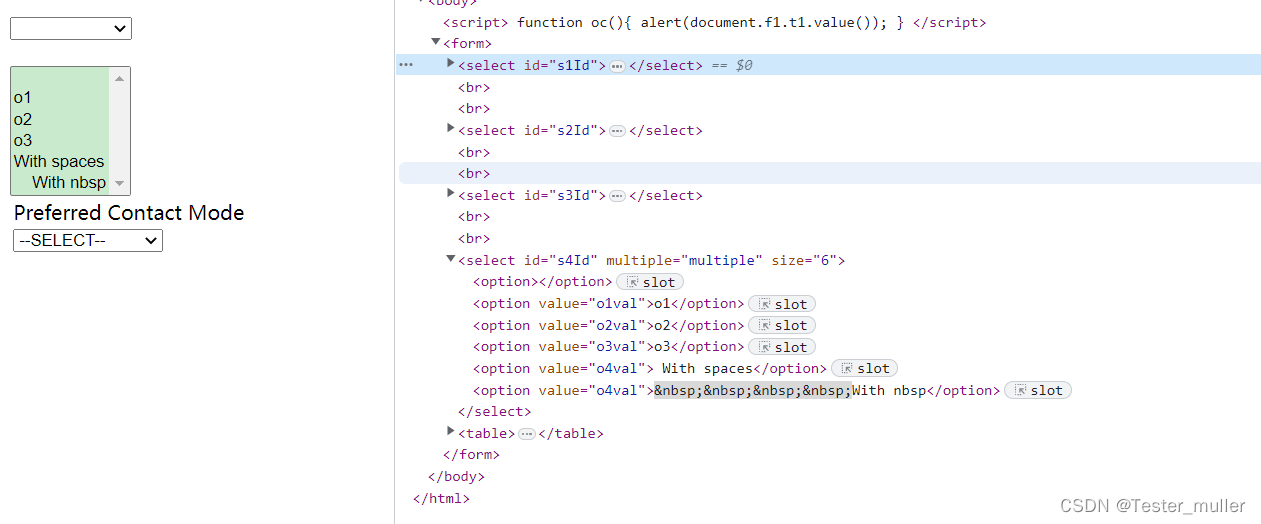
示例代码:
- 方法一,先定位select元素,再定位选项
- 根据选项名称定位
select = page.get_by_label("s2Id")
select.select_option("o1")
- 根据index 索引定位
select = page.get_by_label("s2Id")
select.select_option(index=1)
- 根据label 标签定位
页面如下:
<select name="test" id="t" onchange="change(this)" >
    <option value="1" label="第一" selected="selected">first</option>
    <option value="2" label="第二">second</option>
    <option value="3" label="第三">third</option>
    <option value="4" label="第四">forth</option>
</select>
代码如下:
select = page.get_by_label("选择:")
select.select_option(label="forth")
总结
本文主要介绍了playwright对下拉框的处理,playwright的下拉框处理相对于selenium来说,更加方便,不需要再额外导入其他函数即可完成,定位也非常简单。





 扫一扫
扫一扫


 1996
1996

 被折叠的 条评论
为什么被折叠?
被折叠的 条评论
为什么被折叠?
 到【灌水乐园】发言





