 HCIA网络实验:OSPF配置与网络优化


 该博客介绍了HCIA课程中的OSPF实验配置,包括路由器的IP地址设定、区域划分与宣告、DR/BDR选举优化以及安全认证设置。实验涉及R1到R5五台路由器的接口配置,通过调整DR优先级确保网络稳定性,并实施明文及密文认证增强安全性。同时,还解决了R3环回接口不能宣告进OSPF的问题,通过设置默认路由保持网络连通。
HCIA 寒假ospf实验
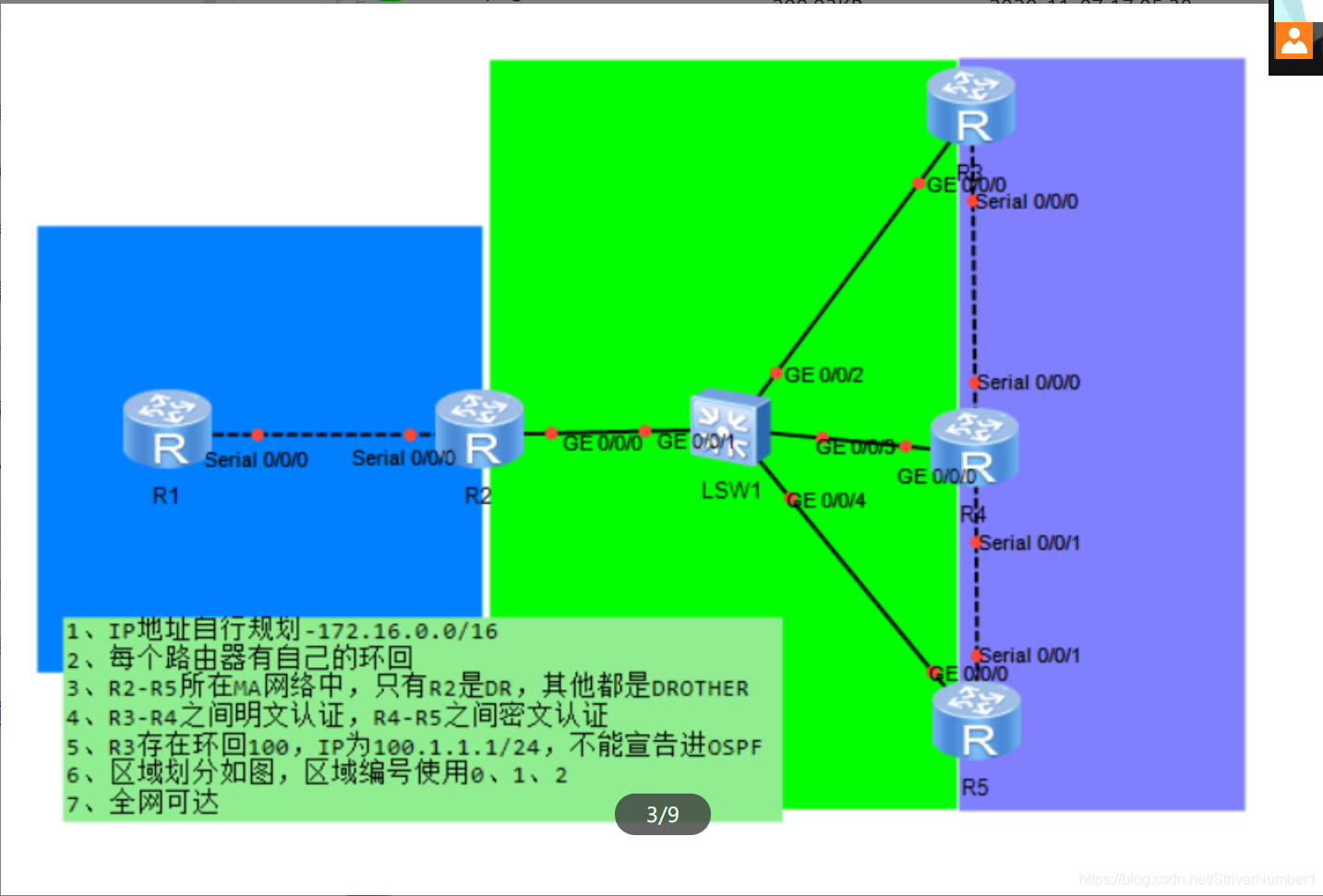
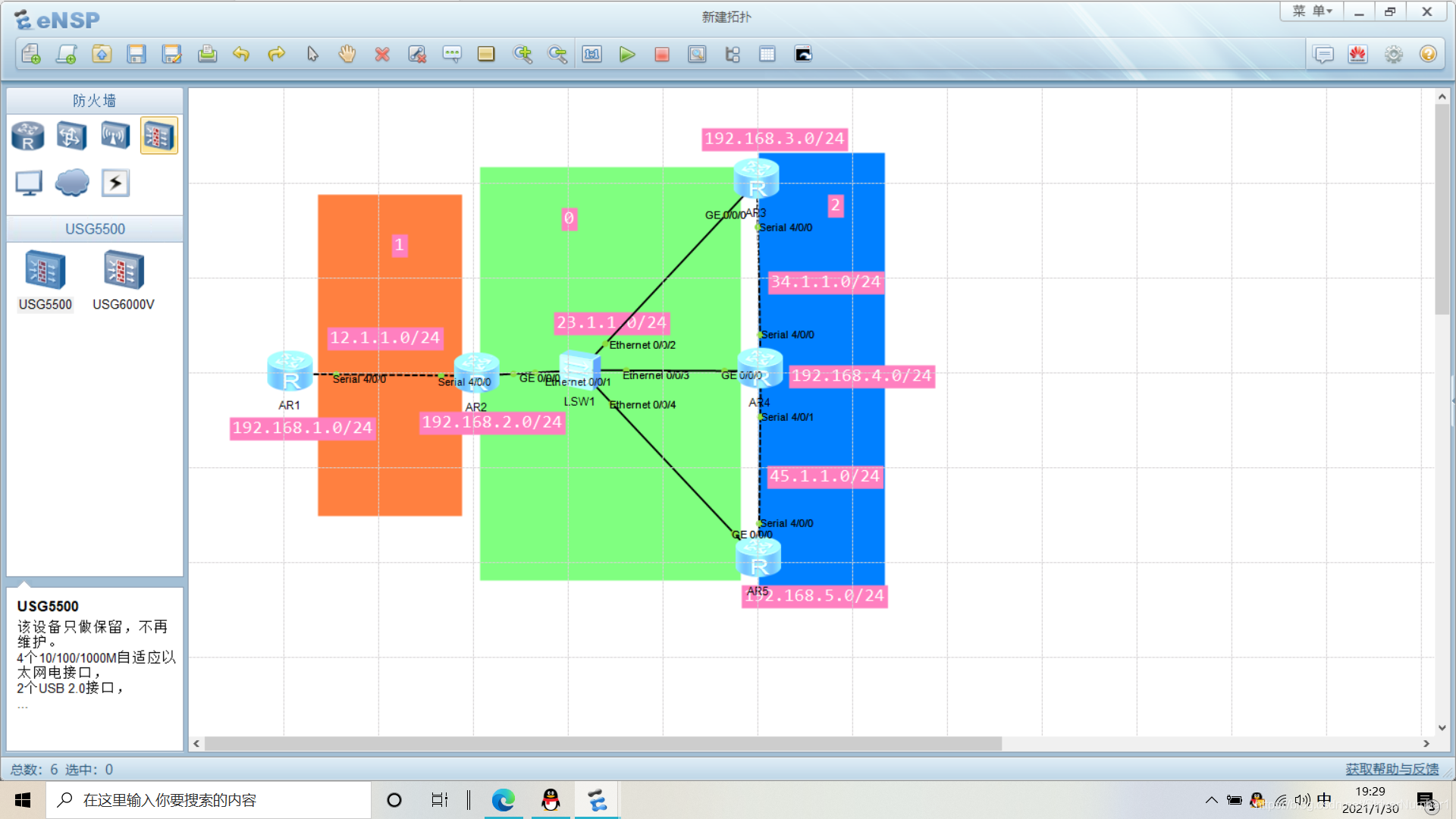
1、配置IP地址
R1:
interface s4/0/0
ip address 12.1.1.1 24
interface LoopBack 0
ip address 192.168.1.1 24
R2:
interface s4/0/0
ip address 12.1.1.2 24
interface LoopBack 0
ip address 192.168.2.1 24
interface g0/0/0
ip address 23.1.1.1 24
R3:
interface g0/0/0
ip address 23.1.1.2 24
interface loopback 0
ip address 192.168.3.1 24
interface s4/0/0
ip address 34.1.1.1 24
R4:
interface s4/0/0
ip address 34.1.1.2 24
interface loopback 0
ip address 192.168.4.1 24
interface s4/0/1
ip address 45.1.1.1 24
interface g0/0/0
ip address 12.1.1.3 24
R5:
interface s4/0/0
ip address 45.1.1.2 24
interface loopback 0
ip address 192.168.5.1 24
interface g0/0/0
ip address 23.1.1.4 24
2、划分区域与宣告
注意:接口处于哪个区域就向哪个区域宣告,环回可以任意选择一个宣告
R1:
ospf 1 router-id 1.1.1.1
area 1
network 192.168.1.0 0.0.0.255
network 12.1.1.0 0.0.0.255
R2:
ospf 1 router-id 2.2.2.2
area 1
network 192.168.2.0 0.0.0.255
network 12.1.1.0 0.0.0.255
area 0
network 23.1.1.0 0.0.0.255
R3:
ospf 1 router-id 3.3.3.3
area 0
network 23.1.1.0 0.0.0.255
area 2
network 192.168.3.0 0.0.0.255
network 34.1.1.0 0.0.0.255
R4:
ospf 1 router-id 4.4.4.4
area 0
network 23.1.1.0 0.0.0.255
area 2
network 192.168.4.0 0.0.0.255
network 34.1.1.0 0.0.0.255
network 45.1.1.0 0.0.0.255
R5:
ospf 1 router-id 5.5.5.5
area 0
network 23.1.1.0 0.0.0.255
area 2
network 192.168.5.0 0.0.0.255
network 45.1.1.0 0.0.0.255
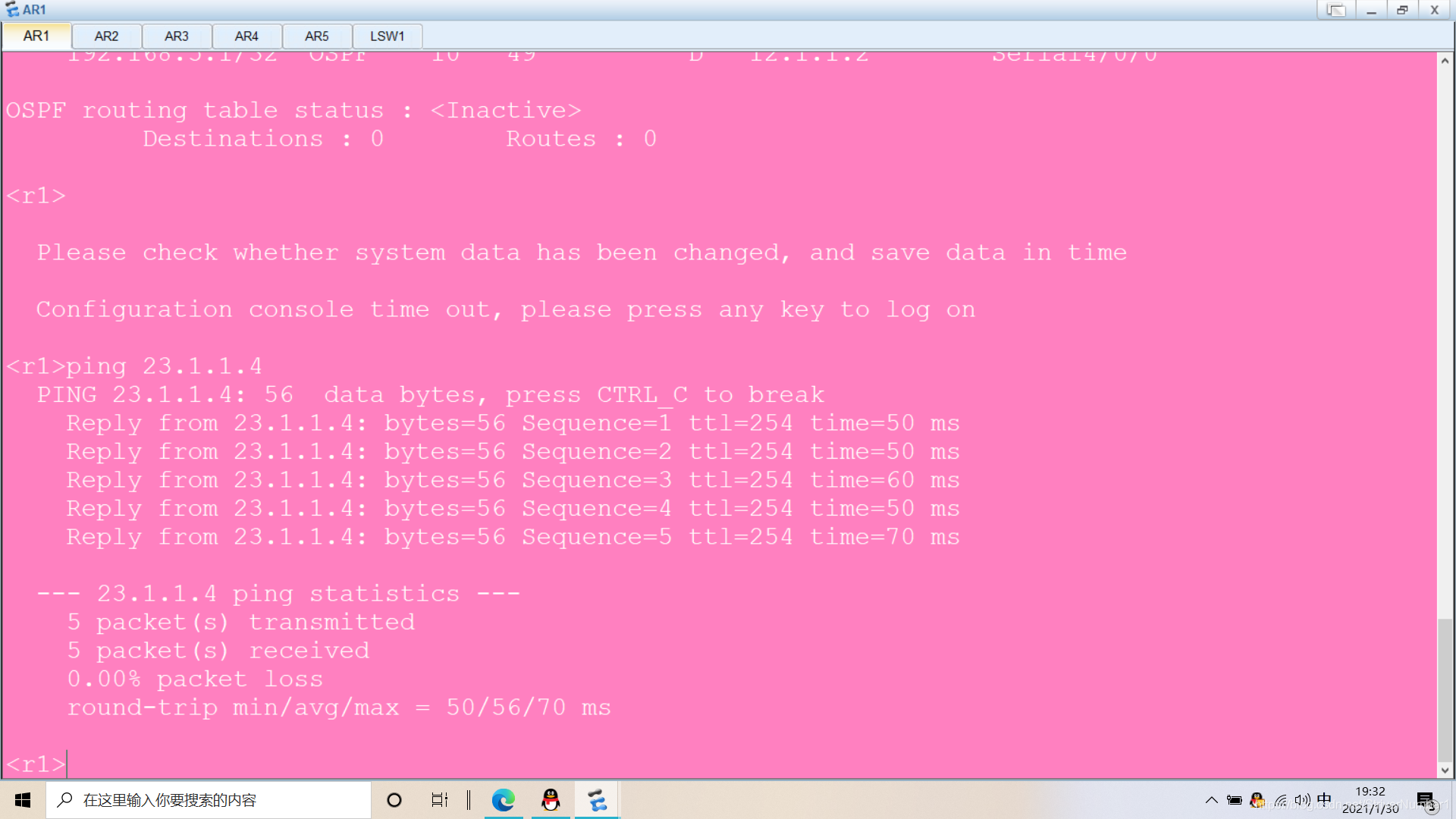
检验是否全网可通
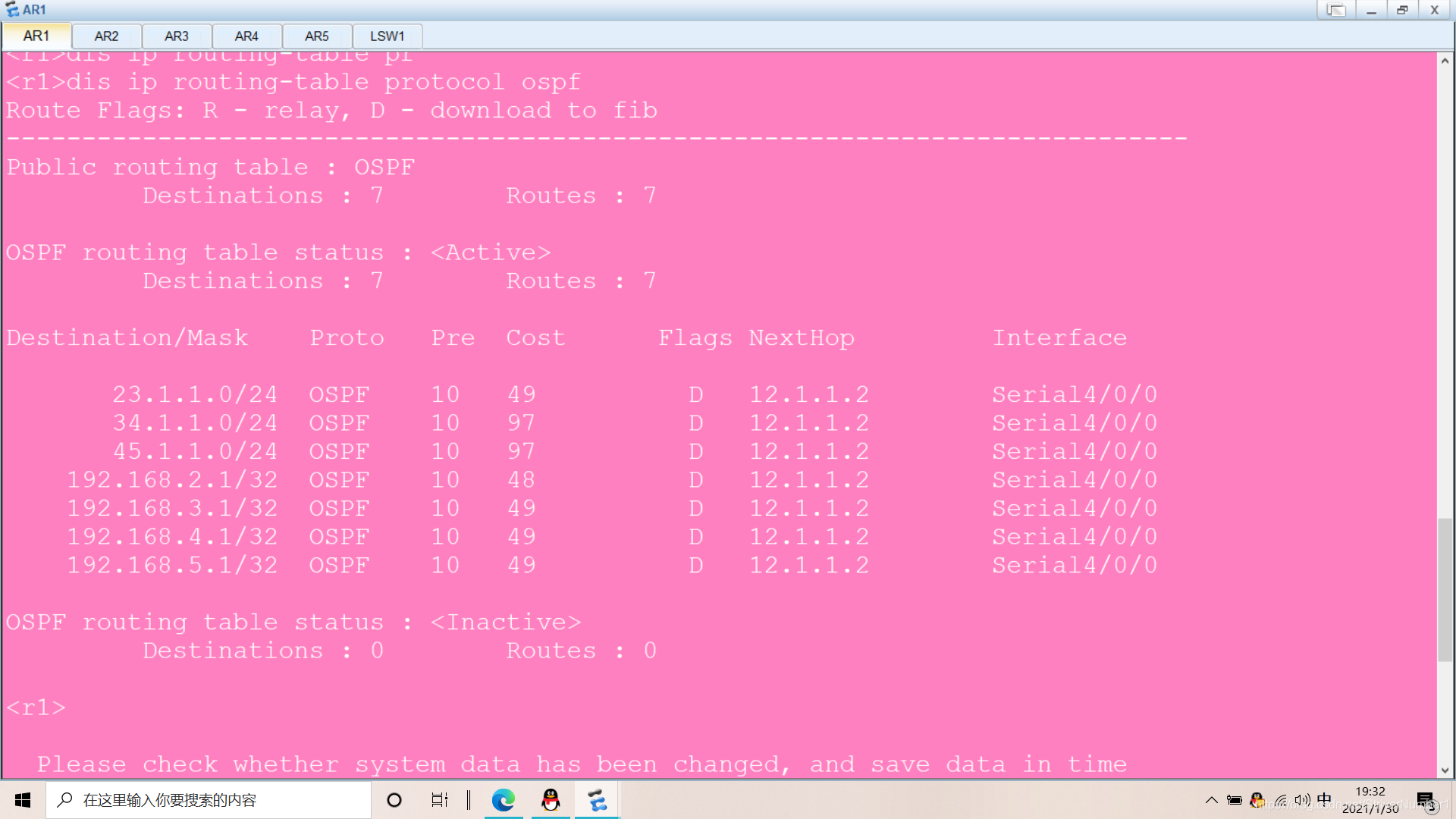
查看ospf
R2-R5所在MA网络中,只有R2是DR,其他都是DROTHER
所以我们可以把R3-R5的左侧接口的优先级都改为0,意为放弃选举,就会变为DROTHER
R3:
interface g0/0/0
ospf dr-priority 0
R4:
interface g0/0/0
ospf dr-priority 0
R5:
interface g0/0/0
ospf dr-priority 0
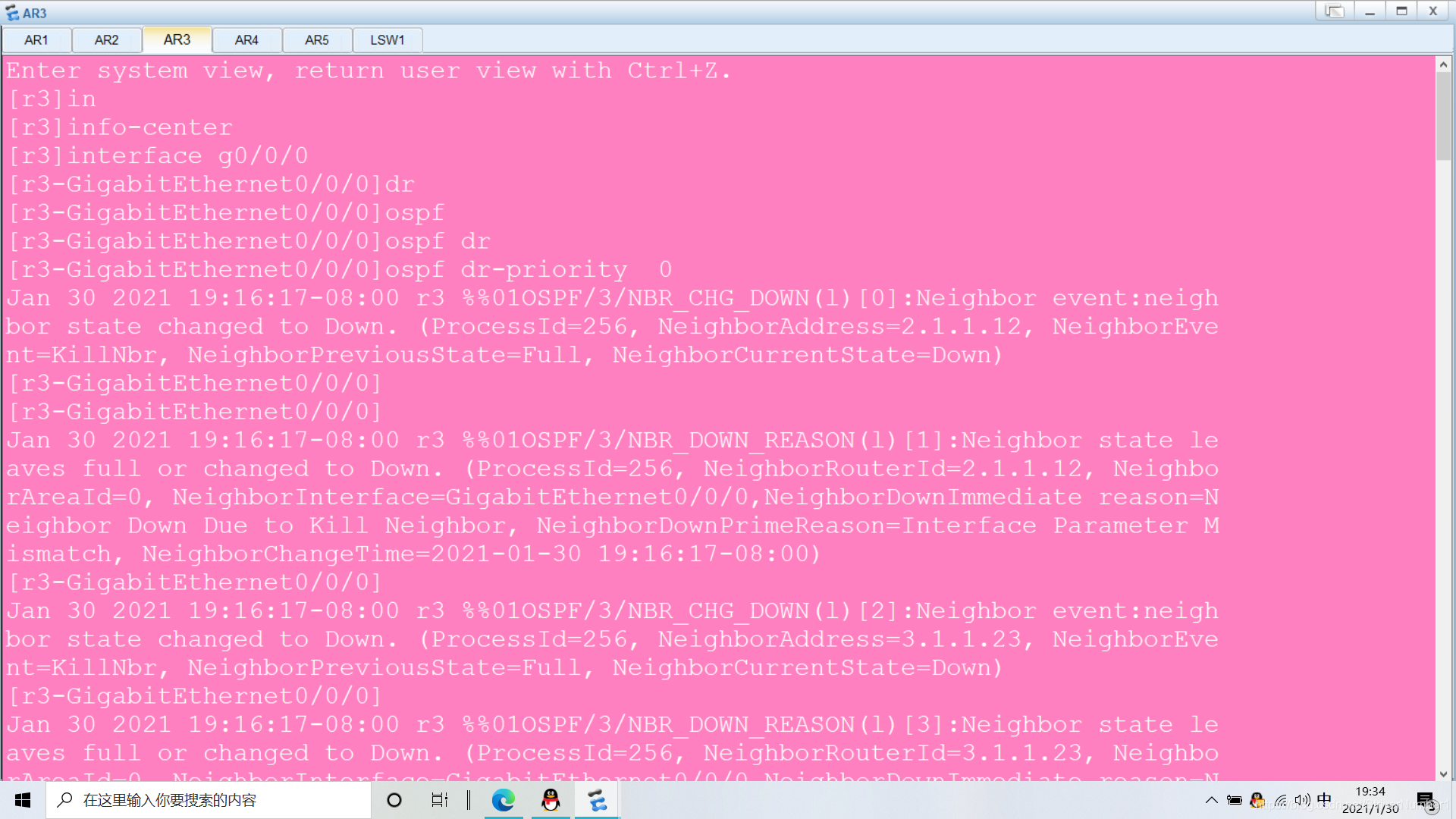
输入display ospf peer即可检验
对R3-R4明文认证
R3:
interface s4/0/0
ospf authentication-mode simple cipher huawei
R4:
interface s4/0/0
ospf authentication-mode simple cipher huawei
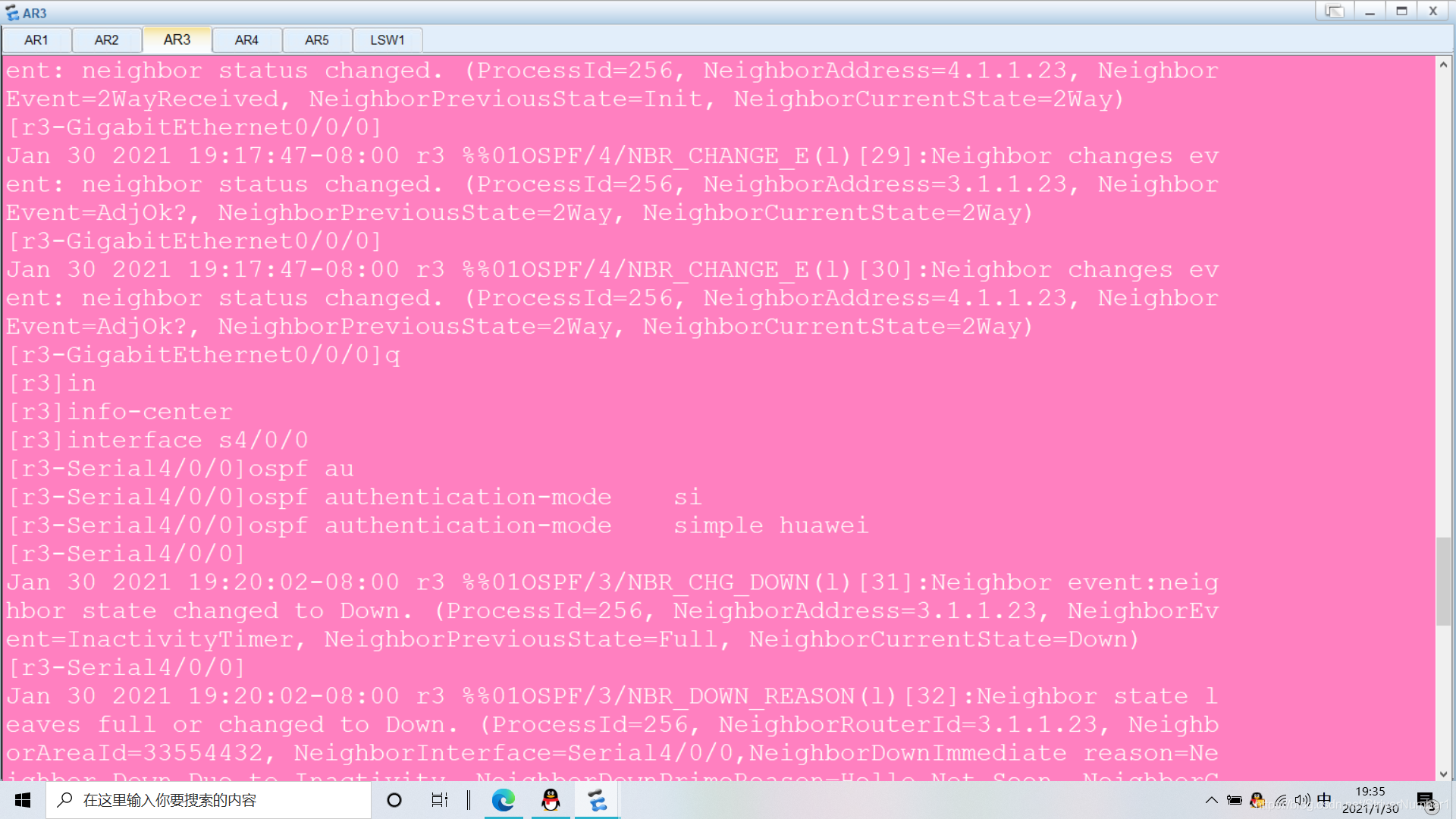
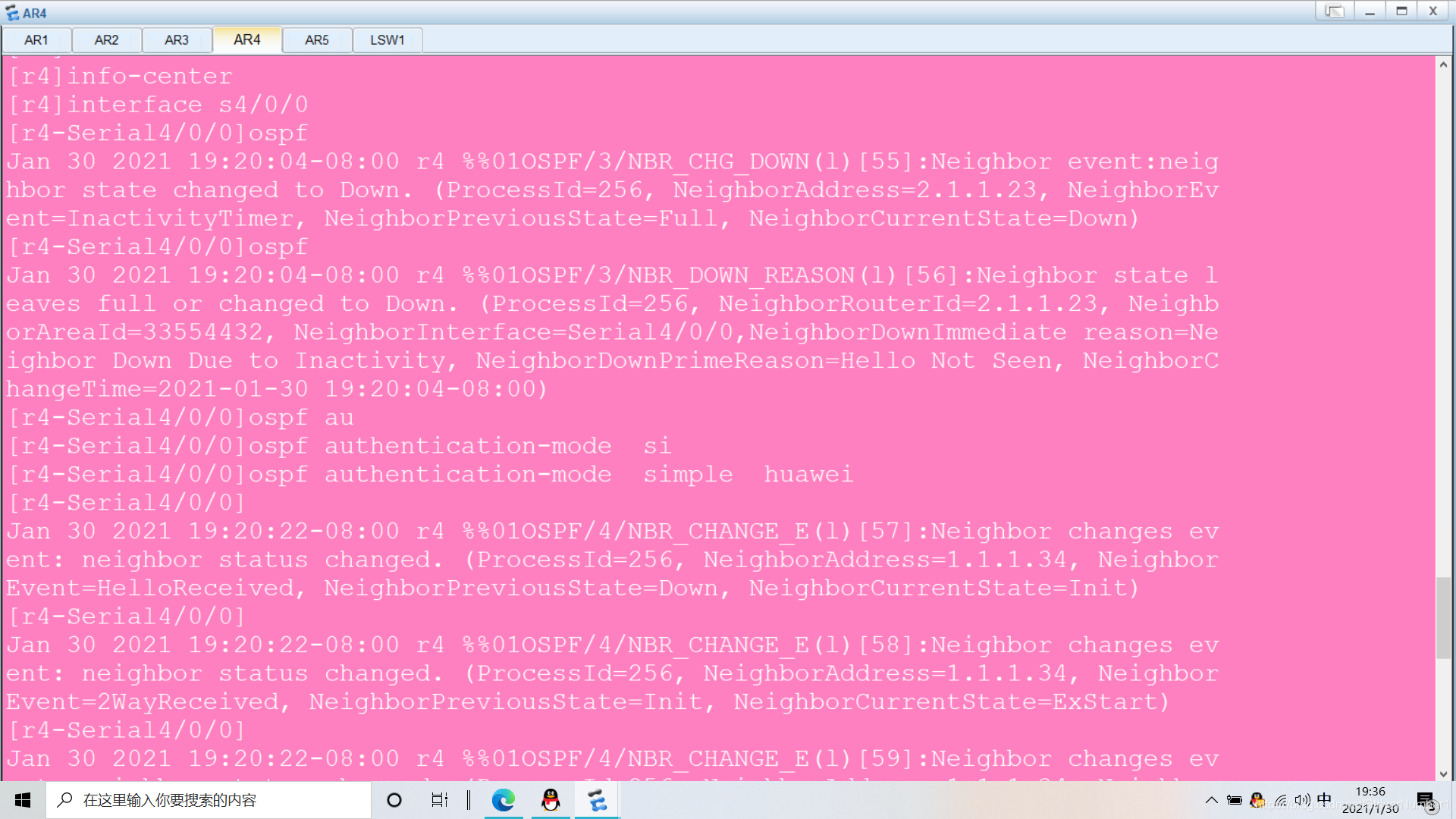
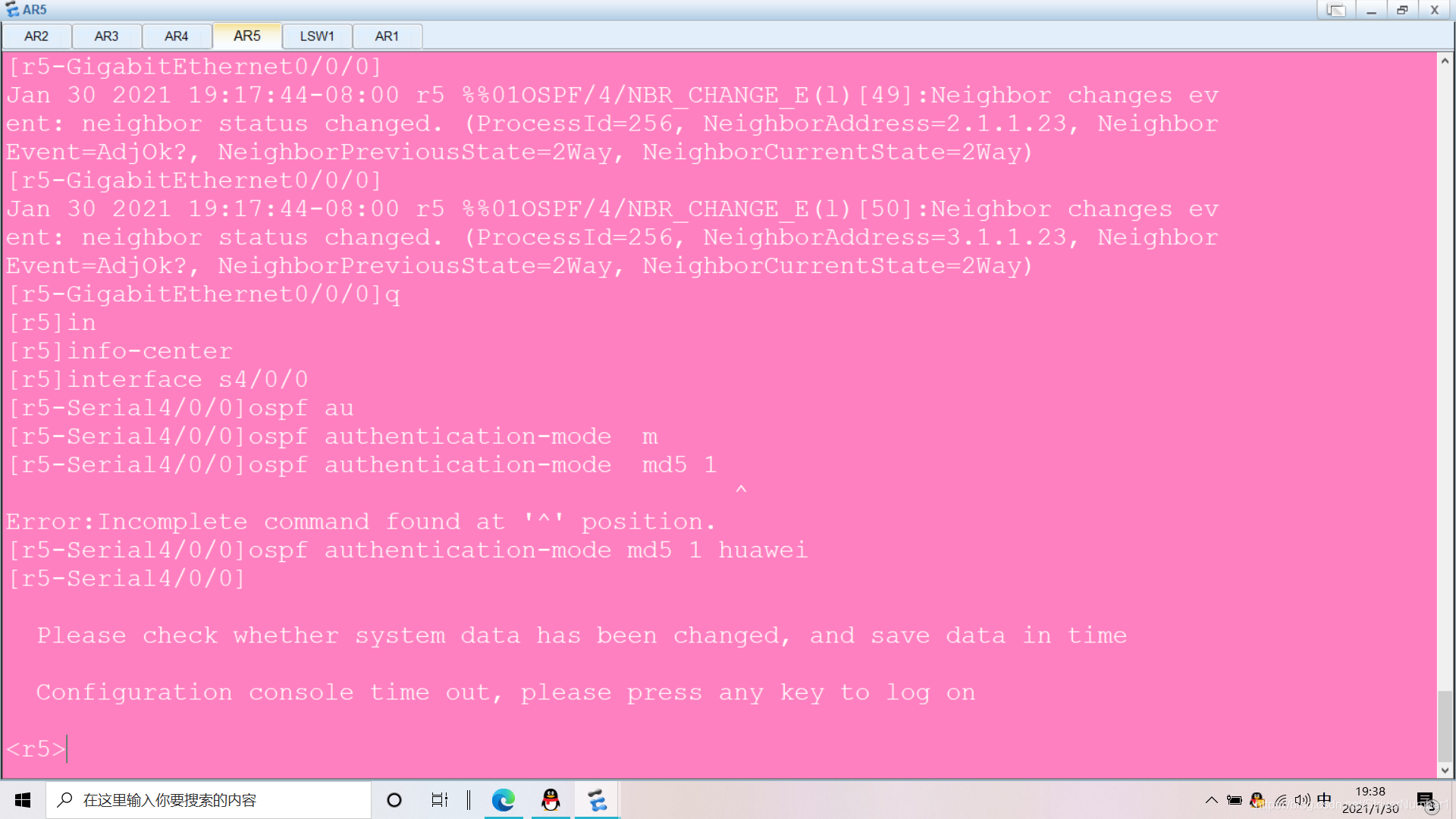
对R4-R5密文认证
R4:
interface s4/0/1
ospf authentication-mode md5 1 cipher huawei
R5:
interface s4/0/0
ospf authentication-mode md5 1 cipher huawei
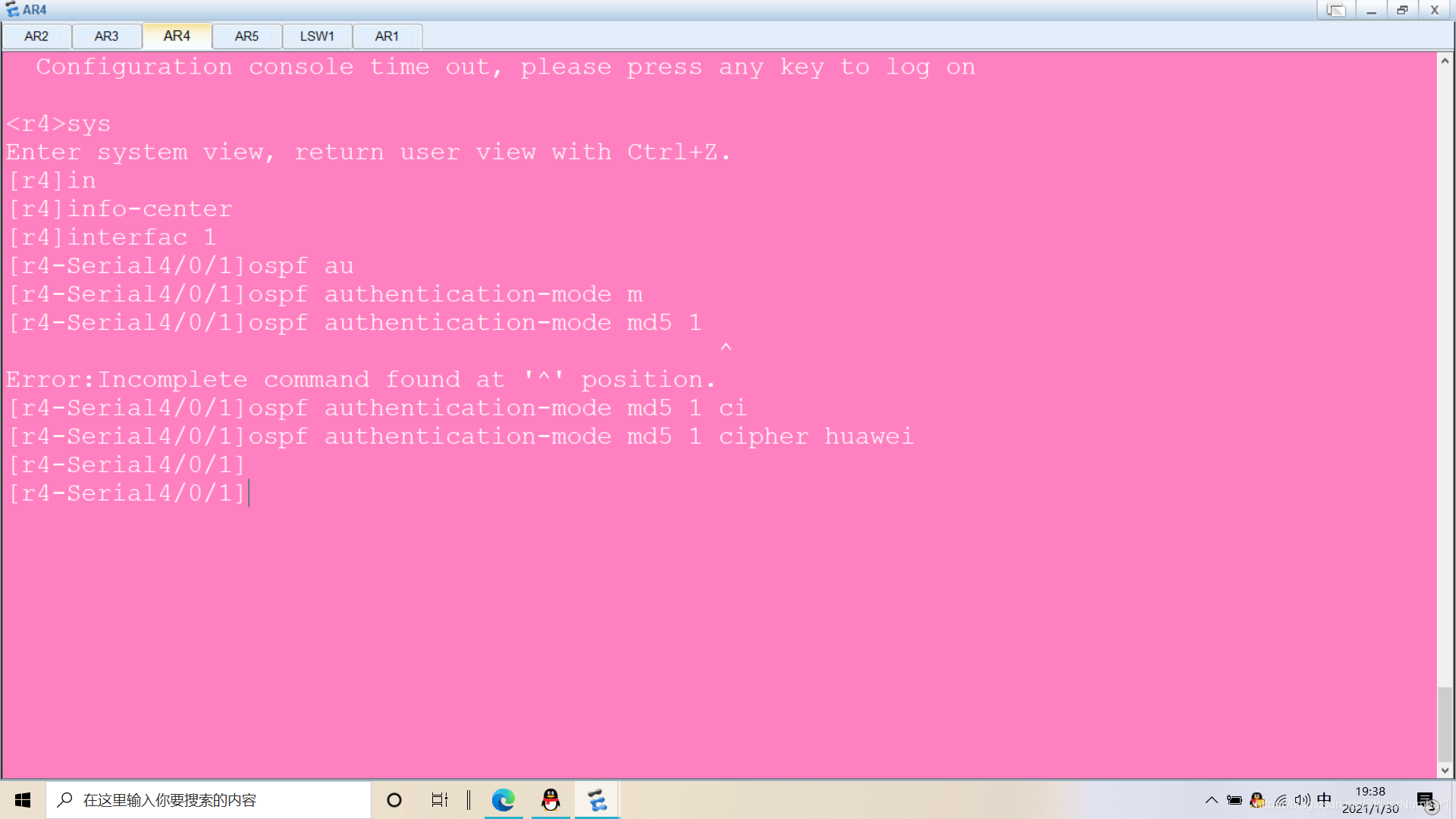
R3存在环回100,IP为100.1.1.1/24,不能宣告进OSPF
R3:
interface loopback 100
ip address 100.1.1.1 24
不能宣告进OSPF,所以我们需要设置缺省路由
R3:
ospf 1 router-id 3.3.3.3
default-route-advertise always





 扫一扫
扫一扫


 1594
1594

 被折叠的 条评论
为什么被折叠?
被折叠的 条评论
为什么被折叠?
 到【灌水乐园】发言





