


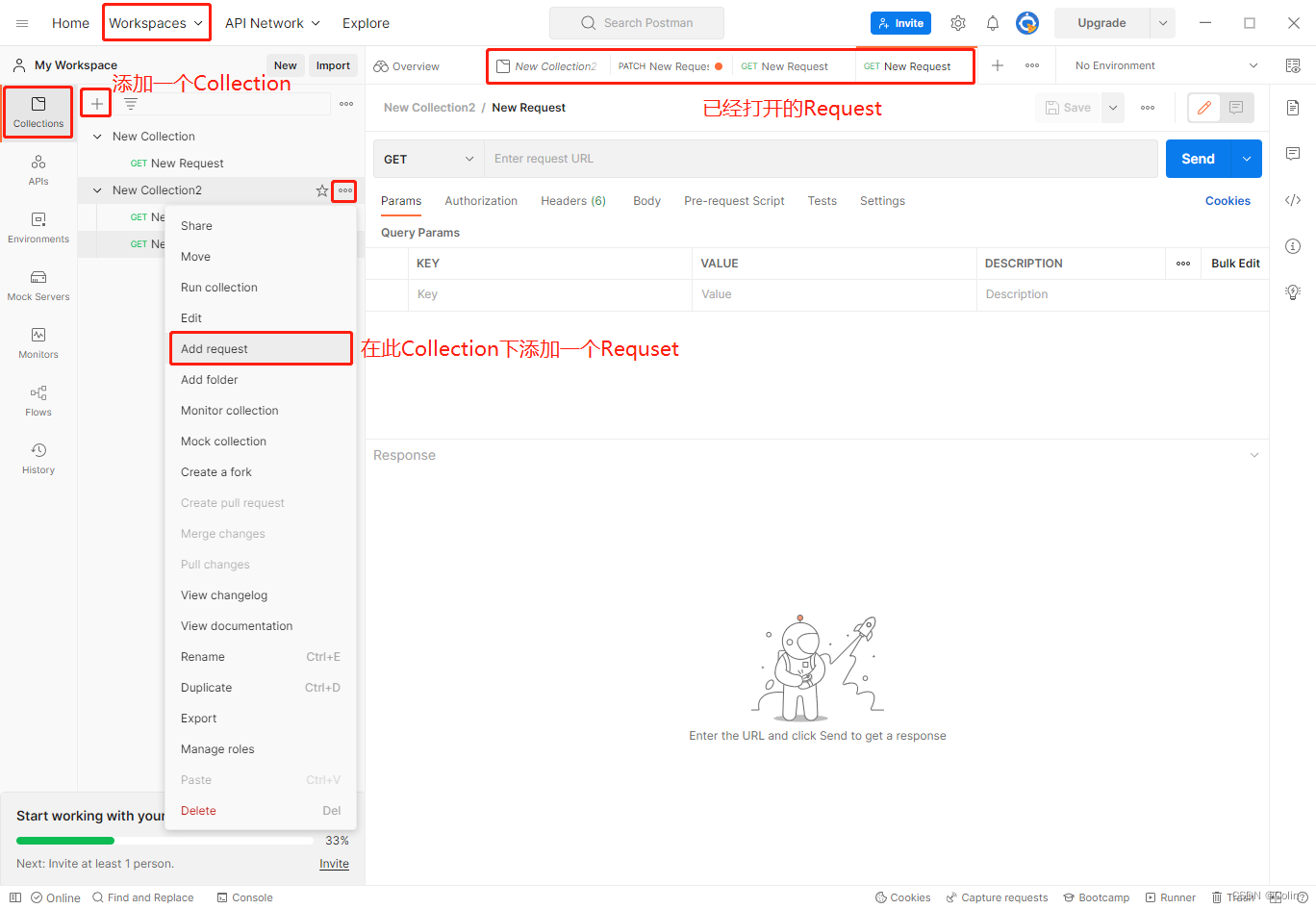
1.安装并注册登录Postman
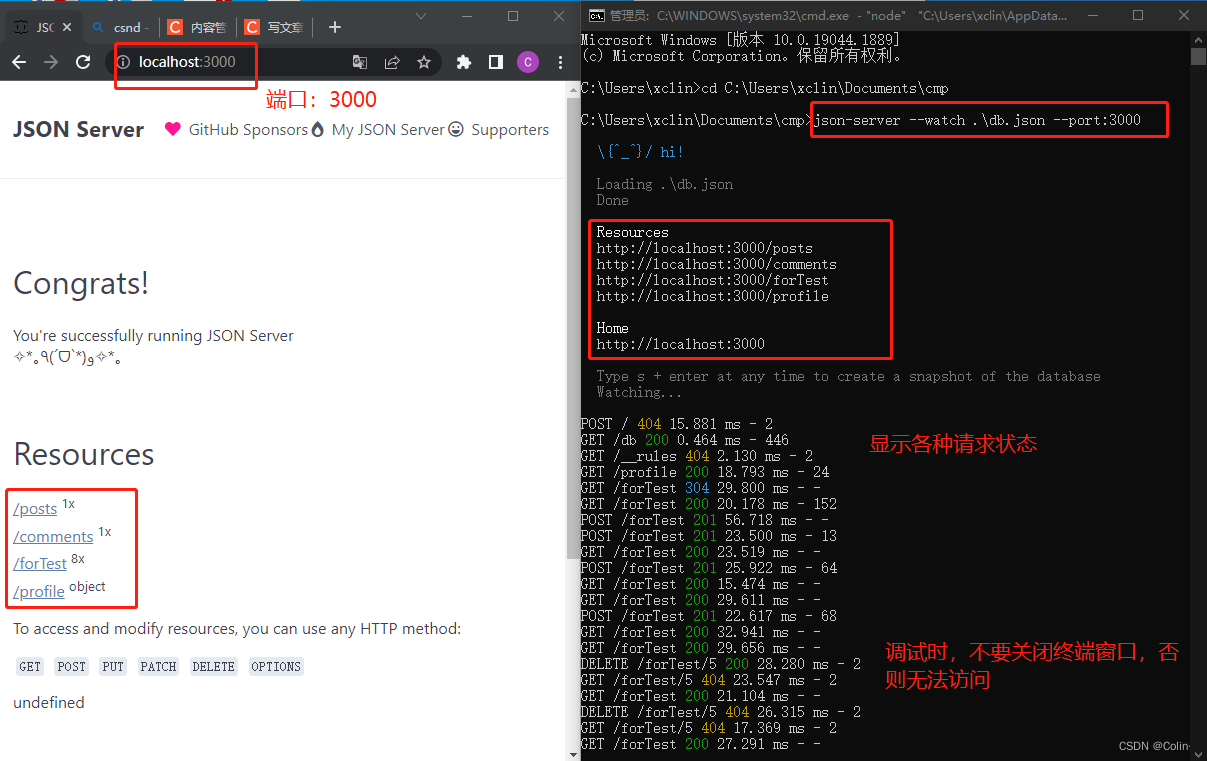
2.安装并启动 json-server
 json-server --watch .\db.json --port:3000
主要是为了建立模拟一个服务端。使用Postman也可以模拟建立。
不模拟服务器,可以使用这个地址测试各种请求(https://jsonplaceholder.typicode.com/posts/),但是看不到修改后的内容。
3.HTTP的使用
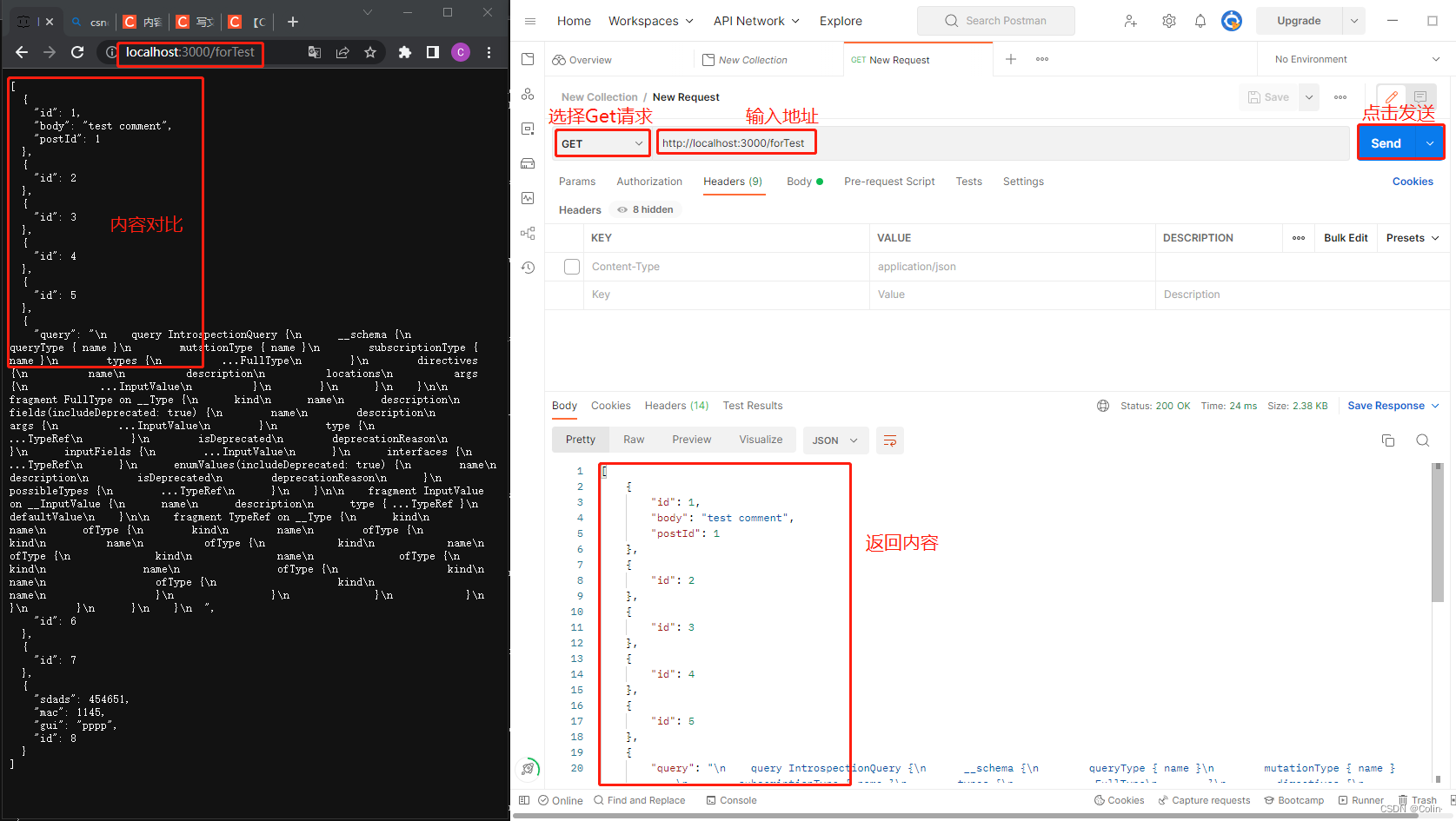
- HTTP的读取 - Get
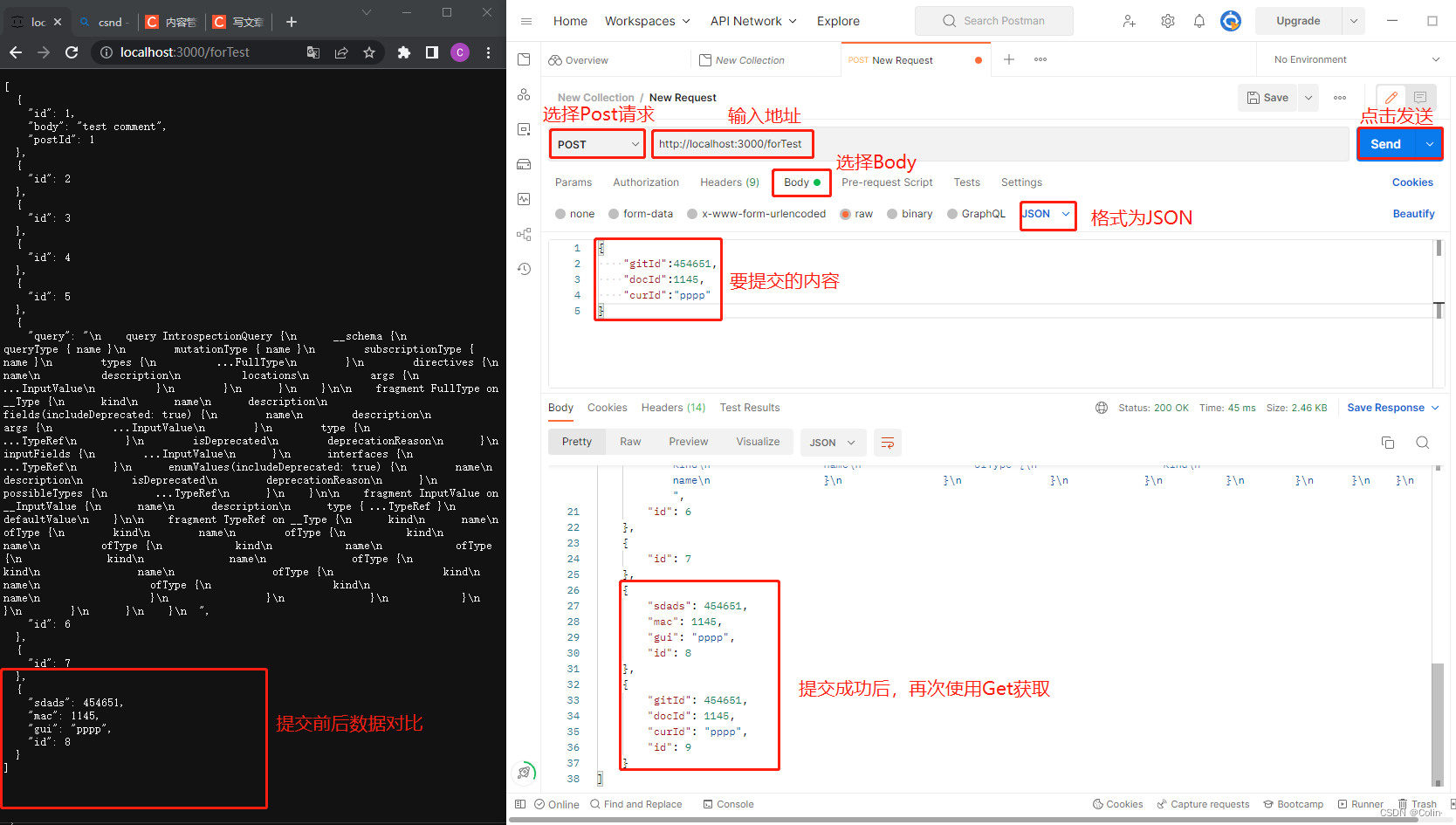
- HTTP的新增(提交)-Post
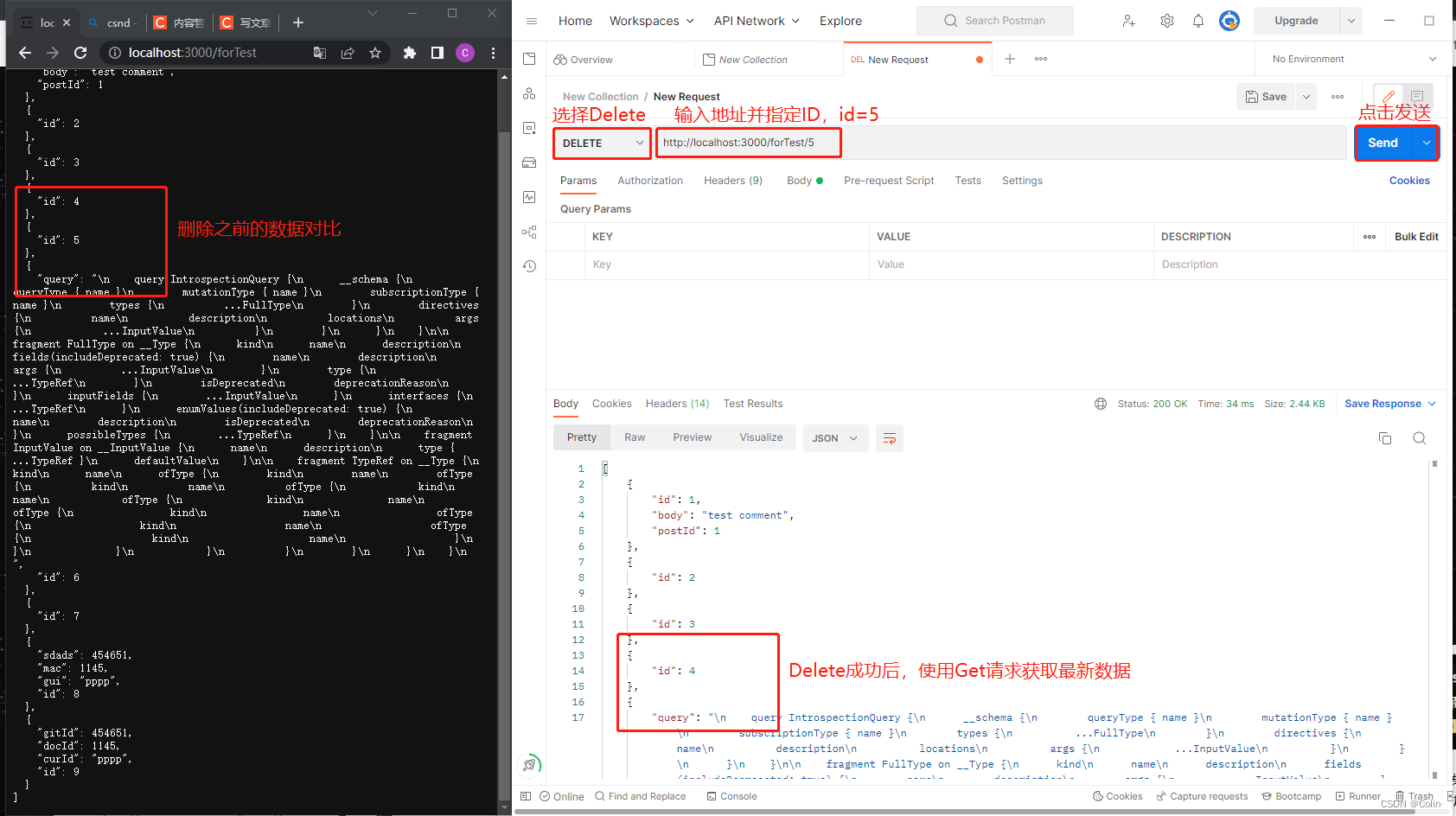
- HTTP的删除 - Delete
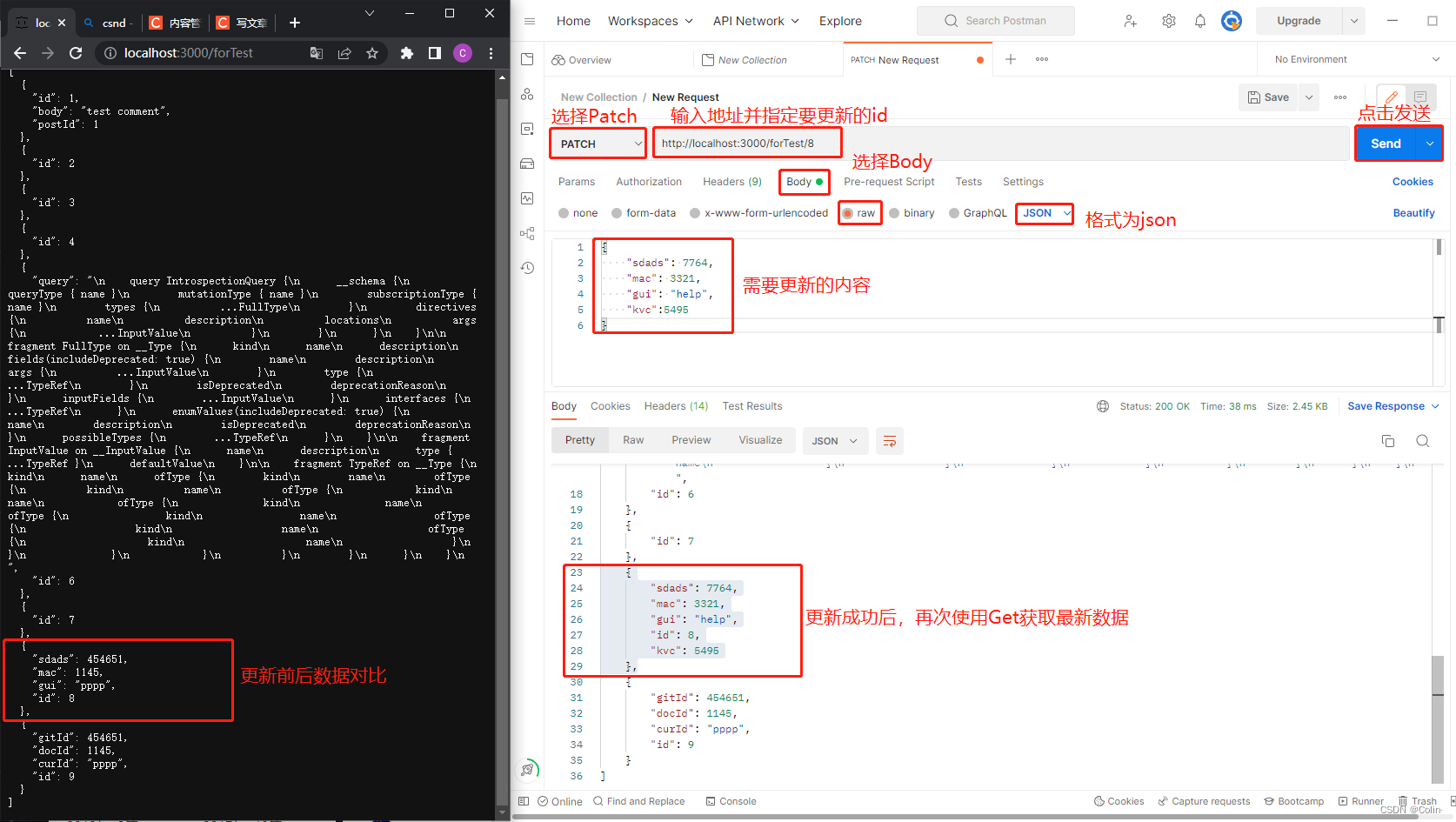
- HTTP的修改(更新) - Patch
参考资料:
1.System.Net.Http.Json
2.

 1363


 扫一扫


 被折叠的 条评论
为什么被折叠?
 到【灌水乐园】发言


