


 本文介绍了Unity UGUI中的几种视觉特效,包括UIEffect的效果模式(如灰度、像素化)、UIShiny的闪光效果参数设置、UIDissolve的溶解效果及其应用,以及UIHsvModifier对图形HSV的调整。此外,还提到了UITransition Effect的过渡效果和UIShadow的阴影/轮廓添加,以及UIGradient和UIFlip的功能。这些特效能丰富UI界面,提升用户体验。
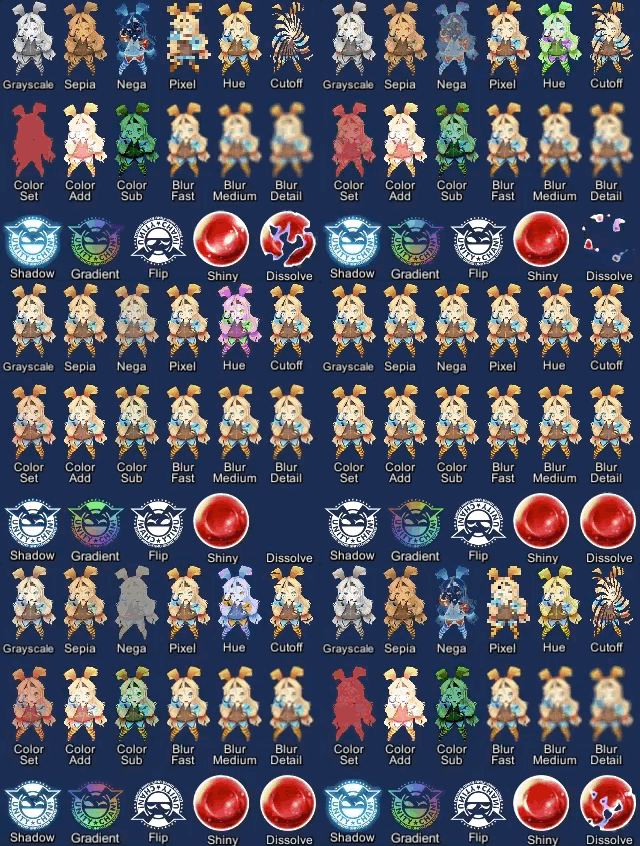
总效果一览
UIEffect
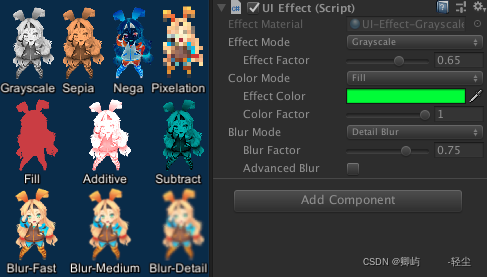
Combine some visual effects.
Effect Mode: Grayscale, Sepia, Nega, Pixelation
Color Mode: Multiply, Fill, Additive, Subtract
Blur Mode: Fast, Medium, Detail
Advanced Blur: Enable more beautiful blurring.
结合一些视觉效果。
效果模式:灰鳞,塞皮亚,尼加,像素化
色彩模式:乘、填、加、减
模糊模式:快速,中等,细节
高级蓝光:使更美丽的模糊。
UIShiny
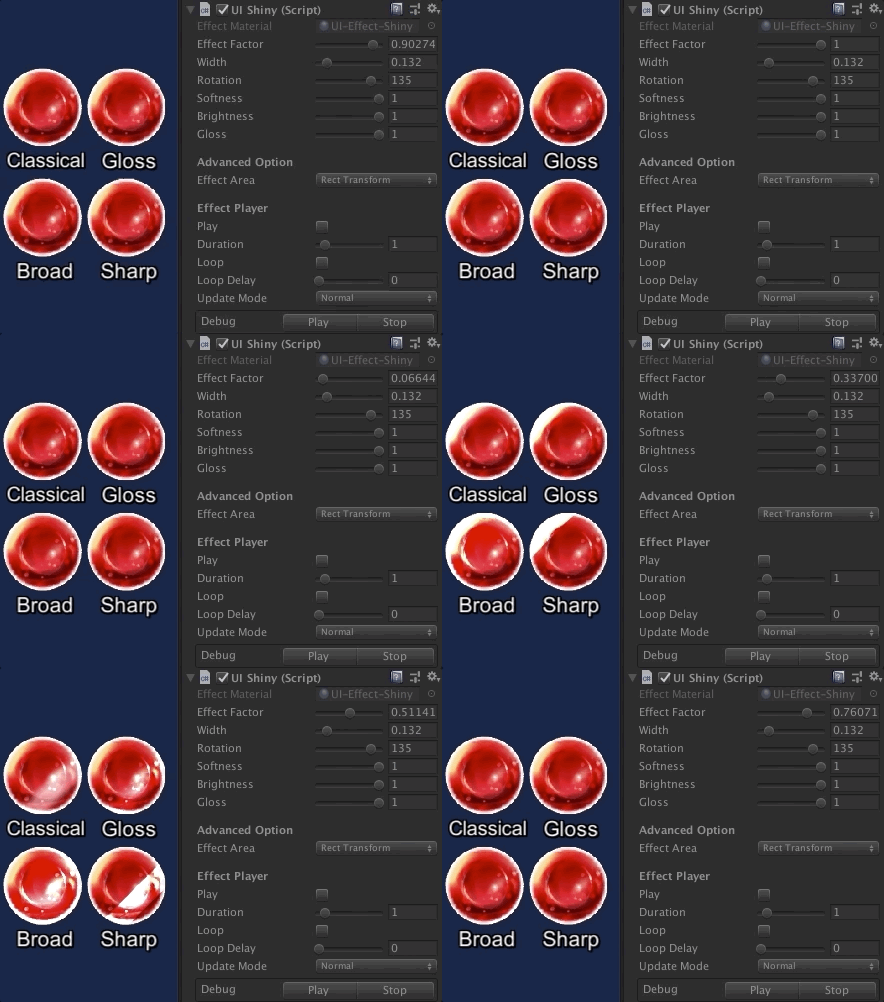
Apply shining effect to a graphic.
The effect does not require Mask component or normal map.
Parameters: Effect factor, Width, Rotation, Softness, Brightness, Gloss
将闪光效果应用于图形。
此效果不需要蒙版组件或法线映射。
参数:影响因素,宽度,旋转,柔软,亮度,光泽
UIDissolve
 最低0.47元/天 解锁文章






 扫一扫
扫一扫


 被折叠的 条评论
为什么被折叠?
被折叠的 条评论
为什么被折叠?
 到【灌水乐园】发言





