


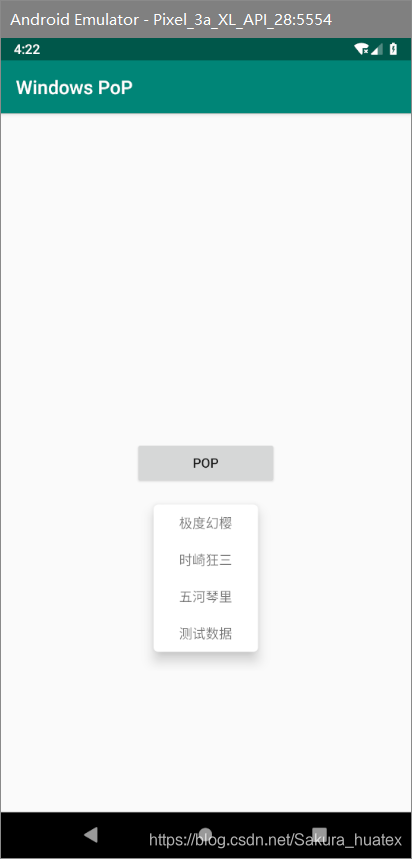
 本文介绍了如何在安卓应用中实现POP弹窗功能,详细解析了Main代码的结构和列表布局的设计,展示了最终的弹窗效果。
Main代码
public class MainActivity extends AppCompatActivity {
    private Button button;
    private PopupWindow popupWindow;

    @Override
    protected void onCreate(Bundle savedInstanceState) {
        super.onCreate(savedInstanceState);
        setContentView(R.layout.activity_main);
        button = findViewById(R.id.button);
        button.setOnClickListener(new View.OnClickListener() {
            @Override
            public void onClick(View view) {
                //这里可以写点击内容的点击事件

                View view1 = getLayoutInflater().inflate(R.layout.layout, null);
                //设置                                  pop宽度(这里是和按钮一样宽)和高度
                popupWindow = new PopupWindow(view1, button.getWidth(), ViewGroup.LayoutParams.WRAP_CONTENT);
                popupWindow.setOutsideTouchable(true);//点击空白是否关闭
                popupWindow.setAttachedInDecor(true);
                popupWindow.setFocusable(true);//点击按钮是否关闭
                popupWindow.showAsDropDown(button);//show出来
            }
        });
    }
}
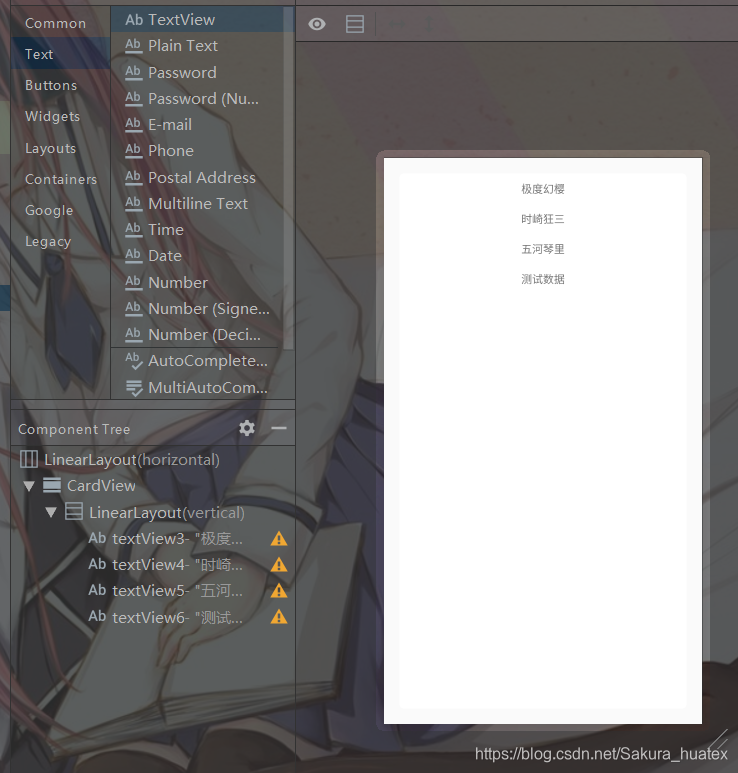
列表布局
效果





 扫一扫
扫一扫


 3907
3907

 被折叠的 条评论
为什么被折叠?
被折叠的 条评论
为什么被折叠?
 到【灌水乐园】发言





