


 文章介绍了如何使用TextMeshPro在Unity中创建文本项目,实现文本自动适应大小并配合Animator进行动态显示和动画效果。
针对第一版的优化,自动适配文字大小,TextMeshPro可以拓展各种语言。第一版字母类语言效果更好。
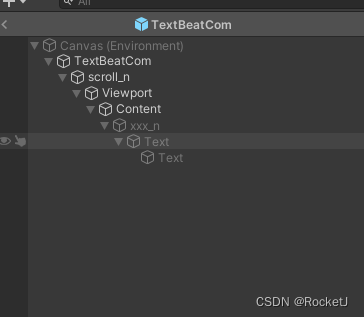
using System.Collections;
using System.Collections.Generic;
using TMPro;
using UnityEngine;
using UnityEngine.UI;

public partial class TextBeatCom
{


    List<RectTransform> m_showList = new List<RectTransform>();
    List<Animator> m_aniList = new List<Animator>();
    string m_text = string.Empty;
    int m_space = 50;
    float m_textSize = 1;

    public void Init(string text, int space = 50)
    {


        if (string.IsNullOrEmpty(text)) return;

        m_text = text;
        m_space = space;
        m_textSize = 1;
        ResetContent();
        ShowText();
    }

    void ShowText()
    {


        CreateTextItem();
        StartCoroutine(PlayAnimation());
    }

    void CreateTextItem()
    {


        float last = 0, move = 0, textLength = 0;
        int length = m_text.Length;

        for (int index = 0; index < length; index++)
        {
 最低0.47元/天 解锁文章






 扫一扫
扫一扫


 921
921

 被折叠的 条评论
为什么被折叠?
被折叠的 条评论
为什么被折叠?
 到【灌水乐园】发言





