


目录
介绍
- 方法论
- 人工智能Chat一般建议使用Puppeteer,这可能和训练语料相关。但这种方法并不好用,使用Puppeteer进行动态爬取的情况下,需要考虑使用无头浏览器在服务端渲染页面,但这会显著增加复杂性和资源消耗(而且更重要的是,许多在线部署平台不支持这种方法,要用更复杂的处理方法,比如需要一个专门的爬虫服务器)。
- 还有一些方法,先爬取静态界面,然后执行界面中的js文件来动态获取内容,但是感觉这种方法处理要更加麻烦一些(好处是不用脚本的方法了),如果页面大量使用JavaScript动态加载内容,由于js的加载和执行的时序问题,可能无法获取到完整数据。
- 在Reddit上还有一个方法(https://www.reddit.com/r/LangChain/comments/1fdtgdv/dynamic_crawling_using_llms/),我还没有仔细阅读,Generate crawler on the fly based on any website script and extract structured data。
- 还发现一些关于爬虫的文章,比如Craw4LLM:用于 LLM 预训练的高效网络爬虫 ,个人认为这个是一篇用LLM优化爬虫路由的方法。提出了一种高效的网络爬虫方法,它根据LLM预训练的偏好来探索网络图。具体来说,它利用了LLM预训练中网页的影响作为网络爬虫调度器的优先级分数。
- 本文的方法是用脚本直接执行浏览器中的相关功能。通过与nextjs程序通信的方式传递数据,Tampermonkey 脚本返回打开页面的html代码(可以等待一会,保证页面加载完成)。
原理说明
window.postMessage
- 使用window.postMessage进行最安全、标准的跨上下文通信。
Tampermonkey 脚本:
- Tampermonkey 脚本:由浏览器扩展(Tampermonkey)加载,在页面的 沙箱环境 中运行。
- 关于油猴浏览器插件的开发细节可以看网页脚本 000:tampermonkey浏览器插件开发基础。
// ==UserScript==
// @name         My Script
// @namespace    http://tampermonkey.net/
// @version      1.0
// @description  与 Next.js 通信
// @match        *://*/*
// @grant        none
// ==/UserScript==

(function() {
    'use strict';

    // 监听来自页面的消息
    window.addEventListener('message', function(event) {
        if (event.origin !== 'https://your-nextjs-app.com') return;

        if (event.data.type === 'GET_DATA_FROM_SCRIPT') {
            // 回复数据
            event.source.postMessage({
                type: 'DATA_FROM_SCRIPT',
                data: 'Hello from Tampermonkey!'
            }, event.origin);
        }
    });
})();
Next.js 页面(客户端):
- Next.js 应用:开发的前端应用,运行在页面的主 JavaScript 环境中。
'use client';

import { useEffect } from 'react';

export default function HomePage() {
  useEffect(() => {
    // 发送消息给 Tampermonkey 脚本
    window.postMessage({
      type: 'GET_DATA_FROM_SCRIPT'
    }, '*');

    // 接收来自 Tampermonkey 的回复
    const handleMessage = (event) => {
      if (event.origin !== 'https://your-nextjs-app.com') return;

      if (event.data.type === 'DATA_FROM_SCRIPT') {
        console.log('收到 Tampermonkey 数据:', event.data.data);
      }
    };

    window.addEventListener('message', handleMessage);

    return () => {
      window.removeEventListener('message', handleMessage);
    };
  }, []);

  return <div>Next.js 页面,正在与 Tampermonkey 通信</div>;
}
实现
- 脚本会根据当前网站判断自己是「主脚本」还是「子脚本」:
- 在
http://localhost:3000:「主脚本」监听 Next.js 页面发来的消息 → 用GM_openInTab打开目标网址 → 等待子脚本把 HTML 回传 → 再转发给页面。 - 在其它网站:充当「子脚本」,自动在加载后延迟一段时间,把完整的 HTML 回传给主脚本。
- 在
完整代码
Tampermonkey 脚本
// ==UserScript==
// @name         Unified Background Fetcher (Auto Close)
// @namespace    http://tampermonkey.net/
// @version      2025-09-28
// @description  在 localhost:3000 发起请求,在目标网站采集 HTML 后返回并关闭标签页
// @author       You
// @match        http://localhost:3000/*
// @match        *://*/*
// @grant        GM_openInTab
// @grant        GM_setValue
// @grant        GM_getValue
// @grant        GM_addValueChangeListener
// ==/UserScript==

(function() {
    'use strict';

    const originPage = "http://localhost:3000";

    // =====================
    // 主脚本逻辑 (运行在 localhost:3000)
    // =====================
    if (location.origin === originPage) {
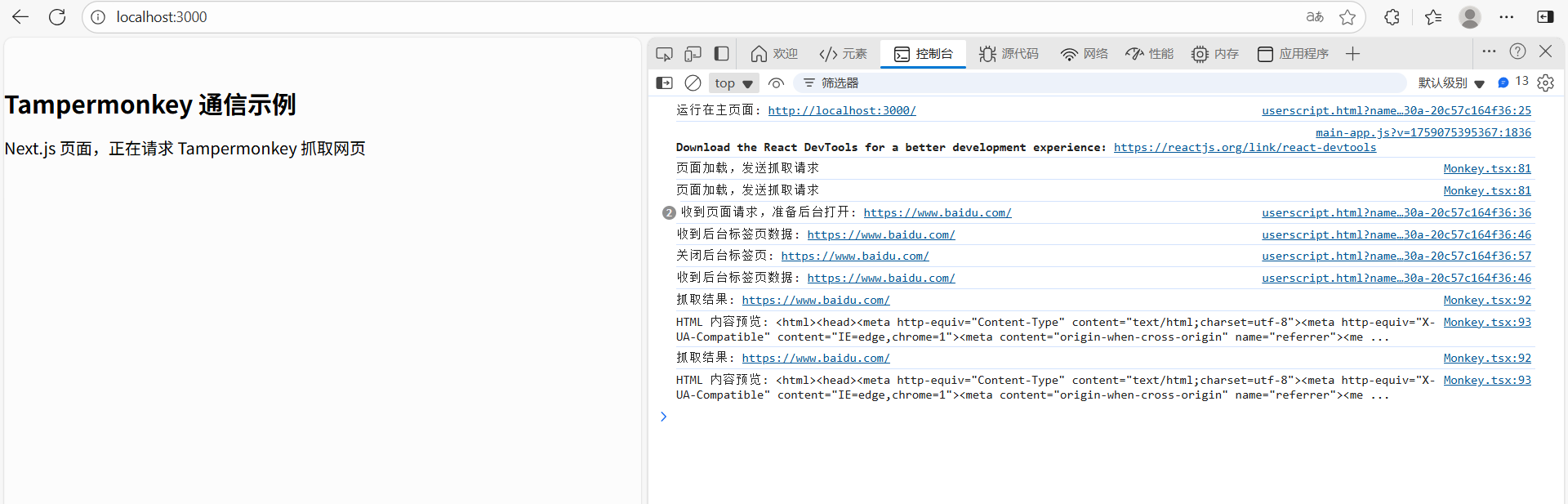
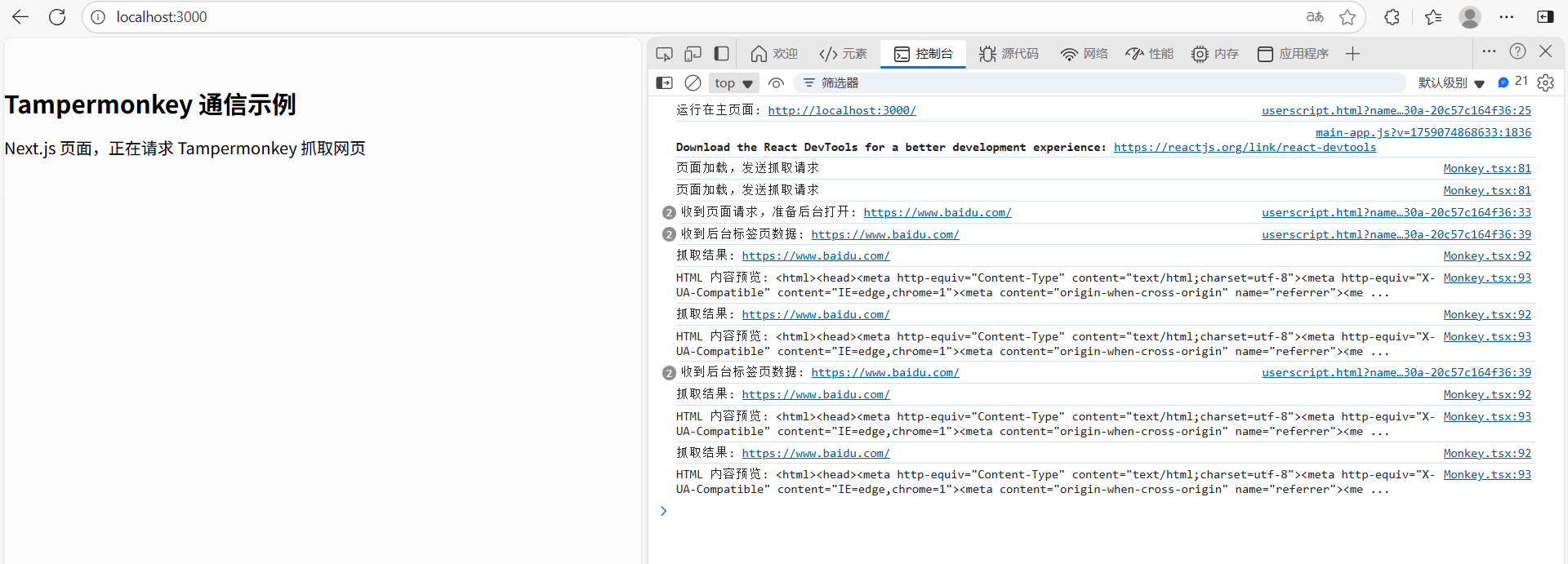
        console.log("运行在主页面:", location.href);

        // 保存 tab 引用
        const tabRefs = {};

        // 监听 Next.js 页面消息
        window.addEventListener('message', (event) => {
            if (event.origin !== originPage) return;
            if (!event.data || event.data.type !== 'FETCH_URL') return;

            const url = event.data.url;
            console.log("收到页面请求,准备后台打开:", url);

            if (!tabRefs[url] || tabRefs[url].closed) {
                const tab = GM_openInTab(url, { active: false });
                tabRefs[url] = tab;
            }
            // tabRefs[url] = tab; // 记住这个标签页对象

            // 监听子脚本的抓取结果
            GM_addValueChangeListener("html_result_" + url, (name, oldValue, newValue) => {
                console.log("收到后台标签页数据:", url);

                // 把数据发回页面
                window.postMessage({
                    type: 'FETCH_RESULT',
                    url,
                    html: newValue
                }, originPage);

                // 关闭后台标签页
                if (tabRefs[url]) {
                    console.log("关闭后台标签页:", url);
                    tabRefs[url].close();
                    delete tabRefs[url];
                }
            });
        });
    }

    // =====================
    // 子脚本逻辑 (运行在目标网站)
    // =====================
    else {
        console.log("运行在目标网站:", location.href);

        // 延迟 5 秒钟等待页面渲染
        setTimeout(() => {
            try {
                const html = document.documentElement.outerHTML;
                GM_setValue("html_result_" + location.href, html);
                console.log("已回传 HTML:", location.href);
            } catch (e) {
                console.error("抓取失败:", e);
            }
        }, 5000);
    }
})();
Next.js 页面调用示例
'use client';
import { useEffect } from 'react';

export default function Monkey() {
  useEffect(() => {
    console.log("页面加载,发送抓取请求");

    // 请求 Tampermonkey 打开并抓取
    window.postMessage({
      type: 'FETCH_URL',
      url: 'https://www.baidu.com/'
    }, 'http://localhost:3000');

    const handleMessage = (event: MessageEvent) => {
      if (event.origin !== 'http://localhost:3000') return;
      if (event.data.type === 'FETCH_RESULT') {
        console.log("抓取结果:", event.data.url);
        console.log("HTML 内容预览:", event.data.html.slice(0, 200), "...");
      }
    };

    window.addEventListener('message', handleMessage);
    return () => window.removeEventListener('message', handleMessage);
  }, []);

  return <div>Next.js 页面,正在请求 Tampermonkey 抓取网页</div>;
}
注意事项
- 目标网站如果跨域限制严重(iframe 不能访问),这种方式仍然可行,因为脚本运行在目标网站上下文中,可以直接读 DOM。
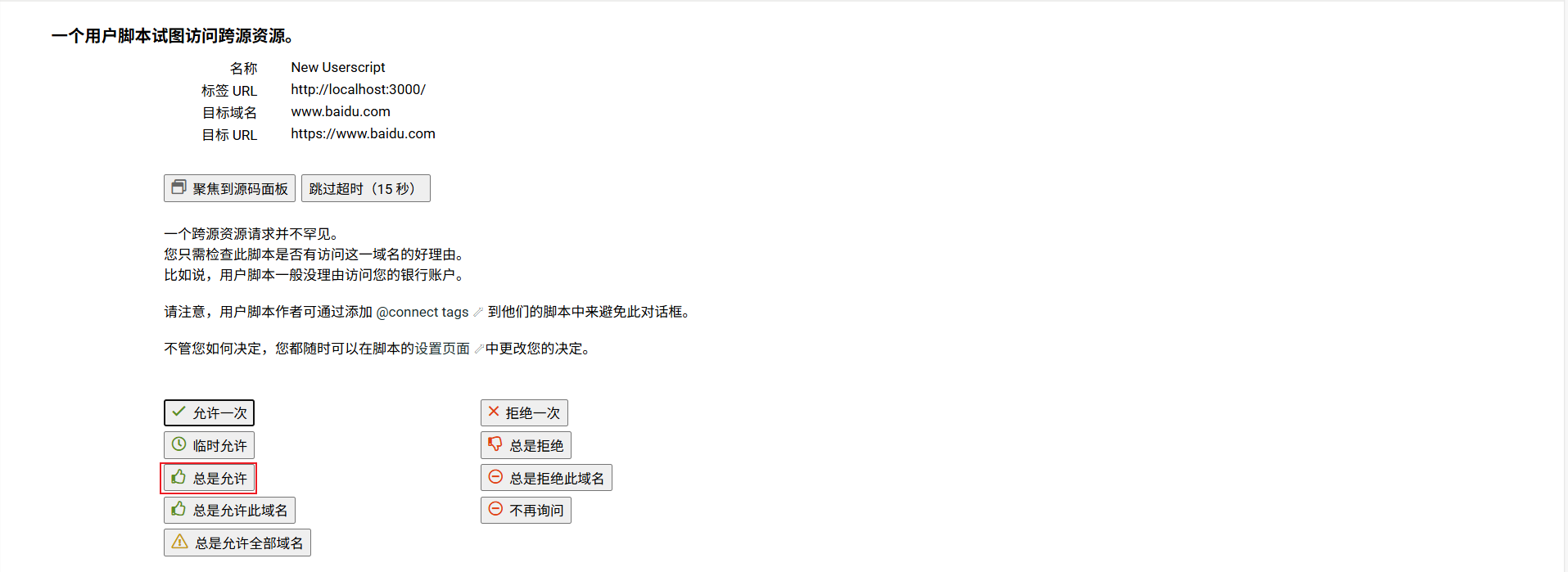
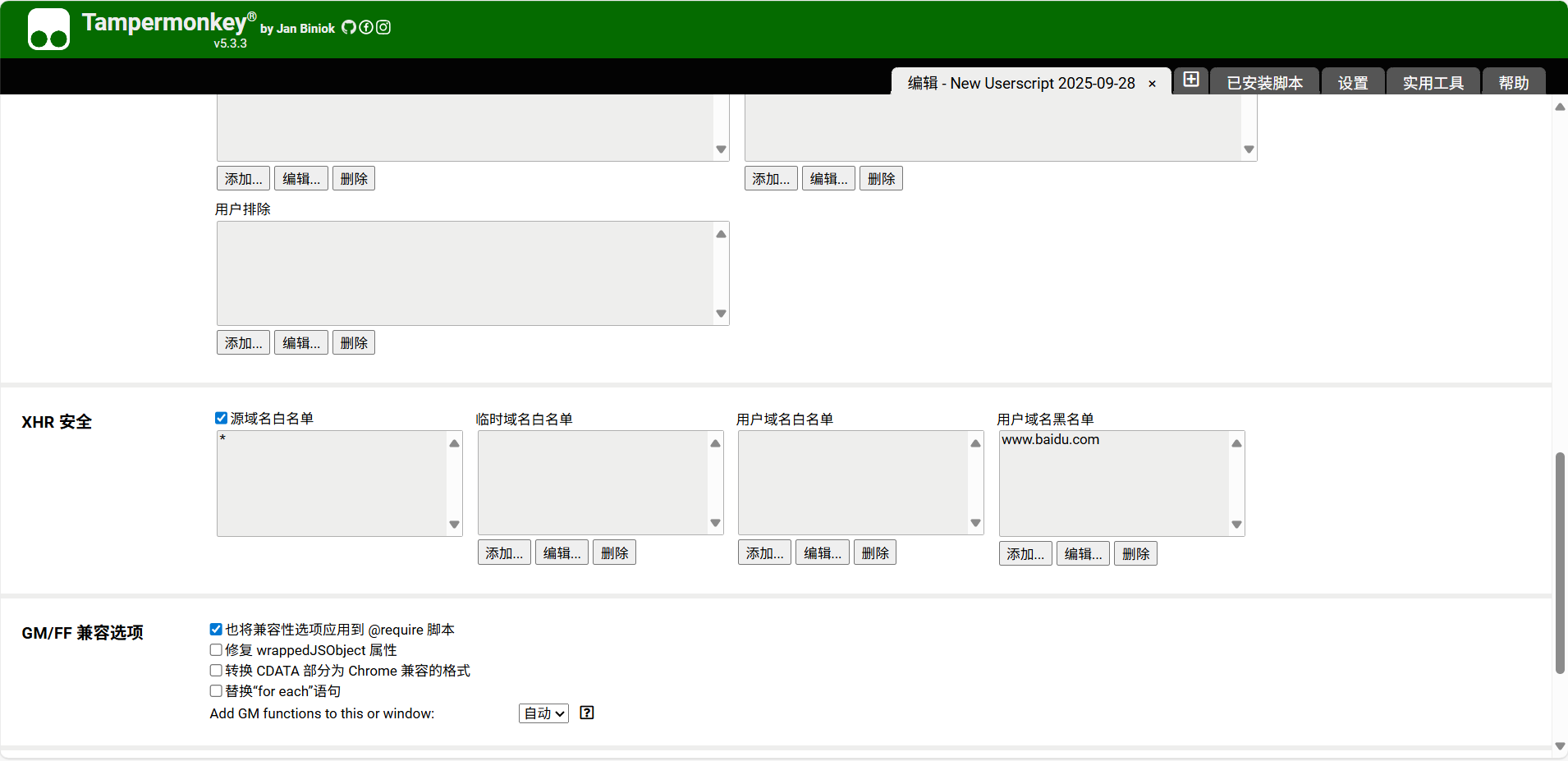
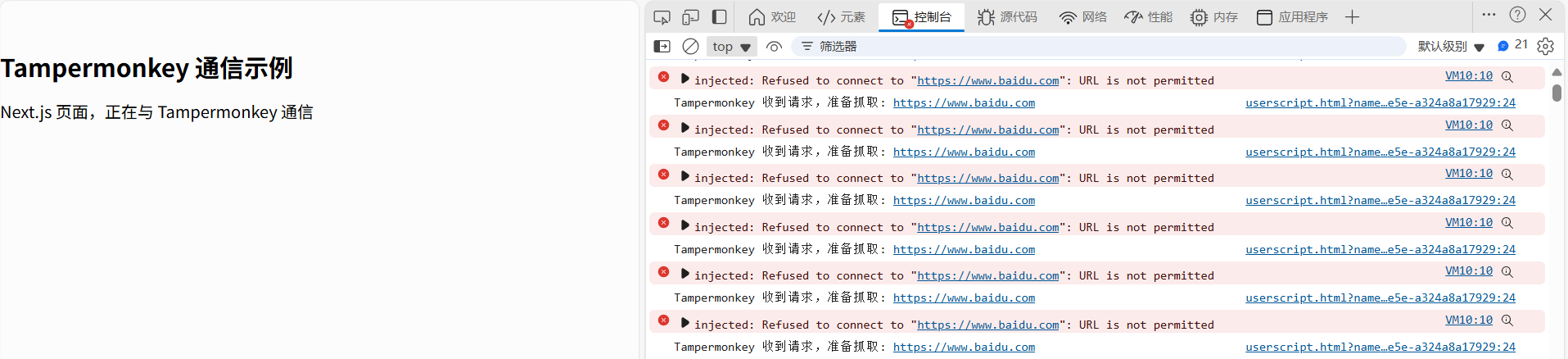
- 第一次运行时,Tampermonkey 可能会提示「需要新权限(跨域访问)」→ 需要点击 允许。
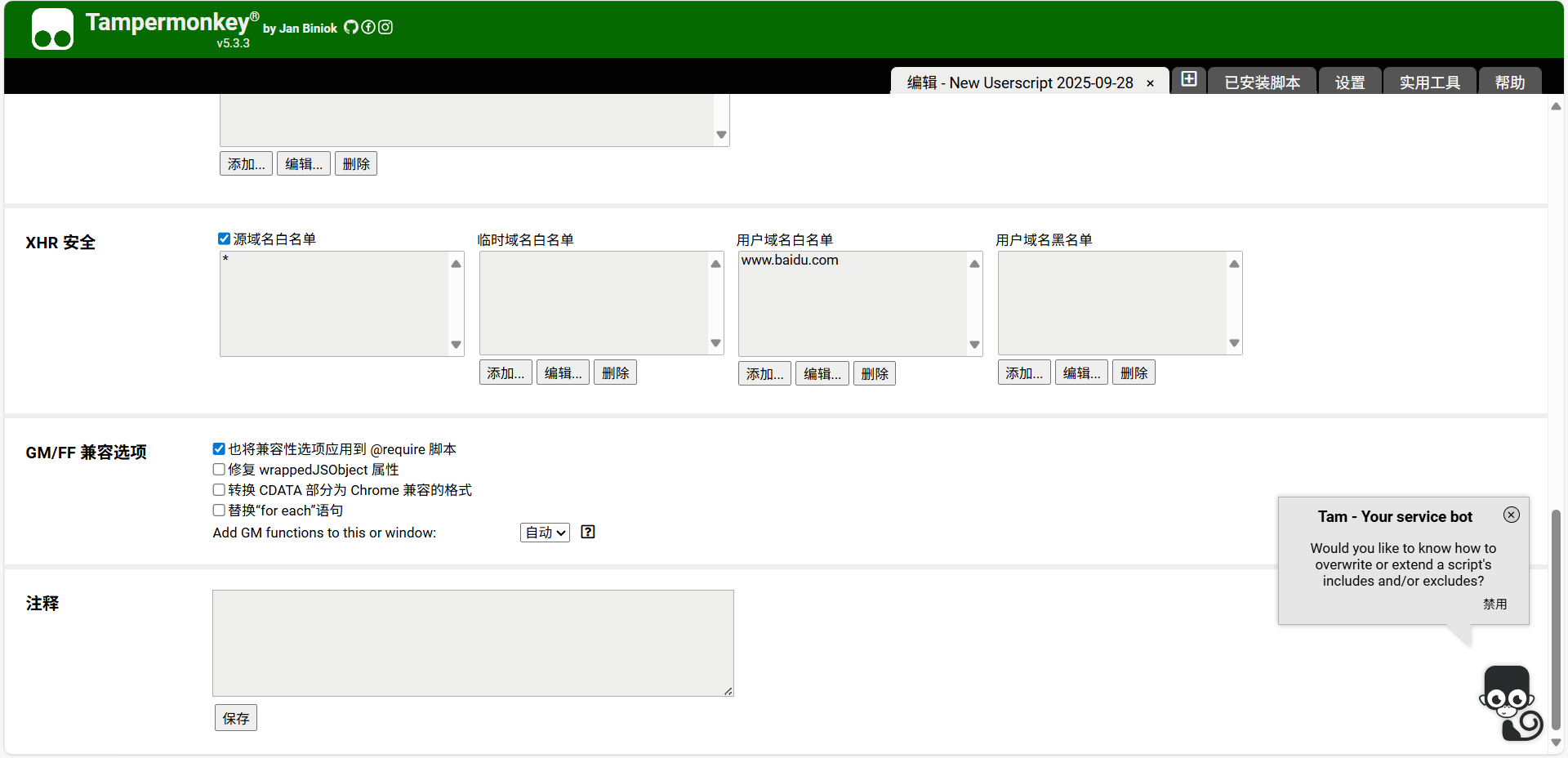
- 如果没有正确点击通过会自动加入到黑名单:





 扫一扫
扫一扫


 440
440

 被折叠的 条评论
为什么被折叠?
被折叠的 条评论
为什么被折叠?
 到【灌水乐园】发言





