


内容
阿里云内容审核SDK更新
项目比较久远,在使用以前的阿里云SDK进行内容审核时候,发现用不了,所以需要去阿里云官网调整使用最新增强版的SDK
(1)文本内容审核
详细的代码示例,可以登录网页看,如图(步骤:1.导包 2.复制代码 3.改一改accessKey, secrectKey, endpoint即可输入内容一键运行)
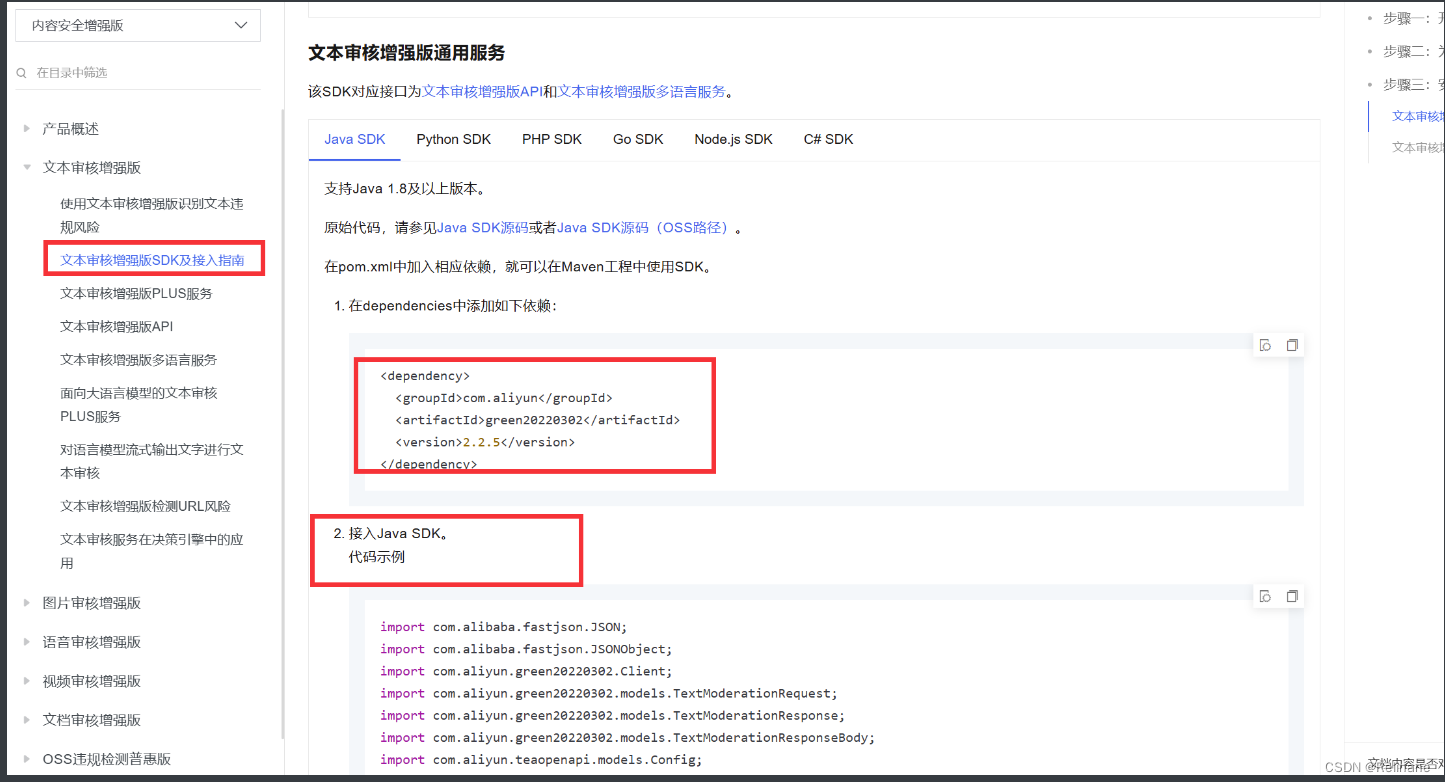
这里对主要代码进行调整即可:
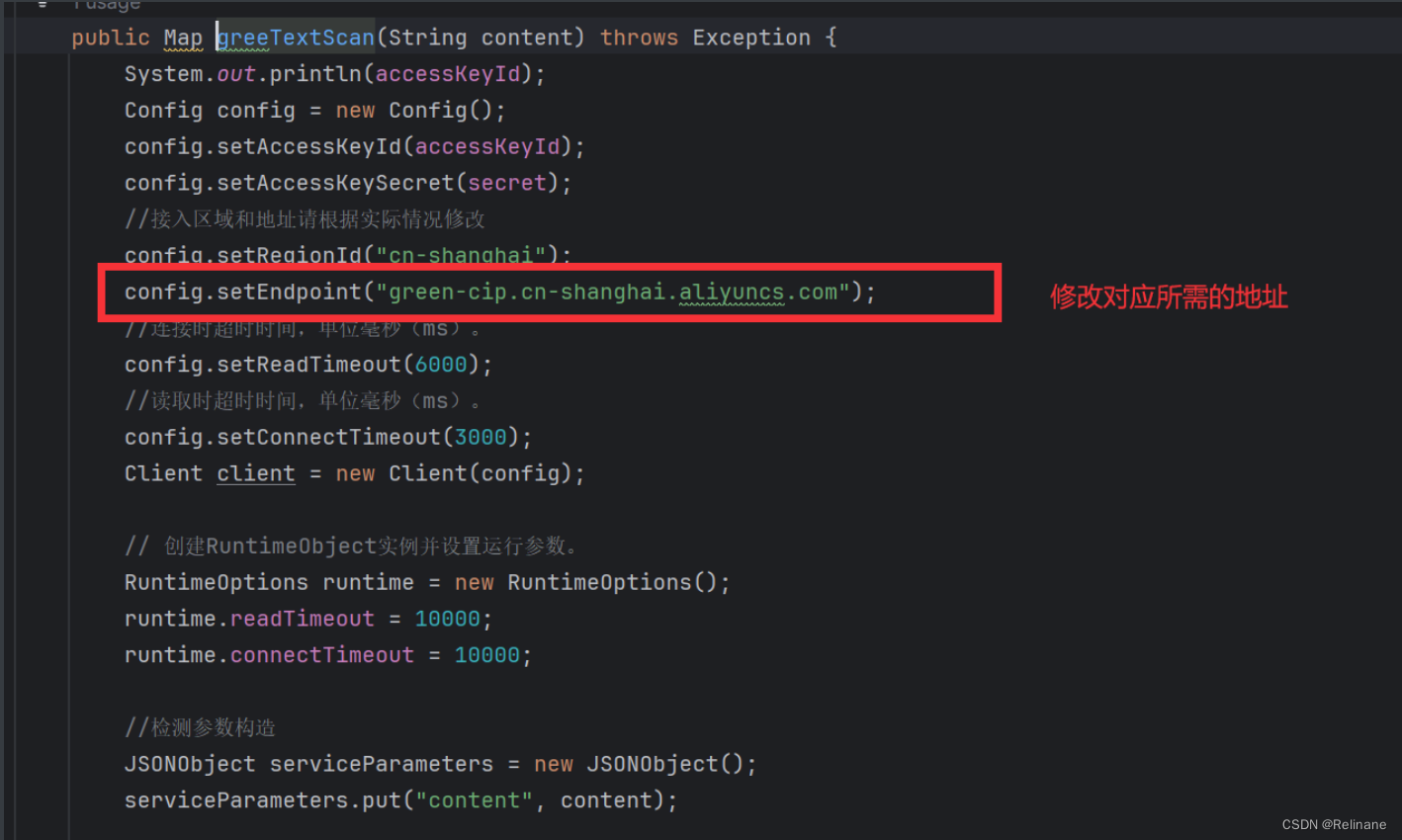
完整代码如下:
@Getter
@Setter
@Component
@ConfigurationProperties(prefix = "aliyun")
public class GreenTextScan {
private String accessKeyId;
private String secret;
public Map greeTextScan(String content) throws Exception {
System.out.println(accessKeyId);
Config config = new Config();
config.setAccessKeyId(accessKeyId);
config.setAccessKeySecret(secret);
//接入区域和地址请根据实际情况修改
config.setRegionId("cn-shanghai");
config.setEndpoint("green-cip.cn-shanghai.aliyuncs.com");
//连接时超时时间,单位毫秒(ms)。
config.setReadTimeout(6000);
//读取时超时时间,单位毫秒(ms)。
config.setConnectTimeout(3000);
Client client = new Client(config);
// 创建RuntimeObject实例并设置运行参数。
RuntimeOptions runtime = new RuntimeOptions();
runtime.readTimeout = 10000;
runtime.connectTimeout = 1
 最低0.47元/天 解锁文章






 扫一扫
扫一扫


 4899
4899


 到【灌水乐园】发言




