



 本文详细介绍了SpringMVC中数据响应的两种主要方式:页面跳转和回写数据。在页面跳转中,包括直接返回字符串和使用ModelAndView对象。在回写数据部分,讨论了直接返回字符串和返回对象或集合的方法,包括如何利用Jackson进行JSON转换。此外,还展示了如何配置SpringMVC以支持对象和集合的自动JSON转换。
1、1SpringMVC的数据响应方式
1) 页面跳转
1、1直接返回字符串
1、2通过ModelAndView对象返回
2) 回写数据
1、1直接返回字符串
1、2返回对象或集合
1、2页面跳转
1、返回字符串形式
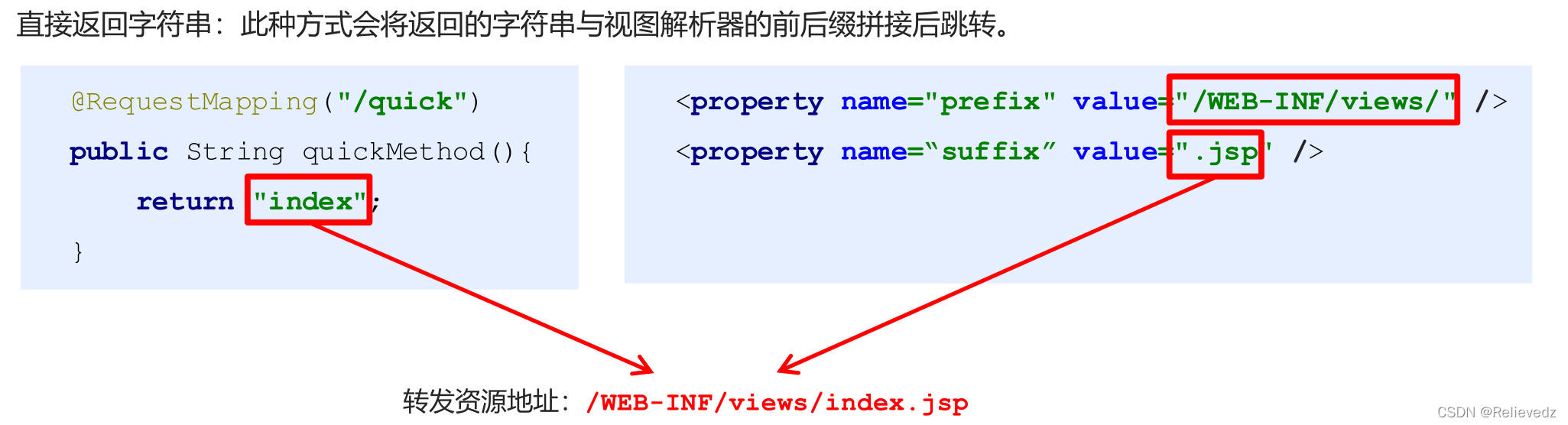
返回带有前缀的字符串:
转发:forward:/WEB-INF/views/index.jsp
重定向:redirect:/index.jsp
1.2 页面跳转
2. 返回ModelAndView对象
@RequestMapping("/quick2")
public ModelAndView quickMethod2(){
ModelAndView modelAndView = new ModelAndView();
modelAndView.setViewName("redirect:index.jsp");
return modelAndView;
}
@RequestMapping("/quick3")
public ModelAndView quickMethod3(){
ModelAndView modelAndView = new ModelAndView();
modelAndView.setViewName("forward:/WEB-INF/views/index.jsp");
return modelAndView;
}
3. 向request域存储数据
在进行转发时,往往要向request域中存储数据,在jsp页面中显示,那么Controller中怎样request域中存储数据呢?
① 通过SpringMVC框架注入的request对象setAttribute()方法设置
@RequestMapping("/quick")
public String quickMethod(HttpServletRequest request){
request.setAttribute("name","zhangsan");
return "index";
}
② 通过ModelAndView的addObject()方法设置
@RequestMapping("/quick3")
public ModelAndView quickMethod3(){
ModelAndView modelAndView = new ModelAndView();
modelAndView.setViewName("forward:/WEB-INF/views/index.jsp");
modelAndView.addObject("name","lisi");
return modelAndView;
}
1.3 回写数据
1. 直接返回字符串
Web基础阶段,客户端访问服务器端,如果想直接回写字符串作为响应体返回的话,只需要使用
response.getWriter().print(“hello world”) 即可,那么在Controller中想直接回写字符串该怎样呢?
① 通过SpringMVC框架注入的response对象,使用response.getWriter().print(“hello world”) 回写数据,此时不需要视图跳转,业务方法返回值为void。
@RequestMapping("/quick4")
public void quickMethod4(HttpServletResponse response) throwsIOException {
response.getWriter().print("hello world");
}
② 将需要回写的字符串直接返回,但此时需要通过@ResponseBody注解告知SpringMVC框架方法返回的字符串不是跳转是直接在http响应体中返回。
@RequestMapping("/quick5")
@ResponseBody
public String quickMethod5() throws IOException {
return "hello springMVC!!!";
}
在异步项目中,客户端与服务器端往往要进行json格式字符串交互,此时我们可以手动拼接json字符串返回。
@RequestMapping("/quick6")
@ResponseBody
public String quickMethod6() throws IOException {
return "{\"name\":\"zhangsan\",\"age\":18}";
}
上述方式手动拼接json格式字符串的方式很麻烦,开发中往往要将复杂的java对象转换成json格的字符串,我们可以使用web阶段学习过的json转换工具jackson进行转换,导入jackson坐标。
<!--jackson-->
<dependency>
<groupId>com.fasterxml.jackson.core</groupId>
<artifactId>jackson-core</artifactId>
<version>2.9.0</version>
</dependency>
<dependency>
<groupId>com.fasterxml.jackson.core</groupId>
<artifactId>jackson-databind</artifactId>
<version>2.9.0</version>
</dependency>
<dependency>
<groupId>com.fasterxml.jackson.core</groupId>
<artifactId>jackson-annotations</artifactId>
<version>2.9.0</version>
</dependency>
通过jackson转换json格式字符串,回写字符串。
@RequestMapping("/quick7")
@ResponseBody
public String quickMethod7() throws IOException {
User user = new User();
user.setUsername("zhangsan");
user.setAge(18);
ObjectMapper objectMapper = new ObjectMapper();
String s = objectMapper.writeValueAsString(user);
return s;
}
2. 返回对象或集合
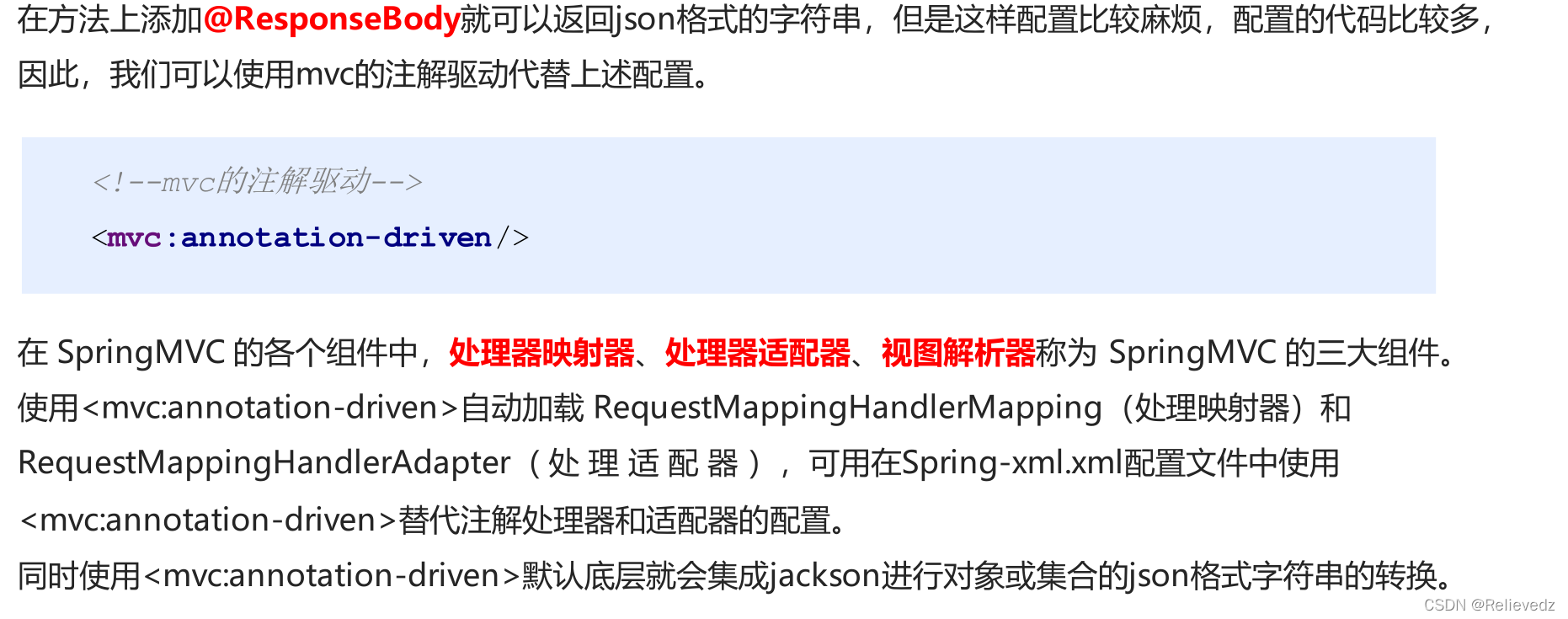
通过SpringMVC帮助我们对对象或集合进行json字符串的转换并回写,为处理器适配器配置消息换参数,指定使用jackson进行对象或集合的转换,因此需要在spring-mvc.xml中进行如下配置:
<bean class="org.springframework.web.servlet.mvc.method.annotation.RequestMappingHandlerAdapter">
<property name="messageConverters">
<list>
<bean class="org.springframework.http.converter.json.MappingJackson2HttpMessageConverter">
</bean>
</list>
</property>
</bean>
@RequestMapping("/quick8")
@ResponseBody
public User quickMethod8() throws IOException {
User user = new User();
user.setUsername("zhangsan");
user.setAge(18);
return user;
}
知识要点
SpringMVC的数据响应方式
1) 页面跳转
直接返回字符串
通过ModelAndView对象返回
2) 回写数据
直接返回字符串
返回对象或集合





 扫一扫
扫一扫


 1093
1093

 被折叠的 条评论
为什么被折叠?
被折叠的 条评论
为什么被折叠?
 到【灌水乐园】发言





